Freedom251 › Minecraft Pixel Art Generators
PixelStacker
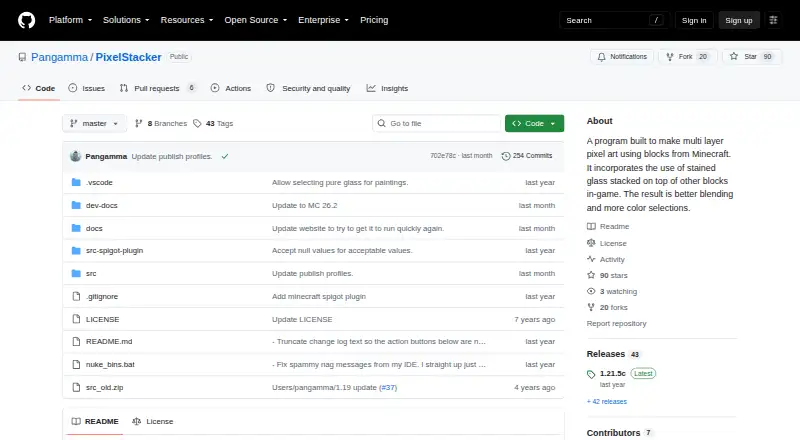
What PixelStacker is
PixelStacker converts an image into multilayer Minecraft pixel art by analyzing its pixels and matching their colors to combinations of accepted in-game materials. It uses stained glass over other blocks to provide additional blending and color options, while Double layer mode pairs stained glass panels with newer Minecraft blocks to broaden the palette. The program includes viewing options for building the result in-game and supports exports in PNG, schem, schematic, NBT, schem3, and materials-list formats. Custom palette control is available. You can access a web demo or API, or download desktop releases from the project's GitHub repository; listed platforms are web, Windows, and API. The maker says image handling up to 8k is possible, depending on the computer's specifications. A release added Minecraft blocks and updated the web demo for Minecraft 1.21.5, and another release note describes updating NuGet packages to patch security vulnerabilities. The project is described as a proof of concept for making pixel art to build in-game. Taylor Love is identified as its author and developer. PixelStacker is free and open source, and the project links to Discord for community updates and sharing builds.
Who it suits
PixelStacker suits Minecraft players who want to turn an image into a material-mapped build plan, with ways to view and export the result. Its web demo, API, Windows releases, and custom palette control may also suit people choosing how to work with the tool.
What it does well
- Maps image pixels to combinations of in-game materials.
- Double layer mode expands the available color palette.
- Offers PNG, schematic, NBT, schem3, and materials-list exports.
- Web demo, API, and downloadable Windows releases are available.
- Free and open source.
What to know first
- The maker says 8k image handling depends on computer specifications.
- Its stated purpose is a proof of concept for in-game pixel art.
Plans
| Plan | Billed and limits | Price |
|---|---|---|
| PixelStacker | No paid plans or usage limits stated | Free |
As github.com lists them, read 9 Oct 2026. The maker's own page has the final word.
Getting started
- Open the web demo or API from the project site.
- For desktop use, download a release from the GitHub repository.
- Provide an image for pixel and material matching.
- Choose palette controls or Double layer mode as needed.
- View the result for in-game building or export it in a supported format.
Verdict
Choose PixelStacker if you want to convert an image into a Minecraft materials-based design and need viewing or schematic-style export options. The maker describes it as a proof of concept, so it is most directly suited to creating pixel art to build in-game.
Questions
Is PixelStacker free?
Yes. PixelStacker is free and open source, with a listed price of $0.
Which platforms are listed?
The listed platforms are web, Windows, and API. The project links to a web demo and API, and its GitHub repository provides downloadable desktop releases.
What can PixelStacker export?
Listed formats include PNG, schem, schematic, NBT, schem3, and a materials list.
Can I customize the palette?
Yes. Custom palette control is listed, and Double layer mode combines stained glass panels with newer Minecraft blocks.
Who makes PixelStacker?
Taylor Love is identified as the project's author and developer.
Does the project have a community link?
The maker links to Discord and invites users to share build pictures and project links for possible showcase.
Facts from PixelStacker's own pages
- Desktop releases
- The GitHub repository provides downloadable releases, including a release labeled 1.21.5c. · github.com, 9 Oct 2026
- Double layer mode
- Double layer mode combines stained glass panels with newer Minecraft blocks to expand the color palette. · taylorlove.info, 9 Oct 2026
- Image size
- The maker says the program can handle 8k images depending on the computer's specifications. · github.com, 9 Oct 2026
- Inputs and matching
- The program analyzes input image pixels and maps their colors to combinations of accepted in-game materials. · github.com, 9 Oct 2026
- Intended audience
- The maker describes PixelStacker as a proof of concept for creating high quality pixel art to build in-game. · taylorlove.info, 9 Oct 2026
- Maker
- The project site identifies Taylor Love as its author and developer. · taylorlove.info, 9 Oct 2026
- Material updates
- A release added new Minecraft blocks and updated the web demo for Minecraft 1.21.5. · github.com, 9 Oct 2026
- Purpose
- PixelStacker creates multilayer Minecraft pixel art using stained glass stacked over other blocks for more blending and color options. · github.com, 9 Oct 2026
- Security maintenance
- A release notes that NuGet packages were updated to patch security vulnerabilities. · github.com, 9 Oct 2026
- Support and community
- The maker links to Discord for following the project and invites users to submit build pictures and project links for possible showcase. · taylorlove.info, 9 Oct 2026
- Viewing and export
- The program provides viewing options for building the art in-game and can save PNG or Schematic files. · taylorlove.info, 9 Oct 2026
- Web access
- The project links to a web demo and an API. · github.com, 9 Oct 2026
Where PixelStacker stands on Freedom251
- Minecraft Pixel Art Generators#12 of 23