Freedom251 › Minecraft Pixel Art Generators
Minecraft Pixel Art Generator
What Minecraft Pixel Art Generator is
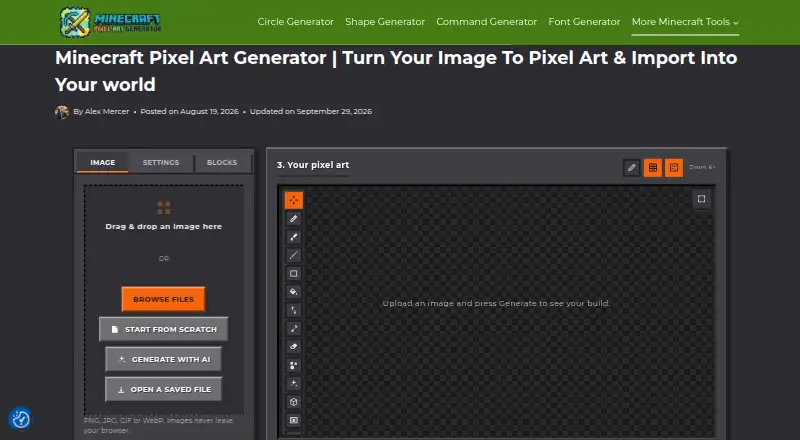
Minecraft Pixel Art Generator is a free web tool that converts images or custom designs into layouts built from named Minecraft blocks. It accepts PNG, JPG, GIF, and WebP files, and an AI assistant can help create a starting design from a written idea. Users can choose All, Survival, or Custom block palettes and edit with Pencil, Brush, Line, Rectangle, Bucket Fill, Eyedropper, and Eraser tools. Color matching, image adjustments, and dithering options are available. The tool provides a material list and row-by-row build guide, with exports in PNG, JSON, CSV, .mcfunction, .schem, or .schematic formats. It also supports multi-frame animations that can be exported as GIFs or short videos. Image conversion, cropping, color matching, and dithering run locally in the browser, so images are not uploaded to the site's servers. Its exports and guides support workflows involving WorldEdit, MCEdit, Litematica, and no-mod datapacks. The tool requires no account or paywall; image-size limits depend on the user's device.
Who it suits
This suits Minecraft players who want to turn images or custom designs into block layouts and use a build guide or schematic export. It also fits users who want to edit designs or make frame-based animations in a browser.
What it does well
- Supports PNG, JPG, GIF, and WebP inputs.
- Offers All, Survival, and Custom palettes.
- Provides a material list and row-by-row guide.
- Image conversion runs locally in the browser.
What to know first
- Image-size limits depend on the user's device.
- AI starting designs rely on assistants such as ChatGPT, Claude, or Gemini.
Plans
| Plan | Billed and limits | Price |
|---|---|---|
| Free | no account · no paywall · no limit on image size beyond what your own device can handle | Free |
As minecraftpixelartgenerator.com lists them, read 30 Sept 2026. The maker's own page has the final word.
Getting started
- Open the website in a web browser.
- Upload a PNG, JPG, GIF, or WebP image, or start with a custom design.
- Optionally describe an idea to an AI assistant to create a starting design.
- Choose the All, Survival, or Custom block palette and edit the design.
- Download the result in a supported format or export an animation.
Verdict
Minecraft Pixel Art Generator combines image conversion, block-level editing, planning guides, and several export formats. Its browser-based processing keeps image conversion on the user's device, while large inputs are limited by that device's capacity.
Questions
How much does Minecraft Pixel Art Generator cost?
It is free, with a listed price of $0 plan. The plan has no account requirement or paywall.
Which image formats can I use?
It accepts PNG, JPG, GIF, and WebP images.
What can I export?
Exports include PNG, JSON, CSV, .mcfunction, .schem, and .schematic files. Multi-frame animations can be exported as GIFs or short videos.
Does it run on a particular platform?
It is a web tool. Image conversion, cropping, color matching, and dithering run locally in the browser.
Do I need an account or an API key for AI assistance?
The generator site does not require an account, API key, or billing setup for its AI workflow. It can use free tiers of assistants such as ChatGPT, Claude, or Gemini.
Does it have a free trial?
No free trial is listed; the tool is offered on a free plan.
Facts from Minecraft Pixel Art Generator's own pages
- AI cost
- The AI workflow requires no API key, billing setup, or account on the generator site and can use free tiers of assistants such as ChatGPT, Claude, or Gemini. · minecraftpixelartgenerator.com, 30 Sept 2026
- AI generation
- Users can describe an idea and use an AI assistant to create a starting Minecraft pixel-art design. · minecraftpixelartgenerator.com, 30 Sept 2026
- Animation
- Users can create multi-frame animations and export them as GIFs or short videos. · minecraftpixelartgenerator.com, 30 Sept 2026
- Block palettes
- The generator offers All, Survival, and Custom block palettes. · minecraftpixelartgenerator.com, 30 Sept 2026
- Build planning
- The tool provides a material list and a row-by-row build guide. · minecraftpixelartgenerator.com, 30 Sept 2026
- Color processing
- It provides color-matching methods, image adjustments, and dithering options. · minecraftpixelartgenerator.com, 30 Sept 2026
- Editing
- The built-in editor includes Pencil, Brush, Line, Rectangle, Bucket Fill, Eyedropper, and Eraser tools. · minecraftpixelartgenerator.com, 30 Sept 2026
- Exports
- Creations can be downloaded as PNG, JSON, CSV, .mcfunction, .schem, or .schematic files. · minecraftpixelartgenerator.com, 30 Sept 2026
- Independence
- The site is maintained independently by a small team and is not affiliated with Mojang Studios or Microsoft. · minecraftpixelartgenerator.com, 30 Sept 2026
- Input formats
- It supports PNG, JPG, GIF, and WebP images. · minecraftpixelartgenerator.com, 30 Sept 2026
- Integrations
- Its exports and guides support workflows involving WorldEdit, MCEdit, Litematica, and no-mod datapacks. · minecraftpixelartgenerator.com, 30 Sept 2026
- Privacy
- Image conversion, cropping, color matching, and dithering run locally in the browser, so images are not uploaded to the site’s servers. · minecraftpixelartgenerator.com, 30 Sept 2026
- Purpose
- The tool turns images or custom designs into layouts made from real, named Minecraft blocks. · minecraftpixelartgenerator.com, 30 Sept 2026
- Support
- Support is available by email, with a stated response target of 2–3 business days. · minecraftpixelartgenerator.com, 30 Sept 2026
Where Minecraft Pixel Art Generator stands on Freedom251
- Minecraft Pixel Art Generators#14 of 23