Freedom251 › Minecraft Pixel Art Generators
mcIVASmaker
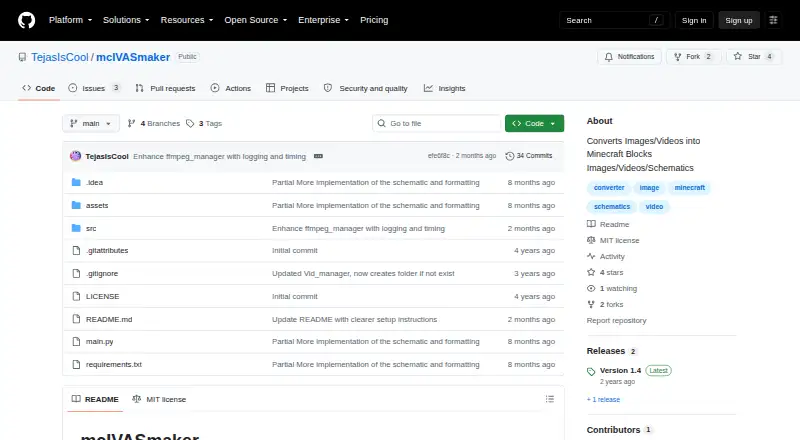
What mcIVASmaker is
mcIVASmaker is a free Windows program for turning images and videos into Minecraft block-based visuals. For images, it matches pixel RGB values against average block colors using selectable algorithms. You can limit image conversion to blocks available up to Minecraft version 1.20, then export a block-textured image or a schematic for use with a schematic mod. It can also create redstone lamp displays as images or schematics. Video conversion processes frames into block images and combines them into a video; you can adjust frame rate and process count, but video conversion does not create schematics. Audio conversion is unfinished. Both the Windows executable and ZIP version require FFmpeg and FFProbe on the system path. The ZIP route also requires Python 3.8 or later and the libraries listed in requirements.txt. Video conversion may take a long time, produce very high-bitrate output, and encounter FFmpeg problems with high-resolution video, especially at 32k and above. The repository includes an MIT license, which permits use, modification, distribution, and sale subject to its conditions and provides the software without warranty.
Who it suits
It suits Minecraft players who want to turn images into block-textured visuals or schematics, and users who want to convert video frames into Minecraft-style video. The ZIP option is for users able to install Python and its listed libraries.
What it does well
- Exports image conversions as images or schematics.
- Restricts image palettes to blocks up to version 1.20.
- Creates redstone lamp displays.
- Video conversion offers frame-rate and process-count controls.
What to know first
- Audio conversion is unfinished.
- Video conversion does not create schematics.
- FFmpeg and FFProbe must be on the system path.
- Video conversion may be slow and produce high-bitrate output.
Limits
The free tool’s video conversion can take a long time and may produce very high-bitrate output; FFmpeg has problems with high-resolution video, especially at 32k and above. Video conversion does not create schematics, and audio conversion is unfinished.
Getting started
- Use the Windows executable download or download the source ZIP from the project website.
- Put FFmpeg and FFProbe on the system path.
- For the ZIP version, install Python 3.8 or later and the libraries listed in requirements.txt.
- Run main.py for the Python/ZIP route.
Verdict
mcIVASmaker offers several image outputs and configurable video conversion for Minecraft block visuals. Before choosing it, account for its required media tools, unfinished audio support, and stated video limitations.
Questions
Is mcIVASmaker free?
Yes. It has a free plan.
What can it convert?
It converts images into block-textured images or schematics and can convert video into a video of Minecraft block images. Audio conversion is unfinished.
What platforms does it support?
The listed platform is Windows. The project says the executable may work with Wine, but that is untested.
What does it need to run?
Both the executable and ZIP versions require FFmpeg and FFProbe on the system path. The ZIP version also requires Python 3.8 or later and the libraries listed in requirements.txt.
What does the MIT license allow?
It permits use, modification, distribution, and sale of copies, subject to its conditions. It disclaims warranties.
Facts from mcIVASmaker's own pages
- Audio status
- Audio conversion is described as unfinished. · github.com, 3 Oct 2026
- Block selection
- Image conversion supports Minecraft blocks up to version 1.20 and lets users restrict the selection to chosen blocks. · github.com, 3 Oct 2026
- Conversion method
- For images, the program compares each pixel's RGB value with average colors for Minecraft blocks and selects a closest match using selectable algorithms. · github.com, 3 Oct 2026
- Dependencies
- Both the executable and zip versions require FFmpeg and FFProbe on the system path. · github.com, 3 Oct 2026
- Image output
- It can convert images into block-textured images or schematic files for placement in a Minecraft world. · github.com, 3 Oct 2026
- License
- The repository lists an MIT license. · github.com, 3 Oct 2026
- License warranty
- The MIT license provides the software “as is” and disclaims warranties. · github.com, 2 Oct 2026
- Purpose
- mcIVASmaker converts images, videos, or unfinished audio input into Minecraft blocks. · github.com, 3 Oct 2026
- Python download
- The README provides instructions to download the source ZIP, install its requirements, and run main.py. · github.com, 2 Oct 2026
- Python requirements
- The Python/zip version requires Python 3.8 or later and the libraries listed in requirements.txt. · github.com, 3 Oct 2026
- Redstone lamps
- Images can also be converted into redstone lamp displays in image or schematic form. · github.com, 3 Oct 2026
- Requirements
- The README requires FFmpeg and FFProbe on the system path; the Python/ZIP version also requires Python 3.8 or later and the listed libraries. · github.com, 2 Oct 2026
- Schematic limitation
- Video conversion does not create schematics. · github.com, 3 Oct 2026
- Video conversion
- Video conversion supports changing the frame rate and using multiple processes to speed up conversion. · github.com, 2 Oct 2026
- Video limits
- The README warns that video conversion can take a long time, output videos may have a bitrate some players do not support, and FFmpeg has problems with very high resolutions including 32k and above. · github.com, 3 Oct 2026
- Video processing
- Video conversion processes frames into Minecraft block images and rejoins them into a video; users can change frame rate and process count. · github.com, 3 Oct 2026
- Windows download
- The README offers a Windows executable and a zip source-code version; it says the executable may work on Wine but that is untested. · github.com, 3 Oct 2026
Where mcIVASmaker stands on Freedom251
- Minecraft Pixel Art Generators#13 of 23