Freedom251 › 3D Landscape Design Software
Picogen
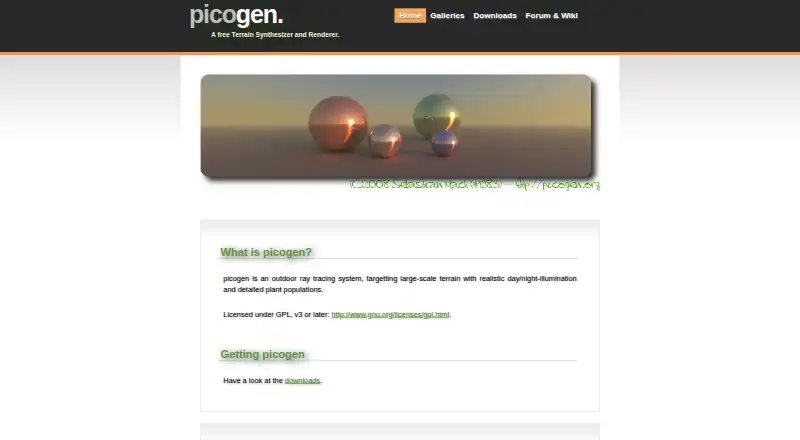
What Picogen is
Picogen is a free outdoor ray tracing system for creating and rendering large-scale terrain. It supports realistic day and night illumination and detailed plant populations. Its implemented scene tools include userspace scripting in SSDF and heightfield objects. For rendering, it offers Whitted-style rendering and path tracing, with fully diffuse Lambertian and perfect mirror specular materials. Terrain materials can use Height-Slang programmable materials and shaders. Scene settings include a sun-sky global setting, and the camera supports yaw, pitch, and roll. Picogen is licensed under GPL version 3 or later and has Linux and Windows downloads. Linux packages are available for 32-bit and 64-bit Debian, Ubuntu, and similar distributions, alongside tarballs. Windows users can choose an installer or zip and 7zip archives that can run without installation. The source code is hosted on Savannah and Gitorious, with Git clone commands provided on the downloads page. A forum welcomes questions, answers, suggestions, and bug reports without requiring signup to post. Documentation, articles, and how-to guides are available through a wiki. The roadmap marks L-system plants, ambient occlusion, soft shadows, and a graphical user interface as unimplemented.
Who it suits
Picogen suits Linux and Windows users who want a free, GPL-licensed tool for outdoor terrain synthesis and ray-traced rendering. Its scripting, heightfield, shader, and camera features will interest users comfortable working with scene tools and downloads such as packages, archives, or source code.
What it does well
- Free plan costs nothing.
- GPL version 3 or later license.
- Includes path tracing and Whitted-style rendering.
- Supports Linux and Windows downloads.
- Forum posting does not require signup.
What to know first
- L-system plants are marked unimplemented.
- Ambient occlusion and soft shadows are unimplemented.
- A graphical user interface is marked unimplemented.
Limits
The roadmap marks L-system plants, ambient occlusion, soft shadows, and a graphical user interface as unimplemented.
Plans
| Plan | Billed and limits | Price |
|---|---|---|
| Picogen | Free terrain synthesizer and renderer · GPL v3 or later | Free |
| Free | No paid tiers or usage limits published | Free |
As picogen.org lists them, read 8 Oct 2026. The maker's own page has the final word.
Getting started
- Visit the Picogen website.
- Choose a Linux package or tarball, or a Windows installer or archive.
- Install the package or installer, or run a Windows archive without installation.
- Consult the wiki for documentation, articles, and how-to guides.
- Use the forum to ask questions or report bugs; signup is not required to post.
Verdict
Choose Picogen if you want a free, GPL-licensed terrain synthesizer and renderer with scripting, path tracing, and Linux or Windows support. Look elsewhere if you need a graphical user interface, L-system plants, ambient occlusion, or soft shadows, which the roadmap marks unimplemented.
Questions
How much does Picogen cost?
The Picogen plan is free.
Is Picogen open source?
Picogen is licensed under GPL version 3 or later. Its source code is hosted on Savannah and Gitorious, and the downloads page provides Git clone commands.
Which platforms does Picogen support?
Picogen supports Linux and Windows. Linux downloads include packages and tarballs; Windows downloads include an installer and zip or 7zip archives.
Does Picogen have a free trial?
No. Picogen is listed as free, with a free plan and no free trial.
Where can I get help with Picogen?
Its forum accepts questions, answers, suggestions, and bug reports without signup to post. The support page also directs users to a wiki with documentation, articles, and how-to guides.
Facts from Picogen's own pages
- Acceleration feature
- The quadtree acceleration structure adds lazy building, explicit disk paging and sub-pixel level-of-detail controls. · picogen.org, 14 Oct 2026
- API and SDK
- The official pages describe SSDF and command-line interfaces but do not publish a network API or SDK. · picogen.org, 14 Oct 2026
- Artificial terrain
- The primary purpose is displaying realistic three-dimensional terrain, including terrain formation and image plausibility. · en.wikipedia.org, 14 Oct 2026
- Camera controls
- Yaw, pitch and roll camera controls are implemented. · picogen.org, 14 Oct 2026
- Company facts
- The pages identify the individual developer as Sebastian Mach and do not state a legal company name, headquarters, founded year, employee count or funding. · picogen.org, 14 Oct 2026
- Documentation
- The support page points users to a wiki containing documentation, articles and how-to material. · picogen.org, 14 Oct 2026
- Downloads
- Official downloads provide Debian, Ubuntu and similar GNU/Linux packages or tarballs plus a Windows installer and portable ZIP/7-Zip archives. · picogen.org, 14 Oct 2026
- Film sensors
- Implemented film or sensor outputs include color, first-hit surface normal, first-hit distance and camera-ray direction. · picogen.org, 14 Oct 2026
- Geometry objects
- Implemented SSDF objects include heightfields and spheres, with triangle BIH support. · picogen.org, 14 Oct 2026
- GUI frontend
- The picogen-wx frontend uses wxWidgets and communicates with the renderer through command-line calls. · en.wikipedia.org, 14 Oct 2026
- GUI panels
- picogen-wx includes panels such as Sun/Sky and Terrain Texture, each with a preview window. · en.wikipedia.org, 14 Oct 2026
- Heightmap creation
- Picogen also creates heightmaps whose terrain descriptions use a Lisp-like syntax. · en.wikipedia.org, 14 Oct 2026
- Image output
- The frontend can save images at arbitrary sizes, including antialiasing. · en.wikipedia.org, 14 Oct 2026
- Independent download facts
- Softpedia lists Windows version 0.3.1, updated September 9, 2010, free of charge, with an 18.4 MB installer. · softpedia.com, 14 Oct 2026
- Independent platform record
- Wikipedia records Linux and Windows support, C++ implementation and GPL version 3 or later licensing. · en.wikipedia.org, 14 Oct 2026
- Independent rating
- Softpedia shows the product as not rated and provides no review count. · softpedia.com, 14 Oct 2026
- Independent release record
- Wikipedia lists Sebastian Mach as developer and records version 0.3 released on July 20, 2010. · en.wikipedia.org, 14 Oct 2026
- Independent usability description
- Softpedia says the tool combines a point-and-click interface with a Turing-complete terrain language, so programming is not mandatory for basic use. · softpedia.com, 14 Oct 2026
- Landscape files
- Landscapes can be saved and loaded in a simple XML-based format. · en.wikipedia.org, 14 Oct 2026
- License
- The project states that it is licensed under the GNU GPL version 3 or later. · picogen.org, 14 Oct 2026
- Linux downloads
- Packages are offered for 32-bit and 64-bit Debian, Ubuntu, and similar distributions, as well as tarballs. · picogen.org, 8 Oct 2026
- Materials
- Implemented materials include fully diffuse Lambertian and perfect-mirror specular materials. · picogen.org, 14 Oct 2026
- Memory limit
- A later report says a 16,385-by-16,385 render used 2.7 GiB against a 2.0 GiB RAM machine and relied on swap. · picogen.org, 14 Oct 2026
- Missing roadmap features
- The roadmap lists look-at cameras and field-of-view settings as unfinished. · picogen.org, 14 Oct 2026
Where Picogen stands on Freedom251
- 3D Landscape Design Software#1 of 30
- 3D Rendering Software#2 of 46