Freedom251 › 3D Landscape Design Software

Arcadium 3D
What Arcadium 3D is
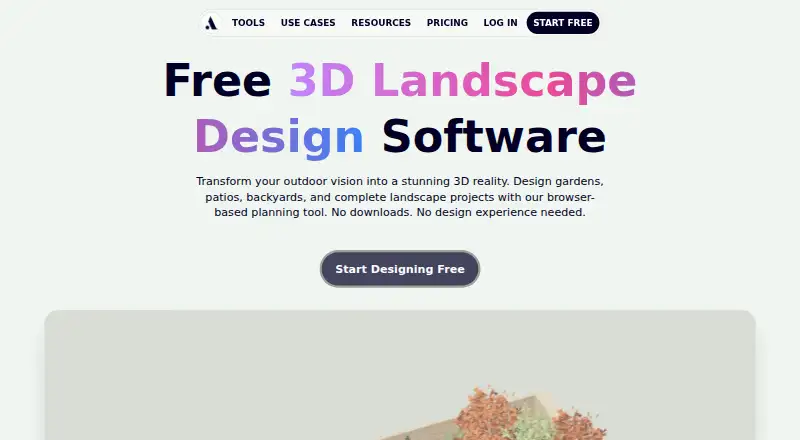
Arcadium 3D is a browser-based tool for designing landscapes, houses, floor plans, and interiors. Its landscape tools cover property boundaries, terrain, patios, paths, retaining walls, fencing, planting, and other outdoor features. The landscape planner includes hundreds of trees, shrubs, flowers, garden furniture, pergolas, fencing, and outdoor structures. Users can create 3D designs, generate photorealistic landscape renders with AI, take first-person walkthroughs, and export printable 2D plans as PDFs. Projects can be shared by URL, and viewers can open shared designs in a browser without an account. Arcadium says no software installation is required and lists Mac, PC, iPad, and mobile devices as supported. The free plan costs nothing and permits two projects, up to 30 objects per project, and one floor plan generation. Pro costs $18 a month billed yearly; Power costs $60 a month billed yearly. Paid plans list expanded limits for projects, objects, AI images, storage, and floor plan generations. Import formats include PDF, JPG, and PNG.
Who it suits
Arcadium 3D suits homeowners, landscape designers and architects, garden centers and nurseries, and real estate professionals who need to plan or share designs. Its browser access may suit people who do not want to install software.
What it does well
- Landscape tools include terrain, planting, paths, and patios.
- Library includes hundreds of plants and outdoor items.
- AI can generate photorealistic landscape renders.
- Shared designs can be viewed in a browser without an account.
What to know first
- Free allows only two projects.
- Free limits projects to 30 objects each.
- Free includes one floor plan generation.
- Pro and Power are billed yearly.
Limits
The Free plan allows two projects, a maximum of 30 objects per project, and one floor plan generation. Pro is listed with unlimited projects and objects, 150 AI images per month, 1GB storage, and 10 floor plan generations; Power lists 400 AI images per month, 10GB storage, and 50 floor plan generations.
Plans
| Plan | Billed and limits | Price |
|---|---|---|
| Free | 2 free projects · Max 30 objects per project · 1 floor plan generation | Free |
| Pro | Billed yearly at $216/yr · Unlimited objects per project · Unlimited projects · Import custom models · 150 AI images / month · 1GB storage limit · 10 floor plan generations | $18 a month |
| Power | Billed yearly at $720/yr · Everything in Pro · 400 AI images / month · 10GB storage limit · 50 floor plan generations | $60 a month |
As arcadium3d.com lists them, read 3 Oct 2026. The maker's own page has the final word.
Getting started
- Open https://arcadium3d.com/landscape_design in a browser.
- Choose the Free plan or a paid plan: Pro is $18 a month billed yearly, and Power is $60 a month billed yearly.
- Create a landscape, house, floor plan, or interior design in the browser.
- Import a PDF, JPG, or PNG if needed.
- Share the project by URL or export a printable 2D plan as a PDF.
Arcadium 3D is a browser-based tool for shaping landscapes, houses, floor plans, and interiors. It is a strong fit for homeowners and property professionals who need to develop and share a visual landscape plan. Its combination of terrain tools, AI renders, and walkthroughs is useful, though Free’s tight project and object limits make it a constrained starting point for larger designs.
Overview
Arcadium brings property boundaries, terrain, patios, paths, retaining walls, fencing, planting, and outdoor structures into one 3D workflow. That range suits whole-property planning better than a tool focused only on planting. Projects can be shared by URL, and viewers can open them in a browser without an account, a practical way to present a proposal without asking recipients to sign up.
The browser-based service requires no software installation and supports Mac, PC, iPad, and mobile device categories. Arcadium says it uses industry-standard security practices and is required to comply with EU and UK GDPR. It may use service data for account access, messaging, marketing, creating and editing 3D models, analytics, and machine-learning training, a consideration for users handling sensitive project material.
Key features
Landscape planning and visualization
The planner includes hundreds of trees, shrubs, flowers, garden furniture, pergolas, fencing, and outdoor structures. Terrain modeling and property features help users communicate a broader site layout, while the library supplies varied elements for illustrating a garden. AI can generate photorealistic landscape renders from 3D designs, giving users a visual presentation option beyond the model itself.
Walkthroughs and plans
First-person walkthroughs let users view a design from within the proposed space. Printable 2D plan exports as PDFs complement that perspective with a format suited to sharing or printing. Arcadium also supports PDF, JPG, and PNG imports, useful when bringing existing visual material into a project.
Sharing
URL sharing makes it straightforward to circulate a design, and browser access without an account lowers friction for clients, household members, or other viewers. This is a useful presentation feature, though it does not change the free plan’s limits on the designer’s own projects.
Pricing
Free costs nothing and includes 2 projects, a maximum of 30 objects per project, and 1 floor plan generation. Those caps are enough to explore the workflow or draft small concepts, but they may force active pruning or an upgrade for detailed landscaping or several simultaneous projects.
Pro costs $18 a month, billed yearly at $216/yr. It removes project and object limits, permits custom model imports, and includes 150 AI images per month, a 1GB storage limit, and 10 floor plan generations. It is the more practical tier for ongoing individual design work, particularly where custom assets or regular renders matter.
Power costs $60 a month, billed yearly at $720/yr. It includes everything in Pro, with 400 AI images per month, 10GB storage, and 50 floor plan generations. The higher quotas suit heavier visualization and plan-generation needs; users who do not expect to use them may find Pro the more proportionate paid option. Both paid prices are tied to yearly billing.
Platforms
Arcadium supports web, iOS, and Android. Its browser-based design avoids installation, while the listed Mac, PC, iPad, and mobile categories give users several device types to work from. The stated mobile support makes it accessible beyond desktop, though the core workflow remains browser-based.
Who it's for
Homeowners can use Arcadium to develop garden and property concepts; landscape designers and architects can shape and present designs; garden centers and nurseries can communicate planting ideas; and real estate professionals can show property layouts. Its mix of 3D views, renders, walkthroughs, and printable plans is most compelling when a design must be explained to others. It is less suited to users who need a large project portfolio without a subscription or who are uncomfortable with the stated data uses.
Pros and cons
- Pros: Broad landscape tools cover terrain and built features as well as planting, making the workflow useful for full-property concepts.
- Pros: AI renders, walkthroughs, PDF plans, and URL sharing offer several ways to present a design.
- Pros: Browser access without installation and account-free viewing reduce setup friction for designers and recipients.
- Cons: Free is capped at 2 projects and 30 objects per project, limiting larger or parallel work.
- Cons: Free includes only 1 floor plan generation, and Pro and Power require yearly billing at their stated monthly rates.
- Cons: Service data may be used for marketing and machine-learning training, which may not suit every project or organization.
Alternatives
For a wider choice of landscape tools, browse 3D Landscape Design Software. Choose Planner 5D instead if you want a freemium option spanning Android, iOS, MacOS, web, and Windows, with a Premium annual plan at $59.99 a year that includes floor-plan conversion and a full premium furniture catalog. iScape is another option for 2D and 3D design on mobile and web, with a free tier that has limited features and reduced plant and hardscape access.
Terragen may suit users looking for terrain synthesis and rendering on Linux, MacOS, or Windows; its listed Professional — Indie 50 subscription is $10 a month for individuals under the stated income eligibility tier. usBIM.platform offers a free basic configuration with 10 GB cloud storage and online applications. World Machine is a freemium terrain-design alternative whose Basic plan has a 1025x1025-pixel maximum output.
AIGardenPlanner offers a free browser-based 3D editor with one project, a narrower starting point for users who need only a small garden design. Lands Design is a Windows-only paid option with a 60-day evaluation and a perpetual educational license for 95.00 EUR. Picogen is a free terrain synthesizer and renderer for Linux and Windows, rather than a broad property-planning suite.
Verdict
Arcadium 3D is best for homeowners and property professionals who want to build a landscape concept in 3D and present it through renders, walkthroughs, plans, or a shareable browser link. Its broad landscape toolkit and account-free viewing are the main reasons to choose it; its small Free quotas and the paid plans’ yearly billing are the main reasons to look elsewhere or budget for an upgrade.
Verdict
Arcadium 3D combines landscape planning with 3D design, walkthroughs, renders, and shareable projects. The free plan has defined project and generation limits, while Pro and Power are listed with yearly billing.
Questions
Is Arcadium 3D free?
Yes. The Free plan is listed as free and permits two projects, up to 30 objects per project, and one floor plan generation.
How much do the paid plans cost?
Pro is listed at $18 a month, billed yearly at $216/yr. Power is listed at $60 a month, billed yearly at $720/yr.
Which devices and platforms does it support?
Arcadium lists web, iOS, and Android, and names Mac, PC, iPad, and mobile as supported device categories.
Can people view a shared project without an account?
Yes. Projects can be shared by URL, and viewers can open a shared design in a browser without an account.
What import formats are supported?
The listed import formats are PDF, JPG, and PNG.
How does Arcadium describe its data use and privacy practices?
Arcadium says it uses industry standard security practices and must comply with EU and UK General Data Protection Regulation. It says service data may be used for account access, messaging, marketing, creating and editing 3D models, analytics, and training machine learning models.
Facts from Arcadium 3D's own pages
- AI visualization
- Users can generate photorealistic landscape renders from 3D designs with AI. · arcadium3d.com, 3 Oct 2026
- Data use
- Arcadium says service data may be used for account access, messaging, marketing, creating and editing 3D models, analytics, and training machine learning models. · arcadium3d.com, 3 Oct 2026
- Device support
- Arcadium lists Mac, PC, iPad, and mobile as supported device categories. · arcadium3d.com, 3 Oct 2026
- Intended users
- The landscape page identifies homeowners, landscape designers and architects, garden centers and nurseries, and real estate professionals as users. · arcadium3d.com, 3 Oct 2026
- Landscape design
- The landscape tools cover property boundaries, terrain, patios, paths, retaining walls, fencing, planting, and outdoor features. · arcadium3d.com, 3 Oct 2026
- Landscape limits on free plan
- The pricing page lists 2 projects, a maximum of 30 objects per project, and 1 floor plan generation for Free. · arcadium3d.com, 3 Oct 2026
- Plant and object library
- Arcadium says its landscape planner includes hundreds of trees, shrubs, flowers, garden furniture, pergolas, fencing, and outdoor structures. · arcadium3d.com, 3 Oct 2026
- Purpose
- Arcadium is a browser based tool for creating 3D landscape designs, house designs, floor plans, and interiors. · arcadium3d.com, 3 Oct 2026
- Security and privacy
- Arcadium says it uses industry standard security practices and is required to comply with EU and UK General Data Protection Regulation. · arcadium3d.com, 3 Oct 2026
- Sharing
- Projects can be shared by URL, and the landscape page says viewers can open a shared design in a browser without an account. · arcadium3d.com, 3 Oct 2026
- Support
- Arcadium's terms provide [email protected] for questions about the terms or service use. · arcadium3d.com, 3 Oct 2026
- Walkthroughs and exports
- The product supports first person walkthroughs and printable 2D plan exports as PDFs. · arcadium3d.com, 3 Oct 2026
- Web access
- Arcadium runs in a browser and says no software installation is required. · arcadium3d.com, 3 Oct 2026
Where Arcadium 3D stands on Freedom251
- 3D Landscape Design Software#2 of 30