Freedom251 › 3D Landscape Design Software

AgroForest Designer
What AgroForest Designer is
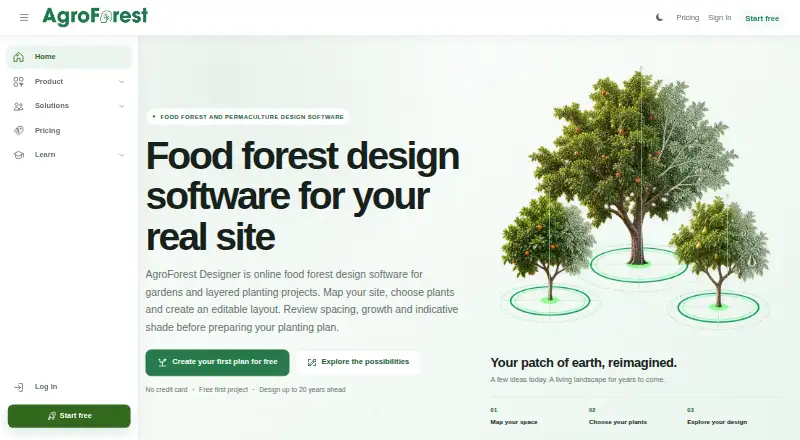
AgroForest Designer is browser-based software for planning food forests and other layered planting systems. Users can map site boundaries over map, satellite, combined, or orthomap views, then add features, planting zones, and paths. Its public plant database can be filtered by growing conditions and supports reusable recipes, cultivars, and personal plant records. The generator produces an editable proposal based on a linked recipe, planting area, density, objectives, and a design horizon of 1, 5, 10, or 20 years.
Planning tools include sun-path and indicative shade views, elevation contours, distance and area measurements, and harvest-period review. Professional workflows add technical drawings, plan sharing, QGIS workflows, and selected GeoJSON, project-data, and 3D model exports. The shade model excludes terrain and objects outside the plan, so the maker advises checking critical conditions on site. A free plan costs nothing and allows one project, two recipes, and five cultivars, but lacks professional delivery tools. Paid plans start with Starter at €14.99 a month; Pro is €24.99 a month and Max is €49.99 a month.
Who it suits
It suits garden owners, designers, advisers, educators, organizations, teams, and people managing larger project portfolios who plan layered planting systems. The free plan offers a limited way to work with one project before moving to a paid tier.
What it does well
- Maps sites using several view types.
- Plant database supports growing-condition filters.
- Generates editable proposals across four design horizons.
- Pro and Max include nine professional delivery tools.
- Free plan includes one project.
What to know first
- Free and Starter plans lack professional delivery tools.
- Shade analysis excludes terrain and objects outside the plan.
- The product is web-only.
Limits
Free allows one project, two recipes, and five cultivars, with professional delivery tools unavailable. Starter allows five projects, 10 recipes, and 20 cultivars, and also excludes professional delivery tools.
Plans
| Plan | Billed and limits | Price |
|---|---|---|
| Free | 1 project · 2 recipes · 5 cultivars · professional delivery tools unavailable | Free |
| Starter | 5 projects · 10 recipes · 20 cultivars · professional delivery tools unavailable | €14.99 a month |
| Pro | 25 projects · 50 recipes · 100 cultivars · 9 professional delivery tools included | €24.99 a month |
| Max | Unlimited projects · unlimited recipes · unlimited cultivars · 9 professional delivery tools included | €49.99 a month |
As agroforestdesigner.com lists them, read 5 Oct 2026. The maker's own page has the final word.
Getting started
- Open AgroForest Designer in a web browser.
- Choose Free, Starter at €14.99 a month, Pro at €24.99 a month, or Max at €49.99 a month.
- Map the site boundary using a map, satellite, combined, or orthomap view.
- Add site features, planting zones, and paths, then select plants or recipes.
- Generate and edit a proposal using the planting area, density, objectives, and design horizon.
Verdict
AgroForest Designer combines mapping, plant research, and proposal generation for food-forest planning. Its shade analysis is indicative rather than comprehensive, and users needing professional delivery tools must choose Pro or Max.
Questions
Is AgroForest Designer free?
Yes. The Free plan costs nothing and allows one project, two recipes, and five cultivars.
What do the paid plans cost?
Starter costs €14.99 a month, Pro costs €24.99 a month, and Max costs €49.99 a month.
Which platform does it support?
AgroForest Designer is available on the web.
What are the project limits by plan?
Free allows one project, Starter five, Pro 25, and Max has unlimited projects.
Which plans include professional delivery tools?
Pro and Max include nine professional delivery tools. They are unavailable on Free and Starter.
How accurate is the shade analysis?
It is an indicative model that excludes terrain and objects outside the plan. The maker advises checking critical conditions on site.
Facts from AgroForest Designer's own pages
- Accuracy limit
- Shade analysis is an indicative model and excludes terrain and objects outside the plan; the maker advises verifying critical conditions on site. · agroforestdesigner.com, 5 Oct 2026
- Analysis
- The software provides sun-path and indicative shade views, elevation contours, distance and area measurements, and harvest-period review. · agroforestdesigner.com, 5 Oct 2026
- Exports and integration
- Professional workflows include technical drawings, plan sharing, QGIS workflows, and selected GeoJSON, project-data, and 3D model exports. · agroforestdesigner.com, 5 Oct 2026
- Headquarters
- Antwerp, Belgium · agroforestdesigner.com, 28 Sept 2026
- Intended users
- The maker presents the product for garden owners, designers and advisers, education, organizations, teams, and larger project portfolios. · agroforestdesigner.com, 5 Oct 2026
- Mapping
- Users can map site boundaries against map, satellite, combined, or orthomap views and add site features, planting zones, and paths. · agroforestdesigner.com, 5 Oct 2026
- Plan generation
- The generator creates an editable proposal from a linked recipe, planting area, density, objectives, and a 1-, 5-, 10-, or 20-year design horizon. · agroforestdesigner.com, 5 Oct 2026
- Plant research
- The public plant database offers filters for growing conditions and supports reusable recipes, cultivars, and personal plant records. · agroforestdesigner.com, 5 Oct 2026
- Privacy and hosting
- The maker says data is stored on secured servers in Europe and that transfers outside the EU use appropriate GDPR safeguards. · agroforestdesigner.com, 5 Oct 2026
- Purpose
- AgroForest Designer is browser-based software for planning food forests and other layered planting systems. · agroforestdesigner.com, 5 Oct 2026
- Security
- The privacy policy says safeguards include TLS encryption, secure password hashing, limited staff access, security audits, and incident-response procedures. · agroforestdesigner.com, 5 Oct 2026
- Support
- Users can contact support through a message form or directly at [email protected], and product documentation is available online. · agroforestdesigner.com, 5 Oct 2026
- Third-party services
- Stripe processes payments and Google Maps processes map coordinates and location data; the maker says it does not store card details on its servers. · agroforestdesigner.com, 5 Oct 2026
Where AgroForest Designer stands on Freedom251
- 3D Landscape Design Software#4 of 30