Freedom251 › AI Audio-to-MIDI Software

Piano2Notes
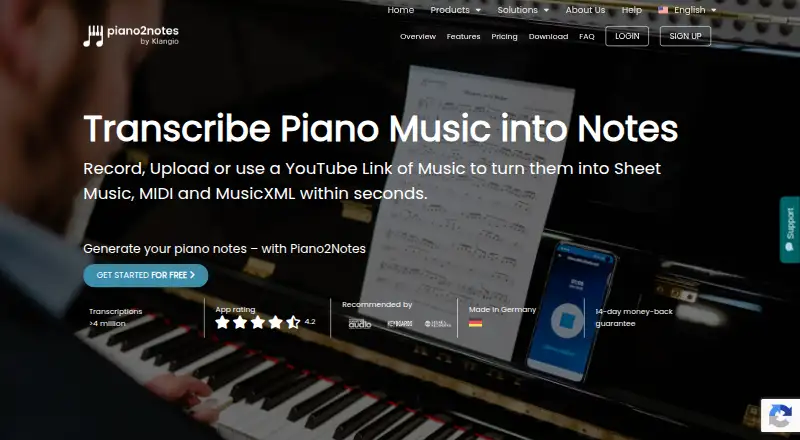
What Piano2Notes is
Piano2Notes converts piano audio into sheet music, MIDI or MusicXML using AI. You can record in the app, upload an audio file or supply a YouTube link. The maker says it can transcribe melodies and chords, including piano parts in recordings with other instruments. Its editor lets you adjust notes, timing and layout, and Piano Roll mode displays notes for viewing and playing along. Exports include PDF sheet music, quantized or unquantized MIDI, and MusicXML; the maker says these files can be used with music notation software and DAWs. The free demo provides previews for the first 20 seconds of a recording, upload or video. Piano2Notes Pro costs $14.99 per month and includes 50 full transcriptions monthly, each up to 15 minutes. The service is available on Android, iOS and web, with work syncing automatically between desktop and mobile platforms. The maker says results work best with well-recorded, piano-focused music and provides an editor for correcting small errors.
Who it suits
It suits pianists and arrangers who want to turn piano recordings into editable notation or MIDI. It may also help people working with piano parts embedded in recordings with other instruments.
What it does well
- Accepts recordings, audio uploads and YouTube links.
- Transcribes melodies and chords.
- Exports PDF, MIDI and MusicXML.
- Notes, timing and layout can be edited.
- Available on Android, iOS and web.
What to know first
- Free demos cover only the first 20 seconds.
- Pro allows 50 full transcriptions per month.
- Each Pro transcription is limited to 15 minutes.
- Results work best with piano-focused recordings.
Limits
The free demo covers only the first 20 seconds of each recording, file or video. Piano2Notes Pro includes 50 full transcriptions per month, with each transcription limited to 15 minutes.
Plans
| Plan | Billed and limits | Price |
|---|---|---|
| Free demo | Unlimited demos · first 20 seconds per transcription · PDF, MIDI, and MusicXML preview | Free |
| Piano2Notes Pro | Monthly · 50 full transcriptions per month · up to 15 minutes per transcription | $14.99 a month |
| Piano2Notes Pro | $74.88 per year (= $6.24/month, billed annually) · 50 full transcriptions per month · up to 15 minutes per transcription | $74.88 a year |
As piano2notes.klang.io lists them, read 30 Sept 2026. The maker's own page has the final word.
Getting started
- Visit the Piano2Notes website
- Choose the free demo or Piano2Notes Pro plan
- Open Piano2Notes on web, iOS or Android
- Record in the app, upload an audio file or enter a YouTube link
- Edit the transcription and export it as PDF, MIDI or MusicXML
Piano2Notes is an AI transcription service for turning piano recordings into editable scores and production files. It suits pianists, arrangers, and producers who need to start from a recording, upload, or YouTube video and then correct the result. Its strongest advantage is the combination of polyphonic transcription, in-app editing, and several export formats; its main constraint is the short free preview and a monthly cap on complete transcriptions.
Overview
Piano2Notes converts piano audio into sheet music, MIDI, or MusicXML on the web, iOS, and Android. You can record directly in the app, upload an existing file, or paste a YouTube link. Work syncs automatically between desktop and mobile, so an idea captured on a phone can be refined elsewhere without manually moving projects.
The service handles melodies and chords, including piano parts within recordings that contain other instruments. The maker says results are most reliable with clear, piano-focused recordings. That makes the editor important: you can adjust notes, timing, and score layout before treating the transcription as finished. An interactive Piano Roll gives you a note-by-note view and lets you play along, which is useful for checking passages that are awkward to read on a staff.
Key features
- Flexible sources: Record in the app, import a file, or use a YouTube URL. Audio uploads support WAV, MP3, MPEG, AIFF, OGG, FLAC, MIDI, MID, M4A, and MP4, covering common recordings as well as MIDI-based material.
- Polyphonic and chord-aware output: Piano2Notes is intended for simultaneous notes and chord passages rather than only single melodies. It can isolate piano content in a mixed recording, although piano-focused audio gives it the best chance of producing a clean score.
- Built-in correction: Notes, rhythmic timing, and page layout can be edited in the sheet-music workspace.
- Notation and production exports: Download PDF scores, quantized or unquantized MIDI, and MusicXML. MusicXML is suited to notation applications, while the MIDI variants can move into a DAW; the maker says exported files work with both types of software.
- Piano Roll checking: The interactive roll provides a visual and playback-oriented alternative to staff notation, helping users inspect timing and pitch before exporting.
- Help channels: A Help Center and Support Chat are provided for answers and issue resolution.
Pricing
| Plan | Price | What you get |
|---|---|---|
| Free demo | free | Unlimited demos, but only the first 20 seconds of each transcription, with PDF, MIDI, and MusicXML preview |
| Piano2Notes Pro | $14.99 a month, billed monthly | 50 full transcriptions per month, each up to 15 minutes |
The free tier is useful for checking whether the service recognizes a short phrase, but 20 seconds is too little for evaluating a complete arrangement or exporting a full song. The $14.99 monthly Pro plan is aimed at regular users who can keep within 50 jobs and the 15-minute maximum. Someone transcribing occasional short ideas may find the quota unnecessarily large; someone processing more than 50 pieces a month or longer recordings will need another workflow. The published terms do not describe a separate seat allowance, so this is best viewed as an individual monthly plan rather than a team package.
Platforms
Piano2Notes runs on web, iOS, and Android. Automatic synchronization across desktop and mobile is helpful for musicians who capture performances on a phone and edit on a larger screen.
Who it's for
Choose it if you need piano-specific, polyphonic transcription with the option to repair notation and then send a score or MIDI into other music software. It is particularly suitable for arrangers working from YouTube references, performers converting recorded ideas, and producers who need MusicXML or MIDI rather than a fixed PDF alone. It is a weaker fit for unrestricted archival transcription, very long recordings, or consistently dense mixes where substantial correction could offset the convenience of automation.
Pros and cons
- Pros: Three input methods cover live capture, local files, and YouTube; polyphonic and chord transcription targets real piano parts; note, timing, and layout editing lets you correct output; PDF, quantized and unquantized MIDI, and MusicXML support both notation and DAW workflows; cross-platform sync keeps projects available on web, iOS, and Android.
- Cons: The free plan stops at 20-second previews; Pro limits users to 50 full transcriptions per month and 15 minutes per transcription; accuracy depends on clear, piano-focused recordings, so mixed or poorly recorded material may demand editing; there is no tablature output.
Alternatives
For a broader comparison, see AI Music Transcription Software, AI Audio-to-MIDI Software, and Music Transcription Software.
- AnthemScore is worth considering if you need Linux, macOS, Windows, or web access and prefer a 14-day full-song trial before its later 30-second-clip restriction.
- Drum2Notes is the relevant choice for drum transcription rather than piano.
- Klangio Transcription Studio is another cross-platform Klangio option with a free 20-second demo and an annual Pro plan.
- Melody Scanner may suit users focused on YouTube import, AI composition, and shorter one-minute recordings.
- MuScriptor is a free, self-hostable option for users comfortable with its open-source, non-commercial model.
- ScoreCloud fits users who want notation from singing and a free allowance of 10 online songs, with watermarked printing.
- Violin2Notes is designed for violin rather than piano.
- Wind2Notes targets wind-instrument transcription and uses a similar 20-second demo structure.
Verdict
Piano2Notes is a strong choice for pianists and arrangers who want to turn reasonably clean recordings into editable notation, MIDI, or MusicXML without committing to a single input source. Choose Pro when 50 monthly transcriptions of up to 15 minutes match your workload; look elsewhere if you need longer pieces, a larger quota, tablature, or dependable results from crowded recordings.
Verdict
Piano2Notes offers several ways to provide audio and formats for editing or use in notation software and DAWs. The free demo is brief, so check whether the monthly plan’s transcription allowance and length suit your needs.
Questions
How much does Piano2Notes Pro cost?
Piano2Notes Pro costs $14.99 a month, billed monthly.
What does the free plan include?
The Free demo plan allows unlimited demos, each covering the first 20 seconds. It offers PDF, MIDI and MusicXML previews.
Which platforms are available?
Piano2Notes is available on web, iOS and Android. Work syncs automatically between desktop and mobile platforms.
What can I export?
Transcriptions can be downloaded as PDF sheet music, quantized or unquantized MIDI, and MusicXML.
What audio formats can I upload?
Supported formats are WAV, MP3, MPEG, AIFF, OGG, FLAC, MIDI, MID, M4A and MP4.
Who makes Piano2Notes?
Klangio GmbH makes Piano2Notes. The company is based in Karlsruhe, Germany.
Facts from Piano2Notes's own pages
- Accuracy guidance
- The maker says results work best with well-recorded, piano-focused music and provides an editor for correcting small errors. · klang.io, 30 Sept 2026
- Company
- Klangio GmbH describes itself as a music software company based in Karlsruhe, Germany, focused on AI music transcription tools. · klang.io, 30 Sept 2026
- Compatibility
- The maker says exported files can be used with music notation software and DAWs. · klang.io, 30 Sept 2026
- Cross-platform sync
- The Piano2Notes page says work syncs automatically between desktop and mobile platforms. · klang.io, 30 Sept 2026
- Editing
- Users can edit notes, timing, and layout in the built-in sheet music editor. · klang.io, 30 Sept 2026
- Exports
- Transcriptions can be downloaded as PDF sheet music, quantized or unquantized MIDI, and MusicXML. · klang.io, 30 Sept 2026
- Founded
- 2018 · piano2notes.klang.io, 28 Sept 2026
- Free demo limit
- Free demo transcriptions cover the first 20 seconds of a recording, audio file, or YouTube video. · klang.io, 30 Sept 2026
- Headquarters
- Karlsruhe, Germany · piano2notes.klang.io, 28 Sept 2026
- Inputs
- Users can record music in the app, upload an audio file, or provide a YouTube link. · klang.io, 30 Sept 2026
- Paid plan limit
- The Instrument Pro plan includes 50 full transcriptions per month, with each transcription up to 15 minutes long. · klang.io, 30 Sept 2026
- Piano roll
- The app includes an interactive Piano Roll mode for viewing and playing along with notes. · klang.io, 30 Sept 2026
- Platforms
- Klangio lists its instrument apps, including Piano2Notes, as available on the web and as iOS and Android apps. · klang.io, 30 Sept 2026
- Polyphonic piano
- The maker says Piano2Notes can transcribe melodies and chords, including piano parts in recordings with other instruments. · klang.io, 30 Sept 2026
- Purpose
- Piano2Notes uses AI to transcribe piano audio into sheet music, MIDI, or MusicXML. · klang.io, 30 Sept 2026
- Support
- The product page directs users to a Help Center and Support Chat for answers and issue resolution. · klang.io, 30 Sept 2026
Where Piano2Notes stands on Freedom251
- AI Audio-to-MIDI Software#12 of 29
- AI Music Transcription Software#14 of 29
- Music Transcription Software#16 of 31