Freedom251 › AI Audio-to-MIDI Software
Klangio Transcription Plugin
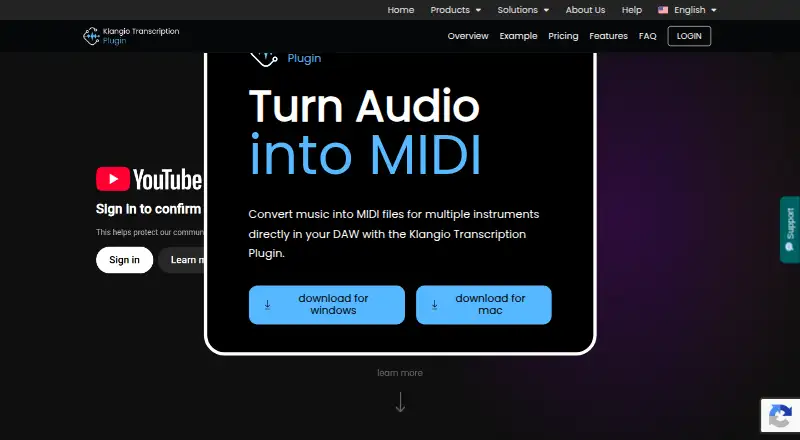
What Klangio Transcription Plugin is
Klangio Transcription Plugin converts music audio into MIDI for multiple instruments from inside a digital audio workstation. Add an audio file, and it can identify up to eight instrument types, including vocals, piano, drums, bass, guitar, synthesizer, strings, and wind instruments. Its output contains unquantized melodies, chords, and rhythmic patterns that you can return to your DAW. The plugin is available as VST3, AU, and a standalone application; Klangio says it works with all DAWs. A free preview lets you view and play generated MIDI before upgrading, with no usage cap stated. Audio processing requires an active internet connection because audio is sent to Klangio AI and the resulting MIDI returned to your device. Export is limited to unquantized MIDI; other note formats are available through Klangio Transcription Studio. Results can vary with audio quality, instrument count, mixing, and effects. Plans include a free option and paid plans from $8.49/mo (annual).
Who it suits
It suits musicians who want to turn recordings, sampled music, or performance sketches into editable MIDI in a DAW. Users should be comfortable uploading audio for processing and working with unquantized MIDI.
What it does well
- Detects up to eight instrument types.
- Free preview includes MIDI viewing and playback.
- Available as VST3, AU, and standalone.
- Accepts audio files up to 15 minutes.
What to know first
- Requires an active internet connection for processing.
- Exports unquantized MIDI only.
- Transcription accuracy varies with audio and production.
Limits
The free plan provides preview and playback of generated MIDI. Paid plans advertise unlimited* transcriptions, with a Fair Usage Policy; the plugin exports unquantized MIDI only. The annual plan is $8.49/mo billed annually, and the monthly plan is $19.99/mo.
Plans
| Plan | Billed and limits | Price |
|---|---|---|
| Free | VST3, AU and Standalone · preview and playback of generated MIDI | Free |
| Klangio Studio Pro Monthly | billed monthly · Unlimited* transcriptions · choose instruments · VST3, AU and Standalone · browser access to Transcription Studio · Fair Usage Policy applies | $19.99 a month |
| Klangio Studio Pro Yearly | billed annually · Unlimited* transcriptions · choose instruments · VST3, AU and Standalone · browser access to Transcription Studio · Fair Usage Policy applies | $8.49 a year |
As klang.io lists them, read 30 Sept 2026. The maker's own page has the final word.
Getting started
- Open the Klangio Transcription Plugin website.
- Choose the VST3, AU or standalone format for your setup.
- Add an audio file in WAV, MP3, AAC, FLAC, MP4 or MOV format, up to 15 minutes long.
- Use the free preview to view and play generated MIDI.
- Drag generated MIDI back into your DAW; upgrade to a paid plan for unlimited* transcriptions and instrument selection.
Verdict
Klangio Transcription Plugin offers a DAW-based route from music audio to editable, unquantized MIDI, with a free preview to inspect results. Its online processing requirement and accuracy limitations are important considerations before relying on a transcription.
Questions
Is Klangio Transcription Plugin free?
Yes. The Free plan costs nothing and includes preview and playback of generated MIDI. The free preview has no usage cap stated.
How much do the paid plans cost?
Klangio lists Studio Pro at $8.49/mo billed annually, or $19.99/mo billed monthly. The annual plan is subject to a Fair Usage Policy.
Which platforms and DAWs does it support?
It is available as VST3, AU and a standalone application for macOS and Windows. Klangio says it is compatible with all DAWs.
What does it export?
The plugin exports unquantized MIDI containing recognized melodies, chords and rhythmic patterns. Klangio Transcription Studio offers other note formats.
Does it need an internet connection?
Yes. Audio is uploaded to Klangio AI for MIDI generation, and the MIDI is returned to the device.
What audio files can I use?
The listed formats are WAV, MP3, AAC, FLAC, MP4 and MOV. The maximum audio length is 15 minutes.
Facts from Klangio Transcription Plugin's own pages
- Accuracy limitation
- Transcription accuracy depends on audio quality, instrument count, mixing and effects, and the page notes that the AI may struggle where a professional would. · klang.io, 30 Sept 2026
- Company
- Klangio GmbH says it is a music software company based in Karlsruhe focused on AI-based music transcription tools. · klang.io, 30 Sept 2026
- DAW compatibility
- Klangio says the plugin is compatible with all DAWs. · klang.io, 30 Sept 2026
- Export limitation
- The plugin exports unquantized MIDI only; other note formats are offered by Klangio Transcription Studio. · klang.io, 30 Sept 2026
- Free preview
- The free preview mode can be used without a stated usage cap and lets users view and play back generated MIDI before upgrading. · klang.io, 30 Sept 2026
- Headquarters
- Karlsruhe, Germany · klang.io, 28 Sept 2026
- Instrument detection
- It can detect up to eight instruments, including vocals, piano, drums, bass, guitar, synthesizer, strings and wind instruments. · klang.io, 30 Sept 2026
- Internet requirement
- An active internet connection is required because audio is uploaded to Klangio AI for MIDI generation and returned to the device. · klang.io, 30 Sept 2026
- MIDI output
- It generates unquantized MIDI containing recognized melodies, chords and rhythmic patterns. · klang.io, 30 Sept 2026
- Plugin formats
- The plugin is available as VST3, AU and a standalone application. · klang.io, 30 Sept 2026
- Purpose
- The plugin converts music into MIDI files for multiple instruments directly in a digital audio workstation. · klang.io, 30 Sept 2026
- Security and compliance
- The plugin requires audio uploads to Klangio AI, and the product page does not state a security certification or compliance standard. · klang.io, 30 Sept 2026
- Support
- The product page directs users to a Help Center and Support Chat for answers and issue resolution. · klang.io, 30 Sept 2026
- Use cases
- Klangio describes using the plugin to layer recordings, reshape sampled music and turn performance sketches into editable MIDI. · klang.io, 30 Sept 2026
- Workflow
- Users drag audio into the plugin and drag generated MIDI back into their DAW. · klang.io, 30 Sept 2026
Where Klangio Transcription Plugin stands on Freedom251
- AI Audio-to-MIDI Software#10 of 29