Freedom251 › AI Audio-to-MIDI Software
NeuralNote
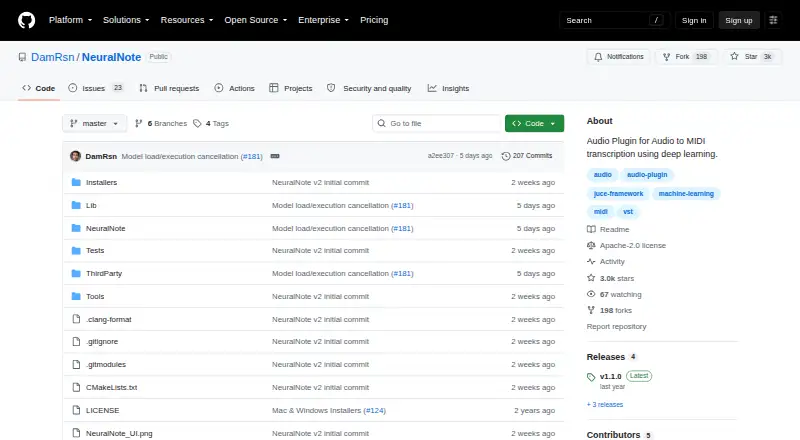
What NeuralNote is
NeuralNote is an audio plugin for transcribing audio to MIDI in a digital audio workstation. Its MuScriptor model can process full mixes and group notes by instrument. A built-in multi-instrument synth has per-instrument gain, mute, and solo controls. You can record audio in the plugin or load WAV, AIFF, FLAC, MP3, or OGG Vorbis files, then drag the resulting MIDI to a MIDI track or save it as a MIDI file.
The project describes NeuralNote as a VST3, AU, and standalone AudioFX plugin. Transcription runs on the user's CPU or GPU, and audio stays on the user's machine; the plugin goes online to download models and check for updates. MuScriptor models come in small, medium, and large sizes, trading speed for quality. Downloads are about 210 MB, 620 MB, and 2.7 GB respectively, and a GPU is recommended for medium and large models. Installers are listed for Apple Silicon macOS and x64 Windows. Linux prebuilt binaries are described as coming soon, with source builds available meanwhile. NeuralNote's code is Apache-2.0, but MuScriptor weights use CC BY-NC 4.0 and may only be used non-commercially. The repository credits NeuralNote v2 as developed by Damien Ronssin with AI assistance.
Who it suits
NeuralNote suits musicians and audio producers who want to turn recorded or loaded audio into MIDI for a digital audio workstation, including full mixes with notes grouped by instrument. It is also a fit for users who can work with its listed plugin formats or source-build on Linux and whose intended use of MuScriptor weights is non-commercial.
What it does well
- Transcribes full mixes and groups notes by instrument.
- Includes per-instrument gain, mute, and solo controls.
- Accepts five listed audio file formats.
- Exports MIDI by dragging to a track or saving a file.
- Audio transcription stays on the user's machine.
- Offers small, medium, and large model options.
What to know first
- MuScriptor model weights are restricted to non-commercial use.
- Linux prebuilt binaries are described as coming soon.
- Large model download is about 2.7 GB.
- A GPU is recommended for medium and large models.
Limits
The MuScriptor weights are for non-commercial use. Model downloads are about 210 MB for small, 620 MB for medium, and 2.7 GB for large; a GPU is recommended for medium and large models. Linux prebuilt binaries are described as coming soon, with source builds available meanwhile.
Plans
| Plan | Billed and limits | Price |
|---|---|---|
| NeuralNote | No paid tiers or feature limits stated; MuScriptor model weights are for non-commercial use | Free |
As github.com lists them, read 4 Oct 2026. The maker's own page has the final word.
Getting started
- Visit https://github.com/DamRsn/NeuralNote.
- Choose the free open-source project.
- On Apple Silicon macOS or x64 Windows, use the listed installer; on Linux, build from source.
- Select a small, medium, or large MuScriptor model and download it.
- Record audio or load a supported file, then drag MIDI to a track or save it.
Verdict
Choose NeuralNote if you want local audio-to-MIDI transcription with instrument-grouped notes and a built-in synth. Look elsewhere if you need commercial use of MuScriptor weights or a Linux prebuilt installer.
Questions
How much does NeuralNote cost?
The listed plan is free, with no paid tiers or feature limits stated.
Can I use NeuralNote commercially?
The code is Apache-2.0. MuScriptor weights use CC BY-NC 4.0 and may only be used non-commercially.
Which platforms are available?
The project lists Linux, macOS, and Windows. Installers are listed for Apple Silicon macOS and x64 Windows; Linux users can build from source while prebuilt binaries are described as coming soon.
Which plugin formats does it support?
The README describes NeuralNote as a VST3, AU, and standalone AudioFX plugin.
Does audio leave my computer?
Transcription runs locally, and audio stays on the user's machine. NeuralNote goes online to download models and check for updates.
Who developed NeuralNote?
The repository credits NeuralNote v2 as developed by Damien Ronssin with AI assistance.
Facts from NeuralNote's own pages
- Audio input
- Users can record audio or load WAV, AIFF, FLAC, MP3, and OGG Vorbis files. · github.com, 4 Oct 2026
- Built-in synth
- The plugin includes a multi-instrument synth with per-instrument gain, mute, and solo controls. · github.com, 4 Oct 2026
- GPU support
- The plugin uses Metal on macOS and Vulkan on Windows and Linux when a GPU is available, and recommends a GPU for medium and large models. · github.com, 4 Oct 2026
- Licensing limit
- NeuralNote's code is Apache-2.0, while MuScriptor weights use CC BY-NC 4.0 and may only be used non-commercially. · github.com, 4 Oct 2026
- Local processing
- Transcription runs on the user's CPU or GPU, and audio stays on the user's machine; the app goes online to download models and check for updates. · github.com, 4 Oct 2026
- Maker
- The repository credits NeuralNote v2 as developed by Damien Ronssin with AI assistance. · github.com, 4 Oct 2026
- MIDI output
- Users can drag MIDI from the plugin to a MIDI track or save it as a MIDI file. · github.com, 4 Oct 2026
- Model choices
- MuScriptor models are available in small, medium, and large sizes, trading speed for quality. · github.com, 4 Oct 2026
- Model download sizes
- The model downloads are about 210 MB for small, 620 MB for medium, and 2.7 GB for large. · github.com, 4 Oct 2026
- Multi-instrument transcription
- Its MuScriptor model can transcribe full mixes with notes grouped by instrument. · github.com, 4 Oct 2026
- Platform availability
- Installers are listed for Apple Silicon macOS and x64 Windows; Linux prebuilt binaries are described as coming soon, with source builds available meanwhile. · github.com, 4 Oct 2026
- Plugin formats
- The README describes NeuralNote as a VST3, AU, and standalone AudioFX plugin. · github.com, 4 Oct 2026
- Purpose
- NeuralNote is an audio plugin for transcribing audio to MIDI in a digital audio workstation. · github.com, 4 Oct 2026
- Security and privacy
- The README says transcription is local and audio never leaves the machine; it makes no security certification or compliance claim. · github.com, 4 Oct 2026
- Support
- The project directs users to file bug reports and feature requests as GitHub issues and welcomes pull requests. · github.com, 4 Oct 2026
Where NeuralNote stands on Freedom251
- AI Audio-to-MIDI Software#11 of 29
- Music Transcription Software#12 of 31