PhotoCat
by PhotoCat
What PhotoCat is
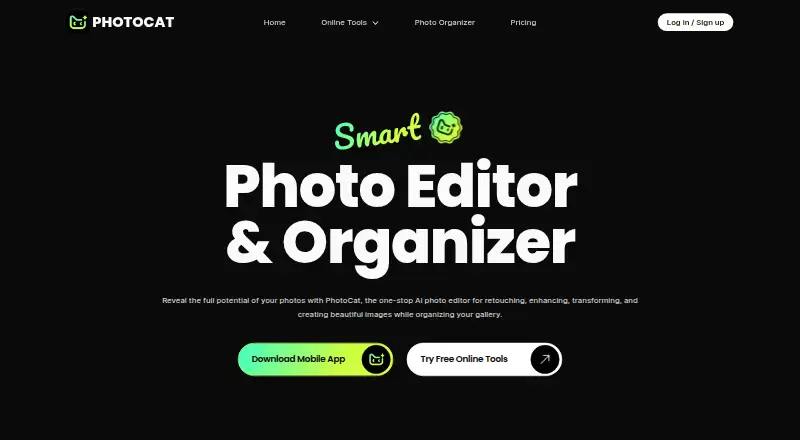
PhotoCat is an AI photo editor and organizer for the web, Android, and iOS. Its tools include image enhancement, face swapping, retouching, and restoration of old photos. AI filters can restyle images as cartoons, anime, sketches, paintings, or pixel art, and batch editing supports up to 50 items. The organizer can identify similar photos, sort by date or media type, and let users swipe to keep or delete images. Changes can sync with a phone gallery, while deleted photos move to a built-in trash bin for recovery before permanent removal. Most online features are free, with daily editing credits available, although some advanced app features may require a subscription. AI tools use Snacks credits: one Snack per image edit and one per video second. The Free plan costs nothing and includes five Free Snacks. Cloud editing uploads photos to PhotoCat’s server for processing and returns them to the user.
Who it suits
PhotoCat suits people who want AI editing, batch processing, and gallery organization across web and mobile devices. It also fits users comfortable with credit-based editing and optional premium app features.
What it does well
- Available on web, Android, and iOS
- Includes enhancement, retouching, and restoration tools
- Offers AI style filters
- Organizes and syncs gallery changes
- Supports batch editing up to 50 items
What to know first
- Some advanced app features require a subscription
- AI edits consume Snacks credits
- Cloud editing uploads photos to its server
- Security cannot be guaranteed absolutely
Limits
The Free plan includes 5 Free Snacks. Image edits cost one Snack per image, and video edits cost one Snack per second; the Pro plan includes 100 Snacks per week. Some advanced app features may require a subscription.
Plans
| Plan | Billed and limits | Price |
|---|---|---|
| Free | 5 Free Snacks · 1 Snack/Image · 1 Snack/Second of video | Free |
| PhotoCat Weekly Plan | Premium AI features · Weekly subscription | On request |
| PhotoCat Yearly Plan | Premium AI features · Yearly subscription | On request |
| Pro | 100 Snacks/Week · 1 Snack/Image · 1 Snack/Second of video | On request |
As photocat.com lists them, read 9 Oct 2026. The maker's own page has the final word.
Getting started
- Visit https://photocat.com/ for the web version.
- Install the Android or iOS app for mobile use.
- Start with the Free plan, which includes 5 Free Snacks.
- Use daily editing credits for available features; check subscription options for premium AI features.
Verdict
PhotoCat combines AI image tools with gallery cleanup and recovery features across web and mobile. Its free access and daily credits provide a starting point, while subscriptions and Snack usage apply to some capabilities.
Questions
Is PhotoCat free?
PhotoCat has a Free plan listed as free with 5 Free Snacks. Most online features are free, and daily editing credits are available.
Which platforms does PhotoCat support?
PhotoCat is available on web, Android, and iOS, including iPhone and iPad.
What editing tools does it include?
Tools include AI image enhancement, face swap, retouching, old photo restoration, and filters for styles such as cartoons, anime, sketches, paintings, and pixel art.
How are Snacks used?
AI image edits cost one Snack per image, while video edits cost one Snack per second.
Does PhotoCat upload photos for editing?
Photos used with its cloud editing feature are uploaded to PhotoCat's server for processing and then returned to the user.
Facts from PhotoCat's own pages
- AI filters
- PhotoCat offers AI filters that turn photos into styles such as cartoons, anime, sketches, paintings, and pixel art. · photocat.com, 9 Oct 2026
- Batch editing
- The batch photo editor supports editing up to 50 photos at once. · photocat.com, 9 Oct 2026
- Batch limit
- 50 · photocat.com, 22 Sept 2026
- Credit usage
- The pricing page says AI tools use Snacks credits, with image edits costing one Snack per image and video edits one Snack per second. · photocat.com, 9 Oct 2026
- Deleted photo recovery
- Deleted photos go to a built-in trash bin, where they can be recovered before being permanently removed. · photocat.com, 9 Oct 2026
- Editing tools
- Its online toolkit includes AI image enhancement, face swap, photo retouching, and old photo restoration. · photocat.com, 9 Oct 2026
- Free access
- PhotoCat says most online features are free, daily editing credits are available, and some advanced app features may require a subscription. · photocat.com, 9 Oct 2026
- Free plan
- Yes · photocat.com, 22 Sept 2026
- Generative editing
- Yes · photocat.com, 22 Sept 2026
- Headquarters
- Hong Kong · photocat.com, 28 Sept 2026
- Maker
- The site footer identifies Pixocial Technology (Singapore) Pte. Ltd. as the company behind PhotoCat. · photocat.com, 9 Oct 2026
- Mobile app
- Yes · photocat.com, 22 Sept 2026
- Mobile apps
- PhotoCat says its mobile app is available for Android and iOS. · photocat.com, 9 Oct 2026
- Photo organization
- The organizer can swipe to delete or keep photos, detect similar photos, sort by date and media type, and sync changes with the phone gallery. · photocat.com, 9 Oct 2026
- Photo processing
- The privacy policy says photos used with its cloud editing feature are uploaded to its server for processing and returned to the user. · photocat.com, 9 Oct 2026
- Product
- PhotoCat describes itself as an AI photo editor and organizer for retouching, enhancing, transforming, creating images, and organizing a gallery. · photocat.com, 9 Oct 2026
- Security
- The privacy policy says some services use encryption techniques such as SSL and that it takes reasonable measures to protect information, while noting security cannot be guaranteed absolutely. · photocat.com, 9 Oct 2026
- Support
- The pricing page directs subscription cancellation requests to the support team by email and asks users to include their registered email or account information. · photocat.com, 9 Oct 2026
- Supported platforms
- Web, iPhone, iPad · photocat.com, 22 Sept 2026
Where PhotoCat stands on Freedom251
- Photo editors#37 of 96
- AI Photo Editors#41 of 96