
Photoleap
What Photoleap is
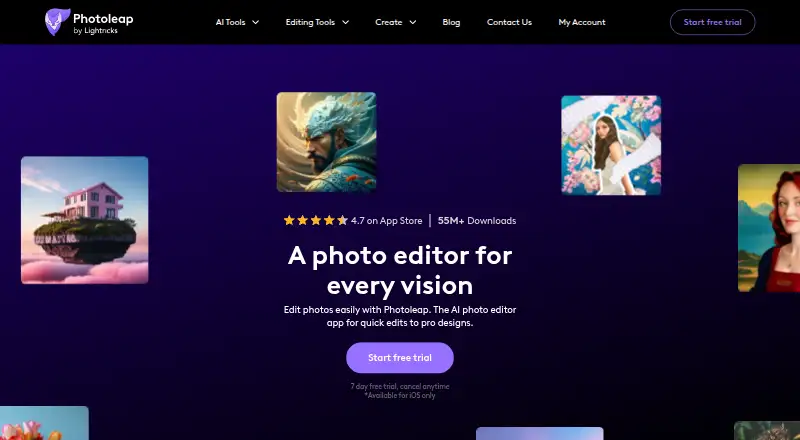
Photoleap is a photo editing app for creating quick edits and creative designs, with AI tools for changing and generating image content. Its tools include object and background removal, image enhancement, text-to-image generation, and image extension. You can also work with overlays, double exposure, text, collages, borders, cropping, blur, animation, filters, and effects. Free users can combine multiple images; Pro users can use up to 12 layers for overlays. The listed capabilities also include masks, batch editing, generative editing, and RAW photo support. Photoleap is available on iOS and Android, as well as an online platform, but some features are app-only: AI Headshots, for example, are available in the mobile apps rather than online. Edited images can be downloaded or shared to Instagram, TikTok, and Facebook. There is a free plan and a 7-day trial. Paid choices include $5.99 a year, billed at $5.99/month; $11.99 a month; and $279.99, paid once.
Who it suits
Photoleap suits designers, social media users, and people who want to edit photos without prior experience. It may also suit users looking for AI tools, layers, or batch editing on mobile.
What it does well
- Free plan and 7-day trial
- AI tools for removal, enhancement, and generation
- Supports layers, masks, and batch editing
- Download or share edited images
What to know first
- Some features are app-only
- Pro overlay editing allows up to 12 layers
- Certain features require a subscription
Limits
The Free plan includes some AI and editing features, while certain features require a subscription. Free users can combine multiple images; Pro users can use up to 12 layers for overlays.
Plans
| Plan | Billed and limits | Price |
|---|---|---|
| Free | Free to download; some features are free · Some AI and editing features are free; certain features require a subscription | Free |
| Pro monthly membership | $11.99/month · Pro features and tools | $11.99 a month |
| One-time membership | One-time membership fee of $279.99 · Pro features and tools | $279.99, paid once |
| Pro yearly membership | $5.99/month, yearly membership · Pro features and tools | $5.99 a month |
As photoleapapp.com lists them, read 9 Oct 2026. The maker's own page has the final word.
Getting started
- Open the Photoleap website or install its iOS or Android app
- Start with the Free plan or use the 7-day trial
- Import photos and apply AI or creative editing tools
- Combine images or use Pro layers when subscribed
- Download or share finished images
Verdict
Photoleap combines AI editing tools with a broad set of creative effects and sharing options. Check which features are available on your chosen platform and whether they require Pro.
Questions
Is Photoleap free?
Yes. The Free plan costs nothing, is free to download, and includes some features. A 7-day trial is also available.
How much do paid plans cost?
Pro yearly membership is $5.99 a year, billed $5.99/month for a yearly membership. Pro monthly membership is $11.99 a month, and the one-time membership fee is 279.99 USD.
Which platforms support Photoleap?
Photoleap is available on iOS, Android, and the web. Some functions, including AI Headshots, are limited to the iOS and Android apps.
Can Photoleap edit RAW photos?
Yes. RAW photo support is listed.
Where can edited images be shared?
Images can be downloaded or shared on Instagram, TikTok, and Facebook.
Facts from Photoleap's own pages
- AI editing
- Its AI tools include object and background removal, image enhancement, text-to-image generation, and image extension. · photoleapapp.com, 9 Oct 2026
- Batch editing
- Yes · photoleapapp.com, 23 Sept 2026
- Company
- Photoleap is one of the apps and platforms developed by Lightricks. · lightricks.com, 9 Oct 2026
- Creative editing
- The editing tools include image overlays, double exposure, text, collages, borders, cropping, blurring, animation, filters, and effects. · photoleapapp.com, 9 Oct 2026
- Data location
- Lightricks says its data servers are located globally, including in the US and EU, and that its headquarters are in Israel. · static.lightricks.com, 9 Oct 2026
- Feature availability
- Some features are app-only; for example, AI Headshots are available in the iOS and Android apps and not on the online platform. · photoleapapp.com, 9 Oct 2026
- Founded
- 2013 · photoleapapp.com, 28 Sept 2026
- Free plan
- Yes · photoleapapp.com, 23 Sept 2026
- Generative editing
- Yes · photoleapapp.com, 23 Sept 2026
- Headquarters
- Jerusalem, Israel · photoleapapp.com, 28 Sept 2026
- Image layers
- Free users can combine multiple images, while Pro users can work with up to 12 layers for image overlays. · photoleapapp.com, 9 Oct 2026
- Integrations and sharing
- Edited images can be downloaded or shared on social platforms, including Instagram, TikTok, and Facebook. · photoleapapp.com, 9 Oct 2026
- Intended users
- The maker describes Photoleap as accessible to designers, social media enthusiasts, and people who want to edit photos without prior experience. · photoleapapp.com, 9 Oct 2026
- Layers and masks
- Yes · photoleapapp.com, 23 Sept 2026
- Mobile app
- Yes · photoleapapp.com, 23 Sept 2026
- Platforms
- Photoleap is available as an iOS and Android app, and some features such as Enhance and AI Avatars are available online. · photoleapapp.com, 9 Oct 2026
- Product
- Photoleap is a photo editing app with AI tools for quick edits and creative designs. · photoleapapp.com, 9 Oct 2026
- Security
- Lightricks says it uses appropriate industry-standard technical, organizational, and security measures, while noting these do not guarantee absolute security. · static.lightricks.com, 9 Oct 2026
- Support
- Photoleap directs users to its help center for guides, tips, and troubleshooting, and offers a contact form for questions and feedback. · photoleapapp.com, 9 Oct 2026
- Supported platforms
- iOS and Android · photoleapapp.com, 23 Sept 2026
Where Photoleap stands on Freedom251
- Photo editors#35 of 96
- AI Photo Editors#45 of 96
- Photo Editing Software#83 of 159