Photo Editor-
What Photo Editor- is
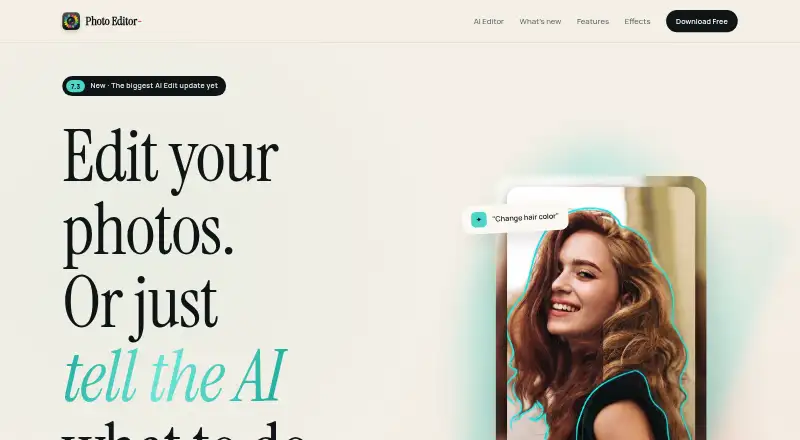
Photo Editor- is an all-in-one photo editor for touch-ups, filters, stickers, collages, and prompt-based AI editing. Its AI Editor accepts natural-language instructions for changes such as adjusting hair color, removing backgrounds, or changing lighting. Retouching tools include blemish removal, red-eye removal, and smile whitening. Editing controls cover brightness, contrast, saturation, sharpening, blur, color splash, tilt-shift, cropping, flipping, rotation, and straightening.
The app includes 40+ effects, frames, captions, drawing and painting tools, collage layouts, and an HD camera with live filters. Its product page lists high-resolution import and export and support for 16 languages. Version 7.3 adds Color Pop, Background Replace, Background Blur, and Sticker Maker with live previews. Photo Editor- is available on Android, iOS, iPadOS, macOS, and visionOS. The free plan includes the editor but displays ads and limits AI tools; upgrading unlocks unlimited AI tools. Pro removes ads and includes the Premium Editor and Collages, while Pro + AI includes AI editing tools. A free trial is available for Pro. The maker is based in Lakewood, Colorado, and was founded in 2010.
Who it suits
Photo Editor- suits people looking for touch-ups, creative effects, collage layouts, and AI edits in one app. It also fits users who want a free starting option or need editing access across Android and Apple platforms.
What it does well
- Prompt the AI Editor with natural-language edit instructions.
- Use blemish, red-eye, and smile-whitening touch-ups.
- Choose from 40+ effects and collage layouts.
- Import and export high-resolution images.
- Use an HD camera with live filters.
- Available on Android, iOS, iPadOS, macOS, and visionOS.
What to know first
- The free plan is ad-supported.
- AI tools are limited on the free plan.
Limits
The Free plan is ad-supported and limits AI tools; an upgrade is required for unlimited AI tools. Pro + AI has no trial.
Plans
| Plan | Billed and limits | Price |
|---|---|---|
| Free | Full all-in-one editor · ad-supported · AI tools limited; upgrade for unlimited | Free |
| Pro | No ads · Premium Editor and Collages · free trial available | On request |
| Pro Version | In-app purchase | On request |
| Pro + AI | Everything in Pro · AI editing tools · no trial | On request |
As axiemsystems.com lists them, read 11 Oct 2026. The maker's own page has the final word.
Getting started
- Visit https://axiemsystems.com/editor/.
- Install the app on Android, iOS, iPadOS, macOS, or visionOS.
- Choose the Free plan, listed at 0.00 USD.
- Try the Pro free trial if you want to evaluate its Premium Editor and Collages.
- Choose Pro + AI for AI editing tools; no trial is available for this plan.
Verdict
Choose Photo Editor- if you want a broad set of photo-editing tools and prompt-based AI edits across mobile and Apple platforms. The free plan offers an entry point, but it includes ads and limits AI tools; compare the paid options if you need unlimited AI editing or an ad-free editor.
Questions
Is Photo Editor- free?
Yes. The Free plan is listed at 0.00 USD and includes the editor, with ads and limited AI tools.
Which platforms are supported?
Photo Editor- supports Android, iOS, iPadOS, macOS, and visionOS.
Does it include AI editing?
Yes. The AI Editor accepts natural-language prompts for edits such as changing hair color, removing backgrounds, and changing lighting.
What do the plans include?
Free is ad-supported and limits AI tools. Pro removes ads and includes the Premium Editor and Collages; Pro + AI includes AI editing tools.
Is there a free trial?
A free trial is available for Pro. Pro + AI does not have a trial.
Who makes Photo Editor-?
The maker is Photo Editor-, based in Lakewood, Colorado, United States. The maker was founded in 2010.
Facts from Photo Editor-'s own pages
- AI editing
- The AI Editor accepts natural-language prompts for edits such as changing hair color, removing backgrounds and changing lighting. · axiemsystems.com, 11 Oct 2026
- Camera
- The app includes an HD camera with live filters. · axiemsystems.com, 11 Oct 2026
- Editing tools
- The toolset includes brightness, contrast, saturation, sharpen and blur filters, color splash, tilt-shift, crop, flip, rotate and straighten. · axiemsystems.com, 11 Oct 2026
- Effects and layouts
- The app offers 40+ effects, stickers, frames, captions, drawing and painting tools, and collage layouts. · axiemsystems.com, 11 Oct 2026
- Founded
- 2010 · axiemsystems.com, 28 Sept 2026
- Free plan
- Yes · axiemsystems.com, 22 Sept 2026
- Generative editing
- Yes · axiemsystems.com, 22 Sept 2026
- Headquarters
- Lakewood, Colorado, United States · axiemsystems.com, 28 Sept 2026
- Import and export
- The product page lists high-resolution import and export. · axiemsystems.com, 11 Oct 2026
- Languages
- The product page lists support for 16 languages. · axiemsystems.com, 11 Oct 2026
- Maker
- Axiem Systems describes itself as an independent app studio established in 2010. · axiemsystems.com, 11 Oct 2026
- Mobile app
- Yes · axiemsystems.com, 22 Sept 2026
- Product
- Photo Editor- is an all-in-one photo editor with touch-ups, filters, stickers, collages and prompt-based AI editing. · axiemsystems.com, 11 Oct 2026
- Retouching
- Retouch tools include blemish removal, red-eye removal and smile whitening. · axiemsystems.com, 11 Oct 2026
- Support
- Axiem says support tickets are typically answered within 1–2 business days. · axiemsystems.com, 11 Oct 2026
- Supported platforms
- iOS, iPadOS, macOS, visionOS and Android · axiemsystems.com, 22 Sept 2026
- Version 7.3
- Version 7.3 adds Color Pop, Background Replace, Background Blur and Sticker Maker, with live previews. · axiemsystems.com, 11 Oct 2026
Where Photo Editor- stands on Freedom251
- Photo editors#38 of 96
- AI Photo Editors#43 of 96