Freedom251 › Embroidery Design Software
PEmbroider
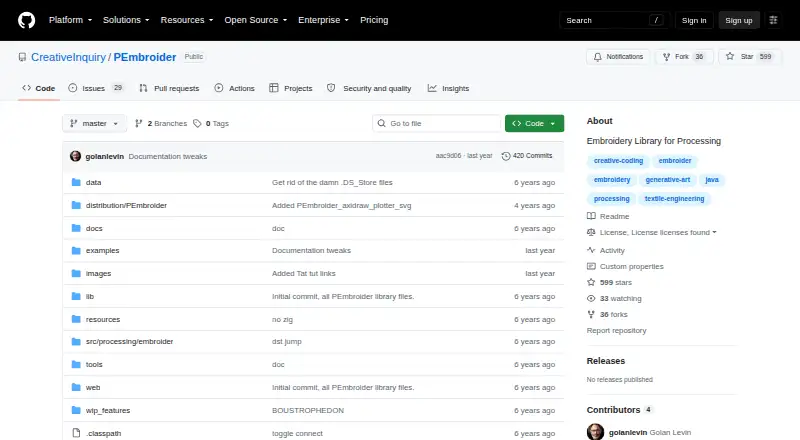
What PEmbroider is
PEmbroider is a Java library for creating computational embroidery designs in Processing. Its drawing functions handle lines, shapes and typography, while its shape tools support overlap, cropping, merging and several embroidery fill methods. Designs can start from SVG vector files or black-and-white PNG and GIF images. The library can generate DST, EXP, JEF, PEC, PES, VP3 and XXX files for consumer CNC embroidery machines, and export PDF, SVG, TSV and GCODE for other 2D output devices, including CNC routers and AxiDraw pen plotters. A modified Traveling Salesperson Problem solver creates shorter paths intended to reduce embroidery time and material use. PEmbroider visualizes the embroidery files it generates, but cannot load or preview files made elsewhere. It integrates with Processing and can be installed through Processing’s Contribution Manager or from a ZIP library. The getting-started instructions require Processing 4.0a6 or later, with a separate library download for Processing 3 users. The project began during Endless March 2020 at Carnegie Mellon University’s Frank-Ratchye STUDIO for Creative Inquiry. It is free, open-source software released under GPLv3 and ACSL 1.4.
Who it suits
PEmbroider suits artists, craftspersons, educators, makers and schools who want to create embroidery designs through Processing. It can also serve people preparing files for supported consumer embroidery machines or other 2D output devices such as CNC routers and pen plotters.
What it does well
- Draws lines, shapes and typography with Processing-compatible functions.
- Imports SVG, black-and-white PNG and GIF images.
- Generates seven listed consumer embroidery machine formats.
- Exports PDF, SVG, TSV and GCODE.
- Optimizes paths to target lower time and material use.
- Free and open-source under GPLv3 and ACSL 1.4.
What to know first
- Cannot load or preview pre-existing embroidery files.
- Requires Processing 4.0a6 or later, or a separate Processing 3 library.
- Listed platforms are macOS and Windows.
Limits
The library is free. Its key file-handling limit is that it cannot load or preview pre-existing embroidery files; it visualizes files it generates.
Plans
| Plan | Billed and limits | Price |
|---|---|---|
| PEmbroider | Free open-source library; released under GPLv3 and ACSL 1.4 | Free |
| Free | Free open-source library · Processing library · no paid tiers stated | Free |
As github.com lists them, read 9 Oct 2026. The maker's own page has the final word.
Getting started
- Visit the PEmbroider project website on GitHub.
- Install Processing 4.0a6 or later, or use the separate library download for Processing 3.
- Install PEmbroider through Processing’s Contribution Manager or manually from a ZIP library.
- Use the tutorial, examples, cheat sheet or API to get started.
PEmbroider is a free Java library that generates computational embroidery designs inside Processing. It suits artists, makers, educators, and schools comfortable with creative coding, especially when a design must be generated or varied programmatically. Its main trade-off is that it creates and simulates its own output but does not open existing embroidery files for preview.
Overview
PEmbroider puts embroidery generation in the Processing creative-coding framework rather than presenting a conventional standalone digitizer. Processing drawing commands, imported artwork, and algorithmic path planning can become machine-ready embroidery or files for other 2D devices. That makes it a strong choice for programmable, repeatable visual work and a weaker one for browsing, inspecting, or revising a collection of stitch files made elsewhere.
Key features
- Code-based drawing: Processing-compatible functions cover lines, shapes, and typography. Artists who already think in sketches and scripts can build designs from familiar primitives instead of starting in a specialist embroidery editor.
- Image inputs: SVG vectors and black-and-white PNG or GIF images can be converted into embroidery designs. Vector artwork offers a clean source for coded compositions, while monochrome raster input is suited to high-contrast source images.
- Shape and fill operations: Overlap, cropping, merging, and multiple embroidery hatching or fill methods support layered and textured results. These controls expand experimentation, although they remain part of a coding workflow rather than a point-and-click digitizing interface.
- Machine exports: The library generates DST, EXP, JEF, PEC, PES, VP3, and XXX files for consumer CNC embroidery machines. That broad format coverage is useful when a maker works across different machine brands.
- Other 2D outputs: PDF, SVG, TSV, and GCODE exports target devices such as CNC routers and AxiDraw pen plotters, so one coded design can move beyond thread-based production.
- Path optimization and simulation: A modified Traveling Salesperson Problem solver seeks shorter stitch paths, intended to reduce embroidery time and material use. Stitch simulation visualizes files PEmbroider generates, helping with its own output, but it cannot load or preview pre-existing files.
- Processing integration: Installation is available through Processing's Contribution Manager or a ZIP library. Getting-started instructions require Processing 4.0a6 or newer; a separate library download supports Processing 3 users. A tutorial video, examples, cheat sheet, full API, and Golan Levin support give learners several ways into the system.
Pricing
PEmbroider costs nothing. The PEmbroider plan is a free, open-source library released under GPLv3 and ACSL 1.4, with no paid tier, seat charge, quota, or renewal term. It is the obvious fit for individual makers, classrooms, and schools that can work within Processing and do not need commercial software support. The trade-off is not a reduced free tier but the need to install and use a developer-oriented library rather than a packaged graphical application.
Platforms
PEmbroider supports macOS and Windows. The project reports testing on macOS 10.13.6 and later and Windows 10. Processing-version compatibility matters: users on Processing 4 should use the current setup, while Processing 3 users need the separate library download.
Who it's for
Choose PEmbroider when you are an artist, craftsperson, educator, maker, or school using Processing to generate visual work. It is particularly well suited to coded variations, generative exercises, and workflows that send related artwork to embroidery machines and plotters. Look elsewhere if your priority is opening, previewing, or editing embroidery files created outside the library, or if you want a conventional graphical digitizing workspace without a Processing runtime.
Pros and cons
- Pro: Free and open source, with no plan limits or recurring payment.
- Pro: Seven consumer machine formats plus PDF, SVG, TSV, and GCODE broaden production options.
- Pro: Processing drawing, image import, fill methods, and path optimization support programmable and material-conscious designs.
- Con: It cannot load or preview existing embroidery files, limiting archive review and revision workflows.
- Con: Use depends on Processing and a coding-oriented installation, which is less direct than a dedicated visual editor.
Alternatives
For a wider comparison, see Embroidery Design Software. Boldbobbin is a freemium option spanning iOS, macOS, web, and Windows. mySewnet Embroidery offers a free Basic plan with 100MB of Vault storage and paid upgrades. StitchConsole has a free plan with unlimited designs, ten synced designs, ten image conversions, and ten export formats. TurtleStitch is another free, open-source web platform. Ink/Stitch is free, open source, and runs as an Inkscape extension. Embrowser is a web freemium tool with saved-design, font, storage, and tracing limits on its free plan. ApS-Ethos is a paid Windows product with organiser and creative-writing editions. Tajima Embroidery i2 is a paid macOS and Windows option sold through local distributors.
Verdict
PEmbroider is the right recommendation for creative coders who want a no-cost, open-source route from Processing sketches or images to optimized embroidery and other 2D output files. Its format range and programmable controls are the main reasons to choose it. The decisive reason to look elsewhere is its inability to open or preview embroidery files made outside PEmbroider, combined with the coding setup required to use it.
Verdict
Choose PEmbroider if you want a free Processing library for generating embroidery designs and exporting machine files or other 2D outputs. Look elsewhere if you need to open or preview embroidery files created outside the library.
Questions
How much does PEmbroider cost?
It is free, with a listed plan price of $0.
Which platforms does it support?
The listed platforms are macOS and Windows. The project says it has been tested on macOS 10.13.6 and later, and Windows 10.
What do I need to run it?
The getting-started instructions require Processing 4.0a6 or higher. A separate library download is offered for Processing 3 users.
Which embroidery machine files can it generate?
It can generate DST, EXP, JEF, PEC, PES, VP3 and XXX files.
Can it open an existing embroidery file?
No. It visualizes the embroidery files it generates but cannot load or preview pre-existing files.
Is PEmbroider open source?
Yes. It is released under GPLv3 and ACSL 1.4.
Facts from PEmbroider's own pages
- Audience
- The project is intended primarily for artists, craftspersons, educators, makers, and schools. · github.com, 9 Oct 2026
- Build extensibility
- Developers can compile modified source with Eclipse and the included Ant build.xml workflow. · github.com, 15 Oct 2026
- Documentation
- The project supplies a cheat sheet, full API, examples, FAQ, installation instructions and a tutorial video. · github.com, 15 Oct 2026
- Drawing
- It provides Processing-compatible drawing functions for lines, shapes, and typography. · github.com, 9 Oct 2026
- Embroidery formats
- It can generate DST, EXP, JEF, PEC, PES, VP3, and XXX files for consumer CNC embroidery machines. · github.com, 9 Oct 2026
- Export workflow
- A sketch must call optimize() and endDraw() to produce an embroidery file, and optimization may take up to about a minute. · github.com, 15 Oct 2026
- Fill and shape tools
- It supports shape overlap, cropping, and merging, along with a range of embroidery hatching or fill methods. · github.com, 9 Oct 2026
- Founded
- 2020 · github.com, 28 Sept 2026
- Hatching
- The library provides multiple fill approaches, including parallel, concentric, spiral, Perlin-noise, vector-field and cross-hatching modes. · github.com, 15 Oct 2026
- Headquarters
- Pittsburgh, Pennsylvania, United States · github.com, 28 Sept 2026
- Image inputs
- SVG vectors and black-and-white PNG or GIF images can be converted into embroidery designs. · github.com, 15 Oct 2026
- Independent workshop setup
- The Carnegie Mellon STUDIO workshop instructions require installing Processing 4 and Java, then copying PEmbroider into the Processing Libraries folder. · studioforcreativeinquiry.org, 15 Oct 2026
- Input-file limitation
- PEmbroider deliberately cannot load or preview existing embroidery files. · github.com, 15 Oct 2026
- Installation
- Users can install through Processing's Contribution Manager or by unzipping the library into the Processing Libraries directory. · github.com, 15 Oct 2026
- Integration
- PEmbroider integrates with the Processing creative coding framework and can be installed through Processing's Contribution Manager or manually from a ZIP library. · github.com, 9 Oct 2026
- Licence
- PEmbroider is released under GPLv3 and Anti-Capitalist Software License 1.4; adapted EmbroidePy file-writing code is MIT licensed. · github.com, 15 Oct 2026
- Limit: coding barrier
- The university workshop requires participants to code Processing sketches, so use assumes familiarity with a programming workflow. · wiki.cci.arts.ac.uk, 15 Oct 2026
- Limit: downstream editing
- A published textile-art paper says its team generated stitch vectors with PEmbroider but preferred SVG output followed by Inkscape and Ink/Stitch adjustments. · alpaca.pubpub.org, 15 Oct 2026
- Limit: output quality risk
- A Fab Academy user reported a first embroidered result that was tight, lopsided and had unreadable text. · fabacademy.org, 15 Oct 2026
- Machine formats
- It exports DST, EXP, JEF, PEC, PES, VP3 and XXX embroidery files. · github.com, 15 Oct 2026
- Maker identity
- The project was developed during 2020 at Carnegie Mellon University's Frank-Ratchye STUDIO by Golan Levin, Lingdong Huang and Tatyana Mustakos. · github.com, 15 Oct 2026
- Maker mission
- The STUDIO describes itself as a Carnegie Mellon arts, science and technology research laboratory committed to open-source skill sharing. · studioforcreativeinquiry.org, 15 Oct 2026
- Notable limitation
- PEmbroider visualizes the embroidery files it generates but cannot load or preview pre-existing embroidery files. · github.com, 9 Oct 2026
- Notable news
- The Frank-Ratchye STUDIO hosted a full-day computational-embroidery workshop featuring PEmbroider on February 25, 2023. · studioforcreativeinquiry.org, 15 Oct 2026
Where PEmbroider stands on Freedom251
- Embroidery Design Software#2 of 31