Freedom251 › Embroidery Design Software
Tajima Embroidery i2
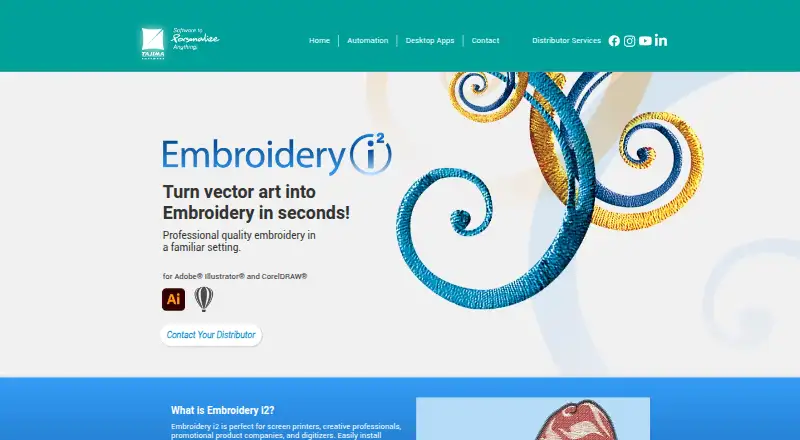
What Tajima Embroidery i2 is
Tajima Embroidery i2 turns vector artwork into embroidery designs inside Adobe Illustrator or CorelDRAW. It is intended for screen printers, creative professionals, promotional product companies and digitizers. The software includes over 20 standard fills, 135 carved fills and over 150 programmed fills, along with more than 125 digitized embroidery fonts and an option to convert TTF fonts for embroidery. AutoDigitize analyzes vector artwork to select stitch types and provides stitch estimates and 3D previews. Production controls include garment recipes, pull compensation, underlay, stitch density and length, clipping, satin stitching, overlap, and start and stop placement. Thread charts support color selection, and users can export a 3D rendering as a PNG for customer approval. The maker lists supported Illustrator versions for Windows and Mac and CorelDRAW versions for Windows. A high-speed internet connection is listed as a system requirement. Server-based authentication allows access from computers with supported host software. Pricing is available through local distributors in the customer’s currency.
Who it suits
Embroidery i2 suits screen printers, creative professionals, promotional product companies and digitizers who work with vector artwork in Illustrator or CorelDRAW. It is intended for users preparing embroidery designs and production settings.
What it does well
- AutoDigitize selects stitch types from vector artwork.
- Includes over 20 standard fill types.
- Offers more than 125 digitized embroidery fonts.
- Exports 3D design renderings as PNGs.
- Server-based authentication supports access from compatible computers.
What to know first
- Requires a high-speed internet connection.
- Pricing is available through local distributors, not listed.
- Supported host software versions are specified.
Limits
Pricing is available through local distributors. The listed Illustrator and CorelDRAW configurations require a high-speed internet connection.
Plans
| Plan | Billed and limits | Price |
|---|---|---|
| Embroidery i2 | Contact a local distributor for pricing in your currency | On request |
As tajimasoftware.com lists them, read 11 Oct 2026. The maker's own page has the final word.
Getting started
- Contact a local distributor for product information and pricing in your currency.
- Check the product page for supported Illustrator or CorelDRAW versions and operating systems.
- Install Embroidery i2 into a supported version of Adobe Illustrator or CorelDRAW.
- Use AutoDigitize to analyze vector artwork and create stitch estimates and 3D previews.
- Use the training videos to learn how the tools work.
Verdict
Embroidery i2 combines vector-to-embroidery conversion with stitch, production and preview tools inside supported Illustrator or CorelDRAW versions. Prospective buyers need to contact a local distributor for pricing in their currency.
Questions
How much does Embroidery i2 cost?
Pricing is available on request from a local distributor, in the buyer’s currency.
Which applications does it work with?
Embroidery i2 installs into supported versions of Adobe Illustrator or CorelDRAW. The maker lists supported versions and operating systems on its product page.
Does it work on Mac and Windows?
The listed configurations include Illustrator for Windows and Mac, and CorelDRAW for Windows.
Can it turn artwork into stitches automatically?
AutoDigitize analyzes vector artwork, selects stitch types and can produce stitch estimates and 3D previews.
Does Embroidery i2 include training?
The maker provides training videos explaining how the tools work and directs prospective customers to contact their distributor.
Does it need an internet connection?
Yes. A high-speed internet connection is listed for the supported Illustrator and CorelDRAW configurations.
Facts from Tajima Embroidery i2's own pages
- Account access
- The maker says server-based authentication lets users access their embroidery tools from any computer with a supported version of Illustrator or CorelDRAW. · tajimasoftware.com, 10 Oct 2026
- AutoDigitize
- AutoDigitize analyzes vector artwork and selects stitch types to digitize a design in one click, with stitch estimates and 3D previews. · tajimasoftware.com, 10 Oct 2026
- Autodigitizing
- AutoDigitize can digitize a design in one click and produce stitch estimates and 3D preview renderings. · tajimasoftware.com, 11 Oct 2026
- Design previews
- Embroidery designs can be exported as PNG files with a 3D rendering for customer approval. · tajimasoftware.com, 11 Oct 2026
- Fill stitches
- It includes over 20 standard fills, 135 carved fills, and over 150 programmed fills. · tajimasoftware.com, 11 Oct 2026
- Fonts
- The product page says it includes over 125 specially digitized embroidery fonts and can convert TTF fonts into embroidery. · tajimasoftware.com, 11 Oct 2026
- Headquarters
- Mississauga, Ontario, Canada · tajimasoftware.com, 28 Sept 2026
- Integrations
- Embroidery i2 installs into Adobe Illustrator or CorelDRAW; the maker lists supported versions and operating systems on its product page. · tajimasoftware.com, 10 Oct 2026
- Intended users
- The maker describes it as suited to screen printers, creative professionals, promotional product companies, and digitizers. · tajimasoftware.com, 11 Oct 2026
- Internet requirement
- The listed Windows and Mac system requirements include a high speed internet connection. · tajimasoftware.com, 11 Oct 2026
- Multi-computer access
- Server-based authentication allows users to access their embroidery tools on any computer with a supported version of Illustrator or CorelDRAW. · tajimasoftware.com, 11 Oct 2026
- Privacy and usage data
- Tajima Software's privacy policy says its software may send usage data, including launches, device IP address, serial or security key number, selected menu items, and software version, for registration, authentication, and anti-piracy auditing. · tajimasoftware.com, 10 Oct 2026
- Production controls
- Production tools include garment recipes, pull compensation, underlay, stitch density and length, AutoClip, automatic satin stitching, overlap, and start and stop placement. · tajimasoftware.com, 10 Oct 2026
- Production tools
- Production tools include garment specific recipes, pull compensation, underlay, stitch density and length controls, AutoClip, Auto Satin Stitch, automatic overlap, and automatic start and stop placement. · tajimasoftware.com, 11 Oct 2026
- Purpose
- Embroidery i2 is a digitizing plugin for Adobe Illustrator and CorelDRAW that turns designs into ready-to-sew embroidery files. · tajimasoftware.com, 11 Oct 2026
- Security and privacy
- Tajima Software says its privacy policy applies to its services and describes collection of account and product registration data, uploaded content, and software usage data for registration, authentication, and anti-piracy auditing. · tajimasoftware.com, 11 Oct 2026
- Support and purchase
- The maker directs prospective buyers to local distributors for product information and pricing in their currency. · tajimasoftware.com, 11 Oct 2026
- Support and training
- The maker says training videos explain how the tools work and directs prospective customers to contact their distributor. · tajimasoftware.com, 10 Oct 2026
- Supported host versions
- The page lists Illustrator 2020–2024, CC 2014–2019, and CS6 on Windows, Illustrator 2021–2024 on Mac, and CorelDRAW 2017–2022 and 2024 on Windows. · tajimasoftware.com, 11 Oct 2026
- System requirement
- The product page specifies a high-speed internet connection for its listed Illustrator and CorelDRAW configurations. · tajimasoftware.com, 10 Oct 2026
- Thread charts
- The product includes popular thread charts for selecting colors. · tajimasoftware.com, 11 Oct 2026
- Training
- The maker says extensive training videos explain how each tool works for users new to machine embroidery. · tajimasoftware.com, 11 Oct 2026
Where Tajima Embroidery i2 stands on Freedom251
- Embroidery Design Software#27 of 31