Freedom251 › Embroidery Design Software
Perfect Embroidery Pro
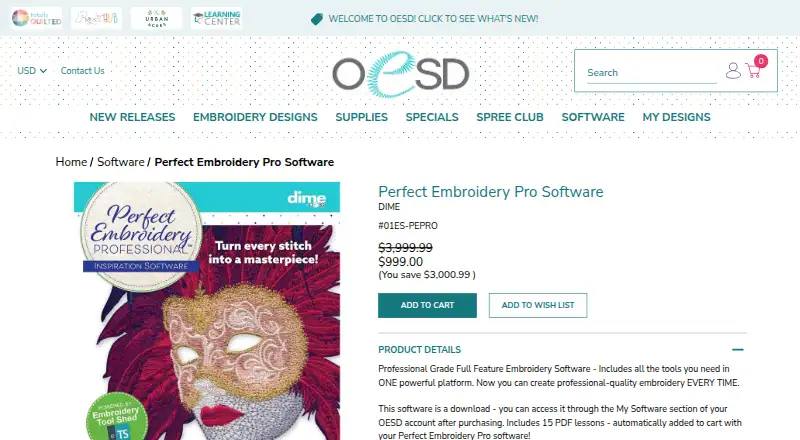
What Perfect Embroidery Pro is
Perfect Embroidery Pro is embroidery software for building and editing designs on Windows and macOS. Its digitizing options range from a Magic Wand segmented auto digitizer and Auto Digitizing Wizard to manual run, satin, and fill stitch creation. Editing tools include stitch-regenerating resizing, alignment, copy and paste, merging, grouping, rotation, mirroring, and changes to individual stitch points. The software also offers nap blocker, custom fills, buttonholes, design splitting, and conversion of satin to specialty stitches. Its library contains embroidery designs, frames, fonts, and over 2,000 artwork files. Supported machine formats include ART, DST, PES, JEF, VP3, and VIP, among many others. Designs can be sent wirelessly to compatible Baby Lock or Brother machines. A one-time purchase costs 999.00 USD and includes 15 PDF lessons; the download is available in the My Software section of an OESD account after purchase. The software includes auto-digitizing, stitch simulation, appliqué tools, and vector import. OESD began as a family-owned home embroidery business in 1987 and joined the BERNINA Textile Group in 1997.
Who it suits
It suits embroidery designers who need digitizing, stitch editing, and specialty tools in a desktop application for Windows or macOS. Users with Baby Lock or Brother machines that support wireless connections can send designs to those machines wirelessly.
What it does well
- Offers both assisted digitizing and manual stitch creation.
- Includes more than 2,000 artwork files, plus designs, frames, and fonts.
- Edits stitches with resizing, alignment, grouping, rotation, and mirroring.
- Supports numerous machine formats, including ART, DST, PES, JEF, VP3, and VIP.
- Can send designs wirelessly to compatible Baby Lock or Brother machines.
- Includes 15 PDF lessons with purchase.
What to know first
- Costs $999, paid once.
- No free plan is offered.
- Purchased software is non-refundable.
- Requires Windows or macOS, with stated minimum hardware requirements.
Limits
There is no free plan. The paid software costs $999, paid once, and the purchase is non-refundable.
Plans
| Plan | Billed and limits | Price |
|---|---|---|
| Perfect Embroidery Pro Software | Download software · 15 PDF lessons included · non-refundable once purchased | $999, paid once |
As oesd.com lists them, read 8 Oct 2026. The maker's own page has the final word.
Getting started
- Open the OESD product page.
- Choose the Perfect Embroidery Pro Software purchase for $999, paid once.
- Access the download through the My Software section of an OESD account after purchase.
- Install on Windows or macOS that meets the listed minimum requirements.
- Use the included 15 PDF lessons and OESD support knowledge base for guidance.
Verdict
Choose Perfect Embroidery Pro if you need a broad set of digitizing and editing tools, extensive machine-format support, and wireless sending to compatible Baby Lock or Brother machines. Look elsewhere if you need a free option or a refundable purchase.
Questions
How much does Perfect Embroidery Pro cost?
The Perfect Embroidery Pro Software plan costs $999, paid once. It includes 15 PDF lessons.
Is there a free plan?
No. The product is paid and has no free plan.
Which platforms does it support?
It runs natively on Windows and macOS. Listed minimum requirements include Windows 11 and macOS 14 Sonoma.
How do I get the software after purchase?
The download is accessed through the My Software section of an OESD account after purchase.
Can it connect wirelessly to an embroidery machine?
Designs can be sent wirelessly to Baby Lock or Brother machines with wireless capabilities.
Can I get a refund after buying it?
The product page states that purchased software is non-refundable.
Facts from Perfect Embroidery Pro's own pages
- Design editing
- Editing features include stitch-regenerating resizing, alignment tools, copy, paste and merge, grouping, rotation, mirroring, and individual stitch point editing. · oesd.com, 8 Oct 2026
- Design library
- The feature page says it includes embroidery designs, frames, fonts, and over 2,000 artwork files. · oesd.com, 8 Oct 2026
- Digitizing
- Its digitizing tools include a Magic Wand segmented auto digitizer, an Auto Digitizing Wizard, and manual, run, satin, and fill stitch creation. · oesd.com, 8 Oct 2026
- Download and lessons
- The software is a download accessed through the My Software section of an OESD account after purchase, and 15 PDF lessons are included. · oesd.com, 8 Oct 2026
- Embroidery formats
- The product page lists support for numerous embroidery formats, including ART, DST, PES, JEF, VP3, and VIP. · oesd.com, 8 Oct 2026
- Founded
- 1987 · oesd.com, 28 Sept 2026
- Headquarters
- Oklahoma City, Oklahoma, United States · oesd.com, 28 Sept 2026
- Mac requirements
- The listed minimum Mac requirements include macOS 14 Sonoma, an 8th-generation Intel Amber Lake/Coffee Lake or Intel Xeon-W processor or Apple M1 through M4, 8 GB memory, and 25 GB free disk space. · oesd.com, 8 Oct 2026
- Maker headquarters
- OESD lists its address as 515 NE 122nd St, Suite G, Oklahoma City, Oklahoma 73114. · oesd.com, 8 Oct 2026
- Maker history
- OESD says it began as a family-owned home embroidery business in 1987 and joined the BERNINA Textile Group in 1997. · oesd.com, 8 Oct 2026
- Operating systems
- The software runs natively on Windows or Mac; the product page lists Windows 11 and macOS 14 Sonoma among its minimum requirements. · oesd.com, 8 Oct 2026
- Purchase limitation
- The product page states that purchased software is non-refundable. · oesd.com, 8 Oct 2026
- Purpose
- The product is professional-grade full-feature embroidery software for creating professional-quality embroidery. · oesd.com, 8 Oct 2026
- Specialty tools
- Specialty features include nap blocker, converting satin to specialty stitches, custom fills, buttonholes, and splitting designs. · oesd.com, 8 Oct 2026
- Support
- OESD provides a help and support knowledge base with downloading help, FAQs, and software articles. · support.oesd.com, 8 Oct 2026
- Windows requirements
- The listed minimum PC requirements include a 1 GHz or faster processor with 2 or more cores, 4 GB RAM, 64 GB free disk space, and DirectX 12-compatible graphics. · oesd.com, 8 Oct 2026
- Wireless machine connection
- The feature page says designs can be sent wirelessly to Baby Lock or Brother machines with wireless capabilities. · oesd.com, 8 Oct 2026
Where Perfect Embroidery Pro stands on Freedom251
- Embroidery Design Software#25 of 31