Freedom251 › Embroidery Design Software
Janome Artistic Digitizer
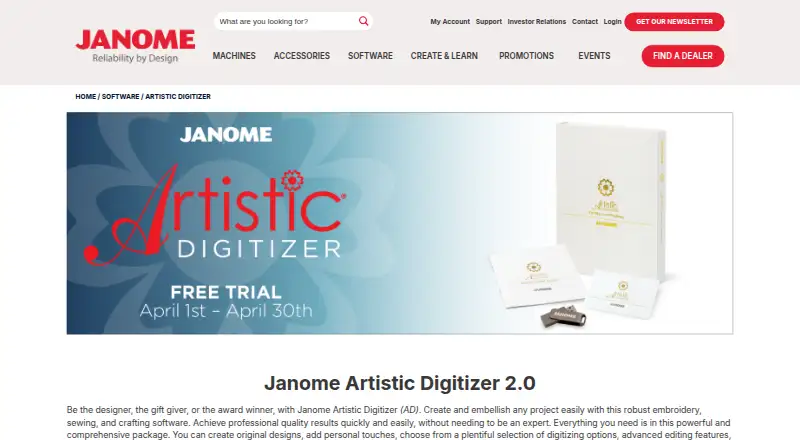
What Janome Artistic Digitizer is
Janome Artistic Digitizer is software for designing and embellishing embroidery, sewing, and craft projects. Version 2.0 turns bitmap images into Cross-Stitch, Photo-Stitch, PaintStitch, or Sketch embroidery. Its fill tools include rectangular and circular bitmap arrays, Floral Array, Space Fill, and Floral Vine Fill. For lettering, users can create vertical or horizontal monogram text, adjust kerning, and use TrueType and OpenType fonts with 3D and 4D stitching effects. The Rearrange tool changes design sequences, trim points, and start and exit points; gradient and motif fills and a Knife tool for splitting objects are also available. PNG transparency is supported, with stitches generated in the non-transparent image area. Janome describes using a digital cutter to cut fabric shapes for art quilts. Project downloads include a ZIP file containing PDF instructions and .jef and .draw files. Artistic Digitizer supports auto-digitizing, stitch simulation, appliqué tools, vector import, and a wide range of machine file formats, including JEF, DST, PES, and EXP. It runs on Mac and Windows. Janome lists Windows 10 or 11, recent macOS versions, 6 GB RAM, 1.5 GB of free disk space, and internet connectivity for registration, activation, and periodic updates.
Who it suits
Artistic Digitizer suits people creating embroidery, sewing, or craft designs who want bitmap conversion, lettering, fill, and object-editing tools. It may also suit users preparing fabric shapes for art quilts with a digital cutter or working with supported machine file formats.
What it does well
- Converts bitmaps into four embroidery styles.
- Offers vertical and horizontal monogram text with font and kerning options.
- PNG transparency limits stitches to non-transparent image areas.
- Supports auto-digitizing, stitch simulation, appliqué tools, and vector import.
- Project downloads include PDF instructions and .jef and .draw files.
What to know first
- There is no free plan or free trial.
- Purchase is through a local authorized dealer.
- Activation requires a supplied serial number and activation code.
- Internet connectivity is required for registration, activation, and periodic updates.
Plans
| Plan | Billed and limits | Price |
|---|---|---|
| Artistic Digitizer 2.0 | Purchase through an authorized dealer · serial number and activation code required | On request |
As janome.com lists them, read 8 Oct 2026. The maker's own page has the final word.
Getting started
- Visit Janome’s Artistic Digitizer product page.
- Purchase through a local authorized dealer.
- Use the supplied serial number and activation code to activate the software.
- Install on a compatible Mac or Windows system with the listed memory, disk space, and internet connectivity.
Verdict
Choose Artistic Digitizer if you need embroidery design tools across bitmap conversion, lettering, fills, and editing, along with Mac or Windows support. Look elsewhere if you need a free plan or trial, or if buying through an authorized dealer does not suit you.
Questions
Is there a free plan or trial?
No. Artistic Digitizer is paid, and there is no free plan or free trial.
How much does Artistic Digitizer 2.0 cost?
A price is not provided here. Janome says to purchase through a local authorized dealer.
Which platforms does it support?
It is compatible with Mac and Windows. Janome lists Windows 10 or 11 and recent macOS versions.
What are the system requirements?
Janome lists 6 GB RAM, 1.5 GB free disk space, and internet connectivity for registration, activation, and periodic updates.
How do I activate the software?
Purchase through a local authorized dealer, then use the supplied serial number and activation code.
Which machine file formats are supported?
The listed formats include JPX, JEF, JEF+, DST, PES, EXP, and many others, including formats shown with question marks such as 1??, U??, and Z??.
Facts from Janome Artistic Digitizer's own pages
- Company history
- Janome says the company was founded in 1921 and has developed sewing machines for more than 100 years. · janome.com, 8 Oct 2026
- Cutter use
- Janome describes using a digital cutter to cut shapes from fabric for art quilts. · janome.com, 8 Oct 2026
- Design fills
- Features include rectangular or circular bitmap arrays, Floral Array, Space Fill, and Floral Vine Fill. · janome.com, 8 Oct 2026
- Editing
- The Rearrange tool modifies design sequences, trim points, and start and exit points; other features include gradient fill, motif fill, and a Knife tool for splitting objects. · janome.com, 8 Oct 2026
- Graphic conversion
- Version 2.0 can convert bitmap images to Cross-Stitch, Photo-Stitch, PaintStitch, or Sketch embroidery. · janome.com, 8 Oct 2026
- Headquarters
- Mahwah, New Jersey, United States · janome.com, 28 Sept 2026
- Image handling
- It supports PNG transparency and generates stitches only in the non-transparent image area. · janome.com, 8 Oct 2026
- Operating systems
- Janome lists Artistic Digitizer as compatible with Mac and Windows. · janome.com, 8 Oct 2026
- Privacy and security
- Janome's website privacy policy says it uses security systems and network monitoring, while disclaiming that it can guarantee fail-proof security. · janome.com, 8 Oct 2026
- Project downloads
- The product page says project downloads include a ZIP file with PDF instructions, .jef, and .draw files. · janome.com, 8 Oct 2026
- Purchase and activation
- Janome says to purchase through a local authorized dealer and use the supplied serial number and activation code to activate the software. · janome.com, 8 Oct 2026
- Purpose
- Artistic Digitizer is embroidery, sewing, and crafting software for creating and embellishing projects. · janome.com, 8 Oct 2026
- Support
- Janome's digitizing software support page directs users who cannot resolve a technical issue to its Support Contact Form and asks them to include activation or product-key details when applicable. · janome.com, 8 Oct 2026
- System requirements
- Janome's support page lists Windows 10 or 11 and recent macOS versions, 6 GB RAM, 1.5 GB free disk space, and internet connectivity for registration, activation, and periodic updates. · janome.com, 8 Oct 2026
- Text and monograms
- The software supports vertical and horizontal monogram text, kerning options, TrueType and OpenType fonts, and 3D and 4D stitching effects. · janome.com, 8 Oct 2026
Where Janome Artistic Digitizer stands on Freedom251
- Embroidery Design Software#22 of 31