Freedom251 › Embroidery Design Software
Ink/Stitch
What Ink/Stitch is
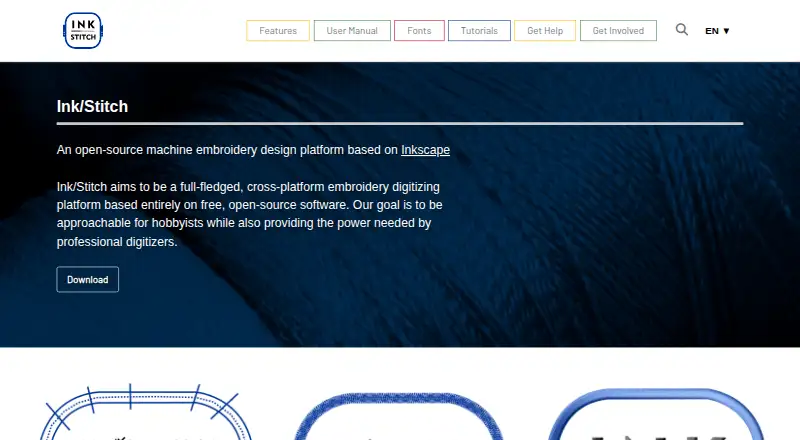
Ink/Stitch is a free, open-source machine embroidery design platform that works as an extension to Inkscape and uses SVG designs. It requires Inkscape version 1.0.2 or higher. Its lettering tools support pre-digitized fonts and custom fonts, while stitch options include running, bean, ripple, satin, fill, cutwork, redwork, and tartan patterns, plus manual stitch placement. Users can preview an animated stitch-out or stitch plan and make PDFs with realistic rendering or line drawings. Thread tools support palettes from more than 60 manufacturers, custom palettes, and matching design colors to a selected palette. The software imports and exports embroidery formats including DST, EXP, JEF, PEC, PES, VP3, and XXX, as well as detailed PDF views. It supports Linux, macOS, and Windows and is licensed under GNU GPL version 3.0 or later. The project provides help through a forum, chat, GitHub bug reports, video tutorials, and Facebook groups. Brother PEC and PES files cannot save more than 255 color changes.
Who it suits
Ink/Stitch suits hobbyists and professional digitizers who work with Inkscape and SVG embroidery designs. It may appeal to users who want an open-source tool with stitch previews, lettering, and machine-file export.
What it does well
- Free and open source under GNU GPL v3.0 or later.
- Offers lettering with pre-digitized or custom fonts.
- Includes animated stitch-out and stitch plan previews.
- Supports palettes from more than 60 manufacturers.
- Imports and exports many embroidery formats.
What to know first
- Requires Inkscape version 1.0.2 or higher.
- Brother PEC and PES files cannot save over 255 color changes.
- Does not provide auto-digitizing.
Limits
Brother PEC and PES files cannot save more than 255 color changes. Ink/Stitch also requires Inkscape version 1.0.2 or higher.
Plans
| Plan | Billed and limits | Price |
|---|---|---|
| Ink/Stitch | Free and open-source embroidery design software · runs as an Inkscape extension | Free |
| Free | GNU GPL software · Linux, Windows and macOS · Inkscape required | Free |
As inkstitch.org lists them, read 30 Sept 2026. The maker's own page has the final word.
Getting started
- Visit https://inkstitch.org/.
- Install Inkscape version 1.0.2 or higher.
- Install Ink/Stitch as an Inkscape extension for your platform.
- Open an SVG design and use the lettering, stitch, preview, or thread tools.
- Export an embroidery file or detailed PDF view.
Ink/Stitch is a free, open-source embroidery design extension for Inkscape, suited to hobbyists and digitizers who want detailed stitch control in a vector workflow. Its wide stitch and export support is a strong package at no cost, but it depends on Inkscape and does not automate digitizing.
Overview
Rather than providing a separate embroidery editor, Ink/Stitch adds design tools to Inkscape and works with SVG. That is useful for people who want vector artwork and embroidery in one workflow, but it makes Inkscape version 1.0.2 or higher a prerequisite. The project aims to serve hobbyists as well as professional digitizers; its manual stitch placement gives experienced users direct control, though newcomers should expect to work within a vector editor.
Licensed under GNU GPL version 3.0 or later, Ink/Stitch is free to use, share, and contribute to. It includes stitch simulation, appliqué tools, and vector import, but not auto-digitizing. Users who want software to automatically convert artwork into embroidery should choose another tool.
Key features
Stitching and lettering
Stitch options include running, bean, ripple, satin, fill, cutwork, redwork, and tartan, as well as manual stitch placement. The breadth supports varied embroidery approaches, while manual control is particularly useful to digitizers who want to set stitches deliberately. Lettering covers typed text, pre-digitized fonts, and custom fonts created for use in Ink/Stitch.
Previews, color, and files
An animated stitch-out preview and a stitch plan preview let users inspect a design in two ways before output. Customizable PDFs can use realistic rendering or line drawings, giving users a useful design record alongside machine files. Thread palettes from more than 60 manufacturers can be installed; users can also build palettes and match design colors to them.
Ink/Stitch imports and exports a broad range of embroidery formats, including DST, EXP, JEF, PEC, PES, VP3, and XXX, among many others. The range is a practical advantage for users working across machine formats. One important constraint: Brother PEC and PES files cannot save more than 255 color changes, so designs above that limit need a different output format.
Pricing
Ink/Stitch: free. The plan includes free and open-source embroidery design software that runs as an Inkscape extension. There is no paid tier or trial to weigh against it; the meaningful cost is the need to use Inkscape. The project invites contributions, including bug reports, tutorials, documentation, translations, and programming.
Platforms
Ink/Stitch is an Inkscape extension for Linux, macOS, and Windows, and requires Inkscape 1.0.2 or higher. Windows downloads have free code signing provided by SignPath.io with a certificate from SignPath Foundation. That is a useful security measure for Windows users, though it does not change the Inkscape dependency.
Who it's for
Ink/Stitch is a good fit for hobbyists who want capable embroidery tools without a software fee, and for digitizers who value manual stitch placement, broad format support, and configurable previews. It is less suitable for users who want standalone embroidery software, auto-digitizing, or a workflow that does not depend on Inkscape. Its help forum, chat, GitHub bug reports, video tutorials, and Facebook user groups offer several avenues for support.
Pros and cons
- Pro: Free, open-source software with no paid tier, making its full design toolkit accessible without a subscription.
- Pro: A broad selection of stitch types, lettering tools, and manual placement supports both varied designs and deliberate digitizing.
- Pro: Animated and plan previews, configurable PDF output, and palettes from more than 60 manufacturers help with inspection and color planning.
- Con: It requires Inkscape 1.0.2 or higher, so it is not a standalone option.
- Con: There is no auto-digitizing, which rules it out for users seeking automatic artwork conversion.
- Con: PEC and PES output is capped at 255 color changes, limiting those formats for more complex designs.
Alternatives
For more embroidery options, browse Embroidery Design Software. Consider Boldbobbin for a freemium option with a free plan and support for iOS, macOS, web, and Windows. mySewnet Embroidery has a free Basic plan with 100MB Vault Storage and standard embroidery, quilting, and craft-cutting tools, while its Essential plan costs $99.99 a year.
StitchConsole offers a free plan with unlimited designs, ten designs synced at a time, ten image conversions, and ten export formats; its Pro plan is $19 a month. For a free and open-source web platform, consider TurtleStitch. Embrowser has a free plan with saved-design, custom-font, storage, and image auto-trace limits, plus a Hobby (monthly) plan at $9.99 a month.
PEmbroider is a free open-source library for macOS and Windows, rather than an Inkscape extension. ApS-Ethos is a paid Windows option with plans for organizing designs and for embroidery lettering and editing. Tajima Embroidery i2 is a paid option for macOS and Windows.
Verdict
Choose Ink/Stitch if you want a capable, free embroidery toolkit and are comfortable designing through Inkscape. Look elsewhere if you need auto-digitizing, independence from Inkscape, or PEC/PES files with more than 255 color changes.
Verdict
Ink/Stitch brings embroidery lettering, stitch tools, previews, and file export to an Inkscape-based workflow. Check the Inkscape requirement and PEC/PES color-change limit before starting a design.
Questions
How much does Ink/Stitch cost?
The Ink/Stitch plan is free. The project says it will always be free to use, share, and contribute to.
What does Ink/Stitch require?
It runs as an Inkscape extension and requires Inkscape version 1.0.2 or higher.
Which platforms does it support?
Ink/Stitch supports Linux, macOS, and Windows.
Which embroidery file formats does it support?
It imports and exports formats including DST, EXP, JEF, PEC, PES, VP3, and XXX. Its supported machine-file formats also include many others.
Can it create lettering and stitch previews?
Yes. It supports lettering with pre-digitized or custom fonts, an animated stitch-out preview, and a stitch plan preview.
What is the limit for Brother PEC and PES files?
Those formats cannot save files with more than 255 color changes.
Facts from Ink/Stitch's own pages
- Audience
- The project aims to be approachable for hobbyists while providing tools for professional digitizers. · inkstitch.org, 30 Sept 2026
- Code signing
- Windows binaries use free code signing supplied through SignPath.io and the SignPath Foundation. · inkstitch.org, 15 Oct 2026
- Command-line use
- The project sitemap lists documentation for running Ink/Stitch extensions from the command line. · inkstitch.org, 15 Oct 2026
- Community
- Ink/Stitch is a community project that invites contributions such as bug reports, tutorials, documentation, translations, and programming. · inkstitch.org, 30 Sept 2026
- Current release
- The installation pages identify Ink/Stitch 3.3.0, released July 31, 2026. · inkstitch.org, 15 Oct 2026
- Developer setup
- Developers can clone the source with Git, install Python dependencies, generate INX files and symlink the project into Inkscape's extensions directory. · inkstitch.org, 15 Oct 2026
- Documentation depth
- The official manual covers installation, workflows, stitch types, file formats, fonts, PDF output, troubleshooting and developer topics. · inkstitch.org, 15 Oct 2026
- Extensibility
- A documented Ink/Stitch XML namespace exposes embroidery attributes for fills, strokes, satin columns, underlay, stitch length and visual commands. · inkstitch.org, 15 Oct 2026
- File formats
- It imports and exports embroidery files in formats including DST, EXP, JEF, PEC, PES, VP3, and XXX, and can also export a detailed PDF view. · inkstitch.org, 30 Sept 2026
- Import and export
- Ink/Stitch imports embroidery files for stitch-level editing and exports single or multiple formats in batches. · inkstitch.org, 15 Oct 2026
- Independent description
- NC State Libraries describes Ink/Stitch as a free open-source Inkscape extension that converts vector designs into machine-readable embroidery files. · lib.ncsu.edu, 15 Oct 2026
- Independent feature summary
- FabLab Region Nürnberg lists stitch previews, simulation, path optimization, custom fonts and exports such as PES, DST, JEF, EXP and VP3. · wiki.fablab-nuernberg.de, 15 Oct 2026
- Independent limitation
- A FabLearn academic paper says Ink/Stitch creates quality embroidery but lacks the power of advanced commercial embroidery programs. · tecfa.unige.ch, 15 Oct 2026
- Integrations
- Ink/Stitch is an Inkscape extension and requires Inkscape version 1.0.2 or higher. · inkstitch.org, 30 Sept 2026
- Lettering
- The lettering tool supports keyboard text entry, pre-digitized fonts, custom fonts and font filtering by category, size and glyph coverage. · inkstitch.org, 15 Oct 2026
- Licence
- The project is free and open source under GNU GPL version 3.0 or later. · inkstitch.org, 15 Oct 2026
- License
- Ink/Stitch is licensed under GNU GPL version 3.0 or later and the page says it will always be free to use, share, and contribute to. · inkstitch.org, 30 Sept 2026
- Limit: advanced capability gap
- A Reddit reviewer reports difficulty with satin stitches, thinning stitches, in-the-hoop work and appliqué, describing the tool as lacking for those uses. · reddit.com, 15 Oct 2026
- Limit: learning curve
- Independent reviewers report that the embroidery-specific workflow can be unintuitive and that advanced features are harder to learn. · reddit.com, 15 Oct 2026
- Limit: Microsoft Store installation
- A GitHub discussion documents extension-folder errors with the Microsoft Store version of Inkscape and recommends manually extracting the ZIP into the configured extensions folder. · github.com, 15 Oct 2026
- Limit: mobile support
- A Reddit user states that Ink/Stitch cannot run directly on an iPad, although SVG work can be prepared on a tablet and finished in Inkscape. · reddit.com, 15 Oct 2026
- Limit: preview workflow
- Users reported that the newer stitch-plan preview was slower and less accessible than the older realistic-preview workflow. · reddit.com, 15 Oct 2026
- macOS requirement
- macOS support starts at Monterey 12; Apple Silicon users may need Rosetta, and Inkscape 1.0.2 or newer must already be installed and run. · inkstitch.org, 15 Oct 2026
- Manual stitch placement
- Users can place individual stitches precisely by hand. · inkstitch.org, 15 Oct 2026
Where Ink/Stitch stands on Freedom251
- Embroidery Design Software#1 of 31