Freedom251 › PDF Form Software
PDFWix
What PDFWix is
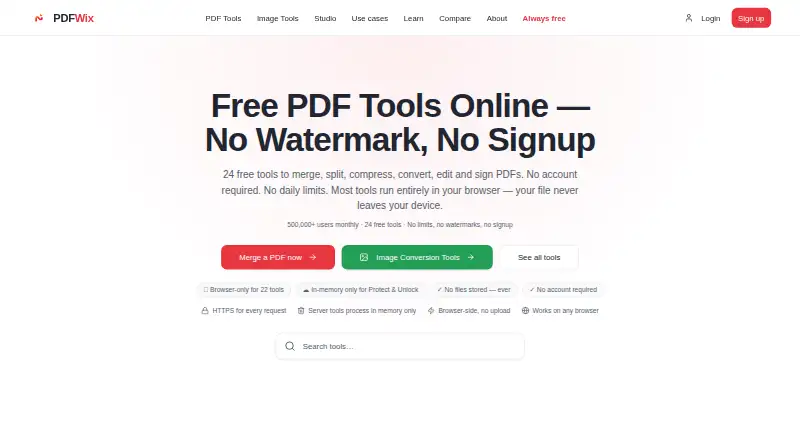
PDFWix is a free online toolkit for PDF and image tasks, available on web, Android, and iOS. Its PDF tools cover merging, splitting, compression, conversion, editing, signing, security, repair, page organization, form filling, watermarks, redaction, metadata editing, and OCR. Image tools handle compression, resizing, cropping, watermarking, and format conversion. The Free web app plan costs nothing and includes more than 35 PDF tools, with no daily task limits, watermarks, or signup requirement. Most tools run in the browser using WebAssembly; Protect PDF and Unlock PDF instead process files on PDFWix servers. The service says those server-processed files use TLS 1.3, are handled in memory, and are not written to disk. Browser tools are subject to device memory, while Protect and Unlock accept files up to about 25 MB per request; another FAQ answer gives different figures. PDFWix says it is not HIPAA certified and recommends browser-based tools for protected health information. It also describes an OAuth 2.1 remote MCP server for AI assistants such as Claude. Its REST API is pre-launch, with a waitlist open and pay-as-you-go pricing planned.
Who it suits
PDFWix suits people who need PDF or image tools in a browser or on Android and iOS. Its listed use cases include students, lawyers, HR teams, freelancers, healthcare workers, and developers.
What it does well
- Free plan includes more than 35 PDF tools.
- No daily task limits, watermarks, or signup requirement.
- Most tools process files in the browser.
- Includes OCR, redaction, and form filling.
- Available on web, Android, and iOS.
What to know first
- Protect PDF and Unlock PDF process files on servers.
- Not HIPAA certified.
- Browser tools are limited by device memory.
- REST API is still pre-launch.
Limits
Browser tools depend on device memory. Protect PDF and Unlock PDF accept files up to about 25 MB per request.
Plans
| Plan | Billed and limits | Price |
|---|---|---|
| Free web app | 35+ PDF tools · no daily task limits · no watermarks · no signup required | Free |
As pdfwix.com lists them, read 8 Oct 2026. The maker's own page has the final word.
Getting started
- Open https://www.pdfwix.com/ in a web browser.
- Choose a PDF or image tool from the available utilities.
- Use the free web app without signing up.
- For mobile access, use the Android or iOS platform.
Verdict
PDFWix covers a wide range of PDF and image tasks without requiring signup. Check its processing limits and avoid server-side tools for protected health information.
Questions
How much does PDFWix cost?
The Free web app plan costs nothing.
Does PDFWix require signup or have a free trial?
The free plan does not require signup. PDFWix does not offer a free trial.
Which platforms does PDFWix support?
PDFWix lists web, Android, and iOS.
Does PDFWix have an API?
It describes a remote MCP server for AI assistants such as Claude, using OAuth 2.1. Its REST API is in pre-launch, with a waitlist open and pay-as-you-go pricing planned.
Is PDFWix suitable for protected health information?
PDFWix says it is not HIPAA certified and recommends browser-side tools for protected health information.
Who makes PDFWix?
PDFWix describes itself as an independent project built and maintained by the PDFWix Team.
Facts from PDFWix's own pages
- Company
- PDFWix describes itself as an independent project built and maintained by the PDFWix Team. · pdfwix.com, 8 Oct 2026
- Compliance
- PDFWix says it is not HIPAA certified and recommends browser-side tools for protected health information. · pdfwix.com, 8 Oct 2026
- Developer API
- The developer page describes a REST API as pre-launch, with a waitlist open and pay-as-you-go pricing planned. · pdfwix.com, 8 Oct 2026
- File processing
- The site says most PDF tools run in the browser using WebAssembly, while Protect PDF and Unlock PDF process files on its servers. · pdfwix.com, 8 Oct 2026
- File size limits
- The homepage FAQ gives browser tools a device-memory limit and says Protect and Unlock accept files up to about 25 MB per request; another FAQ answer gives different figures. · pdfwix.com, 8 Oct 2026
- Image tools
- The site also lists image tools including compression, resizing, cropping, watermarking and format conversion. · pdfwix.com, 8 Oct 2026
- Integrations
- The site describes a remote MCP server for AI assistants such as Claude, with OAuth 2.1 authentication. · pdfwix.com, 8 Oct 2026
- Intended users
- The site presents use cases for students, lawyers, HR teams, freelancers, healthcare workers and developers. · pdfwix.com, 8 Oct 2026
- PDF features
- Tools include PDF page organization, form filling, watermarks, signatures, redaction, metadata editing and OCR. · pdfwix.com, 8 Oct 2026
- Security
- The security page says server-processed files use TLS 1.3, are processed in memory and are not written to disk. · pdfwix.com, 8 Oct 2026
- Support
- PDFWix lists [email protected] for support and issue reports. · pdfwix.com, 8 Oct 2026
- What it does
- PDFWix offers online tools to merge, split, compress, convert, edit, sign, secure and repair PDFs. · pdfwix.com, 8 Oct 2026
Where PDFWix stands on Freedom251
- PDF Form Software#10 of 27