Freedom251 › PDF Form Software

PDF Studio
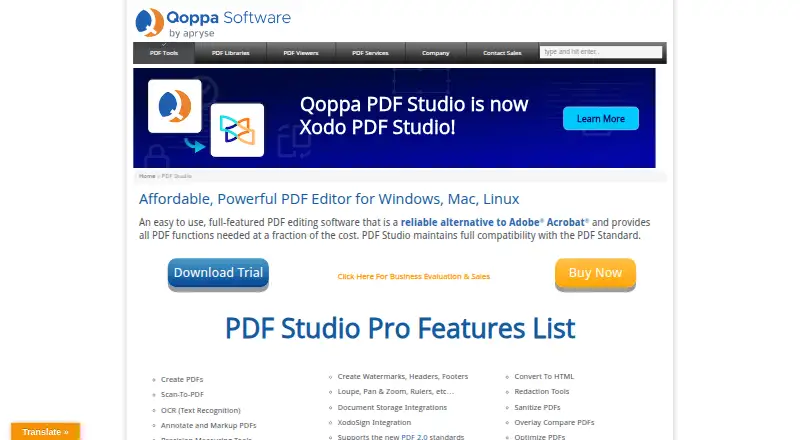
What PDF Studio is
PDF Studio is a PDF editor that maintains compatibility with the PDF Standard. It can create PDFs from scans, Microsoft Office files, text, and images, and edit PDF text, images, and shapes or redact content. OCR recognizes text and creates searchable PDFs on Windows, Mac, and Linux. The Pro edition adds batch processing for multiple PDFs and an Action Wizard for automating tasks. It integrates with DocuSign, Dropbox, Google Drive, and OneDrive; cloud documents are handled as temporary local copies and returned to the service when saved. Security options include password protection, encryption, permissions, digital signatures, digital IDs, and trusted certificates. Pro also supports PDF/A, PDF/X, and PDF/UA validation or conversion, and creating accessible tagged PDFs. The free Viewer reads and annotates PDFs and fills interactive forms. PDF Studio Pro costs $149, paid once for one user on two computers, with a perpetual license. The Unix installer lacks native OCR and scanning features.
Who it suits
PDF Studio suits people who need to create, edit, redact, or secure PDFs on Linux, macOS, or Windows. Pro may suit users who need batch processing, standards support, or accessible tagged PDFs.
What it does well
- Free Viewer reads, annotates, and fills PDF forms.
- Creates PDFs from scans, Office files, text, and images.
- OCR creates searchable PDFs on Windows, Mac, and Linux.
- Pro includes batch processing and an Action Wizard.
- Supports digital signatures and multiple PDF standards.
What to know first
- Pro costs $149, paid once.
- Unix installer lacks native OCR and scanning features.
- Cloud integrations use temporary local copies.
Limits
PDF Studio Viewer is a free reader with annotation and interactive form filling. The Pro license covers one user on two computers; the Unix installer does not include native OCR or scanning.
Plans
| Plan | Billed and limits | Price |
|---|---|---|
| PDF Studio Viewer | free PDF reader · annotate PDFs · fill interactive forms · Windows, Mac, Linux | Free |
| PDF Studio Pro | one-time fee · 1 user on 2 computers · Windows, Mac, Linux · perpetual license | $149, paid once |
As qoppa.com lists them, read 1 Oct 2026. The maker's own page has the final word.
Getting started
- Visit the PDF Studio website.
- Choose the free PDF Studio Viewer or the PDF Studio Pro license.
- Install it on Windows, Mac, or Linux.
- Open existing PDFs or create PDFs from scans, Office files, text, or images.
PDF Studio is a desktop PDF workspace for creating, editing, securing, and processing documents on Windows, macOS, and Linux. It is best suited to businesses, administrators, and form-heavy teams that need structured PDF work, while casual readers can use the separate free Viewer. The one-time Pro license is attractive for ongoing use, but Unix users should note its OCR and scanning limitation.
Overview
PDF Studio maintains compatibility with the PDF Standard and handles documents from creation through distribution. It can turn scans, Microsoft Word, Excel, PowerPoint, text, and image files into PDFs, then edit text, images, and shapes directly or redact sensitive content. That breadth makes it a sensible replacement for a collection of narrowly focused PDF utilities.
Its strongest case is structured document work. Existing PDFs can be imported, interactive forms filled, fields validated, conditional logic applied, and collected data exported as FDF, XFDF, XDP, PDF, or HTML. The scope is broader than a basic reader, though advanced processing belongs to Pro rather than the free Viewer.
Key features
Editing, forms, and signatures
Direct object editing and redaction are useful when the source document is unavailable or confidential text must be removed. Signature fields support form workflows, while digital signatures, digital IDs, and trusted certificates address authenticated document exchange. Password protection, encryption, and PDF permissions provide controls for restricting access and changes.
OCR and document creation
OCR recognizes text and produces searchable PDFs on Windows, Mac, and Linux, making scanned archives easier to search and reuse. The Unix installer does not include native OCR or scanning, so Linux users who depend on an integrated scan-to-searchable workflow will need another tool for that part.
Automation, standards, and cloud services
Pro's batch processing and Action Wizard target repetitive work across multiple PDFs rather than occasional editing. Pro also validates, converts, and creates PDF/A, PDF/X, and PDF/UA files and can create accessible tagged PDFs, which matters for archival, print-production, and accessibility requirements.
DocuSign, Dropbox, Google Drive, and OneDrive integrations connect PDF Studio to signing and storage workflows. Cloud files are edited as temporary local copies and sent back when saved, a practical approach that keeps editing local while preserving the service-based workflow.
Pricing
PDF Studio Viewer: Free (free). It includes PDF reading, annotation, and interactive form filling on Windows, Mac, and Linux. Choose it when you mainly consume documents or add comments and form entries; it is not the choice for full editing, OCR-driven production, or automation.
PDF Studio Pro: $149.00 USD once, billed as a one-time fee for one user on two computers, with a perpetual Windows, Mac, and Linux license. Pro is the relevant purchase for direct editing, batch processing, Action Wizard automation, and PDF/A, PDF/X, or PDF/UA work. A free trial is offered, and purchased users receive free online and email-only technical support through the knowledge base and in-app email support.
Platforms
PDF Studio runs on Linux, macOS, and Windows. OCR is supported across those systems, but the Unix installer omits native OCR and scanning. Cloud integrations return saved edits to Dropbox, Google Drive, or OneDrive after working on a local temporary copy.
Who it's for
It fits small businesses, larger organizations, and government teams that need one application for PDF editing, forms, signatures, security, and repeatable processing. Form designers and operators benefit from validation, conditional logic, signature fields, and export choices. Readers, annotators, and occasional form fillers should stay with Viewer, while Linux users whose priority is built-in scanning should look beyond PDF Studio.
Pros and cons
- Pro: One application covers creation, direct editing, redaction, forms, signatures, security, and OCR.
- Pro: Pro's perpetual $149 license avoids recurring billing and covers one user on two computers.
- Pro: Batch processing, Action Wizard, and PDF/A, PDF/X, and PDF/UA tools serve high-volume and compliance-oriented workflows.
- Con: Unix users do not get native OCR or scanning in the installer.
- Con: The free Viewer is limited to reading, annotation, and form filling, so serious editing requires Pro.
- Con: Cloud editing uses a temporary local copy, which may not suit workflows requiring wholly remote document handling.
Alternatives
For a broad directory of form-focused tools, see PDF Form Software.
Choose PDF24 Compare PDF when you want a completely free option with no registration, no time restrictions, and no stated limits across Android, iOS, Linux, macOS, web, and Windows.
FormForge is another free, cross-platform choice with no account requirement and no trial.
Pick Jotform for web and mobile form creation when a free Starter plan with five forms and 100 monthly submissions is sufficient.
PDFgear suits users seeking a free multi-platform PDF tool whose online editor accepts files up to 100 MB per PDF.
Choose Sejda PDF Forms for a free desktop-and-web option when page, hourly, upload, and tool-specific limits are acceptable.
DocHub is a freemium alternative for Android, iOS, and web users who can work within three shared free uses per month.
PDFWix offers a free web app with more than 35 PDF tools, no daily task limits, no watermarks, and no signup.
Choose UPDF if a free plan capped at two conversions per day, two files per batch, five OCR uses, 1 GB of cloud storage, and 10 MB files meets your needs.
Verdict
PDF Studio is a strong choice for organizations and professionals needing durable PDF editing, sophisticated forms, security controls, and optional automation across all three major desktop platforms. Pro's one-time $149 price and standards tooling are compelling for recurring document work. Look elsewhere if built-in Unix scanning is essential or if you only need a lightweight, free reader.
Verdict
PDF Studio covers PDF creation, editing, signatures, and security, with Pro adding automation and standards-related tools. The free Viewer is a separate option for reading, annotating, and filling forms.
Questions
Is PDF Studio free?
PDF Studio Viewer is free. PDF Studio Pro costs $149, paid once.
Which platforms does it support?
PDF Studio is available for Windows, Mac, and Linux. The Unix installer does not provide native OCR or scanning features.
Can it create and edit PDFs?
Yes. It creates PDFs from scans, Microsoft Word, Excel, PowerPoint, text, and image files, and edits PDF text, images, and shapes.
Does it support OCR?
OCR creates searchable PDFs on Windows, Mac, and Linux.
What does Pro add?
Pro includes batch processing, an Action Wizard, PDF/A, PDF/X, and PDF/UA validation or conversion, and creation of accessible tagged PDFs.
Does it connect to cloud services?
It integrates with DocuSign, Dropbox, Google Drive, and OneDrive. Cloud files are edited as temporary local copies and returned to the service when saved.
Facts from PDF Studio's own pages
- Audience
- Qoppa says its PDF software serves small businesses, Fortune 500 companies and government agencies in more than a hundred countries. · qoppa.com, 1 Oct 2026
- Batch automation
- Pro includes batch processing of multiple PDFs and an Action Wizard for task automation. · qoppa.com, 1 Oct 2026
- Cloud file handling
- Cloud integrations edit a temporary local copy and send the file back to the service when saved. · kbpdfstudio.qoppa.com, 1 Oct 2026
- Editing
- PDF Studio supports direct editing of PDF text, images and shapes, plus redaction. · qoppa.com, 1 Oct 2026
- Headquarters
- Atlanta, Georgia, United States · qoppa.com, 28 Sept 2026
- Integrations
- PDF Studio integrates with DocuSign and document services including Dropbox, Google Drive and OneDrive. · qoppa.com, 1 Oct 2026
- OCR
- OCR adds text recognition to documents and creates searchable PDFs on Windows, Mac and Linux. · qoppa.com, 1 Oct 2026
- PDF creation
- It creates PDFs from scanned documents, Microsoft Word, Excel, PowerPoint, text and image files. · qoppa.com, 1 Oct 2026
- Product
- PDF Studio is an all-in-one PDF editor that maintains full compatibility with the PDF Standard. · qoppa.com, 1 Oct 2026
- Security
- Features include password protection, high-level encryption, PDF permissions, digital signatures, digital IDs and trusted certificates. · qoppa.com, 1 Oct 2026
- Standards
- Pro supports PDF/A, PDF/X and PDF/UA validation or conversion and creation of accessible tagged PDFs. · qoppa.com, 1 Oct 2026
- Support
- Purchased users receive free online and email-only technical support through the knowledge base and in-app email support. · qoppa.com, 1 Oct 2026
- Unix limitation
- The Unix installer does not provide native OCR and scanning features. · qoppa.com, 1 Oct 2026
Where PDF Studio stands on Freedom251
- PDF Form Software#9 of 27
- PDF Software#15 of 35