
PDF-XChange Editor
What PDF-XChange Editor is
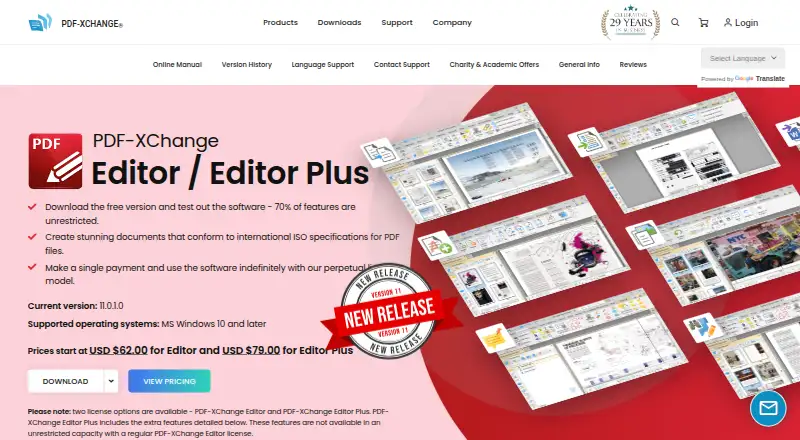
PDF-XChange Editor is a Windows application for viewing, creating, editing, annotating, converting, and managing PDF documents. Its tools include text editing, OCR, redaction, digital signing, form creation, and extraction or manipulation of pages. It also supports PDF rendering. The deployment model is client-side, and a commercial license is available. The product has a free plan, with two listed paid options: PDF-XChange Editor and PDF-XChange Editor Plus, each for one user. The plan details state that purchasing a product license is a one-time fee, while the listed amounts are $62 a month and $79 a month, respectively; the pricing note says paid plans start from $62 per user. For developers, documented SDK examples cover C#, C/C++, Delphi, Visual Basic, and Visual Basic .NET. The maker is PDF-XChange Editor, founded in 1997. The listed platform is Windows, so the product is directed at users working on that operating system.
Who it suits
It suits Windows users who need PDF editing, conversion, annotation, OCR, or form tools. Developers working with the documented SDK examples may also value its listed language coverage.
What it does well
- Free plan available
- Supports text editing, annotation, and OCR
- Includes redaction and digital signing
- Can create forms and manipulate pages
- Commercial license available
What to know first
- Windows platform only
- Listed paid amounts are per month despite one-time license wording
- Each listed plan is for one user
Limits
The free plan is available, while the listed paid plans cover one user each. Paid pricing is listed from $62 per user, with product-license purchase described as a one-time fee.
Plans
| Plan | Billed and limits | Price |
|---|---|---|
| PDF-XChange Editor | Purchase of a product license is a one-time fee. · 1 user | $62 a month |
| PDF-XChange Editor Plus | Purchase of a product license is a one-time fee. · 1 user | $79 a month |
As pdf-xchange.com lists them, read 21 Sept 2026. The maker's own page has the final word.
Getting started
- Open the PDF-XChange Editor website
- Choose the free plan or a listed paid plan
- Select PDF-XChange Editor or PDF-XChange Editor Plus
- Install the client-side Windows application
- Use the PDF editing, annotation, conversion, OCR, form, or signing tools
Verdict
PDF-XChange Editor covers document editing, review, conversion, and page operations in a client-side Windows application. Review the one-time-license wording alongside the monthly amounts before choosing a paid plan.
Questions
What platforms does PDF-XChange Editor support?
Windows is the listed supported platform.
Is there a free plan?
Yes. PDF-XChange Editor has a free plan.
What are the paid plans?
PDF-XChange Editor is listed at $62 a month for one user, and PDF-XChange Editor Plus at $79 a month for one user. The billing note describes purchase of a product license as a one-time fee.
Does it support OCR and PDF conversion?
Yes. OCR and PDF conversion are listed capabilities.
Which developer languages are covered in the SDK examples?
The documented examples cover C#, C/C++, Delphi, Visual Basic, and Visual Basic .NET.
Is a commercial license available?
Yes, a commercial license is available.
Facts from PDF-XChange Editor's own pages
- Annotation tools
- Yes · pdf-xchange.com, 21 Sept 2026
- Form creation
- Yes · pdf-xchange.com, 21 Sept 2026
- Founded
- 1997 · pdf-xchange.com, 28 Sept 2026
- Free plan
- Yes · pdf-xchange.com, 21 Sept 2026
- OCR
- Yes · pdf-xchange.com, 21 Sept 2026
- PDF conversion
- Yes · pdf-xchange.com, 21 Sept 2026
- Supported platforms
- windows · pdf-xchange.com, 21 Sept 2026
- Text editing
- Yes · pdf-xchange.com, 21 Sept 2026
Where PDF-XChange Editor stands on Freedom251
- PDF editors#30 of 104
- PDF Software#23 of 35
- PDF Form Software#18 of 27
- PDF SDKs#22 of 31