PDF2Go
by PDF2Go
What PDF2Go is
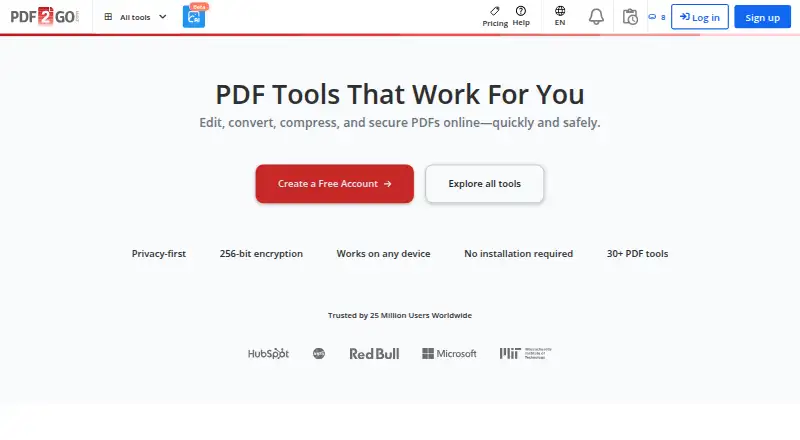
PDF2Go is a browser-based PDF editor and converter for editing, compressing, merging, splitting, and converting documents. Its site lists more than 30 tools, including signing, redaction, OCR, PDF/A validation, translation, summarization, and PDF chat. The pricing comparison lists support for more than 250 file formats. Paid plans support files up to 64 GB per task and batches up to 200 files, depending on the tool; free plans have lower limits. The Free plan costs nothing, with access to most tools and limited file processing. Desktop downloads are listed for Windows, macOS Apple Silicon, and Linux, with mobile apps listed for Android and iPhone. PDF2Go says files are encrypted in transit, personal data is stored encrypted, and files are automatically deleted within 24 hours or on request. It states that it complies with GDPR and that its data centers follow standards including ISO/IEC 27001. Paid plans include a 14-day money-back guarantee and can be canceled anytime.
Who it suits
PDF2Go suits individuals who need browser-based PDF editing and conversion, with desktop and mobile apps also listed. Its pricing page positions Pro for individuals and small teams, and Business for organizations.
What it does well
- Lists more than 30 PDF tools.
- Supports more than 250 file formats.
- Desktop downloads are listed for Windows, macOS, and Linux.
- Files are automatically deleted within 24 hours or on request.
- Paid plans include a 14-day money-back guarantee.
What to know first
- Free plan has limited file processing.
- Free plans have lower limits than paid plans.
- Support response time for Free is seven days.
Plans
| Plan | Billed and limits | Price |
|---|---|---|
| Starter | /month · 64 GB files · batch processing · 2 users · 480 credits/month · standard AI | On request |
| Pro | /month · 64 GB files · batch processing · 5 users · 2,800 credits/month · advanced AI · Zapier and Make · desktop app | On request |
| Business | /month · 64 GB files · batch processing · 20 users · 10,000 credits/month · centralized billing · highest AI access | On request |
| Free | 0 € /month · Most tools · limited file processing | Free |
| Premium | usage based, per month · Batch processing · priority queue · unlimited tasks per 24h · large files · ad-free | $6.42 a month |
| Pay As You Go | usage based, one time · Batch processing · priority queue · unlimited tasks per 24h · large files · ad-free | $8, paid once |
As pdf2go.com lists them, read 15 Oct 2026. The maker's own page has the final word.
PDF2Go is a PDF editor and converter for people who want routine document work and specialized tools in one service. It is strongest for varied or recurring workflows; occasional compression alone is a narrower use case. Free access is broad but constrained, while paid plans raise capacity and add seats at custom pricing.
Overview
PDF2Go combines editing, compression, merging, splitting, and conversion with more than 30 tools, including signing, redaction, OCR, PDF/A validation, translation, summarization, and PDF chat. Support for more than 250 file formats is useful when documents arrive in different formats. The breadth favors people handling varied PDF tasks, though a reader who only needs one occasional operation may not need such a large toolkit.
Free access covers most tools, but processing is limited and the maximum file size is 50 MB. Paid plans raise the file ceiling to 64 GB per task and allow batches of up to 200 files, depending on the tool. That capacity is a meaningful step up for large or repetitive jobs, but custom pricing makes it harder to judge the cost before choosing a plan.
Key features
Batch compression is supported, and the combination of everyday editing with OCR, redaction, and translation can keep varied document work in one service. Paid plans include automation with Zapier and Make. Developers can add links to PDF2Go tools on their own sites or use a file-conversion API from partner API2Convert.
PDF2Go says it encrypts data in transit with TLS, stores personal data encrypted, and deletes files automatically within 24 hours or sooner on request. The company states that it complies with GDPR and that its data centers follow standards including ISO/IEC 27001. It also says customer files are not used to train AI models. These are relevant assurances for document workflows, though they do not change the practical need to assess whether a service fits a particular organization's requirements.
Pricing
The Free plan costs nothing and provides access to most tools with limited processing. Its 50 MB maximum file size makes it more suitable for occasional, smaller jobs than large files or high-volume work.
Starter, Pro, and Business are offered with custom pricing. Starter includes 480 credits per month, 64 GB files, batches up to 200, and 2 users; it is positioned for individuals. Pro provides 2,800 monthly credits, the same file and batch limits, and 5 users, making it the stated fit for individuals and small teams. Business includes 10,000 monthly credits, the same file and batch limits, and 20 users, for organizations. These higher credit allowances and seats support more regular or shared use, but without a published price readers cannot compare their cost directly.
Monthly credits reset each billing cycle, while add-on credits remain valid for 12 months. Paid plans can be canceled anytime and include a 14-day money-back guarantee. Support response times are seven days for Free, 48 hours for Starter and Pro, and 24 hours for Business, so higher tiers also bring faster stated support.
Platforms
PDF2Go runs on the web and offers desktop apps for Windows, macOS Apple Silicon, and Linux, plus Android and iPhone apps. That range gives users several ways to reach the service across common desktop and mobile platforms. The presence of a desktop app does not establish offline operation, so readers who specifically require offline processing should not assume it from the app alone.
Who it's for
PDF2Go suits individuals and teams whose work moves between routine PDF edits and specialized tasks such as OCR or redaction. Starter's two seats and Pro's five seats provide a path from solo use to a small team, while Business's 20 seats and larger monthly credit allowance address organizational use. Free is a reasonable starting point for smaller, infrequent jobs, but its limited processing and 50 MB file ceiling make it a poor fit for large documents or sustained volume.
Pros and cons
- Pros: A broad toolset spans standard edits, conversion, OCR, redaction, translation, and other document tasks, reducing the need to split varied work across services.
- Pros: Paid plans raise capacity to 64 GB per task and batches of up to 200 files, which is useful for large or repeated processing jobs.
- Pros: Multiple desktop and mobile platforms, plus Zapier and Make automation on paid plans, support a range of workflows.
- Cons: Free processing is limited, with a 50 MB maximum file size, so it is not suited to heavy use.
- Cons: Paid plans use custom pricing, making it difficult to weigh their expanded credits and seats against cost in advance.
Alternatives
For a dedicated comparison of compression tools, see PDF Compression Software; for a wider editor shortlist, see PDF editors. Choose PDF Candy if its free web-and-desktop option fits, bearing in mind its page and hourly restrictions, lack of batch processing, and limited file size. PDF24 Compare PDF is the free alternative when no limits, no registration, and no time restrictions matter more than PDF2Go's broader paid capacity. Xodo Compress PDF is another option for compression, with a free online tier that allows one low-compression action per day. Smallpdf offers a free tier with 30 tools and a seven-day free trial, making it worth considering for readers weighing that tool set. AvePDF offers more than 50 document tools, with its free plan limited to two operations per six hours, 128 MB files, and 10 files per processing. PDFOptim is a more focused option if four PDF tools and private processing are enough; its free plan allows three operations daily and files up to 25 MB. Sejda PDF Editor is an alternative for readers comparing web and desktop access options. FS PDF Compressor is a free desktop alternative for users on Linux, macOS 14+ with Apple Silicon, or Windows 11 x64.
Verdict
Choose PDF2Go if you need a broad PDF toolkit across desktop and mobile, especially when work includes specialized tasks or large batches. Its main advantage is the range of tools and paid capacity; its chief drawback is that Free is constrained and paid pricing is custom. Readers focused on occasional small jobs can start with Free, while those who need predictable pricing or only one narrow task should compare more focused alternatives.
Verdict
PDF2Go covers common PDF edits alongside tools such as OCR, redaction, and translation. The Free plan has limited processing; higher file and batch limits are listed for paid plans.
Facts from PDF2Go's own pages
- AI privacy
- The pricing page says PDF2Go does not train AI models on customer files. · pdf2go.com, 30 Sept 2026
- AI tools
- AI features include translation, OCR, spellcheck, fact extraction, summarization, chat with PDFs and speech transcription. · pdf2go.com, 15 Oct 2026
- API
- PDF2Go directs developers to partner service api2convert.com for a file-conversion API rather than documenting a native PDF2Go API. · pdf2go.com, 15 Oct 2026
- Apple compatibility
- The iOS listing requires iOS 16.4 or later, iPadOS 16.4 or later, or macOS 12 with Apple M1 or later. · apps.apple.com, 15 Oct 2026
- Audience
- The pricing page positions Free and Starter for individuals, Pro for individuals and small teams, and Business for organizations. · pdf2go.com, 30 Sept 2026
- Batch processing
- Paid plans allow batches of up to 200 files per task according to the current comparison table. · pdf2go.com, 15 Oct 2026
- Chrome extension integrations
- The Chrome extension offers compression, PDF-to-Word/Excel/JPG, editing and merging, and integrates with Gmail. · chromewebstore.google.com, 15 Oct 2026
- Company legal name
- PDF2Go is operated by QaamGo Web GmbH. · pdf2go.com, 15 Oct 2026
- Compliance
- The company states GDPR compliance and says users can download a data-processing agreement from the dashboard. · pdf2go.com, 15 Oct 2026
- Conversion formats
- The service converts PDFs to Word, JPG, text, Excel, PowerPoint, EPUB, PDF/A and speech, and converts Office files, images, EPUB and webpages to PDF. · pdf2go.com, 15 Oct 2026
- Conversion limitation
- PDF-to-Office conversions may alter layout or fonts when complex layouts or unavailable fonts cannot be reproduced. · pdf2go.com, 15 Oct 2026
- Credits
- Included monthly credits reset each billing cycle, while add-on credits remain valid for 12 months. · pdf2go.com, 30 Sept 2026
- Desktop and mobile
- The desktop app offers downloads for Windows, macOS Apple Silicon, and Linux; the pricing comparison also lists Android and iPhone mobile apps. · pdf2go.com, 30 Sept 2026
- Desktop downloads
- PDF2Go offers downloadable Windows, macOS Apple Silicon and Linux AppImage, deb and rpm packages. · pdf2go.com, 15 Oct 2026
- Desktop operation
- The desktop application processes files locally and offline, with no stated file-size or processing-count limits. · pdf2go.com, 15 Oct 2026
- Developer integration
- Developers can add a link to PDF2Go tools on their sites or use a file conversion API provided by its partner API2Convert. · pdf2go.com, 30 Sept 2026
- Developer link integration
- Developers can embed links that send a PDF URL to PDF2Go using the URL-encoded remote_url parameter. · pdf2go.com, 15 Oct 2026
- Editing
- The editor adds or deletes text, inserts images, draws shapes, highlights passages and crops PDF content. · pdf2go.com, 15 Oct 2026
- File-format coverage
- The pricing comparison states that paid plans support more than 250 file formats. · pdf2go.com, 15 Oct 2026
- File formats
- The pricing comparison lists support for more than 250 file formats. · pdf2go.com, 30 Sept 2026
- Founded
- 2016 · pdf2go.com, 28 Sept 2026
- Free plan
- Yes · pdf2go.com, 19 Sept 2026
- Free upload limit
- The help center states that free uploads and conversions are limited to 50 MB. · pdf2go.com, 15 Oct 2026
- Headquarters
- The company lists Fritz-Reichle-Ring 2, Radolfzell am Bodensee, Germany. · play.google.com, 15 Oct 2026
Where PDF2Go stands on Freedom251
- PDF compressors#3 of 22
- PDF editors#22 of 104
- PDF Compression Software#12 of 39