Pay-To-View Lite
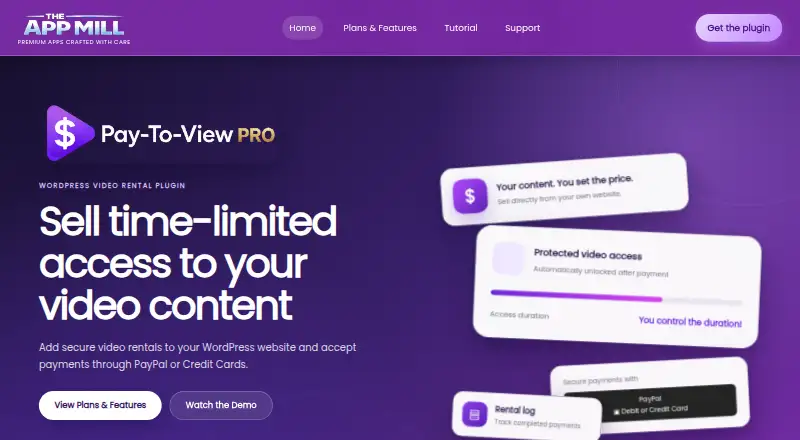
What Pay-To-View Lite is
Pay-To-View Lite is a WordPress plugin for selling rentals of videos and other premium media. It accepts PayPal and supported card payments, grants access after payment, and expires that access when the rental period ends. In WordPress, it creates rental shortcodes and assigns each protected item a Rental ID. The listing says it works with all video players, including embedded YouTube and Vimeo videos and self-hosted video. Lite applies one rental price and duration to all protected media; per-item settings are listed as Pro features. Completed rental records in WordPress admin include buyer email, transaction reference, payment status, amount, and expiry details. Lite can send buyer confirmation emails with configurable sender name, subject, and message. The listing describes server-side PayPal order checks and signed, HTTP-only access cookies. The free Lite plan has limited features and support; Pro is listed at $29, paid once, with individual prices and durations, a customizable rental button, priority support, and bug fixes.
Who it suits
It suits creators selling rentals of movies, tutorials, courses, or other premium video content from their WordPress sites. Lite is for sellers who can use one shared rental price and duration across protected media.
What it does well
- Free Lite plan for WordPress
- Supports YouTube, Vimeo, and self-hosted video
- Rental records include payment and expiry details
- Works without WooCommerce or customer registration
What to know first
- Lite uses one fixed rental price
- Lite uses one fixed rental duration
- Access may not transfer between browsers or devices
- Lite support is listed for one month
Limits
Lite is free and uses one fixed rental price and duration across all protected media. Its support is listed for one month. Pro is a one-time payment of 29.00 USD and adds individual prices and durations, a customizable rental button, priority support and bug fixes.
Plans
| Plan | Billed and limits | Price |
|---|---|---|
| Lite | Free on WordPress · Fixed rental price · fixed rental duration · limited features and support | Free |
| Pro | One-Time Payment · Individual prices and rental durations · customizable rental button · priority support and bug fixes | $29, paid once |
As theappmill.com lists them, read 9 Oct 2026. The maker's own page has the final word.
Getting started
- Install and use the plugin on a WordPress site.
- Set up a PayPal REST API Client ID, Client Secret and business email.
- Configure the fixed rental price and duration for Lite.
- Create rental shortcodes and assign a Rental ID to each protected media item.
- Add the shortcode where buyers should access the protected content.
Pay-To-View Lite is a WordPress rental plugin for creators selling timed access to videos and other premium media. It suits publishers who want PayPal checkout on their own site without WooCommerce or customer accounts. Its free edition is practical for a uniform rental catalog, but varied prices and durations require the paid upgrade.
Overview
The plugin adds a payment-and-expiry flow to WordPress pages. After a PayPal or supported card payment, it unlocks protected media for the chosen rental period and removes access when that period ends. It is aimed at movies, tutorials, courses, and similar premium video sold directly by the creator.
Because it works without WooCommerce, memberships, subscriptions, or registration, Pay-To-View Lite is a focused option for one-off rentals rather than a complete storefront or recurring-membership system.
Key features
Payments and timed protection
PayPal processing uses the official PayPal JavaScript SDK and needs a PayPal REST API Client ID, Client Secret, and business email. The plugin verifies PayPal orders server-side before granting access, then uses signed, HTTP-only cookies for the access session. Those controls are appropriate for a rental workflow, but access is associated with browser data, so a buyer may not transfer an active rental automatically to another browser or device.
WordPress media setup
Each protected item receives a unique Rental ID, and generated shortcodes place the rental presentation in WordPress content. The listing says all video players are supported, including embedded YouTube, Vimeo, and self-hosted video. That makes it useful for creators with an existing mixed-player catalog, without forcing a new hosting service.
Records, email, and privacy
Completed rentals are recorded in the WordPress admin area with the buyer email, transaction reference, payment status, amount, and expiry information. Lite can send configurable confirmation emails, including a custom sender name, subject, and message. The plugin states that it does not send WordPress user or customer data to TheAppMill.com, a useful boundary for site owners keeping customer records in their own installation.
Lite's shared settings
Lite applies one fixed rental price and one fixed duration to every protected media item. That is straightforward for a catalog with a consistent offer, but restrictive when a feature film, short tutorial, and premium course need different terms. Per-item pricing and duration are Pro features, so a varied catalog should budget for the upgrade.
Pricing
| Plan | Price | What it includes |
|---|---|---|
| Lite | 0.00 USD, free | Fixed rental price, fixed rental duration, limited features and support; Lite support lasts 1 month. |
| Pro | 29.00 USD, one-time payment | Individual prices and rental durations, a customizable rental button, priority support, and bug fixes. |
Lite is the sensible starting point for a single-price rental model and carries no subscription charge. Its short support window and shared settings are the trade-off. Pro's one-time $29 cost fits creators who need item-level control or ongoing priority support; it avoids a recurring renewal while adding the controls a mixed catalog usually needs.
Platforms
Pay-To-View Lite is a web plugin for WordPress. Payments are handled through PayPal and credit cards, with the rental experience embedded in the WordPress site rather than delivered as a separate mobile app.
Who it's for
Choose it if you publish video on WordPress and want direct, time-limited sales without installing WooCommerce, a membership system, subscriptions, or registration. Lite is best for a consistent rental price and duration across the catalog. Pro is the better fit for creators selling different kinds of content at different rates, or for those who want priority support and bug fixes. It is less suitable when customers must move rentals seamlessly between devices or when you need a broad commerce and account-management platform.
Pros and cons
Pros
- Direct WordPress rentals: shortcodes and Rental IDs keep the purchase flow on the creator's existing site.
- Broad video compatibility: embedded YouTube, Vimeo, self-hosted video, and other players can be protected.
- Useful administration: rental logs include payment and expiry fields, while confirmation emails are configurable.
- No customer-account dependency: one-off sales do not require WooCommerce, memberships, subscriptions, or registration.
- One-time Pro pricing: the $29 upgrade adds per-item terms without a recurring fee.
Cons
- Lite lacks per-item flexibility: every protected item shares one price and duration.
- Browser-bound access: rentals may not carry automatically to another browser or device.
- PayPal setup is required: sellers must configure PayPal API credentials and a business email.
- Limited Lite support: the free plan includes support for only one month.
Alternatives
For a broader paywall category, browse Paywall Software.
- Pelcro is the stronger choice for a multi-platform operation spanning Android, iOS, web, and API, with a free plan capped at 100 customers and an Advanced plan at $450 per month for up to 2,000 customers.
- Cleeng suits publishers that need global payment processing, automatic local tax calculation, and fraud and chargeback management.
- codoc is an alternative for API and extension distribution, with a free plan charging a 15% sales fee and a 9,800 JPY monthly Pro plan.
- Content Credits SDK fits a publisher exploring a credit-based monetization model rather than fixed rentals.
- Milkie is a free, open-source, MIT-licensed option.
- Paperwall is preferable when GPL-3.0 licensing, self-hosting, and an auditable protocol matter.
- Pigeon offers a WordPress publishing service, with a free demo plan that permits no transactions and a $99-per-month Publishers plan.
- PostGate is a free web alternative with no monthly subscription, charging a 5% platform fee plus Stripe processing fees on successful transactions.
Verdict
Pay-To-View Lite is a good match for WordPress creators who want simple, browser-based video rentals and already use PayPal. Its clear rental records, player flexibility, and no-account setup make the free plan useful for a uniform catalog. Look elsewhere if cross-device continuity, recurring memberships, or different terms for every item are central; in that case, Pro's $29 upgrade or a broader paywall platform is the more appropriate route.
Verdict
Pay-To-View Lite provides a way to charge for time-limited media access from a WordPress site, with rental records and buyer emails. Check whether its shared Lite rental settings fit your content; per-item settings are listed for Pro.
Questions
Is Pay-To-View Lite free?
Yes. Lite is listed as free on WordPress. Pro costs 29.00 USD as a one-time payment.
What payment methods does it accept?
It accepts PayPal and supported card payments. Setup requires a PayPal REST API Client ID, Client Secret and business email.
What kinds of video can it protect?
The listing says it supports all video players and can protect embedded YouTube and Vimeo videos, as well as self-hosted videos.
Does Lite allow different rental prices for each item?
No. Lite uses one fixed price and rental duration for all protected media. Pro includes individual prices and rental durations.
Does it require WooCommerce or customer accounts?
No. The plugin works without WooCommerce, memberships, subscriptions or customer registration.
Where are completed rentals recorded?
Completed rentals appear in WordPress admin with buyer email, transaction reference, payment status, amount and expiry details.
Facts from Pay-To-View Lite's own pages
- Access limitation
- Lite access is associated with browser-based data and may not transfer automatically to another browser or device. · wordpress.org, 9 Oct 2026
- Dependencies
- The listing says the plugin works without WooCommerce, memberships, subscriptions, or customer registration. · wordpress.org, 9 Oct 2026
- Emails
- Lite can send configurable buyer confirmation emails with customizable sender name, subject, and message. · wordpress.org, 9 Oct 2026
- Headquarters
- Los Angeles, California, United States · theappmill.com, 28 Sept 2026
- Integrations
- It uses the official PayPal JavaScript SDK and requires a PayPal REST API Client ID, Client Secret, and business email. · wordpress.org, 9 Oct 2026
- Intended users
- The product page presents the plugin for creators selling movies, tutorials, courses, and other premium video content from their own WordPress sites. · theappmill.com, 9 Oct 2026
- Lite limits
- Lite uses one fixed rental price and duration for all protected media; per-item settings are listed as Pro features. · wordpress.org, 9 Oct 2026
- Maker location
- The AppMill describes itself as a creative app development studio based in Los Angeles. · theappmill.com, 9 Oct 2026
- Media compatibility
- The listing says the plugin supports all video players and can protect embedded YouTube, Vimeo, and self-hosted videos. · wordpress.org, 9 Oct 2026
- Payment and access
- It accepts PayPal and supported card payments, unlocks protected content after payment, and expires access when the rental period ends. · wordpress.org, 9 Oct 2026
- Privacy
- The listing states that the plugin does not send WordPress user data or customer data to TheAppMill.com. · wordpress.org, 9 Oct 2026
- Purpose
- Pay-To-View Lite is a WordPress plugin for selling time-limited access to videos and premium media. · wordpress.org, 9 Oct 2026
- Rental records
- Completed rentals are recorded in the WordPress admin area, and the listing says the log includes buyer email, transaction reference, payment status, amount, and expiry details. · wordpress.org, 9 Oct 2026
- Security
- The listing says Pay-To-View Lite verifies PayPal orders server-side before granting access and uses signed, HTTP-only access cookies. · wordpress.org, 9 Oct 2026
- Shortcodes
- The plugin generates rental shortcodes in WordPress and uses a unique Rental ID for each protected media item. · wordpress.org, 9 Oct 2026
- Support
- The pricing page lists Lite support for 1 month and priority support for Pro. · theappmill.com, 9 Oct 2026
Where Pay-To-View Lite stands on Freedom251
- Paywall Software#10 of 30