PostGate
What PostGate is
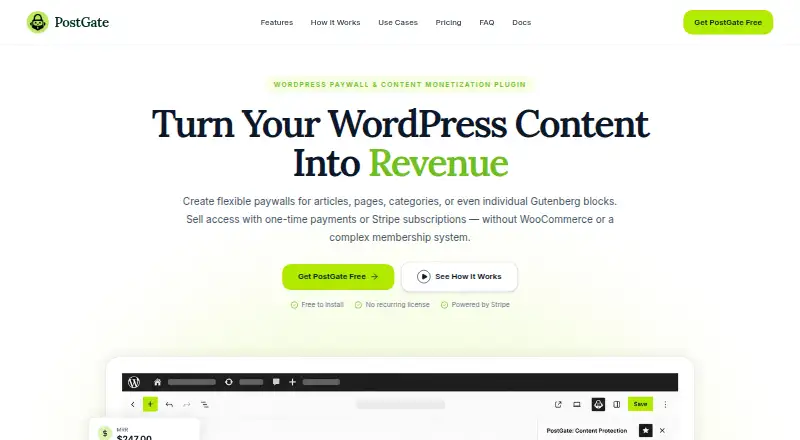
PostGate is a WordPress plugin for charging for access to premium content. It can put a paywall around an entire site or selected categories, posts, pages, supported custom post types, taxonomies, or individual Gutenberg blocks. Publishers can require payment or login, offer previews capped by paragraph count or word count, and unlock protected content after successful payment. Stripe-hosted Checkout supports one-time purchases and recurring subscriptions. In the WordPress dashboard, publishers can track orders, subscriptions, payment status, revenue, and premium content performance. Subscribers can manage billing details, invoices, and subscriptions through Stripe Billing Portal; optional Google Sign-In uses Google OAuth credentials. PostGate says it does not store card details on the WordPress server. The free plan has no monthly subscription, but successful transactions carry a 5% platform fee, with Stripe processing fees charged separately. PostGate requires WordPress 6.2 or higher and PHP 8.1 or higher. It supports paid memberships but does not provide community profiles or member directories.
Who it suits
PostGate suits creators, publishers, educators, consultants, and others who want to monetize WordPress content. It can also suit publishers who need paid access without community profiles or member directories.
What it does well
- Protects sites, pages, posts, taxonomies, and Gutenberg blocks
- Offers one-time payments and recurring subscriptions
- Provides previews limited by paragraphs or word count
- Tracks orders, subscriptions, revenue, and content performance
What to know first
- Successful transactions carry a 5% platform fee
- Stripe processing fees apply separately
- Requires WordPress 6.2 or higher and PHP 8.1 or higher
- Does not include community profiles or member directories
Limits
The PostGate Free plan costs nothing and has no monthly PostGate subscription, but successful transactions incur a 5% platform fee and Stripe processing fees apply separately. Paid membership access is supported, but community profiles and member directories are not included.
Plans
| Plan | Billed and limits | Price |
|---|---|---|
| PostGate Free | 5% platform fee on successful transactions; Stripe processing fees apply separately · No monthly PostGate subscription · core monetization features | Free |
As qodesphere.com lists them, read 2 Oct 2026. The maker's own page has the final word.
Getting started
- Open the PostGate product website for setup information.
- Use a WordPress installation running version 6.2 or higher and PHP 8.1 or higher.
- Install PostGate as a WordPress plugin.
- Connect Stripe for payments through Stripe-hosted Checkout.
- Optionally configure Google Sign-In with Google OAuth credentials.
- Use PostGate documentation for setup guides and troubleshooting.
Verdict
PostGate combines WordPress content restrictions, paid access, and subscription management with Stripe. Its free plan has no monthly subscription, but transaction fees and the WordPress and PHP requirements are worth checking first.
Questions
How much does PostGate cost?
The PostGate Free plan costs nothing, with no monthly PostGate subscription. Successful transactions incur a 5% platform fee, and Stripe processing fees apply separately.
Which payment types does PostGate support?
It supports one-time purchases and recurring subscriptions through Stripe-hosted Checkout.
What platforms does PostGate support?
PostGate is a WordPress plugin. It requires WordPress 6.2 or higher and PHP 8.1 or higher.
Does PostGate offer a free plan?
Yes. Its PostGate Free plan costs nothing and includes core monetization features.
Which integrations does PostGate support?
PostGate connects to Stripe for payments and optionally supports Google Sign-In configured with Google OAuth credentials.
Facts from PostGate's own pages
- Access rules
- Content access can require payment or login, and PostGate unlocks protected content after successful payment. · qodesphere.com, 2 Oct 2026
- Audience
- QodeSphere describes PostGate as intended for creators, bloggers, publishers, educators, consultants, and researchers who want to monetize WordPress content. · wordpress.org, 2 Oct 2026
- Compatibility
- The plugin requires WordPress 6.2 or higher and PHP 8.1 or higher, according to its WordPress.org listing. · wordpress.org, 2 Oct 2026
- Content protection
- It can restrict access to an entire site, categories, posts, pages, supported custom post types, taxonomies, or individual Gutenberg blocks. · qodesphere.com, 2 Oct 2026
- Customer tools
- Subscribers can use Stripe Billing Portal to update billing details, view invoices, and manage subscriptions. · qodesphere.com, 2 Oct 2026
- Integrations
- PostGate connects to Stripe for payments and supports optional Google Sign-In configured with Google OAuth credentials. · wordpress.org, 2 Oct 2026
- Management
- The WordPress dashboard tracks orders, subscriptions, payment status, revenue, and premium content performance. · qodesphere.com, 2 Oct 2026
- Notable limit
- PostGate supports paid membership access but does not include community profiles or member directories. · wordpress.org, 2 Oct 2026
- Payments
- It supports one-time purchases and recurring subscriptions through Stripe-hosted Checkout. · qodesphere.com, 2 Oct 2026
- Previews
- Publishers can show public content previews limited by paragraphs or word count before a paywall. · qodesphere.com, 2 Oct 2026
- Purpose
- PostGate is a WordPress paywall and content monetization plugin for selling access to premium content. · qodesphere.com, 2 Oct 2026
- Security
- Stripe-hosted Checkout handles payment details, verified webhooks update orders and access, and PostGate says it does not store card details on the WordPress server. · wordpress.org, 2 Oct 2026
- Support
- The product page directs users to PostGate documentation for setup guides, feature details, and troubleshooting help. · qodesphere.com, 2 Oct 2026
Where PostGate stands on Freedom251
- Paywall Software#16 of 30