Tollbridge
What Tollbridge is
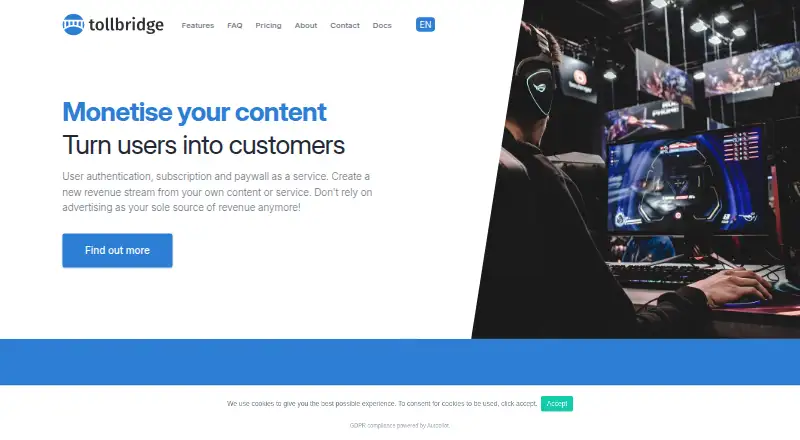
Tollbridge provides authentication, subscriptions and paywalls for publishers, bloggers and influencers. It restricts premium content to subscribed customers and lists metered paywalls, registration walls and entitlement rules. Websites can connect through JavaScript tags or a server-side REST API, with WordPress listed as a supported CMS. Visitors sign in using email and password or existing social login details. Stripe processes payments, including its stated fraud detection and payment support, and facilitates payouts to a bank account. Subscribers can change or cancel plans from their dashboards. Tollbridge can automatically add customers to Mailchimp lists. Its admin dashboard reports KPI data about users and subscriptions and supports user whitelisting and discount coupon codes. Standard users receive ticket-based support and live chat; dedicated email and phone support cost extra. Setup through the front-end JavaScript client is described as taking a couple of hours. The listed plan is priced on request, plus processing fees and taxes.
Who it suits
Tollbridge suits publishers, bloggers and influencers that need subscriber-only content and payment access controls. It also fits sites using JavaScript, REST API or WordPress integration.
What it does well
- Metered and registration paywalls
- JavaScript and REST API integration
- Email and social-login authentication
- Stripe payment processing and payouts
- Mailchimp list automation
What to know first
- price on request plus fees and taxes
- Dedicated email and phone support costs extra
- No native platforms beyond listed web/API access
- Stripe is the stated payment partner
Limits
The listed Free to get started plan is priced on request and is billed at 5% per transaction, plus payment-processing fees and taxes. Dedicated email and phone support are outside the standard support offering and cost extra.
Plans
| Plan | Billed and limits | Price |
|---|---|---|
| Free to get started | 5% / transaction + payment processing fees & taxes · Paywall · REST API · support · JavaScript library | $5 |
As tollbridge.co lists them, read 3 Oct 2026. The maker's own page has the final word.
Getting started
- Open the Tollbridge website
- Choose the Free to get started plan or another available plan
- Connect your site with JavaScript tags or the server-side REST API
- Configure paywall, registration-wall, and entitlement rules
- Connect Stripe for payments and payouts
- Add WordPress integration if your site uses that CMS
Verdict
Tollbridge bundles paywalls, authentication, subscriptions and publisher administration tools. Its free-to-start listing still charges per contact and adds payment-related fees and taxes.
Questions
Is Tollbridge free?
Tollbridge has a free plan. Its listed Free to get started plan is priced on request, billed 5% per transaction plus payment-processing fees and taxes.
Which platforms and CMS does it support?
Tollbridge is available through web and API access, and WordPress is listed as a supported CMS.
How can a site integrate Tollbridge?
A site can use JavaScript tags or a server-side REST API.
Which payment processor does Tollbridge use?
Tollbridge partners with Stripe for payment processing, and Stripe facilitates payouts directly to a bank account.
What support is included?
Standard users receive ticket-based support and live chat. Dedicated email and phone support are available for an additional charge.
Facts from Tollbridge's own pages
- Admin tools
- The admin dashboard reports KPI data about users and subscriptions and includes user whitelisting and discount coupon codes. · tollbridge.co, 3 Oct 2026
- Audience
- The site describes Tollbridge as a paywall solution for publishers, bloggers, and influencers. · tollbridge.co, 3 Oct 2026
- Authentication
- Users can sign in with email and password or existing social login details. · tollbridge.co, 3 Oct 2026
- Content access
- It restricts premium content to subscribed customers. · tollbridge.co, 3 Oct 2026
- Headquarters
- The site lists postal addresses in London, United Kingdom, and Dublin, Ireland. · tollbridge.co, 3 Oct 2026
- Integration
- Sites can integrate Tollbridge using JavaScript tags or a server-side REST API. · tollbridge.co, 3 Oct 2026
- Mailing lists
- Customers can be automatically added to Mailchimp mailing lists. · tollbridge.co, 3 Oct 2026
- Maker
- Tollbridge is a Publisher Plus product developed by the team at Square1. · tollbridge.co, 3 Oct 2026
- Payments
- Tollbridge says it partners with Stripe to process payments and cites Stripe's fraud detection and payment support. · tollbridge.co, 3 Oct 2026
- Payouts
- The site says Stripe facilitates payouts directly to a bank account. · tollbridge.co, 3 Oct 2026
- Product
- Tollbridge provides user authentication, subscriptions, and paywalls as a service. · tollbridge.co, 3 Oct 2026
- Setup
- The site says users can get set up within a couple of hours using its front-end JavaScript client. · tollbridge.co, 3 Oct 2026
- Subscriptions
- Customers can change or cancel their plan from their own dashboard. · tollbridge.co, 3 Oct 2026
- Support
- Standard users receive free ticket-based support and live chat; dedicated email and phone support are available for an additional charge. · tollbridge.co, 3 Oct 2026
Where Tollbridge stands on Freedom251
- Paywall Software#13 of 30