PanWriter
What PanWriter is
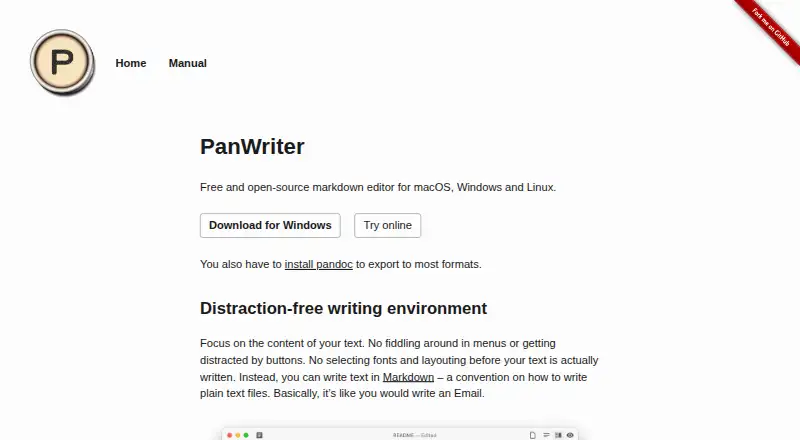
PanWriter is a free, open-source Markdown editor for preparing documents. It runs on Linux, macOS, and Windows, and works with local files. Write plain-text Markdown in one pane while a live preview appears beside it; a paginated view helps review how the document will fall on pages for print or PDF. Layout can be adjusted with CSS, with changes reflected in the preview. PanWriter can convert an imported .docx file into Markdown and export edited text back to DOCX. Its publishing formats include HTML, DOCX, EPUB, LaTeX, PDF, PowerPoint, InDesign ICML, and other Pandoc formats. Pandoc must be installed to export to most formats. Scripts and integrations can automate publishing workflows, and the editor can connect with web services or other applications. Questions and feedback are handled through GitHub issues.
Who it suits
PanWriter suits writers who want a text-focused Markdown workspace for preparing documents for print or publication. It also fits workflows that move between Markdown and DOCX or use Pandoc automation.
What it does well
- Free and open-source.
- Runs on Linux, macOS, and Windows.
- Live preview includes a paginated view.
- Imports DOCX into Markdown and exports edited text.
- Supports HTML, EPUB, PDF, and other Pandoc formats.
What to know first
- Pandoc is required for most exports.
- Questions and feedback go through GitHub issues.
Limits
Pandoc must be installed to export to most formats.
Plans
| Plan | Billed and limits | Price |
|---|---|---|
| PanWriter Free | — | On request |
As panwriter.com lists them, read 28 Sept 2026. The maker's own page has the final word.
Getting started
- Visit the PanWriter website.
- Install PanWriter for Linux, macOS, or Windows.
- Open a local file or write a document in Markdown.
- Install Pandoc to export to most formats.
- Export through Pandoc to a supported format.
PanWriter is a desktop Markdown editor for writers who want a text-focused workspace and control over how documents look in print. Its split preview and paginated review suit long-form drafting; export beyond formats that do not require Pandoc depends on installing Pandoc.
Overview
PanWriter keeps the source document in plain-text Markdown, with a live preview alongside it. That separation is useful for writers who want to edit text directly while checking its rendered form, rather than composing in a word processor. Local file support and an open-source license make it a straightforward fit for desktop workflows, though its publishing range comes with a setup requirement.
Key features
- Markdown editing and preview: The editor uses CommonMark and shows the Markdown source on the left with its preview on the right. This makes formatting visible without taking the document out of a text-based workflow.
- DOCX conversion: Dragging a .docx file into PanWriter converts it to Markdown, and edited text can be exported back to DOCX. That is practical for revising Word documents while keeping the editing stage in Markdown.
- Page review and styling: A paginated preview lays text out for print and PDF review. CSS lines can tune the layout, and changes appear live, giving writers immediate feedback on styling without requiring a separate preview step.
- Publishing options: The Pandoc workflow can export to Word, HTML, EPUB, LaTeX, PDF, PowerPoint, InDesign ICML and other Pandoc formats. Pandoc must be installed to export to most formats, so this breadth is most useful to people willing to configure their publishing setup.
- Automation and integrations: Pandoc scripts and integrations with web services or other applications can automate workflows. Questions and feedback go through GitHub issues, a channel suited to users comfortable with project-based support.
Pricing
PanWriter is free and open source, with no paid plan identified. Its free plan suits writers who want a desktop Markdown editor without a software charge; the main trade-off is that exporting to most formats requires a separate Pandoc installation. There are no stated seat or usage caps to weigh against a paid tier.
Platforms
PanWriter runs on macOS, Windows and Linux. It is a desktop option rather than a browser-based editor, and its local file support fits writers who prefer working with documents on their own computer.
Who it's for
PanWriter is best for Markdown writers who need to review page layout and publish to multiple document formats, especially when DOCX conversion or CSS-controlled previews matter. It is less suitable for someone who wants a browser-first editor or expects broad export support without installing Pandoc.
Pros and cons
- Pro: Paginated preview and live CSS updates let writers inspect print-oriented layout while adjusting its styling.
- Pro: DOCX import and export bridge Markdown editing with Word documents.
- Pro: It is free, open source and available on three desktop operating systems.
- Con: Pandoc must be installed for export to most formats, adding setup to the publishing workflow.
- Con: Support runs through GitHub issues, which may not suit users looking for another support channel.
Alternatives
For a browser-based editor, StackEdit is free and open source, while Dillinger is a free web option with no signup, paywall or usage limits stated.
HackMD may suit collaborative use: its free plan supports up to three teammates and includes monthly GitHub-push and other caps. MarkText is another free, open-source desktop option for Linux, macOS and Windows, with no account or subscription.
HedgeDoc is worth considering for a self-hosted or web option; it is free and open source under AGPL 3.0. Ghostwriter is a free, open-source desktop alternative for Linux, macOS and Windows. Muesli is currently free and open source under AGPL-3.0, with platforms including web and desktop. Markra offers free core features across Linux, macOS, Windows and web, while its AI features require a configured provider.
Browse more options in Markdown editors.
Verdict
Choose PanWriter if you want a free, open-source desktop Markdown workflow that combines DOCX conversion with page-aware review and flexible publishing. Its strongest case is the ability to inspect and style paginated output while keeping the source in Markdown. Look elsewhere if you need a browser-based editor or want most-format exports without first installing Pandoc.
Verdict
PanWriter brings Markdown editing, page review, and multiple publishing formats into a free, open-source desktop editor. Check the Pandoc requirement if you need to export beyond formats that do not require it.
Questions
Is PanWriter free?
Yes. PanWriter is free and open source.
Which platforms does PanWriter support?
It runs on Linux, macOS, and Windows.
Can I open and export Word documents?
You can drag in a .docx file to convert it to Markdown, then export edited text back to DOCX.
Which formats can PanWriter export?
Formats include HTML, DOCX, EPUB, LaTeX, PDF, PowerPoint, InDesign ICML, and other Pandoc formats. Pandoc must be installed for most exports.
Can I use PanWriter with local files?
Yes. PanWriter supports local files.
Facts from PanWriter's own pages
- CSS customization
- Layout can be tuned with CSS lines · panwriter.com, 28 Sept 2026
- DOCX export
- Edited text can be exported back to .docx · panwriter.com, 28 Sept 2026
- DOCX import
- Dragging a .docx file converts it to Markdown and opens it · panwriter.com, 28 Sept 2026
- Export formats
- HTML,DOCX,EPUB,LaTeX,PDF,PowerPoint,InDesign ICML,and other Pandoc formats · panwriter.com, 20 Sept 2026
- Free plan
- Yes · panwriter.com, 20 Sept 2026
- External integrations
- Can integrate with web services or other applications · panwriter.com, 28 Sept 2026
- Live CSS updates
- CSS changes are reflected live in the preview · panwriter.com, 28 Sept 2026
- Live preview
- Markdown appears on the left with a preview on the right · panwriter.com, 28 Sept 2026
- Local file support
- Yes · panwriter.com, 20 Sept 2026
- Markdown editing
- Users write plain-text documents in Markdown · panwriter.com, 28 Sept 2026
- Markdown flavor
- commonmark · panwriter.com, 20 Sept 2026
- Open-source status
- The software is open source · panwriter.com, 28 Sept 2026
- Paginated preview
- Preview lays text out on pages for print and PDF review · panwriter.com, 28 Sept 2026
- Pandoc requirement
- Pandoc must be installed to export to most formats · panwriter.com, 28 Sept 2026
- Supported platforms
- macOS, Windows, and Linux · panwriter.com, 28 Sept 2026
- Pricing model
- Free software with no paid pricing stated · panwriter.com, 28 Sept 2026
- Support channel
- Questions and feedback are handled through GitHub issues · panwriter.com, 28 Sept 2026
- Workflow automation
- Pandoc scripts and integrations can automate workflows · panwriter.com, 28 Sept 2026
- Writing environment
- Distraction-free environment focused on text content · panwriter.com, 28 Sept 2026
Where PanWriter stands on Freedom251
- Markdown editors#2 of 31