MarkText
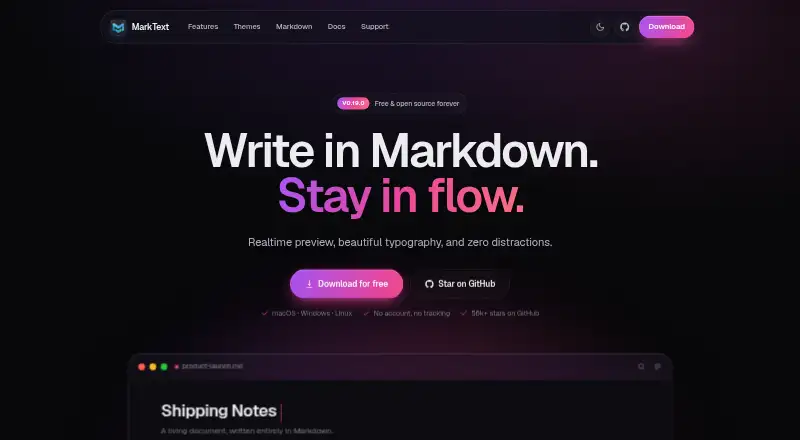
What MarkText is
MarkText is a desktop Markdown editor that shows formatting as you type. Writers can work in a WYSIWYG preview or source-code mode, with focus and typewriter modes also available. It supports tables, KaTeX math, diagrams, footnotes, code highlighting, and YAML, TOML, and JSON front matter. Listed diagram options include Mermaid, Vega, and Vega-Lite. The editor includes 33 light and dark themes, with CSS customization available. Documents can be exported as PDF or self-contained HTML, and local files are supported. MarkText is free and open source under the MIT License, with no account required; the homepage says it has no tracking. It runs on Linux, macOS, and Windows. Installation notes specify macOS 11 or later and Windows 10 or 11, with arm64 and x64 installers for both. Homebrew, Chocolatey, and Winget are also listed as installation options. The project says it is built by volunteers and invites users to sponsor development on GitHub.
Who it suits
MarkText suits writers who want a desktop Markdown editor with real-time rendering and several writing modes. It is available for Linux, macOS, and Windows.
What it does well
- Free and open source under the MIT License
- Supports local files and requires no account
- Exports documents as PDF or self-contained HTML
- Includes 33 themes, customizable with CSS
What to know first
- No mobile apps are listed
- No publishing workflow is listed
- macOS requires version 11 or later
- Windows requires version 10 or 11
Limits
MarkText is free, with no subscription. Its listed platforms are Linux, macOS and Windows; the installation notes require macOS 11 or later and Windows 10 or 11.
Plans
| Plan | Billed and limits | Price |
|---|---|---|
| Free | Free and open source · no account · no subscription | Free |
As marktext.me lists them, read 2 Oct 2026. The maker's own page has the final word.
Getting started
- Visit https://marktext.me/.
- Choose the installer for Linux, macOS or Windows.
- For macOS, use macOS 11 or later; arm64 and x64 installers are listed.
- For Windows, use Windows 10 or 11; arm64 and x64 installers are listed.
- Alternatively, use the listed Homebrew, Chocolatey or Winget installation option.
- Open a local file or start writing in the editor; an account is not required.
MarkText is a free desktop Markdown editor for people who want to move between rendered text and Markdown source while writing. It is strongest for local, structured writing on Linux, macOS or Windows; the main compromise is that it does not provide a publishing workflow or mobile apps.
Overview
MarkText renders Markdown as you type and offers both a WYSIWYG preview and source-code mode. Focus and typewriter modes provide two further ways to work with the text, making the editor adaptable to drafting and source-oriented editing without turning it into a broader publishing system.
It supports local files and requires no account; its homepage also says it has no tracking. The project is free and open source under the MIT License, built by volunteers who invite sponsorship through GitHub. That is an appealing combination for writers who want a no-cost desktop tool, though the volunteer-led project model may not suit readers looking for a paid support arrangement.
Key features
MarkText covers tables, footnotes, code highlighting and KaTeX math, as well as YAML, TOML and JSON front matter. Mermaid, Vega and Vega-Lite add support for flowcharts and charts, making it more useful for technical and structured documents than a prose-only editor. Its Markdown flavor is custom, so it may be a poor fit for a workflow that depends on a specific Markdown standard.
There are 33 built-in light and dark themes, with further customization through CSS. Documents can be exported as PDF or self-contained HTML. Those options make it practical for preparing shareable files, but they do not add a publishing workflow: writers who need publishing tools as part of their process will need another solution.
Pricing
MarkText has one plan: Free. It is free and open source, requires no account and carries no subscription. There is no free trial because there is no paid plan to trial. The zero-cost offer suits individual writers who want the editor without a recurring bill; there are no paid tiers with additional capabilities to weigh against it.
Platforms
MarkText is available for Linux, macOS and Windows, with no mobile apps. The installation notes require macOS 11 or later and provide arm64 and x64 installers; Windows support is for Windows 10 or 11, also with x64 and arm64 installers. Homebrew, Chocolatey and Winget are listed as installation options. It is a desktop choice, not one for writers who need to continue editing on a phone.
Who it's for
MarkText is a good match for writers who keep documents locally, want live-rendered Markdown, and need features such as diagrams, math, front matter or PDF and HTML export. Its multiple editing modes and theme choices help accommodate different writing preferences. It is less suitable for teams that require a particular Markdown flavor, a publishing workflow, or mobile access.
Readers comparing options can browse Markdown editors and Writing Apps.
Pros and cons
- Broad Markdown support: Math, diagrams, tables, footnotes and front matter serve technical and structured writing as well as prose.
- Flexible editing and appearance: WYSIWYG preview, source, focus and typewriter modes pair with 33 themes and CSS customization.
- Local and account-free: Local file support, no account and no tracking suit writers who prefer a standalone desktop editor.
- No publishing workflow or mobile apps: Writers who need either will have to choose another tool or add a separate service.
- Custom Markdown flavor: It may not fit workflows that require compatibility with a particular Markdown standard.
Alternatives
Choose StackEdit if you want a free, open-source Markdown editor that runs on the web rather than as a desktop app. PanWriter is another free, open-source option for Linux, macOS and Windows.
HackMD is worth considering when a web-based editor and collaboration for up to three teammates on its free plan are a better fit. Choose HedgeDoc if you want a free, open-source option available on the web or for self-hosting. Ghostwriter is a free, open-source desktop alternative for Linux, macOS and Windows.
Dillinger is a free web-based option with no signup or usage limits. Zettlr is another free, open-source desktop option for Linux, macOS and Windows. Muesli is a free, open-source alternative available across web, desktop and self-hosted environments.
Verdict
Choose MarkText if you want a free desktop Markdown editor that keeps files local and combines several editing modes with capable support for structured writing and document export. Its main strengths are the breadth of Markdown features and the freedom to work without an account or subscription. Look elsewhere if you need a publishing workflow, mobile apps or a standard-specific Markdown environment.
Verdict
MarkText combines multiple Markdown editing modes with support for diagrams, math, and common writing features. It is a desktop option for writers who need local files and PDF or HTML export, rather than a publishing workflow or mobile app.
Questions
Is MarkText free?
Yes. It is listed as free and open source under the MIT License, with no subscription.
Which platforms does MarkText support?
It is available for Linux, macOS and Windows. The installation notes specify macOS 11 or later and Windows 10 or 11.
Does MarkText have a free trial?
No free trial is listed; MarkText is free.
Can MarkText export documents?
Yes. Documents can be exported as PDF or self-contained HTML.
Does MarkText require an account?
No. The homepage says it requires no account and has no tracking.
Is MarkText open source?
Yes. The homepage identifies it as open source under the MIT License.
Facts from MarkText's own pages
- Audience
- The homepage describes MarkText as a desktop Markdown editor for writing with real-time rendering and minimal distractions. · marktext.me, 2 Oct 2026
- Diagrams
- The site lists Mermaid, Vega and Vega-Lite for flowcharts and charts. · marktext.me, 2 Oct 2026
- Editing modes
- The editor offers WYSIWYG preview, source-code mode, focus mode and typewriter mode. · marktext.me, 2 Oct 2026
- Export
- The site says documents can be exported as PDF or self-contained HTML. · marktext.me, 2 Oct 2026
- Export formats
- basic · marktext.me, 22 Sept 2026
- Free plan
- Yes · marktext.me, 22 Sept 2026
- Integrations
- The repository lists Homebrew, Chocolatey and Winget installation options. · github.com, 2 Oct 2026
- License
- The homepage identifies MarkText as free and open source under the MIT License. · marktext.me, 2 Oct 2026
- Local file support
- Yes · github.com, 20 Sept 2026
- macOS requirements
- The repository installation notes require macOS 11 or later and provide arm64 and x64 installers. · github.com, 2 Oct 2026
- Markdown features
- It supports tables, KaTeX math, diagrams, footnotes, code highlighting and YAML, TOML and JSON front matter. · marktext.me, 2 Oct 2026
- Markdown flavor
- custom · github.com, 20 Sept 2026
- Mobile apps
- No · marktext.me, 22 Sept 2026
- Platforms
- Downloads are offered for macOS, Windows and Linux. · marktext.me, 2 Oct 2026
- Privacy
- The homepage says MarkText requires no account and has no tracking. · marktext.me, 2 Oct 2026
- Product
- MarkText is a real-time Markdown editor that renders formatting as you type. · marktext.me, 2 Oct 2026
- Publishing tools
- Yes · marktext.me, 22 Sept 2026
- Publishing workflow
- none · github.com, 20 Sept 2026
- Support
- The homepage says the project is built by volunteers and invites users to sponsor development on GitHub. · marktext.me, 2 Oct 2026
- Themes
- MarkText includes 33 built-in light and dark themes, and themes can be customized with CSS. · marktext.me, 2 Oct 2026
- Windows requirements
- The repository installation notes require Windows 10 or 11 and provide x64 and arm64 installers. · github.com, 2 Oct 2026
Where MarkText stands on Freedom251
- Markdown editors#4 of 31
- Text App#7 of 24
- Writing Apps#70 of 135