
Ghostwriter
by Ghostwriter
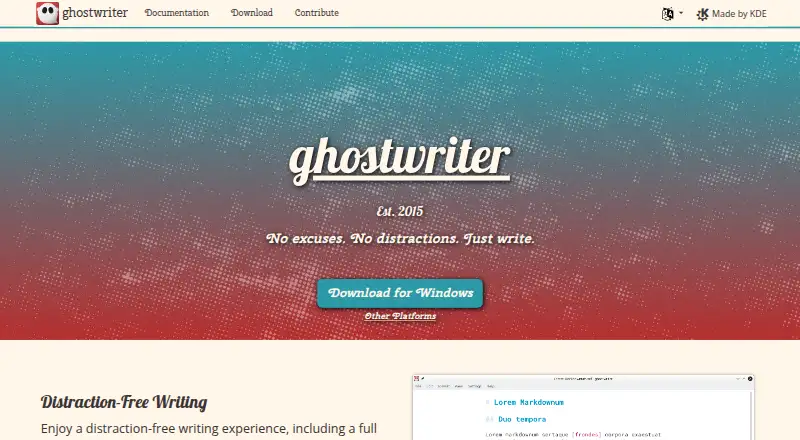
What Ghostwriter is
Ghostwriter is a free Markdown text editor for distraction-free writing, available for Linux, Windows, and macOS. It stores local files and previews Markdown as HTML, which users can copy or export. Export formats include HTML, Pandoc, MultiMarkdown, and commonmark, and the editor supports GitHub-flavored Markdown. Focus Mode highlights text around the cursor, configured for a line, sentence, paragraph, or three lines. Full-screen mode and Hemingway Mode offer additional writing setups; Hemingway Mode disables backspace and delete. Users can choose light or dark themes or create their own. Ghostwriter also provides live word counts, document and session statistics, an outline for navigation, autosave, and file backups. The project dates to 2015 and is distributed under the GNU General Public License version 3. Linux installation instructions cover Ubuntu, Fedora, and Arch Linux. Windows downloads include a portable 64-bit version for Windows 10. macOS support is unofficial and community-provided; users must compile the source because no installer is available.
Who it suits
Ghostwriter suits writers who want a local-file Markdown editor with focus controls, preview, and export options. It may also fit users who want themes, document statistics, and autosave.
What it does well
- Free and open source under GPL v3.0.
- Previews Markdown as HTML.
- Supports GitHub-flavored Markdown.
- Includes autosave and file backups.
What to know first
- macOS support is unofficial.
- macOS users must compile the source.
- No macOS installer is available.
- Windows download lists Windows 10.
Plans
| Plan | Billed and limits | Price |
|---|---|---|
| ghostwriter | Free and open source · GPL v3.0 | Free |
As ghostwriter.kde.org lists them, read 5 Oct 2026. The maker's own page has the final word.
Getting started
- Visit the Ghostwriter website.
- On Linux, follow the installation instructions for Ubuntu, Fedora or Arch Linux.
- On Windows, use the listed portable 64-bit download for Windows 10.
- On macOS, compile the source; support is unofficial and community-provided.
- Open a local file or create a document, then use the preview or export options as needed.
Ghostwriter is a free, open-source desktop editor for people who write in Markdown and keep their files locally. It suits focused solo drafting better than collaboration, and its strongest case is a disciplined writing workspace with unusually flexible preview and export tools. Linux and Windows are the practical choices; macOS setup demands technical effort.
Overview
Ghostwriter stays deliberately narrow: a distraction-free editor for GitHub-flavored Markdown, not a general document suite or online team workspace. It opens local files and renders a live HTML preview, which you can copy as HTML or send through export tools for reuse in other publishing workflows.
The software is free and open source under the GNU General Public License v3.0. There is no subscription or trial decision to make, though installation convenience depends heavily on your operating system.
Key features
Focus and writing controls
Focus Mode dims everything except text around the cursor. You can set its scope to a line, sentence, paragraph, or three lines, so it works for either tight editing or a slightly wider view. Full-screen mode removes more interface chrome. Hemingway Mode goes further by disabling backspace and delete while you write: a useful constraint for an uninterrupted first draft, but unsuitable if you routinely revise mid-sentence.
Light and dark themes are included, and custom themes are supported. That gives appearance-conscious writers more control than a fixed editor, without turning Ghostwriter into a heavily configurable workbench.
Preview, processing, and export
The HTML preview updates as you write and can be copied directly. Ghostwriter includes the cmark-gfm processor and can use Pandoc, MultiMarkdown, Discount, or cmark when those tools are installed. Export routes cover HTML, Pandoc, MultiMarkdown, and commonmark, giving technically minded users several ways to move a draft into another format. The trade-off is that some processor choices depend on separate software being present, so the broadest workflow is not entirely self-contained.
Statistics and file safety
Live word count, document statistics, and session statistics make it easier to track both a manuscript and an individual writing period. A document outline provides quick navigation in structured files. Autosave and file-backup options add protection for local work, an important advantage for writers who do not want their drafts tied to an online account.
Pricing
| Plan | Price | What you get |
|---|---|---|
| ghostwriter | free | Free and open source under GPL v3.0 |
There are no paid tiers, seat charges, usage quotas, renewal terms, or free-trial expiry to manage. The free plan is therefore the complete product rather than a restricted entry level, and it fits anyone who accepts a desktop, local-file workflow.
Platforms
Linux users get repository and installation guidance for Ubuntu, Fedora, and Arch Linux. Windows 10 has a portable 64-bit version, which is convenient when you want to run the editor without a conventional installation. macOS support is unofficial and community-provided; there is no installer, so users must compile the source. That requirement makes Ghostwriter a poor recommendation for Mac users seeking a ready-to-run app.
Who it's for
Choose Ghostwriter for focused Markdown drafting, local-file ownership, and detailed control over preview, processors, and exports. It is especially suitable for writers, developers, and documentation authors who value word/session statistics and an outline alongside a restrained interface. Look elsewhere if you need browser-based collaboration, shared editing, or a simple macOS installer.
Pros and cons
- Pros: Focus Mode, full-screen writing, and an optional Hemingway constraint support deliberate drafting.
- Pros: Live HTML preview, multiple processor integrations, and four export targets accommodate varied Markdown pipelines.
- Pros: Statistics, outline navigation, autosave, and backups strengthen long-form local writing.
- Cons: macOS users must compile community-supported source because no installer is provided.
- Cons: Pandoc, MultiMarkdown, Discount, and cmark workflows require those processors to be installed separately.
- Cons: Its local desktop focus offers no built-in web collaboration workspace.
Alternatives
Browse Markdown editors for a wider comparison. Choose StackEdit instead if you want a free, open-source web editor. PanWriter is another free, open-source option across Linux, macOS, and Windows. Pick HackMD when web collaboration and a free team allowance matter more than a purely local workflow. MarkText offers a free, open-source, no-account desktop alternative. HedgeDoc suits users seeking a self-hosted or web option. Dillinger is a no-signup web editor with no stated usage limits. Zettlr is a free, open-source cross-platform desktop choice. Muesli is a free, open-source service spanning web, API, self-hosted, and desktop platforms.
Verdict
Ghostwriter is a strong pick for solo Markdown writers who want distraction controls, measurable writing sessions, local files, and flexible export without paying. Its main reason to look elsewhere is platform friction: macOS requires compiling the source, and collaborative or browser-first work belongs in another tool.
Verdict
Ghostwriter offers Markdown editing with focus modes, preview, statistics, and several export formats. Linux and Windows have listed installation options; macOS requires compiling the source.
Questions
How much does Ghostwriter cost?
The listed plan is free. Ghostwriter is free and open source under GNU GPL v3.0.
Is there a free plan or trial?
A free plan is available. There is no free trial.
Which operating systems does Ghostwriter support?
It supports Linux, Windows and macOS. macOS support is unofficial and community-provided, and users must compile the source because an installer is not available.
What formats can it export?
Listed export options include HTML, Pandoc, MultiMarkdown and commonmark.
Can I use Ghostwriter with files stored on my computer?
Yes. Local file support is available.
Who makes Ghostwriter?
The listed maker is Ghostwriter, founded in 2015.
Facts from Ghostwriter's own pages
- Autosave
- It offers autosave and file backup options. · ghostwriter.kde.org, 5 Oct 2026
- Export
- The project site lists Pandoc, MultiMarkdown, and commonmark for export to multiple formats. · ghostwriter.kde.org, 5 Oct 2026
- Export formats
- HTML,Pandoc,MultiMarkdown,commonmark · ghostwriter.kde.org, 20 Sept 2026
- Focus mode
- Focus Mode highlights text around the cursor and can be configured for a line, sentence, paragraph, or three lines. · ghostwriter.kde.org, 5 Oct 2026
- Founded
- 2015 · ghostwriter.kde.org, 28 Sept 2026
- Free plan
- Yes · ghostwriter.kde.org, 20 Sept 2026
- Help and bug reports
- The KDE Applications page links to a KDE forum for help and a bug list for reporting issues. · apps.kde.org, 5 Oct 2026
- License
- The project site says ghostwriter is distributed under the GNU General Public License v3.0. · ghostwriter.kde.org, 5 Oct 2026
- Linux support
- The download page lists Linux repositories and installation instructions for Ubuntu, Fedora, and Arch Linux. · ghostwriter.kde.org, 5 Oct 2026
- Live preview
- It previews Markdown documents as HTML and lets users copy the HTML or export to another format. · ghostwriter.kde.org, 5 Oct 2026
- Local file support
- Yes · ghostwriter.kde.org, 20 Sept 2026
- macOS support
- macOS support is unofficial and community-provided; users must compile the source because no installer is available. · ghostwriter.kde.org, 5 Oct 2026
- Markdown flavor
- github_flavored · ghostwriter.kde.org, 20 Sept 2026
- Markdown processors
- It includes cmark-gfm and can integrate with Pandoc, MultiMarkdown, Discount, and cmark when installed. · apps.kde.org, 5 Oct 2026
- Supported platforms
- Windows,Linux,macOS · ghostwriter.kde.org, 20 Sept 2026
- Purpose
- ghostwriter is a distraction-free text editor for Markdown. · ghostwriter.kde.org, 5 Oct 2026
- Statistics and navigation
- It provides live word count, document and session statistics, and a document outline for navigation. · ghostwriter.kde.org, 5 Oct 2026
- Themes
- It includes light and dark themes and lets users create their own themes. · ghostwriter.kde.org, 5 Oct 2026
- Windows support
- The download page lists Windows 10 with a portable 64-bit version. · ghostwriter.kde.org, 5 Oct 2026
- Writing modes
- It includes full-screen mode and Hemingway Mode, which disables backspace and delete while writing. · ghostwriter.kde.org, 5 Oct 2026
Where Ghostwriter stands on Freedom251
- Markdown editors#5 of 31
- Text App#4 of 24