Freedom251 › Video Editing Software
Oxoven
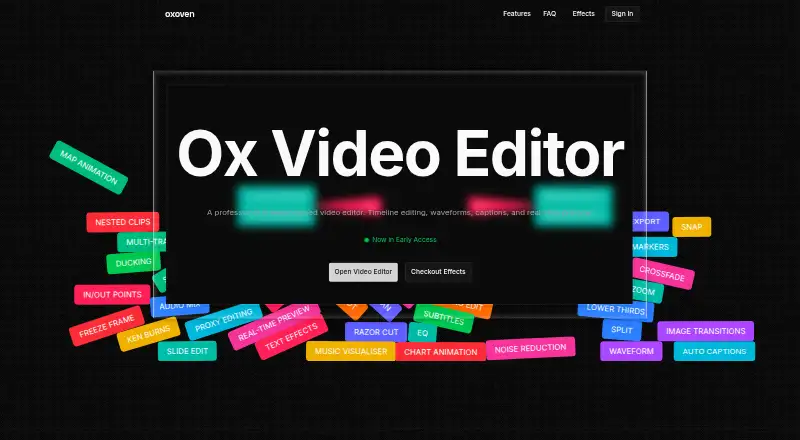
What Oxoven is
Oxoven is a browser-based video editor in Early Access with a free account that requires no credit card. Its timeline supports trim, split, ripple, rolling, slip, and slide edits, along with razor cuts, markers, and multi-track editing. Video tools include color grading, LUT import, vignette, film grain, pan and scan, and Ken Burns effects. Audio controls cover waveforms, mixing, ducking, normalization, noise reduction, EQ, and compression. AI-generated captions synchronize to audio and remain editable on the timeline. You can add animated titles, lower thirds, kinetic typography, and custom font overlays. Animation tools include map routes, location pins, and animated bar, line, and pie charts. Oxoven lists real-time preview, cloud rendering, 4K export, frame-accurate, proxy, and multi-camera editing. Its library contains captions, transitions, animations, and other effects, including crossfade and zoom presets. The Free account costs nothing.
Who it suits
It suits creators seeking a web editor with multi-track timelines, audio controls, captions, effects, and 4K export. The free account allows starting a project without entering card details.
What it does well
- Runs in a browser
- Includes multi-track timeline editing
- Provides AI-generated editable captions
- Offers audio mixing and noise reduction
- Supports 4K export and cloud rendering
What to know first
- Listed as Early Access
Plans
| Plan | Billed and limits | Price |
|---|---|---|
| Free account | No credit card required · start a project | Free |
As oxoven.com lists them, read 12 Oct 2026. The maker's own page has the final word.
Verdict
Oxoven presents a broad browser editing toolkit, from timeline operations to captions, audio, animation, and export. Its free account is available without a credit card, while the product remains in Early Access.
Facts from Oxoven's own pages
- Animations
- The listed animation tools include map route paths and location pins, plus animated bar, line, and pie charts. · oxoven.com, 12 Oct 2026
- Audio tools
- Listed audio features include waveforms, audio mixing, ducking, normalization, noise reduction, EQ, and compression. · oxoven.com, 12 Oct 2026
- Captions
- Oxoven says its auto captions are AI-generated, synced to audio, and editable on the timeline. · oxoven.com, 12 Oct 2026
- 4K export
- Yes · oxoven.com, 21 Sept 2026
- Free access
- Oxoven invites users to start with a free account and says no credit card is required. · oxoven.com, 12 Oct 2026
- Free plan
- Yes · oxoven.com, 21 Sept 2026
- Integrations
- The homepage includes a question about supported integrations, but the opened page does not state which integrations are supported. · oxoven.com, 12 Oct 2026
- Preview and export
- The homepage lists real-time preview, cloud rendering, 4K export, frame-accurate editing, proxy editing, and multi-camera editing. · oxoven.com, 12 Oct 2026
- Product
- Oxoven describes itself as a professional browser-based video editor and says it is in Early Access. · oxoven.com, 12 Oct 2026
- Security and compliance
- The opened homepage does not state security or compliance details. · oxoven.com, 12 Oct 2026
- Text effects
- Text effects include animated titles, lower thirds, kinetic typography, and custom font overlays. · oxoven.com, 12 Oct 2026
- Timeline editing
- The listed timeline tools include trim, split, ripple, rolling, slip, and slide edits, plus razor cuts, markers, and multi-track editing. · oxoven.com, 12 Oct 2026
- Transitions and templates
- Oxoven says its growing library includes captions, transitions, animations, and other effects, with image transition presets such as crossfades and zooms. · oxoven.com, 12 Oct 2026
- Video effects
- Listed video tools include color grading, LUT import, vignette, film grain, pan and scan, and Ken Burns effects. · oxoven.com, 12 Oct 2026
- Web app
- Yes · oxoven.com, 21 Sept 2026
Where Oxoven stands on Freedom251
- Video Editing Software#81 of 153