
OpenReel Video
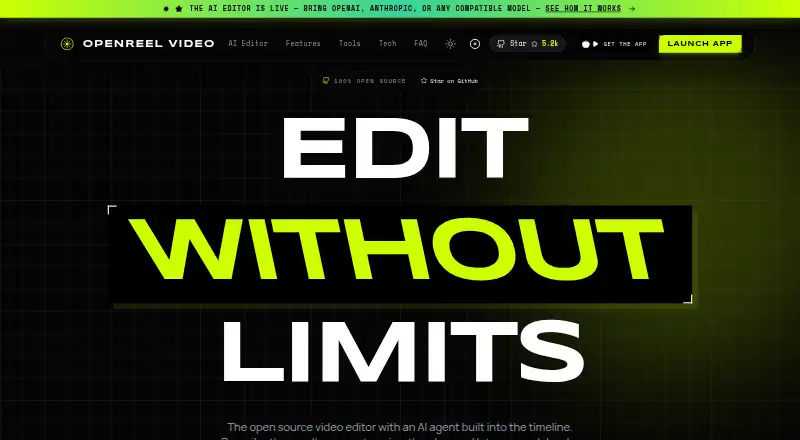
What OpenReel Video is
OpenReel Video is an open-source video editor with an AI agent built into its timeline. The agent can inspect a project and use controls for clips, tracks, effects, subtitles, audio, motion design, 3D scenes, and export. Editing tools include frame-accurate multi-track work, speed ramps, keyframes, transitions, markers, and undo and redo. Users can connect OpenAI, Anthropic, custom model IDs, OpenAI-compatible endpoints, or desktop local models. Exports include MP4, WebM, and MOV using H.264, HEVC, ProRes, VP9, or AV1, with presets up to 4K and 60 fps. The editor is available on web, Windows, macOS, Linux, iOS, and Android. Its free plan includes all features, with no subscriptions, under an MIT license for personal and commercial use. The maker says source media stays on the user's device, AI request destinations are chosen by the user, and API keys are encrypted locally. The mobile app requires no account and lists iOS 17+ and Android.
Who it suits
OpenReel suits people who want a free editor with an AI agent and multi-track controls. It also fits users who need desktop local models, broad export formats, or mobile access without an account.
What it does well
- Free plan includes all features
- MIT licensed for personal and commercial use
- Exports presets up to 4K and 60 fps
- Mobile app requires no account
What to know first
- Mobile app requires iOS 17+ on iPhone
- Desktop MCP access is specified for desktop
- Early desktop alpha users are asked to report bugs
Limits
The free plan costs nothing and includes all features. The maker identifies early desktop users as alpha users and invites them to report bugs.
Plans
| Plan | Billed and limits | Price |
|---|---|---|
| Free | All features included · no subscriptions · MIT licensed | Free |
As openreel.video lists them, read 11 Oct 2026. The maker's own page has the final word.
Getting started
- Visit https://openreel.video/.
- Choose the web, Windows, macOS, or Linux version, or the iOS or Android app.
- Use the free plan, which includes all features and has no subscription.
- For the mobile app, no account is required.
- On desktop, select a supported model option, including a local model if preferred.
OpenReel Video is an open source video editor with an AI agent built into its timeline. It suits editors who want detailed control over a project and the option to choose which AI models or endpoints handle requests. Its free plan includes every feature, though early desktop users should expect an alpha and are invited to report bugs.
Overview
The editor pairs frame-accurate, multi-track editing with an agent that can inspect a project and operate editing controls. That makes it a fit for people who want AI assistance inside an editable timeline rather than a separate generation tool. OpenReel is MIT licensed for personal and commercial use, and its free plan has no subscription.
The maker says source media stays on the user's device, and users choose whether and where AI requests are sent. That gives privacy-minded editors control over AI destinations, while still leaving them responsible for choosing a suitable model or endpoint.
Key features
Timeline and AI agent
The timeline includes multi-track editing, speed ramps, keyframes, transitions, markers, and undo and redo. Its agent can work with clips, tracks, effects, subtitles, audio, motion design, 3D scenes, and export. This breadth makes the AI useful across an editing project, though it does not replace the need to review its changes.
Models, exports, and automation
Model support covers OpenAI, Anthropic, custom model IDs, OpenAI-compatible endpoints, and local models on desktop. Desktop MCP access also lets external agents and automation connect to the editor. Editors who want to use their own model destination have options; desktop users can also run local models.
Export formats are MP4, WebM, and MOV, with H.264, HEVC, ProRes, VP9, and AV1 codecs. Presets reach 4K at 60 fps. AI audio cleanup is included, so the free plan covers both output up to 4K and this audio feature without an added subscription.
Pricing
| Plan | Price | What it includes |
|---|---|---|
| Free | free | All features included; no subscriptions; MIT licensed |
There is no free trial because the full-featured plan is free. The mobile app is also free and requires no account; its listed requirements include iOS 17+ and Android. The plan details do not give a separate seat limit or AI quota.
Platforms
OpenReel supports web, Windows, macOS, Linux, iOS, and Android. Its broad platform range is useful for editors moving between desktop and mobile, while local model support is specifically available on desktop. Early desktop users are asked to report bugs, so the alpha status matters to anyone relying on a stable production workflow.
Who it's for
OpenReel is a strong fit for editors who want a free, commercially usable tool with a full timeline, AI assistance across editing controls, and flexibility over model destinations. It is less suited to users who need a mature desktop release, or who want AI editing without choosing or configuring a model service.
Pros and cons
- Pro: The free plan includes every feature, with no subscription, and the MIT license permits personal and commercial use.
- Pro: The timeline combines precise multi-track tools with an agent that can operate controls across editing, motion design, 3D, and export.
- Pro: Users choose where AI requests go, and desktop users can use local models; the maker says media stays on-device and keys are encrypted locally.
- Con: Desktop is in early alpha, making it a less certain choice for work that depends on a stable release.
- Con: AI use depends on selecting a supported model or endpoint; compatible endpoints can run without a key, but the editor does not remove that setup decision.
Alternatives
For a broader comparison, browse AI Video Editors or Video Editing Software.
- CapCut is a freemium option across mobile, desktop, and web, with free templates and a mobile-focused editing plan.
- ExpoCut offers a free full timeline editor with exports up to 4K and no account required.
- Wondershare Filmora has a free plan with watermarked exports and also offers a trial.
- Adobe Firefly is a freemium choice whose free plan has limited daily generations.
- Descript offers text-based editing and AI tools on a free plan capped at 60 minutes per month and 100 one-time AI credits.
- Diffusion Studio has an open-source web editor, desktop app, CLI, and skills under MPL 2.0, alongside a free plan with 50 free credits.
- FlexClip has a free plan capped at 12 online projects and 10 minutes per video.
- Kiru suits users focused on automatically cutting bad takes, silences, and mistakes, with one hour of free video per month and MP4 export.
Verdict
Choose OpenReel if you want a full-featured, free timeline editor with an AI agent, broad model support, and control over where AI requests go. Its combination of a capable editing toolset and MIT license is the main reason to pick it; look elsewhere if your desktop workflow cannot accommodate an early alpha release.
Verdict
OpenReel combines detailed timeline editing with an AI agent and a free plan. Its device-local media handling and user-selected AI destinations may suit users mindful of where their media and requests go.
Questions
How much does OpenReel Video cost?
Its Free plan costs nothing and includes all features, with no subscriptions.
Is OpenReel open source?
Yes. It is MIT licensed for personal and commercial use.
Which platforms does it support?
Web, Windows, macOS, Linux, iOS, and Android.
Which AI models can I use?
OpenReel supports OpenAI, Anthropic, custom model IDs, OpenAI-compatible endpoints, and local models on desktop.
Does the mobile app require an account?
No. The free mobile app requires no account; it lists iOS 17+ and Android.
Where does OpenReel send AI requests?
The maker says users choose whether and where AI requests are sent. It also says API keys are encrypted locally.
Facts from OpenReel Video's own pages
- AI editing
- The agent can inspect a project and operate editing controls for clips, tracks, effects, subtitles, audio, motion design, 3D scenes, and export. · openreel.video, 11 Oct 2026
- API key handling
- The maker says API keys are encrypted locally, and compatible endpoints can run without a key. · openreel.video, 11 Oct 2026
- Export
- It exports MP4, WebM, or MOV using H.264, HEVC, ProRes, VP9, or AV1, with presets up to 4K and 60 fps. · openreel.video, 11 Oct 2026
- Integrations
- OpenReel offers desktop MCP access for external agents and automation. · openreel.video, 11 Oct 2026
- License
- OpenReel is MIT licensed for personal and commercial use. · openreel.video, 11 Oct 2026
- Mobile requirements
- The mobile app is free, requires no account, and lists iOS 17+ and Android. · openreel.video, 11 Oct 2026
- Model support
- It supports OpenAI, Anthropic, custom model IDs, OpenAI-compatible endpoints, and local models on desktop. · openreel.video, 11 Oct 2026
- Platforms
- The web editor is live, the desktop app is in alpha for macOS, Windows, and Linux, and mobile apps are available for iPhone and Android. · openreel.video, 11 Oct 2026
- Privacy
- The maker says source media stays on the user's device, and the user chooses whether and where AI requests are sent. · openreel.video, 11 Oct 2026
- Purpose
- OpenReel is an open source video editor with an AI agent built into the timeline. · openreel.video, 11 Oct 2026
- Support
- The maker asks early desktop alpha users to report bugs and invites users to join its community. · openreel.video, 11 Oct 2026
- Timeline
- The editor includes frame-accurate multi-track editing, speed ramps, keyframes, transitions, markers, and undo and redo. · openreel.video, 11 Oct 2026
Where OpenReel Video stands on Freedom251
- AI Video Editors#19 of 81
- Video Editing Software#80 of 155