Freedom251 › IP Address Management Software
OpenIPAM
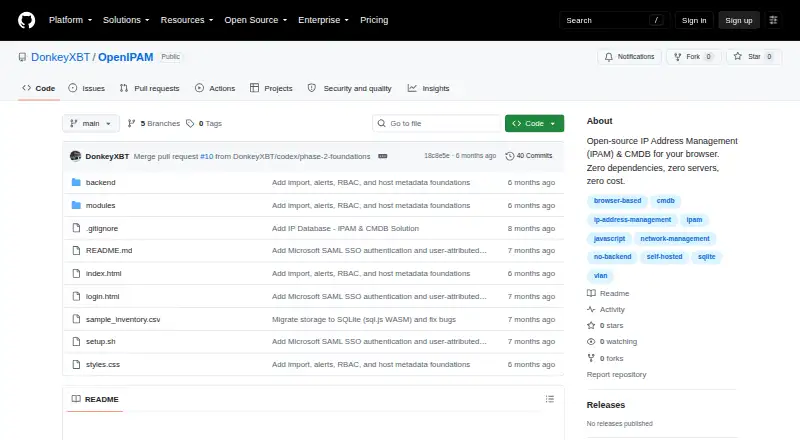
What OpenIPAM is
OpenIPAM is a free, open-source tool for managing IP addresses and network and infrastructure inventory. It handles CIDR subnets, IP assignments and reservations, duplicate-IP conflicts, VLANs, IP ranges, and subnet calculations. It also tracks DHCP scopes, leases, reservations, options, and utilization. Its inventory supports 14 host types, along with hardware lifecycle tracking, locations and racks, maintenance windows, and company records. You can run it in a browser with local storage or use an optional Python Flask backend with server-side SQLite for multi-user access. Server mode includes SAML 2.0 single sign-on with Microsoft Entra ID and a REST API for entity management, cross-entity search, dashboard statistics, and JSON backup or import. CSV host import and JSON database backup and restore, including DHCP data, are supported. The project describes signed session cookies with an eight-hour lifetime and user-attributed audit entries. Browser-mode data stays in the browser; server-mode data is stored in a server-side SQLite file. The browser version can be opened from downloaded files, and the repository includes a Linux setup script for the backend.
Who it suits
OpenIPAM may suit homelabs, small businesses, network engineers, and IT departments managing addresses, DHCP, and infrastructure inventory. Browser mode is available without a backend; server mode supports multi-user access.
What it does well
- Tracks DHCP scopes, leases, reservations, and utilization.
- Inventory supports 14 host types.
- Browser mode keeps data in the browser.
- Server mode offers a REST API.
- Supports CSV host import and JSON backup and restore.
What to know first
- Role-based access control is listed as a wanted contribution.
- DNS record management is listed as a wanted contribution.
- Topology visualization is listed as a wanted contribution.
- Advanced reporting is listed as a wanted contribution.
Limits
The free OpenIPAM plan is browser-only or self-hosted backend access, at no cost. The project lists role-based access control, DNS record management, topology visualization, and advanced reporting among areas where contributions are wanted.
Plans
| Plan | Billed and limits | Price |
|---|---|---|
| OpenIPAM | Open-source · zero cost · browser-only or self-hosted backend | Free |
| Free | No paid tier required · Browser-only or Flask server mode · IPAM/CMDB features · self-hosted deployment | Free |
As github.com lists them, read 7 Oct 2026. The maker's own page has the final word.
Getting started
- Open the OpenIPAM website at https://github.com/DonkeyXBT/OpenIPAM.
- Use the browser version from downloaded files, or follow the repository's Linux setup script for the optional backend.
- Choose browser storage for local use or configure the Flask and SQLite backend for multi-user access.
- Use the browser version in a current supported Chrome, Firefox, Safari, or Edge browser with WebAssembly and ES6+ support.
OpenIPAM is an open-source IP address management and configuration-management database (CMDB) tool for keeping network allocations and infrastructure records together. It is a strong fit for homelabs, small businesses, network engineers, and IT departments that can operate a browser tool or host a small backend. The zero-cost model and broad network coverage are compelling, but organizations needing granular permissions or DNS administration should choose another system.
Overview
OpenIPAM combines subnet planning, address allocation, DHCP records, and equipment inventory instead of treating IPAM as a separate spreadsheet from the rest of infrastructure. You can run the browser version from downloaded files, with data retained in that browser's local storage, or deploy the optional Python Flask backend with server-side SQLite for shared use. The first route is convenient for an individual or isolated lab; the second is the sensible choice when several people must work from one dataset.
Server operation adds authenticated routes, SAML 2.0 single sign-on through Microsoft Entra ID, signed eight-hour session cookies, HttpOnly and SameSite=Lax settings, and audit entries attributed to users. That is a useful security baseline for an internal service. It does not replace role-based access control, which is among the project's stated contribution needs.
Key features
Network management covers CIDR subnets, IP ranges, VLANs, assignments, reservations, duplicate-IP conflict detection, and a subnet calculator. Those functions address the practical work of planning ranges and preventing accidental reuse. DHCP tracking includes scopes, leases, reservations, options, and utilization, giving operators a view of both configured addresses and what the service is actually handing out.
The CMDB supports 14 host types, hardware lifecycle tracking, locations, racks, maintenance windows, and company records. This makes OpenIPAM more useful for infrastructure inventory than an address-only utility, particularly where physical placement and asset status matter. CSV host import and JSON backup and restore include DHCP data, helping with initial population and recovery.
With the backend enabled, a REST API supplies CRUD endpoints, cross-entity search, dashboard statistics, and JSON backup or import. Current two-version support is listed for Chrome, Firefox, Safari, and Edge, with WebAssembly and ES6+ required. These requirements suit modern managed browsers but may rule out older locked-down clients.
Pricing
| Plan | Price | What you get |
|---|---|---|
| OpenIPAM | free | Open-source software with browser-only use or a self-hosted backend |
There is no free trial because the product is free, and no paid tier or seat charge is given. The trade-off is operational rather than financial: browser mode favors a single local user, while multi-user access requires running the backend and managing its server-side SQLite data.
Platforms
OpenIPAM supports API, Linux, self-hosted deployment, and web access. The browser build can be opened from downloaded files, while the repository includes a Linux setup script for the optional backend. That combination works for teams comfortable hosting software themselves and for individuals who want to avoid infrastructure entirely.
Who it's for
Choose OpenIPAM for a homelab, a small business, or an IT/network team seeking one free system for IP allocation, DHCP visibility, and asset records. It is less suitable for organizations that require DNS record management, topology visualization, advanced reporting, or role-specific permissions as core workflows.
Pros and cons
Pros
- Broad network scope: Subnets, VLANs, reservations, conflict detection, and DHCP utilization cover everyday address operations.
- Useful inventory depth: Fourteen host types, lifecycle fields, racks, locations, and maintenance windows extend beyond basic IP lists.
- Flexible data location: Local browser storage avoids setup, while server-side SQLite enables shared access.
- Practical portability: CSV import and JSON backup/restore include DHCP information, and the backend exposes a REST API.
- No licensing cost: The sole plan is free and open source.
Cons
- No role-based access control: Teams needing different permissions by job function have a stated gap to work around.
- No DNS management: DNS records are a listed missing area, so address administration is not a complete name-and-address system.
- Self-hosting overhead for collaboration: Multi-user work depends on deploying and maintaining the Flask backend.
- Limited analytical scope: Advanced reporting and topology visualization are identified contribution needs.
Alternatives
BlueKing CMDB is a free, self-hosted and web-capable alternative with a Community Edition, one-click deployment, automated operations, and community documentation; choose it when CMDB deployment support matters more than OpenIPAM's focused IPAM/DHCP combination.
CMDBuild is another free AGPL self-hosted option; pick it when you want a broader configurable CMDB foundation and accept that its listed plan excludes data models, workflows, reports, and dashboards.
dust is a free command-line disk-usage tool, so it is relevant only for filesystem space analysis rather than IPAM or CMDB work.
iTop offers a free Community on-premise edition and paid operational service-management options; choose it when change and service management are priorities.
Ralph is free, Apache 2.0 open source, and self-hosted; consider it when you want a similarly deployable CMDB alternative.
teemIP provides a free Community edition with open-source distribution and community support; choose it when a dedicated IPAM-oriented alternative is preferable.
GLPI combines a free option with paid cloud service and broad platform support; pick it when you need an IT-service platform with hosted purchasing choices.
Hornbill IT Asset Management is a paid product with personalized pricing; consider it when you want commercially tailored packages instead of a free open-source deployment.
Verdict
OpenIPAM is a sensible recommendation for teams that want free, self-controlled IPAM, DHCP tracking, and CMDB inventory in one tool, especially in homelabs and smaller environments. Its browser mode lowers the barrier to trying it, and its backend adds shared access, SSO, API functions, and recoverable data. Look elsewhere if role-based permissions, DNS records, topology views, or mature reporting are requirements rather than future enhancements.
Verdict
OpenIPAM brings address management, DHCP tracking, and infrastructure inventory into a free tool with browser-only and self-hosted options. Its listed contribution gaps include role-based access control, DNS records, topology visualization, and advanced reporting.
Questions
How much does OpenIPAM cost?
The OpenIPAM plan is free.
Does OpenIPAM have a free plan or trial?
It has a free plan and no free trial.
Which platforms does OpenIPAM support?
Its listed platforms are API, Linux, self-hosted, and web.
Can multiple people use OpenIPAM?
The optional Python Flask backend with server-side SQLite supports multi-user access.
Does OpenIPAM provide an API?
Server mode includes a REST API with entity CRUD endpoints, cross-entity search, dashboard statistics, and JSON backup or import.
Where is OpenIPAM data stored?
Browser-mode data stays in the browser. Server mode stores data in a server-side SQLite file.
Facts from OpenIPAM's own pages
- API
- Server mode provides a REST API with CRUD endpoints for entities, cross-entity search, dashboard statistics, and JSON backup or import. · github.com, 7 Oct 2026
- API authentication
- The server code allows health and authentication routes without a session and gates other API routes behind login and role checks. · github.com, 15 Oct 2026
- Audit history
- Create, update, and delete operations are logged with old and new values, and IP assignment history is retained. · github.com, 15 Oct 2026
- Authentication
- Server mode supports SAML 2.0 single sign-on with Microsoft Entra ID and requires authentication for routes. · github.com, 7 Oct 2026
- Backups and import
- It supports CSV host import and JSON database backup and restore, including DHCP data. · github.com, 7 Oct 2026
- Browser requirements
- Supported browsers are the latest two versions of Chrome, Firefox, Safari, and Edge with WebAssembly and ES6 support. · github.com, 15 Oct 2026
- Browser support
- The project lists current two-version support for Chrome, Firefox, Safari, and Edge and requires WebAssembly and ES6+ support. · github.com, 7 Oct 2026
- CMDB
- The inventory supports 14 host types, hardware lifecycle tracking, locations and racks, maintenance windows, and company records. · github.com, 7 Oct 2026
- CMDB host types
- The inventory supports 14 host categories such as virtual machines, physical systems, containers, firewalls, routers, switches, databases, and printers. · github.com, 15 Oct 2026
- Conflict detection
- The application flags duplicate addresses, subnet mismatches, and inappropriate network or broadcast addresses. · github.com, 15 Oct 2026
- Data privacy
- The README states that browser-mode data stays in the browser, while server mode stores data in a server-side SQLite file. · github.com, 7 Oct 2026
- Deployment
- The browser version can be opened from downloaded files, and the repository includes a Linux setup script for its optional backend. · github.com, 7 Oct 2026
- Deployment modes
- It can run entirely in a browser or use a Python Flask backend for shared server access. · github.com, 15 Oct 2026
- DHCP
- It tracks DHCP scopes, leases, reservations, options, and utilization. · github.com, 7 Oct 2026
- DHCP management
- DHCP features cover scopes, leases, reservations, options, and visual utilization indicators. · github.com, 15 Oct 2026
- Hardware lifecycle
- Host records can track warranties, end-of-life dates, purchases, vendors, models, and asset tags. · github.com, 15 Oct 2026
- Import and backup
- The product imports and exports host CSV files and supports full JSON backup and restore. · github.com, 15 Oct 2026
- Installation requirements
- Linux setup requires Python 3, pip, a virtual environment, and the xmlsec development library for SAML; macOS setup uses Homebrew for libxmlsec1 and pkg-config. · github.com, 15 Oct 2026
- Intended users
- The README names homelabs, small businesses, network engineers, and IT departments as intended users. · github.com, 7 Oct 2026
- IP address management
- IP records include assignments, reservations, DNS names, and MAC addresses. · github.com, 15 Oct 2026
- Issue and pull-request status
- GitHub displays zero issues and zero pull requests for the repository. · github.com, 15 Oct 2026
- Known gaps
- The project lists role-based access control, DNS record management, topology visualization, and advanced reporting among areas where contributions are wanted. · github.com, 7 Oct 2026
- Licence
- The repository states that OpenIPAM is distributed under the MIT licence. · github.com, 15 Oct 2026
- Limit: DNS records
- The contribution list identifies forward and reverse DNS record management as an unfinished area. · github.com, 15 Oct 2026
Where OpenIPAM stands on Freedom251
- IP Address Management Software#4 of 43
- CMDB Software#5 of 39
- DHCP Management Software#4 of 25
- Ipam Tool#3 of 18