Freedom251 › Configuration Management Database

CMDBuild
What CMDBuild is
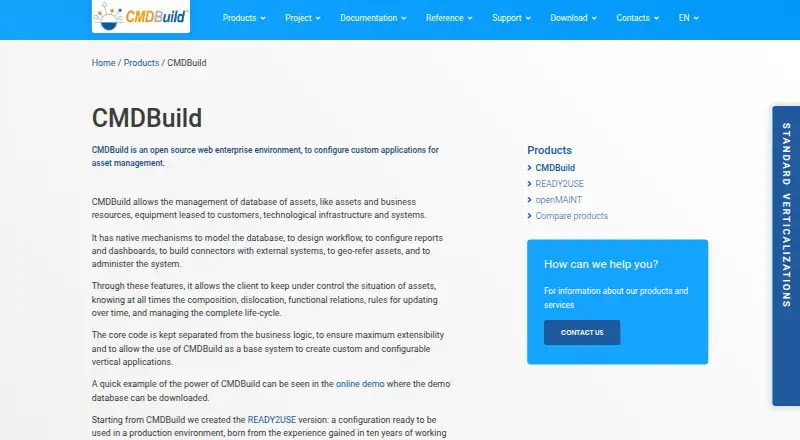
CMDBuild is an open-source web environment for configuring custom asset-management applications. It manages asset databases and tracks composition, location, functional relationships, updates, and lifecycle. Configuration tools cover database modeling, workflow design, reports, dashboards, external connectors, georeferencing, and administration. Other listed features include file import and export, document archives, GIS and BIM, history, task management, and scheduling. REST web services let connected applications read and write data, run operations, exchange notifications, and connect to external systems. Permissions can be assigned through roles and scoped to data, processes, views, reports, and dashboards. Authentication choices include local access, LDAP, CAS, SAML 2.0, and custom OAuth2. CMDBuild runs on a web server and is accessed through a browser; the maker says server setup knowledge is required. Minimum hardware requirements are a server-class computer, 16 GB RAM, 150 GB disk per instance, and four cores, with PostgreSQL 17.x, Tomcat 10, and Java 17. The standard download omits data models, workflows, reports, and dashboards.
Who it suits
CMDBuild suits organizations that need to configure a web-based asset-management application around their own data and workflows. It is for users able to handle web-server setup and the listed server and software requirements.
What it does well
- Tracks asset composition, location, relationships, updates, and lifecycle.
- Includes workflow, report, and dashboard configuration.
- REST services connect to external systems.
- Access permissions can be scoped through user roles.
- Supports several authentication options, including LDAP and SAML 2.0.
What to know first
- Requires web-server setup knowledge.
- Minimum hardware lists 16 GB RAM and 150 GB disk per instance.
- Standard download omits data models, workflows, reports, and dashboards.
- Requires PostgreSQL 17.x, Tomcat 10, and Java 17.
Limits
The free CMDBuild plan requires self-hosting and server setup. The standard download contains no data model, workflows, reports, or dashboards.
Plans
| Plan | Billed and limits | Price |
|---|---|---|
| CMDBuild | Open-source AGPL software; requires self-hosting and server setup; data model, workflows, reports, and dashboards are not included | Free |
As cmdbuild.org lists them, read 29 Sept 2026. The maker's own page has the final word.
Getting started
- Open the CMDBuild product website.
- Choose a download: WAR, shell installer, extra resources, or source code.
- Prepare a server with at least 16 GB RAM, 150 GB disk per instance, and four cores.
- Set up PostgreSQL 17.x, Tomcat 10, and Java 17.
- Configure the web server and access CMDBuild through a browser.
- Create the data model, workflows, reports, and dashboards, or consider READY2USE for a preconfigured instance.
CMDBuild is open-source software for creating web-based asset-management applications. It suits organizations with staff able to configure and maintain a server; its depth is appealing, but it is not a ready-made CMDB out of the box.
The free AGPL software offers extensive control over asset records, workflows, integrations, and permissions. That flexibility comes with meaningful setup work: users must provide the server environment and build the data model, workflows, reports, and dashboards themselves.
Overview
CMDBuild supports asset databases that track composition, location, functional relationships, updates, and lifecycle. It can also handle service and dependency mapping, discovery imports, and ownership tracking. Its on-premises deployment and browser interface suit organizations that want control over their environment, provided they can operate the underlying infrastructure.
The standard download is a configurable foundation, not a populated application. Organizations wanting a preconfigured instance can look to READY2USE, while those seeking a turnkey starting point should weigh the setup burden before choosing CMDBuild.
Key features
Administrators can model databases and design workflows, reports, and dashboards, alongside task management and scheduling. File import and export, document archives, history, and GIS and BIM support extend the system beyond basic asset inventories. Together, these tools give teams room to represent complex environments, but they also put responsibility for designing useful structures and processes on the organization.
REST services let other applications read and write records, run operations, and exchange notifications. The connectors can link asset data with staff, ERP, infrastructure, monitoring, and IoT systems, making CMDBuild relevant where the CMDB must fit into a broader estate. The breadth is valuable, though integrations still depend on implementation work.
Permissions can be assigned through roles and narrowed to classes, rows, columns, processes, views, filters, reports, and dashboards. Authentication choices include local accounts, LDAP, CAS, SAML 2.0, ADFS 4 through SAML, HTTP proxy headers, and custom OAuth2. Multitenant deployments can isolate tenants in separate databases or divide some data while sharing other information, giving administrators options for access and separation.
Pricing
The CMDBuild plan costs nothing. It is open-source software under the GNU Affero GPL (AGPL), and can be used, distributed, and edited subject to the maker's stated legal notice and logo requirements for modified versions. There is no paid tier described in this plan; subscription support is a separate service.
The free plan has no stated seat or usage cap, but it is not a hosted service: self-hosting and server setup are required. It also excludes the data model, workflows, reports, and dashboards, so the initial software cost does not remove the effort of configuring a working system. Community forum assistance and maintainer contact are support routes; subscriptions add assistance, upgrades, bug fixes, a certified appliance, a mobile app, and interoperability connectors.
Platforms
CMDBuild is browser-accessed software for self-hosted web servers, with Linux, macOS, and Windows among its listed platforms. Its stated minimum hardware is a server-class computer with 16 GB of RAM, 150 GB of disk per instance, and four cores; software requirements are PostgreSQL 17.x, Tomcat 10, and Java 17. The maker also says web-server setup knowledge is required, so this is a substantial operational commitment rather than a lightweight desktop installation.
Who it's for
CMDBuild is a strong fit for organizations that need to shape asset records and processes around their own environment, connect them to other systems, and administer finely scoped access. It is less suitable for small teams without server expertise or for buyers who need populated workflows and reports immediately. Those users may find the configuration and operating requirements outweigh the benefit of customization.
Pros and cons
- Pros: Broad modeling, workflow, reporting, mapping, and integration tools support custom asset-management applications.
- Pros: Detailed role-based permission scopes and multiple authentication options support differentiated access.
- Pros: AGPL software is free to use, distribute, and edit subject to the stated conditions.
- Cons: Server setup knowledge and substantial minimum hardware and software requirements raise the bar for adoption.
- Cons: The standard download omits the data model, workflows, reports, and dashboards, leaving teams to configure core application content.
Alternatives
Compare CMDB software if you want to consider a wider range of products. BlueKing CMDB is another free option, with a community edition that includes one-click deployment, automated operations, a user community, and documentation. teemIP offers a free community plan and open-source code, with GitHub, wiki, and forum access.
GLPI is worth considering if a hosted public-cloud option is useful: its public cloud plan starts at €19 a month per IT agent and includes 5 GB disk and a 20 MB maximum attachment size. Hornbill IT Asset Management offers personalized pricing tailored to requirements. ManageEngine ServiceDesk Plus has a Standard plan at $13 a month for IT help desk and a Professional plan at $27 a month that adds asset management.
OpenText Universal Discovery and CMDB prices its license according to environment and deployment needs. USU Knowledge Management is a modular enterprise solution with custom pricing. DemandFlow ITSM is another paid option.
Verdict
Choose CMDBuild if your organization can run a server and wants an adaptable, free foundation for asset management, integrations, and tightly controlled access. Its main advantage is configurability; its main drawback is that teams must supply both the infrastructure and much of the application structure. Look elsewhere if you need a ready-to-use or hosted CMDB with less setup.
Verdict
CMDBuild offers broad tools for building and operating custom asset-management applications, including workflows, integrations, and scoped permissions. The free software still requires server setup, and the standard download does not include several core configuration elements.
Questions
Is CMDBuild free?
Yes. The CMDBuild plan is free, and the software is available under the AGPL.
What platforms does CMDBuild support?
The listed platforms are API, Linux, macOS, self-hosted, web, and Windows. It runs on a web server and is accessed through a browser.
Is CMDBuild open source?
Yes. The maker says it may be used, distributed, and edited under the GNU Affero GPL, with legal notice and logo requirements for modified versions.
What does the standard download include?
It does not include a data model, workflows, reports, or dashboards. READY2USE is offered as a preconfigured instance.
What server software does CMDBuild require?
The listed software requirements are PostgreSQL 17.x, Tomcat 10, and Java 17. Minimum hardware is a server-class computer with 16 GB RAM, 150 GB disk per instance, and four cores.
Where can users get support?
The maker directs users to the community forum or the maintainer. Subscription support is described as including assistance, upgrades, bug fixes, a certified appliance, a mobile app, and interoperability connectors.
Facts from CMDBuild's own pages
- Access controls
- Permissions can be scoped to classes, rows, columns, processes, views, filters, reports, and dashboards, and assigned through user roles. · cmdbuild.org, 29 Sept 2026
- Asset lifecycle
- It manages asset databases and supports tracking asset composition, location, functional relationships, updates, and lifecycle. · cmdbuild.org, 29 Sept 2026
- Authentication
- The page lists local authentication, LDAP, CAS, SAML 2.0, ADFS 4 via SAML, HTTP proxy header authentication, and custom OAuth2 authentication. · cmdbuild.org, 29 Sept 2026
- Configuration features
- Native mechanisms support database modeling, workflow design, report and dashboard configuration, external connectors, georeferencing, and administration. · cmdbuild.org, 29 Sept 2026
- Core features
- The feature list includes database modeling, workflow and report engines, dashboards, file import and export, document archives, GIS and BIM, history, task management, and scheduling. · cmdbuild.org, 29 Sept 2026
- Deployment
- CMDBuild runs on a web server and is accessed through a browser; the maker says it runs on Linux, OSX, and Windows and requires web-server setup knowledge. · cmdbuild.org, 29 Sept 2026
- Integrations
- REST web services let applications read and write data, execute operations, exchange notifications, and connect to external asset, staff, ERP, infrastructure, monitoring, and IoT systems. · cmdbuild.org, 29 Sept 2026
- Latest release
- The download page offers CMDBuild 4.2.0 as the latest version and lists WAR, shell installer, extra resources, and source code. · cmdbuild.org, 29 Sept 2026
- License
- The maker says CMDBuild may be used, distributed, and edited under the GNU Affero GPL (AGPL), with specified legal notice and logo requirements for modified versions. · cmdbuild.org, 29 Sept 2026
- Multitenancy
- Multitenant mode can isolate tenants using either separate databases or partial divisions with some shared information. · cmdbuild.org, 29 Sept 2026
- Not included
- The standard CMDBuild download does not contain a data model, workflows, reports, or dashboards; the maker points users to READY2USE for a preconfigured instance. · cmdbuild.org, 29 Sept 2026
- Purpose
- CMDBuild is an open-source web environment for configuring custom asset-management applications. · cmdbuild.org, 29 Sept 2026
- Requirements
- The listed minimum hardware is a server-class computer, 16 GB RAM, 150 GB disk per instance, and four cores; software requirements include PostgreSQL 17.x, Tomcat 10, and Java 17. · cmdbuild.org, 29 Sept 2026
- Support
- The maker directs users to the community forum or the maintainer for assistance, and describes subscription support as including assistance, upgrades, bug fixes, a certified appliance, mobile app, and interoperability connectors. · cmdbuild.org, 29 Sept 2026
Where CMDBuild stands on Freedom251
- Configuration Management Database#4 of 32
- CMDB Software#7 of 39