Freedom251 › PC Benchmark Software
OpenCL-Benchmark
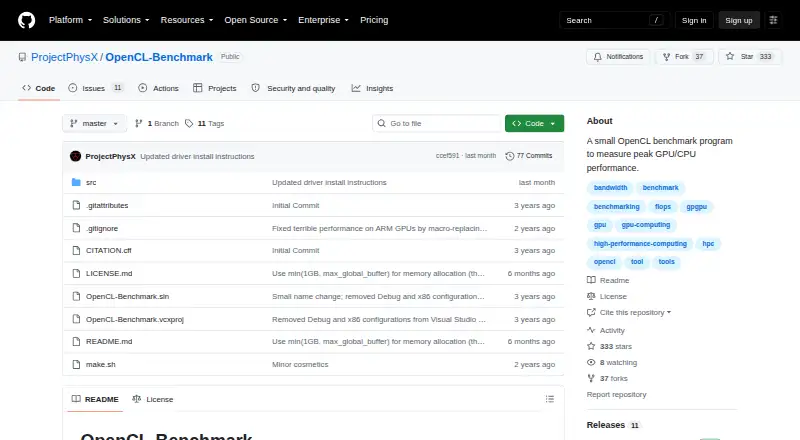
What OpenCL-Benchmark is
OpenCL-Benchmark is a free program for measuring peak compute performance on GPUs and CPUs. It runs on Windows, Linux, macOS, and Android, and supports command-line use and automation. Its compute tests cover FP64, FP32, FP16, INT64, INT32, INT16, and INT8 performance. Separate memory tests measure coalesced and misaligned reads and writes. For PCIe, it measures send, receive, and two-way bandwidth, then estimates the PCIe generation based on an x16 link width. You can provide device IDs to restrict a run to selected devices. To build it, the project README describes using Visual Studio on Windows or make.sh on Linux, macOS, and Android. The maker profile identifies ProjectPhysX as Dr. Moritz Lehmann, based in Germany. The license permits educational use, non-military research, and non-military commercial use, with attribution and marking conditions for modifications. If the software is used in a product, attribution must appear in that product’s documentation. It is supplied as is, without warranties. Its mix of compute, memory, and PCIe measurements makes it relevant when comparing GPU or CPU performance across these areas.
Who it suits
OpenCL-Benchmark suits users who want to compare GPU or CPU compute, memory bandwidth, or PCIe bandwidth. It is also relevant to users who need command-line or automated benchmark runs and can build the program for their operating system.
What it does well
- Measures seven integer and floating-point compute types.
- Tests coalesced and misaligned memory reads and writes.
- Measures PCIe send, receive, and bidirectional bandwidth.
- Device IDs can restrict runs to selected devices.
- Supports Windows, Linux, macOS, and Android.
What to know first
- The README gives build instructions using Visual Studio or make.sh.
- Product use requires attribution in product documentation.
- Modified versions must be marked.
Limits
The free plan costs nothing and permits educational use, non-military research, and non-military commercial use. Product use requires attribution in product documentation, and modified versions must be marked.
Plans
| Plan | Billed and limits | Price |
|---|---|---|
| OpenCL-Benchmark | Free to use for educational use, non-military research, or non-military commercial use · attribution required in product documentation when used in a product · modified versions must be marked | Free |
As github.com lists them, read 11 Oct 2026. The maker's own page has the final word.
Getting started
- Open the ProjectPhysX GitHub page.
- Use the README build instructions for your platform: Visual Studio on Windows, or make.sh on Linux, macOS, and Android.
- Run the benchmark, optionally specifying device IDs to select which devices it uses.
Verdict
Choose OpenCL-Benchmark if you need a free program for comparing compute, memory, or PCIe performance on supported systems. Its license allows educational, non-military research, and non-military commercial use, subject to attribution and modification-marking conditions. Look elsewhere if you need a warranty; the software is provided as is.
Questions
How much does OpenCL-Benchmark cost?
It is free, priced at $0.
Which operating systems does it support?
Windows, Linux, macOS, and Android.
What does it measure?
It measures compute performance across FP64, FP32, FP16, INT64, INT32, INT16, and INT8; memory reads and writes; and PCIe send, receive, and bidirectional bandwidth.
Can I automate benchmark runs?
Yes. The program supports command-line use and automation, and device IDs can restrict a run to selected devices.
What does the license allow?
It permits educational use, non-military research, and non-military commercial use. Product documentation must include attribution, and modified versions must be marked.
Who makes OpenCL-Benchmark?
The maker profile identifies ProjectPhysX as Dr. Moritz Lehmann and lists Germany as the location.
Facts from OpenCL-Benchmark's own pages
- Audience
- The stated purpose and performance measurements make it relevant to users comparing GPU or CPU compute and memory performance. · github.com, 11 Oct 2026
- Build and use
- The README gives instructions to build from source using Visual Studio on Windows or make.sh on Linux, macOS, and Android. · github.com, 11 Oct 2026
- CLI or automation
- Yes · github.com, 22 Sept 2026
- Compute benchmarks
- It measures FP64, FP32, FP16, INT64, INT32, INT16, and INT8 compute performance. · github.com, 11 Oct 2026
- Device selection
- Users can pass device IDs to run the benchmark only on selected devices. · github.com, 11 Oct 2026
- Free plan
- Yes · github.com, 22 Sept 2026
- License terms
- The license permits educational use, non-military research, and non-military commercial use, subject to attribution and modification-marking conditions. · github.com, 11 Oct 2026
- Maker
- The GitHub profile identifies ProjectPhysX as Dr. Moritz Lehmann and lists Germany as the location. · github.com, 11 Oct 2026
- Memory bandwidth
- It measures coalesced and misaligned memory reads and writes. · github.com, 11 Oct 2026
- Operating systems
- Windows; Linux; macOS; Android · github.com, 22 Sept 2026
- PCIe bandwidth
- It measures PCIe send, receive, and bidirectional bandwidth, and estimates PCIe generation assuming an x16 link width. · github.com, 11 Oct 2026
- Platforms
- The README says it works with any GPU on Windows, Linux, macOS, and Android. · github.com, 11 Oct 2026
- Purpose
- OpenCL-Benchmark is a small program for measuring peak GPU and CPU performance. · github.com, 11 Oct 2026
- Warranty
- The license provides the software as is and disclaims warranties. · github.com, 11 Oct 2026
- Workload areas
- compute performance; memory bandwidth; PCIe bandwidth · github.com, 22 Sept 2026
Where OpenCL-Benchmark stands on Freedom251
- PC Benchmark Software#23 of 73
- PC benchmark tools#24 of 70