Freedom251 › AI Presentation Makers
OpenCharts
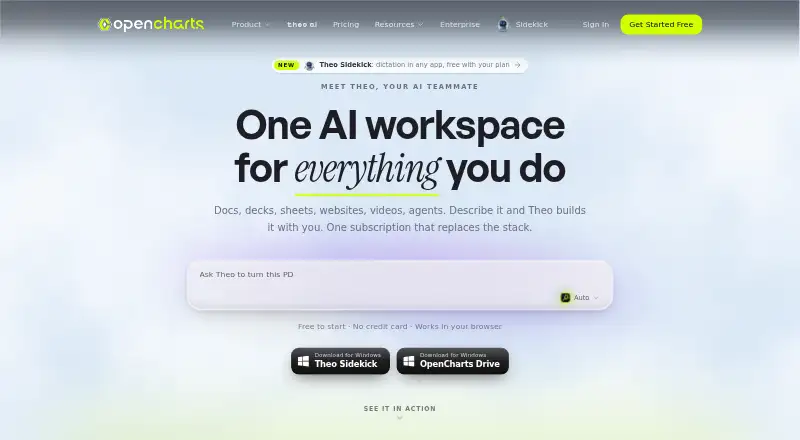
What OpenCharts is
OpenCharts is an AI workspace for flowcharts, presentations, notes, code, video, and agents. Theo AI can create these materials from plain-language descriptions. Flowcharts use terminal, process, decision, and data nodes on an infinite canvas, with automatic layout and export tools. The presentation editor supports editable slides, speaker notes, transitions, AI generation, rehearsal coaching, web publishing, and PPTX export. Theo Agents can start on schedules, webhooks, monitor triggers, or manually, with external connectors, human approval gates, and generated deliverables. Connectors include Stripe, HubSpot, Slack, Google Sheets, Discord, Airtable, Gmail, Notion, GitHub, and others. The REST API can create and manage multiple project types, and Theo MCP provides 113 tools and a hosted endpoint. Accounts include 10 GB of Drive storage at no cost. Free Forever includes 500K AI credits and one of each project type. Starter costs $9.99 per month, Pro costs $24.99 per month, and Teams costs $14.99 per month with a three-user minimum. OpenCharts states that customer data is not used to train or fine-tune AI models.
Who it suits
OpenCharts may suit people who want AI-assisted creation across flowcharts, presentations, notes, code, video, or agents. Its Teams plan may suit groups needing real-time collaboration, while its stated target includes healthcare, insurance, and other highly regulated industries.
What it does well
- Free plan includes 500K AI credits and 10 GB storage.
- Theo AI creates multiple content types from descriptions.
- Presentation editor supports PPTX export and web publishing.
- Agents support triggers, connectors, and approval gates.
- OpenCharts says customer data is not used for AI training.
What to know first
- Teams requires at least three users.
- Starter limits flowcharts to 10.
- Compliance certifications are still in progress.
Limits
Free Forever includes 500K AI credits, one of each project type, one Code Canvas project, and 10 GB of Drive storage. Starter is $9.99 per month and includes 10 flowcharts, 1M AI credits, and 25 GB of storage; it lists PNG and JSON exports.
Plans
| Plan | Billed and limits | Price |
|---|---|---|
| Free Forever | 500K AI credits · 1 of each project type · 1 Code Canvas project · 10 GB Drive storage · all export formats | Free |
| Starter | Billed monthly · 1M AI credits · 10 flowcharts · 3–5 of each other surface · 25 GB Drive storage · 5 Theo Agents + Theo Claw workers · custom domain publishing · PNG + JSON export | $9.99 a month |
| Pro | Billed monthly · 5M AI credits · unlimited projects · 100 GB Drive storage · Theo Personas + Director Mode · custom domains · zero branding · every export format · API access | $24.99 a month |
| Teams | Minimum 3 users, billed monthly · 2M AI credits/user · unlimited projects · 100 GB shared Drive storage · real-time collaboration · team chat · organization workspace · admin dashboard · Theo Personas + Director Mode | $14.99 a month |
As opencharts.com lists them, read 30 Sept 2026. The maker's own page has the final word.
Getting started
- Visit the OpenCharts website.
- Choose the free plan or a paid plan.
- OpenCharts is available on the web, Windows, macOS, and as a Chrome extension.
- Install the desktop app on macOS 13 or later or Windows 10 or later for two-way Drive sync.
Overview
OpenCharts brings AI creation, project work, and agent workflows into one workspace, spanning diagrams, presentations, notes, code, video, and more. It is best suited to people and teams that need several of those tools together, particularly in regulated industries. Its breadth is the draw; project caps and differing team terms make it a less straightforward fit for focused or cost-sensitive work.
Key features
Theo turns plain-language descriptions into flowcharts, whiteboards, notes, presentations, podcasts, videos, code, and images. That range is useful when work moves between formats, but can be unnecessary overhead for someone who only needs slides or diagrams. Flowcharts use terminal, process, decision, and data nodes on an infinite canvas, with automatic layout and export tools.
The presentation editor supports editable slides, speaker notes, transitions, AI generation, rehearsal coaching, web publishing, and PPTX export. It covers both drafting and delivery; however, real-time collaboration is included with Teams, not the lower tiers. Theo Agents can start on schedules, webhooks, monitor triggers, or manual requests, and support external connectors, human approval gates, and generated deliverables. That combination suits workflows where automation still needs oversight. Connectors include Stripe, HubSpot, Slack, Google Sheets, Discord, Airtable, Calendly, Apollo, Typeform, Monday, Gmail, Notion, GitHub, and Linear.
Developers can use the REST API to create and manage flowcharts, whiteboards, notes, presentations, sheets, boards, personas, and agents. Theo MCP adds 113 tools, five readable resources, a hosted Streamable HTTP endpoint, and a limit of 120 requests per minute per key. Those interfaces make the workspace more useful for integration-heavy projects, while the request ceiling matters for higher-volume use.
Every account gets 10 GB of Drive storage at no cost. The desktop app offers two-way Drive sync on macOS 13 or later and Windows 10 or later. OpenCharts says it protects data with TLS 1.2+ in transit, AES-256 at rest, SSO/SAML, role-based access control, row-level security, and two-factor authentication; it also says customer data is not used to train or fine-tune AI models. Its data handling is GDPR-aligned, and it is working toward SOC 2 Type II and ISO 27001 certification. These safeguards and its stated focus on healthcare, insurance, and other highly regulated industries are relevant strengths, though the certifications are not yet complete.
Pricing
Free Forever costs nothing and includes 500K AI credits, one of each project type, one Code Canvas project, 10 GB of Drive storage, and all export formats. It is a substantial way to explore the workspace, but the one-project caps make it limiting for ongoing work across multiple projects.
Starter costs $9.99 a month, billed monthly. It raises the allowance to 1M AI credits, 10 flowcharts, 3–5 of each other surface, and 25 GB of Drive storage; it also includes five Theo Agents plus Theo Claw workers and custom domain publishing. Its exports are PNG and JSON, so it gives up the full export range found on Free and Pro. The project limits make it a better fit for modest individual use than a growing portfolio.
Pro costs $24.99 a month, billed monthly. It offers 5M AI credits, unlimited projects, 100 GB of Drive storage, Theo Personas and Director Mode, custom domains, zero branding, every export format, and API access. This is the clearest fit for an individual who needs room to scale projects or use the API, but it does not include the stated team collaboration package.
Teams costs $14.99 a month per user, billed monthly, with a minimum of three users. It includes 2M AI credits per user, unlimited projects, 100 GB of shared Drive storage, real-time collaboration, team chat, an organization workspace, an admin dashboard, Theo Personas, and Director Mode. The minimum means a team starts at $44.97 a month; the shared storage pool is smaller than Pro's 100 GB per account for a single user. Teams is the relevant choice for collaboration, but not for a small group that cannot use the three-seat minimum.
Platforms
OpenCharts supports web, Windows, macOS, and a Chrome extension; its platform details also identify API access. Desktop Drive sync requires macOS 13 or later or Windows 10 or later. The range accommodates browser and desktop workflows, while the API gives developers another route into the product.
Who it's for
OpenCharts is a strong candidate for people who want AI-assisted creation across several formats, or teams that need agents, integrations, and human approval in the same workspace. Its stated emphasis on healthcare, insurance, and regulated industries will also appeal to organizations weighing security controls and data-use commitments. It is less compelling for a single-format need, for a team below three seats, or for users who need more export options on Starter.
Pros and cons
- Pro: Theo covers diagrams, presentations, notes, code, video, podcasts, and images, reducing the need to switch between specialized creation tools.
- Pro: Agent triggers, integrations, and human approval gates support automated workflows without removing review points.
- Pro: The free plan includes 500K AI credits, all export formats, and 10 GB of storage, making a no-cost evaluation unusually capable.
- Con: Free limits users to one of each project type and one Code Canvas project, which constrains continued use.
- Con: Starter has limited project counts and restricts exports to PNG and JSON, despite costing $9.99 a month.
- Con: Teams requires at least three paid users, raising the entry cost for small groups.
Alternatives
Choose Pitch if presentation work is the priority and a free plan with five members, two external guests, and 10GB total storage better suits the team. MiriCanvas is worth considering for template-led design: its free plan includes over 50,000 templates, more than 350,000 photos and graphics, and 1 GB of personal storage. For a slide workflow built around a defined credit allowance, ChatSlide offers 100 free credits and PDF export, with Plus at $8.25 a month for 500 credits per month.
arg.ai may suit users seeking unlimited workspaces, custom apps, and integrations on its free plan, alongside API access and prepaid AI credits. Gamma offers a free allowance of 10 cards per prompt, which may suit users comparing prompt-based presentation creation. Presentations.AI provides a free Starter plan with 100 credits and 20 slides; its Pro plan is $20 a month billed annually for 5,000 credits. Genspark AI Slides may appeal to users who prefer a daily free allowance, with 100 credits per day and 1 GB of AI Drive storage. SlidesAI is another option for presentation generation, with a Basic plan that allows 12 presentations per year, 1,000 characters per presentation, and 120 AI credits per year.
For broader browsing, see AI Presentation Makers, AI Diagram Generators, AI Presentation Software, and Presentation software.
Verdict
OpenCharts is a good choice for individuals and teams who want AI creation, project management surfaces, and agent workflows together, especially where integrations and oversight matter. Its most persuasive advantage is breadth backed by useful API and automation tools. Look elsewhere if you need a specialist presentation tool, if Starter's export limits will get in the way, or if your team cannot meet the three-user minimum.
Verdict
OpenCharts combines AI creation, project tools, and agent workflows, with a free tier and paid plans at stated monthly prices. Check the project limits and team minimum against how you plan to use it.
Questions
Is OpenCharts free?
Yes. Free Forever costs nothing and includes 500K AI credits, one of each project type, one Code Canvas project, and 10 GB of Drive storage.
What do paid plans cost?
Starter is $9.99 a month, Pro is $24.99 a month, and Teams is $14.99 a month with a minimum of three users. Each is billed monthly.
Which platforms does OpenCharts support?
The listed platforms are web, Windows, macOS, and Chrome extension; an API is also listed. Desktop two-way Drive sync requires macOS 13 or later or Windows 10 or later.
Can OpenCharts export presentations to PowerPoint?
Yes. The presentation editor supports PPTX export, and the Free Forever plan includes all export formats.
Does OpenCharts support team collaboration?
Yes. Real-time collaboration is listed, and the Teams plan includes team chat and an organization workspace.
What security measures does OpenCharts state it uses?
OpenCharts states that it uses TLS 1.2+ in transit, AES-256 at rest, SSO/SAML, role-based access controls, row-level security, and two-factor authentication. It also says it does not use customer data to train or fine-tune AI models.
Facts from OpenCharts's own pages
- Agents
- Theo Agents support schedules, webhooks, monitor triggers, manual starts, external connectors, human approval gates, and generated deliverables. · opencharts.com, 30 Sept 2026
- AI assistance
- Yes · opencharts.com, 20 Sept 2026
- AI data use
- OpenCharts says it does not use customer data to train or fine-tune AI models. · opencharts.com, 30 Sept 2026
- Compliance
- OpenCharts says it uses GDPR-aligned data handling and is working toward SOC 2 Type II and ISO 27001 certification. · opencharts.com, 30 Sept 2026
- Desktop app
- OpenCharts Desktop provides two-way Drive sync on macOS 13 or later and Windows 10 or later. · opencharts.com, 30 Sept 2026
- Flowcharts
- Flowcharts use terminal, process, decision, and data nodes on an infinite canvas with auto layout and export tools. · opencharts.com, 30 Sept 2026
- Free plan
- Yes · opencharts.com, 20 Sept 2026
- Integrations
- Listed connectors include Stripe, HubSpot, Slack, Google Sheets, Discord, Airtable, Calendly, Apollo, Typeform, Monday, Gmail, Notion, GitHub, Linear, and others. · opencharts.com, 30 Sept 2026
- MCP server
- Theo MCP provides 113 tools, five readable resources, a hosted Streamable HTTP endpoint, and 120 requests per minute per key. · opencharts.com, 30 Sept 2026
- PowerPoint export
- Yes · opencharts.com, 20 Sept 2026
- Presentations
- The presentation editor supports editable slides, speaker notes, transitions, AI generation, rehearsal coaching, web publishing, and PPTX export. · opencharts.com, 30 Sept 2026
- Presenter mode
- Yes · opencharts.com, 20 Sept 2026
- Product scope
- OpenCharts is an AI workspace for flowcharts, decks, notes, code, video, and agents. · opencharts.com, 30 Sept 2026
- Real-time collaboration
- Yes · opencharts.com, 20 Sept 2026
- REST API
- The OpenCharts REST API can create and manage flowcharts, whiteboards, notes, presentations, sheets, boards, personas, and agents. · opencharts.com, 30 Sept 2026
- Security
- OpenCharts states that data is protected with TLS 1.2+ in transit, AES-256 at rest, SSO/SAML, RBAC, row-level security, and two-factor authentication. · opencharts.com, 30 Sept 2026
- Storage
- Every account starts with 10 GB of Drive storage at no cost, including the free plan. · opencharts.com, 30 Sept 2026
- Supported platforms
- web,windows,macos,chrome_extension · opencharts.com, 20 Sept 2026
- Target users
- TheoVex describes OpenCharts as built first for healthcare and insurance and for highly regulated industries. · opencharts.com, 30 Sept 2026
- Theo AI
- Theo creates flowcharts, whiteboards, notes, presentations, podcasts, videos, code, and images from plain-language descriptions. · opencharts.com, 30 Sept 2026
Where OpenCharts stands on Freedom251
- AI Presentation Makers#2 of 109
- Presentation software#13 of 93
- AI Presentation Software#19 of 84
- AI Diagram Generators#15 of 32