
Open-Capture
by Open-Capture
What Open-Capture is
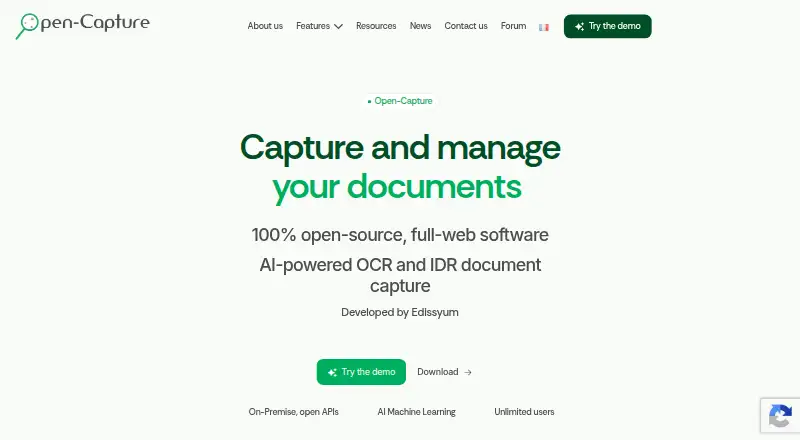
Open-Capture collects documents, extracts information with OCR and AI, checks extracted fields, and exports results to management software. Intake can come from scanners, copiers, file drops, email and attachments, web forms, uploads, or web services. Extraction options include Tesseract OCR, pre-trained models, machine-learning classification, key-value extraction, reference-data matching, dictionaries, and barcode or QR-code reading. Fields can be checked against formats, reference data, rules, and scripted business rules. The full-web application runs natively on Linux and can be hosted on-premise or in a public, or private cloud. It is free and open source under GNU GPLv3, with no user limit. Additional modules support batch preparation, extraction verification, and email processing; MailCollect analyzes messages, identifies senders, extracts metadata, and includes attachments in workflows. Listed connections include MEM Courrier, CMIS, OpenADS/Oxalis, OpenCRM, Alfresco, and SharePoint, with export to PDF, PDF/A, XML, CSV, and plain text. Edissyum offers audit, integration, support, training, and tailored deployment services.
Who it suits
Open-Capture may suit organizations that process documents for extraction and export, including companies, professionals, local authorities, public administrations, and associations. Linux-native operation and hosting options support different deployment preferences.
What it does well
- Free under GNU GPLv3 with no user limit
- Accepts documents from scanners, email and web forms
- Offers OCR, classification and barcode or QR reading
- Supports on-premise and cloud hosting
What to know first
- Runs natively on Linux
- Business-rule checks may require scripts
Plans
| Plan | Billed and limits | Price |
|---|---|---|
| Open-Capture | Free and open-source download · Unlimited users · self-hosted/on-premise · open APIs | Free |
As open-capture.com lists them, read 15 Oct 2026. The maker's own page has the final word.
Getting started
- Visit https://open-capture.com/ to learn about the platform.
- Choose a Linux-based deployment and select on-premise, public-cloud, or private-cloud hosting.
- Collect documents through a supported intake route such as scanners, email, uploads, or web services.
- Configure extraction and verification for the documents in your workflow.
- Connect a listed management system or export results in a supported format.
Open-Capture is a free, open-source document-capture and processing platform for organizations handling files through several channels. It suits companies, public bodies, local authorities, professionals, and associations that can operate Linux-based infrastructure. The main appeal is an end-to-end workflow from intake to validated exports; the main trade-off is the deployment and integration effort that a configurable system entails.
Overview
Open-Capture covers collection, OCR, data extraction, verification, and delivery to business software instead of stopping at text recognition. Its full-web application runs natively on Linux and supports on-premise, public-cloud, and private-cloud hosting. Those choices let an organization align hosting with budget and data-security requirements. The GNU GPLv3 license also makes it suitable for teams that need open-source software they can adapt. Edissyum, the maker headquartered in Carpentras, France, offers audits, integration, support, training, and tailored solutions when internal resources are limited.
Key features
Documents can arrive from scanners, copiers, file drops, email and attachments, web forms, uploads, and web services. That breadth is useful for organizations whose departments receive paperwork in inconsistent ways, since one platform can coordinate the intake paths. It is more capability than a small team needs for occasional scan-to-text work.
Extraction combines Tesseract OCR with pre-trained models, machine-learning classification, key-value extraction, reference-data matching, dictionaries, and barcode or QR-code reading. Extracted fields can be checked against rules, formats, reference data, and scripted business rules. This combination is well suited to structured or semi-structured documents such as invoices, delivery notes, contracts, and purchase orders, where incorrect values matter as much as recognized text.
Splitter prepares batches, Verifier supports checking extracted data, and MailCollect processes email-driven work. MailCollect analyzes message content, identifies senders, extracts metadata, and brings attachments into the same workflow, making it relevant to shared mailboxes and document-heavy administrative processes.
Open-Capture can produce searchable PDFs and export PDF, PDF/A, XML, CSV, and plain text. Listed connectors include native MEM Courrier support, CMIS, OpenADS/Oxalis, OpenCRM, Alfresco, and SharePoint. These options favor organizations that need documents and structured results to move into existing management systems rather than remain in an isolated OCR queue.
Pricing
The Open-Capture plan costs free. It is free and open-source under GNU GPLv3 and has no limit on users, so organizations can avoid per-seat licensing as they expand participation. The plan does not remove the practical work of hosting, configuring extraction and rules, or connecting business systems. Edissyum’s audit, integration, support, training, and tailored services are relevant for deployments that need paid specialist help, although their prices are custom.
Platforms
Open-Capture is a web application with Linux as its native operating environment. It is offered as an API-capable, self-hosted platform and can run on-premise, in a public cloud, or in a private cloud. That suits organizations requiring control over infrastructure or document location, but teams without Linux and deployment expertise may face a steeper implementation than with a hosted OCR service.
Who it's for
Choose Open-Capture when multiple intake routes, field validation, searchable documents, and exports into management software are central requirements. It is a strong fit for companies, professionals, town halls, local authorities, public administrations, and associations with recurring document workflows and technical capacity to operate or commission a Linux deployment. It is a weaker fit for an individual or small office seeking a simple, ready-made OCR utility with no integration project.
Pros and cons
Pros
- Broad intake: scanners, email, forms, uploads, file drops, and web services can feed one workflow.
- Validation beyond OCR: rules, reference data, scripts, classification, and barcode reading help control extracted values.
- Open deployment model: GPLv3 licensing, no user limit, and on-premise or cloud hosting support organizational control.
- Useful outputs and connectors: searchable PDF plus PDF/A, XML, CSV, plain text, and named enterprise integrations support downstream processing.
Cons
- Implementation burden: Linux operation, hosting, configuration, and integrations require technical planning.
- Broad scope may be excessive: teams with only occasional OCR needs may gain little from its intake and verification modules.
- Specialist help can add cost: audits, integration, training, and tailored support are separate custom-priced services.
Alternatives
For a focused OCR engine rather than a complete capture workflow, consider Tesseract OCR, which is free, open source under Apache 2.0, and runs across Android, API, Linux, macOS, self-hosted, and Windows environments.
PaddleOCR is a better choice when an Android or iOS deployment and an API tier with a 20,000-page daily parsing limit match the project.
Pick docTR for a free open-source Python library installed with pip, Git, or Docker on supported platforms.
OCRFeeder is a free GPL application for Linux when a desktop-oriented OCR tool is enough.
GNU Ocrad suits Linux and self-hosted users seeking a free OCR option.
Choose OCRmyPDF when the goal is free self-hosted OCR processing for PDFs using external OCR and PDF tools.
Surya offers a free pay-as-you-go tier with a $20 monthly allowance on a work email or $10 on a personal email, plus request and concurrency limits.
EasyOCR is another free OCR option for Linux, macOS, self-hosted, and Windows deployments.
Browse the OCR software list if you need to compare a wider field.
Verdict
Open-Capture is a strong recommendation for organizations that need multi-channel document intake, structured extraction, verification, and exports without per-user fees. Its free GPLv3 model and flexible hosting are compelling when Linux operations and integration work are acceptable. Look elsewhere if you need a narrowly focused OCR tool or a turnkey hosted service with minimal deployment responsibility.
Verdict
Open-Capture combines multiple intake routes, extraction methods, verification, and export in a free platform. Organizations should consider its Linux-native operation and the deployment and integration work their setup requires.
Questions
How much does Open-Capture cost?
The Open-Capture plan is free. It is free and open source under GNU GPLv3, with no limit on users.
Which platforms does it support?
Open-Capture is a full-web application that runs natively on Linux. It supports on-premise, public-cloud, and private-cloud hosting.
What kinds of documents can it process?
It accepts documents from scanners, copiers, file drops, email and attachments, web forms, uploads, and web services. Verifier is described for invoices, delivery notes, contracts, and purchase orders.
Which integrations and export formats are listed?
Listed connections include MEM Courrier, CMIS, OpenADS/Oxalis, OpenCRM, Alfresco, and SharePoint. Export formats include PDF, PDF/A, XML, CSV, and plain text.
Who makes Open-Capture?
The maker is Open-Capture, based in Carpentras, France, and founded in 2009.
Facts from Open-Capture's own pages
- AI classification
- Machine-learning models automatically identify document types to improve sorting, separation and indexing. · open-capture.com, 15 Oct 2026
- API and extensibility
- The product advertises open APIs, configurable XML schemas and masks, authentication-token generation and scripts embedded in workflow configuration. · open-capture.com, 15 Oct 2026
- Architecture documented independently
- DeepWiki describes a web architecture with an Angular/Tailwind frontend, Python Flask backend, PostgreSQL persistence, background workers and OCR/image-processing pipelines. · deepwiki.com, 15 Oct 2026
- Audience
- The maker names companies, professionals, local authorities, town halls, public administrations, and associations as users it serves. · open-capture.com, 9 Oct 2026
- Capture channels
- Documents can enter through scanners, multifunction copiers, file repositories, email, attachments, web forms, uploads and APIs. · open-capture.com, 15 Oct 2026
- Community visibility
- The official GitHub repository showed 37 stars, 15 forks and 1,232 commits when opened. · github.com, 15 Oct 2026
- Company expertise
- LinkedIn describes Edissyum as specializing in document digitization, content capture and automated distribution and processing of incoming, outgoing and circulating flows. · linkedin.com, 15 Oct 2026
- Company profile
- LinkedIn lists Edissyum Consulting as a privately held IT-services company with 11–50 employees, headquartered in Carpentras, Provence-Alpes-Côte d’Azur, and founded in 2009. · linkedin.com, 15 Oct 2026
- Deployment
- The maker says Open-Capture is a full-web application that runs natively on Linux and supports on-premise, public-cloud, or private-cloud hosting. · open-capture.com, 9 Oct 2026
- Developer documentation
- The published documentation includes installation, classic and Docker deployment, tenant creation, updates, migration, mail capture, Samba, SFTP and WebDAV setup. · edissyum.gitbook.io, 15 Oct 2026
- Document intake
- It can collect documents from scanners, copiers, file drops, email and attachments, web forms, uploads, and web services. · open-capture.com, 9 Oct 2026
- Document types
- Verifier is described for structured or semi-structured documents including invoices, delivery notes, contracts, and purchase orders. · open-capture.com, 9 Oct 2026
- Email processing
- MailCollect analyzes email content, identifies senders, extracts metadata, and includes attachments in processing workflows. · open-capture.com, 9 Oct 2026
- Export formats
- Processed documents and metadata can be exported as PDF, PDF/A, XML, plain text and other configured outputs. · open-capture.com, 15 Oct 2026
- Extraction
- Extraction options include Tesseract OCR, pre-trained models, machine-learning classification, key-value extraction, reference-data matching, dictionaries, and barcode or QR-code reading. · open-capture.com, 9 Oct 2026
- Free plan
- Yes · open-capture.com, 23 Sept 2026
- Headquarters
- Carpentras, France · open-capture.com, 28 Sept 2026
- Independent licence description
- Comptoir du Libre describes Open-Capture as server software for automated metadata extraction and PDF conversion, released under GNU GPL v3. · comptoir-du-libre.org, 15 Oct 2026
- Supported inputs
- both · open-capture.com, 23 Sept 2026
- Integrations
- Published integrations include Alfresco, SharePoint, MEM Courrier, Maarch Courrier, CMIS and other ECM or business systems. · open-capture.com, 15 Oct 2026
- Licence
- The main Open-Capture repository is distributed under the GNU General Public License v3.0. · github.com, 15 Oct 2026
- License
- Edissyum says its software is distributed under the GNU GPLv3 license. · open-capture.com, 9 Oct 2026
- Limit: migration
- The V4 repository warns that V4 is not a drop-in upgrade for earlier versions and requires migration documentation. · github.com, 15 Oct 2026
- Limit: operating-system support
- The installation documentation recommends Debian and says Ubuntu or Ubuntu Server may be used but bug support is not provided there. · edissyum.gitbook.io, 15 Oct 2026
Where Open-Capture stands on Freedom251
- OCR software#1 of 40
- OCR tools#1 of 13