Surya
What Surya is
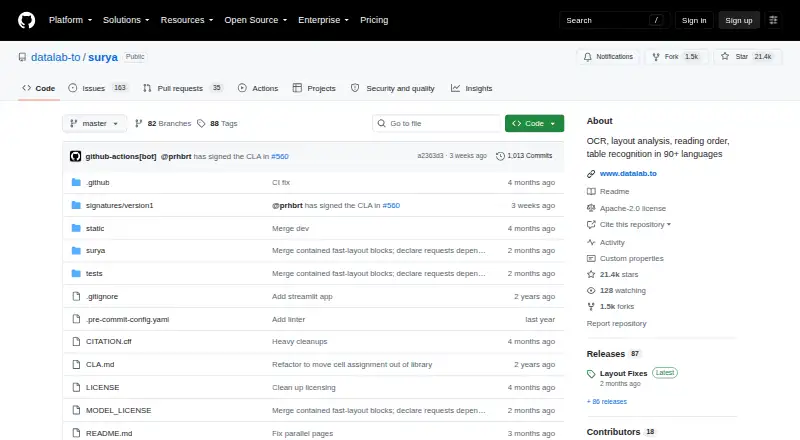
Surya is a 650M-parameter OCR model for reading document text, analyzing layout and reading order, and recognizing tables. The project describes support for more than 90 languages and focuses on documents rather than photos or natural scenes. Surya 2 can return page content as structured blocks with HTML, polygons, bounding boxes, confidence values and reading order. Table recognition can provide row and column geometry; full mode can produce HTML with spanning cells and header rows. Equations in page OCR are returned as KaTeX-compatible LaTeX within math tags. Users can access the project through a Python package, command-line tools or an interactive Streamlit app for images and PDFs. Layout, OCR and table functions require an inference backend: vLLM on NVIDIA GPUs or llama.cpp on CPU and Apple Silicon, or a connection to an existing server. Surya is open source, with code under Apache 2.0; model weights have a separate modified AI Pubs Open Rail-M license with commercial-use conditions. Datalab also offers managed access, a public playground and $5 in free credits.
Who it suits
Surya suits developers building document-processing workflows who need OCR, layout or table recognition across many languages. It is less suited to photo or natural-scene OCR, and requires an inference backend for its main functions.
What it does well
- Project describes support for 90+ languages.
- Returns layout and reading-order details.
- Includes table geometry and structured output.
- Python, CLI and Streamlit interfaces are available.
What to know first
- Specialized for documents, not natural scenes.
- OCR and layout need a running inference backend.
- Model weights have a separate license.
Limits
Datalab's Free plan includes a $20 monthly allowance with a work email or $10 with a personal email, and limits of 25 requests per minute and 25 concurrent requests. The Team plan costs $400 a month and includes $400 in monthly usage, then pay-as-you-go, with limits of 400 requests per minute and 400 concurrent requests.
Plans
| Plan | Billed and limits | Price |
|---|---|---|
| Free | $0 pay-as-you-go · $20 monthly allowance on work email or $10 on personal email · 25 requests/min · 25 concurrency · community support | Free |
| Team | $400 per month · $400 monthly usage included, then pay-as-you-go · 400 requests/min · 400 concurrency · email + Slack support | $400 a month |
| Enterprise | Custom · Custom usage, rate limits, and terms · dedicated support · VPC or fully air-gapped deployment | On request |
As github.com lists them, read 9 Oct 2026. The maker's own page has the final word.
Getting started
- Install the Python package with pip install surya-ocr.
- Choose an inference backend: vLLM on NVIDIA GPUs or llama.cpp on CPU and Apple Silicon.
- For NVIDIA GPU use, install Docker and NVIDIA Container Toolkit as listed in the README.
- Alternatively, connect Surya to an existing inference server.
- Use the Python package, command-line tools, or Streamlit app with images or PDFs.
- For managed access, use Datalab's public playground or select a Datalab plan.
Surya is a 650M-parameter OCR system built for document text, layout, reading order, tables, and equations. It best suits developers and document-automation teams that can operate a local or hosted inference backend and need multilingual, structured results. It is a strong open-source option for page-centric workflows, provided you plan backend deployment and the model-weight license separately from the code license.
Overview
Surya targets documents rather than general scene text, supporting 91 languages for OCR, layout analysis, reading-order detection, and table recognition. Surya 2 emits structured page blocks with HTML, polygons, bounding boxes, confidence values, and reading order. Those fields are useful when a pipeline must preserve where content appeared and how it is organized, not merely produce a text string. Search indexing, retrieval-augmented generation, document automation, and agent workflows can consume the geometry and hierarchy directly.
Handwriting recognition and inline equation recognition broaden its document coverage. Equations are returned as KaTeX-compatible LaTeX inside math tags. Table recognition can return row and column geometry; full mode adds HTML with spanning cells and header rows. That makes Surya more suitable for forms, reports, and technical pages than a text-only OCR engine, but its document specialization makes it a poor fit for photographs or natural scenes.
Key features
Structured extraction
Coordinates, confidence, reading order, and HTML give downstream software the material to rebuild a page or apply field-level processing. Table geometry and spanning-cell HTML help when tabular meaning matters, while math tags avoid reducing equations to damaged plain text.
Interfaces and deployment
The Python package supports application integration, command-line tools suit repeatable batch jobs, and the Streamlit app offers an interactive way to inspect images and PDFs. Layout, OCR, and table recognition require a running inference backend: vLLM on NVIDIA GPUs, or llama.cpp on CPU and Apple Silicon, including connection to an existing server. Installation uses pip install surya-ocr; Docker and NVIDIA Container Toolkit are documented for NVIDIA deployments. This flexibility helps teams choose hardware, but it also makes operations part of the project rather than an invisible service.
Licensing
The code is Apache 2.0. Model weights use a modified AI Pubs Open Rail-M license with commercial-use conditions described in the project documentation, so commercial deployment needs a separate weights-license review.
Pricing
The software is free and open source, with no charge for the self-hosted package. Datalab also offers managed access to Surya and Chandra, including $5 in free credits and a free public playground.
Free
The managed Free plan costs nothing, billed at $0 pay-as-you-go. It includes a $20 monthly allowance with a work email or $10 with a personal email, 25 requests per minute, 25 concurrent requests, and community support. It is appropriate for evaluation and small workloads; the allowance and rate limits are unlikely to suit a busy production service.
Team
Team costs $400 a month, billed $400 monthly, with $400 of usage included and pay-as-you-go thereafter. Capacity rises to 400 requests per minute and 400 concurrency, with email and Slack support. This fits product teams that need materially higher throughput and responsive support, but the fixed monthly commitment is substantial compared with self-hosting.
Enterprise
Enterprise uses custom pricing and custom usage, rate limits, and terms. It adds dedicated support plus VPC or fully air-gapped deployment, making it the relevant option for organizations with isolation or procurement requirements.
Datalab lists SOC 2 Type II for every plan. BAA and DPA support are listed for Team and Enterprise, which matters for regulated deployments.
Platforms
Surya supports API, Linux, macOS, and self-hosted operation, with desktop as its primary platform. CPU and Apple Silicon users can use llama.cpp; NVIDIA GPU users can use vLLM. The package accepts both supported input types, and the interactive app handles images and PDFs.
Who it's for
Choose Surya for AI/ML teams, enterprises, and product groups building RAG systems, agents, or document-automation workflows that need coordinates, hierarchy, tables, handwriting, or equations across many languages. It is especially compelling when self-hosting or connecting to an existing inference server is acceptable. Look elsewhere if you need turnkey OCR for photographs, do not want to operate an inference backend, or require a simpler license review for commercial weights.
Pros and cons
Pros
- Rich structured output: HTML, geometry, confidence, and reading order support reliable downstream document processing.
- Broad document coverage: 91 languages, handwriting, tables, and KaTeX-compatible equations address more than basic printed text.
- Flexible interfaces: Python, command line, and Streamlit cover integration, automation, and visual inspection.
- Deployment choice: vLLM, llama.cpp, or an existing server supports NVIDIA, CPU, and Apple Silicon environments.
Cons
- Backend overhead: Core recognition functions need a running inference backend, adding infrastructure and maintenance work.
- Scope limitation: It is specialized for documents, not photos or natural scenes.
- Weights licensing: Commercial-use conditions differ from the Apache-licensed code and require review.
- Managed Free limits: Allowances, 25 requests per minute, and 25 concurrency favor testing over sustained production traffic.
Alternatives
OCR.space is a better fit when you want a freemium hosted/API option with broad platform coverage; its Free plan allows 25,000 requests per month but limits files to 1 MB, PDFs to three pages, and adds a searchable-PDF watermark.
Tesseract OCR suits users seeking a free, Apache 2.0 open-source OCR engine without Surya's structured document features.
docTR is the alternative for a free open-source Python library installable with pip, Git, or Docker on Python 3.11 or higher.
EasyOCR is another free self-hosted OCR option for Linux, macOS, and Windows.
OCRmyPDF is preferable when the job is self-hosted OCR processing for PDFs and you are comfortable with external OCR and PDF-tool dependencies.
PaddleOCR offers an official API free tier with a daily document-parsing limit of 20,000 pages.
Veryfi Invoices OCR API is the specialized choice for invoice workflows, with a Starter plan at $500 a month and per-invoice pricing.
Amazon Textract AnalyzeExpense fits teams already using AWS that need expense-document analysis through an API, with a three-month new-customer free tier covering up to 100 pages per month.
Browse the OCR API Software and OCR software lists for more options.
Verdict
Surya is a strong choice for developers building multilingual document pipelines where layout, tables, equations, handwriting, and coordinates matter. Its main reason to choose it is the depth of structured output across flexible self-hosted interfaces. Look elsewhere if backend operations, document-only scope, or the model-weight commercial terms do not fit your project.
Verdict
Surya offers structured document OCR outputs and multiple interfaces, but deployment depends on a supported inference backend. Review the model-weight license conditions separately from the Apache-licensed code.
Questions
Is Surya free?
The Surya project is free and open source. Datalab also offers managed access with a Free plan and a public playground.
What does the Datalab Free plan include?
It is billed at $0 pay-as-you-go and includes a $20 monthly allowance with a work email or $10 with a personal email. It lists 25 requests per minute, 25 concurrency, and community support.
What does the Team plan cost?
Team costs $400 a month, with $400 in monthly usage included and additional usage billed pay-as-you-go.
What platforms and interfaces are available?
Surya lists API, Linux, macOS, and self-hosted platforms. The project provides a Python package, command-line tools, and a Streamlit app.
Can the model be used commercially?
The code is Apache 2.0. Model weights use a modified AI Pubs Open Rail-M license with commercial-use conditions described in the README.
What backend does Surya need?
Layout, OCR, and table recognition require a running inference backend. The listed options are vLLM on NVIDIA GPUs or llama.cpp on CPU and Apple Silicon, with support for an existing server.
Facts from Surya's own pages
- Headquarters
- Manhattan, New York, United States · github.com, 28 Sept 2026
- Inference backends
- Layout, OCR, and table recognition use vLLM on NVIDIA GPUs or llama.cpp on CPU and Apple Silicon, and can connect to an existing server. · github.com, 9 Oct 2026
- Supported inputs
- both · github.com, 23 Sept 2026
- Installation
- The README installs Surya with pip install surya-ocr and lists Docker plus NVIDIA Container Toolkit for NVIDIA GPU use, or llama.cpp for CPU and Apple Silicon. · github.com, 9 Oct 2026
- Intended users
- Datalab says its platform serves AI/ML teams, enterprises, and product teams building AI agents, RAG systems, and document automation workflows. · documentation.datalab.to, 9 Oct 2026
- Interfaces
- The project provides a Python package, command-line tools, and an interactive Streamlit app for images and PDFs. · github.com, 9 Oct 2026
- Supported languages
- 91 · github.com, 23 Sept 2026
- Languages
- The repository describes Surya as supporting OCR in 90+ languages. · github.com, 9 Oct 2026
- License
- The Surya code is Apache 2.0, while the model weights use a modified AI Pubs Open Rail-M license with commercial-use conditions described in the README. · github.com, 9 Oct 2026
- Limitations
- Surya is specialized for document OCR rather than photos or natural scenes, and layout, OCR, and table recognition require a running inference backend. · github.com, 9 Oct 2026
- Managed access
- Datalab offers a managed platform running Surya and Chandra, with $5 in free credits and a free public playground. · github.com, 9 Oct 2026
- Math
- Surya 2 recognizes equations inline in page OCR and returns them in KaTeX-compatible LaTeX inside math tags. · github.com, 9 Oct 2026
- Output
- Surya 2 returns page content as structured blocks with HTML, polygons, bounding boxes, confidence, and reading order. · github.com, 9 Oct 2026
- Primary platform
- desktop · github.com, 23 Sept 2026
- Purpose
- Surya is a 650M-parameter OCR model for text recognition, layout analysis, reading order, and table recognition. · github.com, 9 Oct 2026
- Security and compliance
- Datalab's pricing page lists a SOC 2 Type II report for every plan; BAA/DPA support is listed for Team and Enterprise. · datalab.to, 9 Oct 2026
- Support
- Datalab lists community support on Free, email and Slack support on Team, and dedicated support on Enterprise. · datalab.to, 9 Oct 2026
- Table recognition
- Table recognition can return row and column geometry and, in full mode, HTML with spanning cells and header rows. · github.com, 9 Oct 2026
Where Surya stands on Freedom251
- OCR software#7 of 40
- OCR API Software#9 of 29