Freedom251 › Time Clock Software

OnTimePunch
What OnTimePunch is
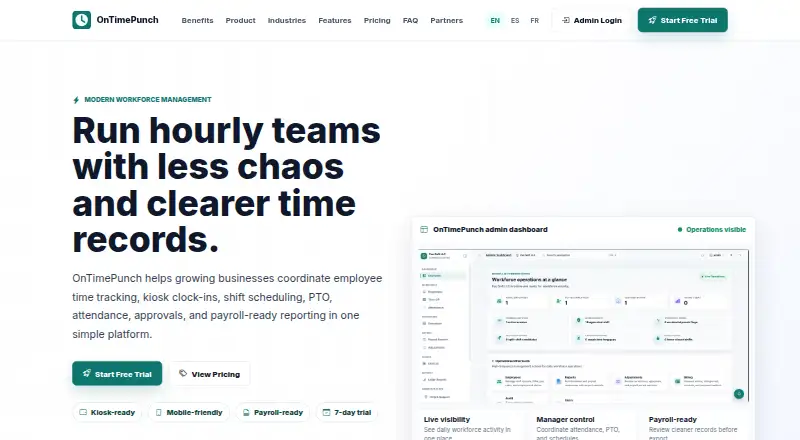
OnTimePunch is workforce management software for hourly and shift-based organizations, bringing timekeeping, scheduling, time-off management, attendance, approvals, and payroll-ready reporting together. Employees can record shift starts and ends, breaks, and lunches through a shared kiosk or mobile-friendly portal. Clock-in options also include a mobile phone, shared iPad or tablet, and employee PIN. When an employee clocks in by phone, GPS location is recorded with the punch, a detail suited to field and remote work. The employee self-service portal lets staff view schedules and attendance history and submit PTO requests. Managers can plan shifts, manage time-off requests and balances, and make decisions alongside staffing needs. Labor reports and payroll-ready time summaries and exports are available for review before payroll processing. Audit logs record important time, approval, and account activity. Payroll export integrations are part of the Business plan; specific providers are not identified. OnTimePunch is available on the web, Android, and iOS. Plans include a 7-day free trial, with monthly prices of 39.00 USD for Starter, 119.00 USD for Growth, and 249.00 USD for Business. Enterprise has custom contract terms and serves organizations with 101 or more employees.
Who it suits
OnTimePunch suits hourly and shift-based organizations such as retail, restaurants, childcare, construction, cleaning services, and small businesses. It can fit teams that need shared-device or mobile clock-ins alongside scheduling, PTO, approvals, and payroll-ready reporting.
What it does well
- Offers phone, kiosk, and employee PIN clock-ins.
- Records GPS location on mobile punches.
- Employees can view schedules and submit PTO requests.
- Provides labor reports and payroll-ready summaries and exports.
- Business includes payroll export integrations and a complete audit trail.
What to know first
- No free plan; paid plans start at $39 a month.
- Starter is limited to 5 employees and 1 kiosk device.
- Payroll export integrations are included only in Business.
Limits
Starter covers up to 5 employees and 1 kiosk device. Growth covers up to 40 employees and 3 kiosk devices, while Business covers up to 100 employees and 10 kiosk devices. Each plan includes a 7-day trial.
Plans
| Plan | Billed and limits | Price |
|---|---|---|
| Growth | Up to 40 employees · 3 kiosk devices · PTO management · Employee self-service · Call-offs and approvals · Labor-cost reports · Mobile employee access | $119 a month |
| Business | Up to 100 employees · 10 kiosk devices · Multi-manager support · Advanced PTO and holiday policies · Payroll export integrations · Complete audit trail | $249 a month |
| Starter | Up to 5 employees · 1 kiosk device · Scheduling and shift templates · Clock in/out · Attendance tracking · Basic timesheet reports | $39 a month |
| Enterprise | 101+ employees · Custom kiosk allowance · Dedicated onboarding · Priority support · Custom contract terms | On request |
As ontimepunch.com lists them, read 8 Oct 2026. The maker's own page has the final word.
Getting started
- Visit https://ontimepunch.com/.
- Choose a plan based on its employee and kiosk allowances.
- Use the included 7-day free trial.
- Complete checkout through secure Stripe checkout.
- Set up mobile access or a shared iPad or tablet kiosk for clock-ins.
Verdict
Choose OnTimePunch if an hourly or shift-based team needs clock-ins, scheduling, PTO, and attendance workflows in one service. Its mobile GPS punches and payroll-ready reporting add useful coverage for field teams and payroll review. Look elsewhere if you need a free plan, or if your team needs more than 100 employees without custom Enterprise terms.
Questions
Is there a free plan?
No. OnTimePunch is paid software, and every plan includes a 7-day free trial.
Which platforms does it support?
OnTimePunch is available on web, Android, and iOS.
What are the clock-in methods?
Employees can clock in using a mobile phone, shared iPad or tablet kiosk, or employee PIN. GPS location is recorded on each mobile punch.
Does it integrate with payroll services?
Payroll export integrations are included in the Business plan. Specific payroll providers are not identified.
Who makes OnTimePunch?
The site footer attributes its design to Pac Soft LLC.
Facts from OnTimePunch's own pages
- Audit logs
- OnTimePunch says its audit logs record important time, approval, and account activity. · ontimepunch.com, 8 Oct 2026
- Company attribution
- The site footer says “© 2026 OnTimePunch · Designed by Pac Soft LLC.” · ontimepunch.com, 8 Oct 2026
- Employee portal
- Employees can view schedules and attendance history and submit PTO requests through the self-service portal. · ontimepunch.com, 8 Oct 2026
- Integrations
- Payroll export integrations are included in the Business plan, but the page does not identify specific payroll providers. · ontimepunch.com, 8 Oct 2026
- Intended users
- The product is presented for hourly and shift-based organizations, including retail, restaurants, childcare, construction, cleaning services, and small businesses. · ontimepunch.com, 8 Oct 2026
- Kiosk devices
- A shared iPad or tablet can be used as a touch-friendly employee time clock. · ontimepunch.com, 8 Oct 2026
- Mobile and GPS
- Field and remote employees can clock in from a phone, with GPS location recorded on each punch. · ontimepunch.com, 8 Oct 2026
- Plan limits
- The listed employee and kiosk allowances are 5 employees and 1 device for Starter, 40 and 3 for Growth, and 100 and 10 for Business. · ontimepunch.com, 8 Oct 2026
- Product
- OnTimePunch is workforce management software for hourly teams that combines time tracking, kiosk clock-ins, scheduling, PTO, attendance, approvals, and payroll-ready reporting. · ontimepunch.com, 8 Oct 2026
- Reporting
- The product provides labor reports and payroll-ready time summaries and exports for review before payroll processing. · ontimepunch.com, 8 Oct 2026
- Scheduling and PTO
- Managers can plan shifts and manage time-off requests, balances, and decisions alongside staffing needs. · ontimepunch.com, 8 Oct 2026
- Support
- The site lists [email protected] and says Enterprise includes priority support. · ontimepunch.com, 8 Oct 2026
- Time capture
- Employees can record shift starts, ends, breaks, and lunches using a shared kiosk or mobile-friendly portal. · ontimepunch.com, 8 Oct 2026
- Trial and billing
- Every plan includes a 7-day free trial and secure Stripe checkout. · ontimepunch.com, 8 Oct 2026
Where OnTimePunch stands on Freedom251
- Time Clock Software#15 of 28