Freedom251 › Attendance Management Software

OnTheClock
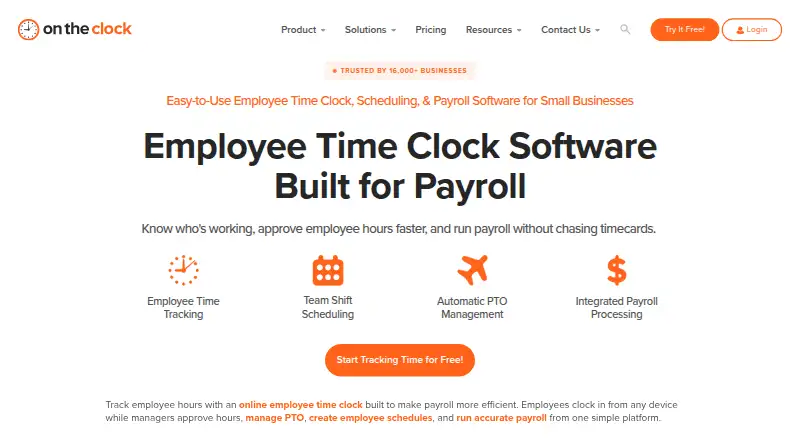
What OnTheClock is
OnTheClock provides small businesses with employee time tracking, scheduling, PTO management, and payroll software. Employees can clock in and out through desktop, mobile app, web, kiosk, or browser options. Location controls include GPS tracking, geofencing, breadcrumb trails, employee location maps, and device, IP, and Wi-Fi restrictions. Managers can create drag-and-drop schedules, share updates, and track attendance across locations and departments. PTO features cover requests, accrual rules, holidays, carryover, and a shared calendar. Reports include employee time, gross payroll, labor costs, job and project costing, and a Who's In dashboard. The time-tracking plan costs $4 per employee per month plus a 5 USD monthly base fee, billed monthly after a free 30-day trial; there is no free plan. Payroll is an add-on at $6 per employee per month plus a 40 USD monthly base fee, with a one-time 250 USD migration and onboarding fee, and cannot be used without the time clock. Payroll service excludes some workers, companies, and industries, including employees outside the United States and specified sectors.
Who it suits
OnTheClock suits small businesses needing time tracking, schedules, PTO tools, and attendance or labor reports. Businesses considering its payroll add-on should check the listed exclusions and its dependency on the time clock.
What it does well
- Clock-in options include mobile, kiosk, and browser.
- Managers can track attendance across locations and departments.
- PTO tools include accrual rules and carryover.
- Lists 24/7 support by chat, telephone, and email.
What to know first
- There is no free plan.
- Payroll add-on requires the OnTheClock time clock.
- Payroll excludes employees outside the United States.
- Payroll includes a one-time 250 USD onboarding fee.
Limits
The time tracking plan starts at $4/employee/month plus a $5 monthly base fee and has a 30-day trial; there is no free plan. Payroll costs an additional $6/employee/month plus a $40 monthly base fee and a one-time $250 Professional Payroll Migration/Onboarding fee. Payroll excludes some workers, companies and industries, including employees outside the United States and businesses involved in gambling, marijuana sales, firearms sales, adult entertainment or virtual currency.
Plans
| Plan | Billed and limits | Price |
|---|---|---|
| Employee Time Tracking, Scheduling & PTO Management | $4/employee/month + $5 base fee per month, billed monthly, after a free 30-day trial · Employee time tracking · scheduling · PTO · GPS, geofencing and IP controls · overtime calculations · payroll integrations | $4 a month |
| OnTheClock Payroll add-on | $6/employee/month + $40 base fee per month; one-time $250 Professional Payroll Migration/Onboarding fee · Unlimited payroll runs · integrated timecards and PTO · W-2s and 1099s · tax compliance · direct deposit · benefits withholdings and garnishments | $6 a month |
| Enterprise | Contact OnTheClock · For businesses with more than 100 employees · employee time tracking · PTO management · employee scheduling | On request |
As ontheclock.com lists them, read 2 Oct 2026. The maker's own page has the final word.
Getting started
- Open the OnTheClock website.
- Choose the Employee Time Tracking, Scheduling & PTO Management plan.
- Start the free 30-day trial.
- Use the web service or choose an Android, iOS, macOS or Windows platform.
- Add OnTheClock Payroll if needed and eligible; payroll requires the time clock.
Verdict
OnTheClock combines staff time, scheduling, and PTO features with location controls and reporting. Payroll is an additional service with its own fees, dependency, and eligibility exclusions.
Questions
Is OnTheClock free?
No. It offers a free 30-day trial, then the time tracking plan is $4/employee/month plus a $5 monthly base fee, billed monthly.
What platforms does OnTheClock support?
It is available on Android, iOS, macOS, web and Windows. Clock-ins can also be made through desktop, mobile app, web, kiosk or browser.
How much does OnTheClock Payroll cost?
The payroll add-on is $6/employee/month plus a $40 monthly base fee. There is also a one-time $250 Professional Payroll Migration/Onboarding fee.
Can I use payroll without the time clock?
No. OnTheClock Payroll is built on the OnTheClock time clock and cannot be used without it.
Which payroll integrations are listed?
One-click integrations are listed for ADP, Gusto, QuickBooks, Square and Thomson Reuters. CSV exports are available for providers including Paychex, Sage and Paylocity.
Who makes OnTheClock?
OnTheClock was founded in 2004 and is headquartered in Clinton Township, Michigan, United States.
Facts from OnTheClock's own pages
- Clock-in methods
- Employees can clock in and out from desktop, mobile app, web, kiosk and web browser. · ontheclock.com, 2 Oct 2026
- Founded
- 2004 · ontheclock.com, 28 Sept 2026
- Headquarters
- Clinton Township, Michigan, United States · ontheclock.com, 28 Sept 2026
- Integrations
- OnTheClock lists one-click integrations for ADP, Gusto, QuickBooks, Square and Thomson Reuters, plus CSV exports for providers including Paychex, Sage and Paylocity. · ontheclock.com, 2 Oct 2026
- Intended users
- The site describes the service as built for small businesses and says it supports organizations from a first employee to hundreds of employees. · ontheclock.com, 2 Oct 2026
- Location controls
- The platform lists GPS tracking, geofencing, GPS breadcrumb trails, employee location maps, device restrictions, IP restrictions and Wi-Fi restrictions. · ontheclock.com, 2 Oct 2026
- Payroll dependency
- OnTheClock Payroll is built on the OnTheClock time clock and cannot be used without it. · ontheclock.com, 2 Oct 2026
- Payroll limitations
- The company says its payroll service excludes some workers, companies and industries, including employees outside the United States and businesses involved in gambling, marijuana sales, firearms sales, adult entertainment or virtual currency. · ontheclock.com, 2 Oct 2026
- Product
- OnTheClock provides employee time tracking, scheduling, PTO management and payroll software for small businesses. · ontheclock.com, 2 Oct 2026
- PTO
- The product supports PTO requests, accrual rules, holiday management, a shared PTO calendar and PTO carryover. · ontheclock.com, 2 Oct 2026
- Reporting
- Reports include employee time, gross payroll, labor costs and job and project costing, alongside a Who's In dashboard. · ontheclock.com, 2 Oct 2026
- Scheduling
- Managers can create drag-and-drop employee schedules, share updates and track attendance across locations and departments. · ontheclock.com, 2 Oct 2026
- Security
- The privacy policy says OnTheClock uses SSL to encrypt information users input at 256-bit strength. · ontheclock.com, 2 Oct 2026
- Support
- The pricing page lists online chat, telephone and email support and says support is available 24/7. · ontheclock.com, 2 Oct 2026
Where OnTheClock stands on Freedom251
- Attendance Management Software#9 of 20
- Time and Attendance Software#13 of 28
- Time Clock Software#13 of 28
- Attendance Tracking Software#13 of 27
- Employee Time Tracking Software#30 of 52
- Timesheet Management Software#17 of 29