Freedom251 › Virtual Data Room Software
Onehub
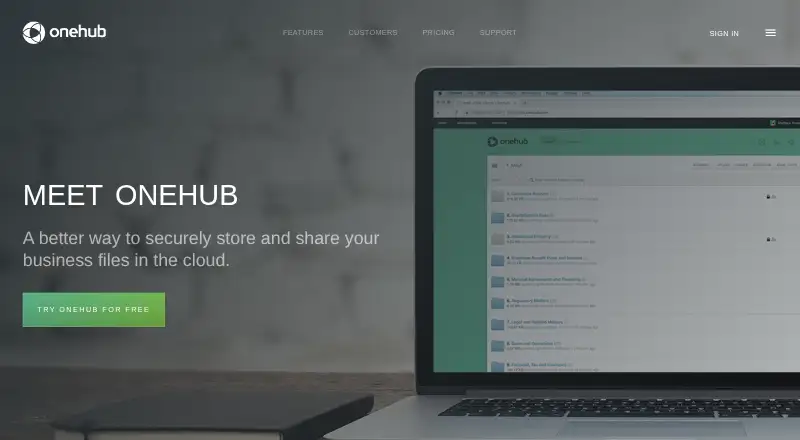
What Onehub is
Onehub is a cloud storage and file-sharing service for businesses. Its web service and iPhone or iPad apps support organizing, uploading, accessing, and sharing files. Folder organization, drag-and-drop folder uploads, automatic versioning, and an FTP gateway handle file management. Collaboration includes comments, tasks, activity notifications, Microsoft Office Online, and Google Drive integration. Role-based permissions apply at Workspace, folder, or file level, while secure links can use passwords, access levels, and expiration dates. Virtual data rooms add non-disclosure agreements, document watermarking, automatic indexing, audit trails, and stealth collaboration. White-labeled client portals provide private Workspaces for clients. Onehub says it uses 256-bit encryption for data in transit, at rest, and in backups, with redundant storage and integrity checks. Plans start at $12.50 per user per month billed annually, with a 14-day trial and no free plan.
Who it suits
Onehub suits companies and workers managing business files, client portals, controlled sharing, or data rooms. It supports organizations operating across more than 150 countries.
What it does well
- Data rooms include audit trails and watermarking
- Role-based permissions at three levels
- FTP gateway for mass uploads
- 256-bit encryption and redundant storage
- 24/7 phone and email support
What to know first
- No free plan
- Standard starts at three paid users
- Advanced and Data Room start at five users
Limits
Standard includes 1 TB of cloud storage, 50 workspaces, and 200 total users, starting with three paid users. Advanced and Data Room Edition include unlimited cloud storage, 200 workspaces, and 1,000 total users, starting with five paid users; Data Room Edition includes five paid users.
Plans
| Plan | Billed and limits | Price |
|---|---|---|
| Standard | per user/month; billed annually · Starting at 3 paid users · 200 total users · 50 workspaces · 1 TB cloud storage | $12.50 a month |
| Standard | per user/month; billed monthly · Starting at 3 paid users · 200 total users · 50 workspaces · 1 TB cloud storage | $15 a month |
| Advanced | per user/month; billed annually · Starting at 5 paid users · 1,000 total users · 200 workspaces · unlimited cloud storage | $20 a month |
| Advanced | per user/month; billed monthly · Starting at 5 paid users · 1,000 total users · 200 workspaces · unlimited cloud storage | $25 a month |
| Data Room Edition | per month; billed annually · Includes 5 paid users · 1,000 total users · 200 workspaces · unlimited cloud storage | $300 a month |
| Data Room Edition | per month; billed monthly · Includes 5 paid users · 1,000 total users · 200 workspaces · unlimited cloud storage | $375 a month |
| Enterprise Edition | priced by usage; billed annually · Unlimited paid users · unlimited total users · unlimited workspaces · unlimited cloud storage | On request |
As onehub.com lists them, read 9 Oct 2026. The maker's own page has the final word.
Getting started
- Open the Onehub website
- Choose the web service or iPhone and iPad app
- Select a paid plan or start the 14-day trial
- Create Workspaces and organize folders
- Upload folders by drag and drop or use the FTP gateway
- Invite collaborators and set role-based permissions
Verdict
Onehub combines file storage, permissions, collaboration, client portals, and virtual data-room controls. Paid plans start at $12.50 per user per month billed annually, and user minimums vary by plan.
Questions
Does Onehub have a free plan?
No. Onehub offers paid plans and a 14-day trial.
What platforms support Onehub?
Onehub is available on the web and through iPhone and iPad apps.
What is the starting price?
Pricing starts from $12.50/user/mo when billed annually.
Which integrations are included?
Onehub supports Microsoft Office Online and Google Drive integration.
Does Onehub support secure links?
Yes. Links can use expiration dates, access levels, and passwords.
What plans are available?
Plans are Standard, Advanced, Data Room Edition, and Enterprise Edition. Enterprise is priced by usage.
Facts from Onehub's own pages
- Audience
- The company describes Onehub as online sharing and collaboration software for companies and workers, with use across more than 150 countries. · onehub.com, 9 Oct 2026
- Client portals
- Onehub offers white-labeled client portals with private Workspaces for each client. · onehub.com, 9 Oct 2026
- Collaboration
- Users can collaborate through comments, tasks, activity notifications, Microsoft Office Online, and Google Drive integration. · onehub.com, 9 Oct 2026
- Compliance
- Onehub says it maintains security protocols to support organizations remaining HIPAA compliant and that AWS storage has SSAE 16 certification and PCI DSS Level 1. · onehub.com, 9 Oct 2026
- Data rooms
- Its virtual data rooms include stealth collaboration, non-disclosure agreements, document watermarking, automatic indexing, and audit trails. · onehub.com, 9 Oct 2026
- File handling
- Features include drag-and-drop folder uploads, folder-based organization, automatic versioning, and an FTP gateway for mass uploads. · onehub.com, 9 Oct 2026
- Founded
- 2007 · onehub.com, 28 Sept 2026
- Founded and location
- Onehub says it was founded in 2007 and is made in Seattle. · onehub.com, 9 Oct 2026
- Headquarters
- Seattle, Washington, United States · onehub.com, 28 Sept 2026
- Limits
- Standard starts at 3 paid users, while Advanced and Data Room Edition start at 5 paid users; their listed total-user limits are 200 or 1,000 respectively. · onehub.com, 9 Oct 2026
- Mobile
- The maker lists Onehub apps for iPhone and iPad that support accessing, organizing, uploading, and sharing business files. · onehub.com, 9 Oct 2026
- Product
- Onehub is a cloud storage and file sharing service for securely storing and sharing business files. · onehub.com, 9 Oct 2026
- Security
- Onehub says it uses 256-bit encryption for data in transit, at rest, and backups, with redundant storage and regular integrity checks. · onehub.com, 9 Oct 2026
- Sharing controls
- Role-based permissions can be set at the Workspace, folder, or file level, and secure links can have expiration dates, access levels, and passwords. · onehub.com, 9 Oct 2026
- Support
- The pricing page says support is available 24/7 by phone and email; Data Room Edition and Enterprise include dedicated support staff and 24/7 phone support. · onehub.com, 9 Oct 2026
Where Onehub stands on Freedom251
- Virtual Data Room Software#15 of 23
- Data Room Software#22 of 32
- Client Portal Software#12 of 17
- Customer Portal Software#24 of 31