Freedom251 › Terminal Multiplexers
Okena
What Okena is
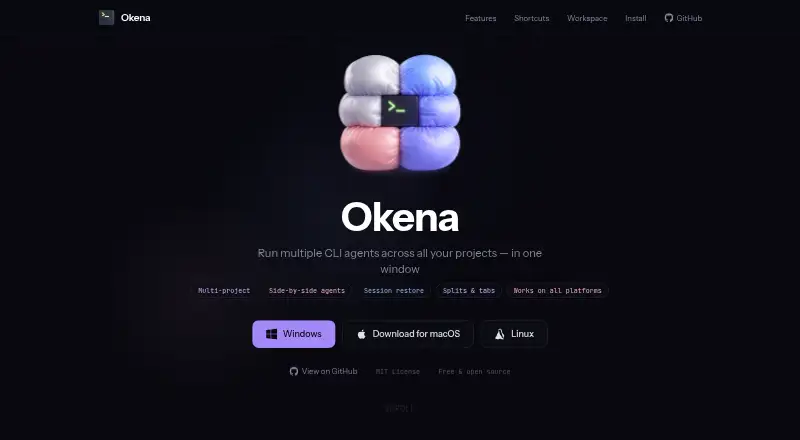
Okena is a native terminal multiplexer for running multiple CLI agents and projects in one window. Workspaces can be arranged into side-by-side project columns, tabs, split panes, detachable terminal windows, or fullscreen mode. The terminal uses GPU-accelerated rendering and supports scrollback of up to 100,000 lines. It can save and restore workspace layouts and terminal sessions across restarts; persistence is local. Git worktrees can be managed as projects, with branches and change statistics visible. Documented integrations include status or usage information for Claude Code and OpenAI Codex, Docker Compose project services, and opening files in editors. Remote access options include a local HTTP and WebSocket API, browser client, and iOS and Android companion apps. Okena is free and open source under the MIT License. Installation commands are provided for macOS, Linux, and Windows, with build-from-source instructions also documented.
Who it suits
Okena suits developers coordinating several CLI agents or projects in a terminal workspace. It may also fit users who want local session persistence, Git worktree views, and companion access from a browser or mobile device.
What it does well
- Supports tabs, split panes, and detachable terminal windows.
- Scrollback supports up to 100,000 lines.
- Saves and restores layouts and sessions locally.
- Git worktrees can be managed as projects.
- Free and open source under the MIT License.
What to know first
- Workspace persistence is local.
- Remote pairing uses authentication and rate-limited pairing codes.
- No headquarters or founding year is stated.
Plans
| Plan | Billed and limits | Price |
|---|---|---|
| Free and open source | MIT License · macOS, Linux, Windows | Free |
As okena.dev lists them, read 3 Oct 2026. The maker's own page has the final word.
Getting started
- Open the Okena website.
- Choose the installation route for macOS, Linux, or Windows.
- Run the maker-provided shell or PowerShell installation command, or build from source.
- Arrange projects using columns, tabs, split panes, detachable windows, or fullscreen mode.
- Use the browser client or iOS or Android companion app for remote access.
Okena is a desktop terminal workspace for people coordinating multiple command-line projects or coding agents. It is most compelling when project layouts, Git worktrees and restored sessions all matter; for a basic terminal-multiplexing setup, its broader workspace may be more than you need.
Overview
Okena combines multiple CLI agents and projects in one native terminal window. Its project-oriented approach is useful for keeping parallel work visible and organized, rather than managing each task as a separate terminal session.
The maker describes it as free and open source under the MIT License and says it was made by the creators of Contember. Workspace and terminal persistence is local, which suits a desktop-first workflow but does not provide cloud-synced state.
Key features
Arrange projects around parallel work
Side-by-side project columns, tabs, split panes, detachable terminal windows and fullscreen mode give users several ways to shape a workspace. Custom pane layouts and per-project preferences make that flexibility more useful for recurring work; readers who want a single, uncomplicated terminal are unlikely to benefit as much.
Keep session context
Okena saves and restores workspace layouts and terminal sessions across app restarts. That can reduce the effort of rebuilding a multi-project setup after closing the app. GPU-accelerated rendering and up to 100,000 lines of scrollback suit sessions that produce substantial output, though the persistence scope remains local.
Bring project signals into the terminal
Users can manage Git worktrees as projects and view branches and change statistics. Repository-documented integrations cover Claude Code and OpenAI Codex status or usage, Docker Compose project services, and opening files in an editor. These capabilities make Okena more project-aware than a multiplexer focused solely on terminal panes.
Remote access and control
A local HTTP and WebSocket remote-control API, browser client, and iOS and Android companion apps provide ways to access the workspace beyond the desktop. Remote pairing uses HMAC-SHA256 token authentication and rate-limited pairing codes, and downloaded updates are SHA256 verified. This adds reach without changing the stated local scope of persistence.
Personalize the workspace
Shortcuts, themes, shell settings and lifecycle hooks can be customized. That range can help adapt Okena to an established command-line routine, although users seeking minimal configuration may prefer a narrower tool.
Pricing
Okena is free and open source under the MIT License. Its Free and open source plan costs nothing and covers macOS, Linux and Windows. There is no paid tier described, so the choice is about whether its workspace and integrations suit your workflow rather than which plan to buy.
Platforms
The desktop app is available for macOS, Linux and Windows, with web, Android and iOS companion access. The maker provides shell installation commands for macOS and Linux, a PowerShell command for Windows, and instructions for building from source.
Who it's for
Okena is best suited to developers who work across several repositories, Git worktrees or CLI agents and want a restorable, configurable terminal workspace. Its companion access is relevant to users who want remote control from a browser or mobile device. It is a weaker fit for someone who only needs basic terminal multiplexing or expects persistence to sync beyond the local machine.
Pros and cons
Pros
- Flexible project layouts, detachable windows and custom panes support parallel work in one workspace.
- Session and layout restoration preserves local setup across app restarts.
- Git worktree views and documented agent, Docker Compose and editor integrations add project context.
- Free, MIT-licensed software is available on three desktop operating systems, with companion access on web and mobile.
Cons
- Persistence is local, so it does not serve as cloud-synced workspace state.
- The many layout and customization options may be unnecessary for users who want a straightforward terminal multiplexer.
- Remote control broadens access but still centers on a local API and companion clients.
Alternatives
Choose Zellij if you want a free, open-source option that requires no account; its listed platforms include iOS, Linux, macOS, web and Windows. Zellij.online is a separate hosted session-sharing option with a free tier and paid service in closed beta.
muxel is another free, open-source choice for Linux, macOS and Windows. Consider p2pmux if you want a free MIT-licensed option for Linux or macOS.
Quil is a free local option with no paid tier or hosted version, for Linux, macOS and Windows. Ferrix is a free alternative for Linux and macOS.
Choose tmux for a free, open-source option across Linux, macOS, API and self-hosted environments; no paid tiers or usage limits are stated for it. Plux is a free option for Linux and macOS, while TUIOS is free and supports web, macOS and Linux. Browse Terminal Multiplexers for more choices.
Verdict
Choose Okena if you want several CLI projects and agents organized in a configurable desktop workspace that can restore its local sessions, with Git worktree views and remote companion access. Look elsewhere if your priority is a simpler multiplexer or persistence that follows you between machines.
Verdict
Okena brings multiple project terminals, session restoration, and documented integrations into one workspace. Its local persistence and listed desktop installation options are useful details to weigh when considering remote workflows.
Questions
Is Okena free?
Yes. The maker describes it as free and open source under the MIT License. The listed plan is free.
Which platforms can I use it on?
Native installation is documented for macOS, Linux, and Windows. Web, Android, and iOS are available for companion access.
Does Okena save terminal sessions?
Yes. It can save and restore workspace layouts and terminal sessions across app restarts. Persistence is local.
What integrations does Okena document?
It documents Claude Code and OpenAI Codex status or usage integrations, Docker Compose project services, and opening files in editors.
Is Okena open source?
Yes. The maker describes it as open source under the MIT License.
Facts from Okena's own pages
- Customization
- Users can customize shortcuts, themes, shell settings, per-project preferences, and lifecycle hooks. · okena.dev, 3 Oct 2026
- Git integration
- Users can manage Git worktrees as projects and view project branches and change statistics. · github.com, 3 Oct 2026
- Installation
- The maker provides shell installation commands for macOS and Linux and a PowerShell command for Windows, and also documents building from source. · okena.dev, 3 Oct 2026
- Integrations
- The repository documents Claude Code and OpenAI Codex status or usage integrations, Docker Compose project services, and editor file opening. · github.com, 3 Oct 2026
- Layouts
- It supports side-by-side project columns, tabs, split panes, detachable terminal windows, and fullscreen mode. · okena.dev, 3 Oct 2026
- License
- The maker describes Okena as free and open source under the MIT License. · okena.dev, 3 Oct 2026
- Maker
- The maker site says Okena was made by the creators of Contember; it does not state headquarters or founding year on the page. · okena.dev, 3 Oct 2026
- Platforms
- The maker lists macOS, Linux, and Windows support, including PowerShell and WSL on Windows. · okena.dev, 3 Oct 2026
- Remote access
- The repository documents a local HTTP and WebSocket remote control API, a browser client, and iOS and Android companion apps. · github.com, 3 Oct 2026
- Security
- The repository says remote pairing uses HMAC-SHA256 token authentication and rate-limited pairing codes, and downloaded updates are SHA256 verified. · github.com, 3 Oct 2026
- Session persistence
- Okena can save and restore workspace layouts and terminal sessions across app restarts. · github.com, 3 Oct 2026
- Terminal history
- The terminal supports GPU-accelerated rendering and scrollback of up to 100,000 lines. · okena.dev, 3 Oct 2026
- What it does
- Okena is a native terminal multiplexer for running multiple CLI agents and projects in one window. · okena.dev, 3 Oct 2026
Where Okena stands on Freedom251
- Terminal Multiplexers#6 of 29