Freedom251 › Terminal Multiplexers

p2pmux
What p2pmux is
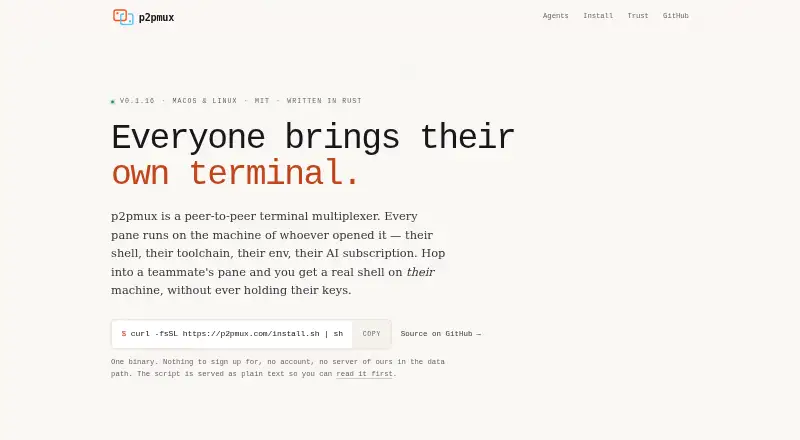
p2pmux is a free peer-to-peer terminal multiplexer for sharing a terminal session across people and machines. Each pane runs a real shell on the machine of the person who opened it, so the pane uses that host’s tools and environment. A session can have up to 8 members, 9 tabs, and 8 panes per tab, with shared layouts and nested splits. Terminal streams are end-to-end encrypted between peers; an iroh relay can be used when NAT requires it. If the coordinating laptop closes, panes on other machines keep running, though layout changes and new joins pause until a survivor takes over. The Ctrl+O inbox lists detected coding agents and can open a pane for terminal input. Anyone with a join code or ticket can see every pane and control terminals. Processes and credential files remain on their pane host and are not uploaded to peers. p2pmux is MIT-licensed and supports macOS and Linux command-line terminals, but not Windows. Linux builds need glibc 2.35 or newer; musl systems must build from source.
Who it suits
It suits people who want to share terminal sessions across macOS or Linux machines, including teams working with coding agents. Users who need Windows support or pane-level privacy from other session members should note its limits.
What it does well
- Free and released under the MIT license.
- Shared sessions allow up to 8 members.
- Each pane uses its host machine’s tools and environment.
- Terminal streaming is end-to-end encrypted peer-to-peer.
- Credential files stay on the pane host.
What to know first
- Windows is unsupported.
- Linux requires glibc 2.35 or newer, or a source build on musl.
- Anyone with a join code or ticket can control terminals.
- A coordinator closing pauses layout changes and new joins.
Limits
Sessions are limited to eight members, nine tabs, and eight panes per tab. Join codes last six hours, and when the coordinator closes, panes keep running but layout changes and new joins pause until recovery.
Plans
| Plan | Billed and limits | Price |
|---|---|---|
| p2pmux | MIT licensed | Free |
As p2pmux.com lists them, read 2 Oct 2026. The maker's own page has the final word.
Getting started
- Visit https://p2pmux.com/.
- Use the installer for macOS or Linux on x86_64 or arm64.
- On Linux, use glibc 2.35 or newer; on musl, build from source.
- Create or join a shared session using a join code or ticket.
- Open panes on the machines whose shells and tools you want to use.
Verdict
p2pmux combines shared terminal layouts with shells running on their owners’ machines. Its platform support is limited to macOS and Linux, and session access gives members interactive terminal control.
Questions
Does p2pmux cost anything?
No. The listed p2pmux plan is free and MIT licensed.
Which platforms does it support?
It supports macOS and Linux command-line terminals. Windows is unsupported; Linux builds require glibc 2.35 or newer, and musl systems must build from source.
How many people and panes can a session have?
A session supports up to eight members, nine tabs, and eight panes per tab.
How does p2pmux handle terminal data and credentials?
Streaming is end-to-end encrypted and peer-to-peer, with an iroh relay used when NAT requires it. Processes and credential files remain on the pane host and are not uploaded to peers.
Who can control a shared session?
Anyone with a join code or ticket can see every pane and interactively control terminals. Join codes last six hours.
Which coding agents does the inbox support?
The inbox supports Claude Code, Codex, Cursor Agent, Pi, and OpenCode. Claude Code and OpenCode report state through hooks; Codex, Cursor, and Pi are detected but do not have hooks yet.
Facts from p2pmux's own pages
- agent inbox
- Ctrl+O lists detected coding agents on every machine and lets users open a pane to type in its terminal. · github.com, 30 Sept 2026
- Agent support
- The project says Claude Code and OpenCode report state through hooks; Codex, Cursor, Pi, Hermes, and OpenClaw are detected but have no hooks yet. · docs.rs, 2 Oct 2026
- Connectivity
- Terminal streaming is end-to-end encrypted and peer-to-peer, with an iroh relay used when NAT requires it. · github.com, 2 Oct 2026
- Control
- Users can type into free panes, and active typing is protected from another user taking control. · github.com, 2 Oct 2026
- Coordinator recovery
- If the coordinator’s laptop closes, panes on other machines keep running; after five minutes, the earliest-joined survivor takes over. · github.com, 2 Oct 2026
- data boundary
- Processes and credential files remain on the pane host and are not uploaded to peers. · github.com, 30 Sept 2026
- Data handling
- Processes and credential files stay on the pane host’s machine and are not uploaded to peers. · github.com, 2 Oct 2026
- encryption
- Streaming is end-to-end encrypted peer-to-peer and can use an iroh relay when NAT requires it. · github.com, 30 Sept 2026
- failover
- If the coordinator laptop closes, panes on other machines continue running while layout changes and new joins pause. · github.com, 30 Sept 2026
- Installation
- The maker documents installation by script, Homebrew, or building from source with Rust 1.91 or newer. · github.com, 2 Oct 2026
- integrations
- The inbox supports Claude Code, Codex, Cursor Agent, Pi and OpenCode. · github.com, 30 Sept 2026
- join code
- A join code lasts six hours and a rendezvous outage can trigger a service-free ticket fallback. · github.com, 30 Sept 2026
- layout limits
- Sessions support up to 8 members, 9 tabs and 8 panes per tab. · github.com, 30 Sept 2026
- License
- The project is MIT licensed. · github.com, 2 Oct 2026
- Pane hosting
- Each pane runs a real shell on the machine of whoever opened it, using that machine’s tools and environment. · github.com, 2 Oct 2026
- pane model
- Every pane is a real PTY on its owner's machine, with host and guest assigned per pane. · github.com, 30 Sept 2026
- Platform limits
- The maker lists macOS and Linux support and says Windows is not supported. · github.com, 2 Oct 2026
- product
- p2pmux is a peer-to-peer terminal multiplexer where multiple users and machines connect to one session. · github.com, 30 Sept 2026
- Purpose
- p2pmux is a peer-to-peer terminal multiplexer where multiple users and machines can connect to the same session. · github.com, 2 Oct 2026
- requirements
- Linux builds require glibc 2.35 or newer, and musl systems must build from source. · github.com, 30 Sept 2026
- Shared layout
- Sessions support shared tabs, panes, and nested splits, with up to 8 members, 9 tabs, and 8 panes per tab. · github.com, 2 Oct 2026
- Support
- The maker asks users to open an issue and include the version running on both machines and whether the connection was direct or relayed. · github.com, 2 Oct 2026
- telemetry
- First run asks permission for one anonymous line per day, and telemetry is disabled when the user declines. · github.com, 30 Sept 2026
- Trust model
- Anyone with a session’s join code or ticket can see its panes and obtain interactive control of terminals in them. · github.com, 2 Oct 2026
Where p2pmux stands on Freedom251
- Terminal Multiplexers#13 of 29