Freedom251 › Terminal Multiplexers
dvtm
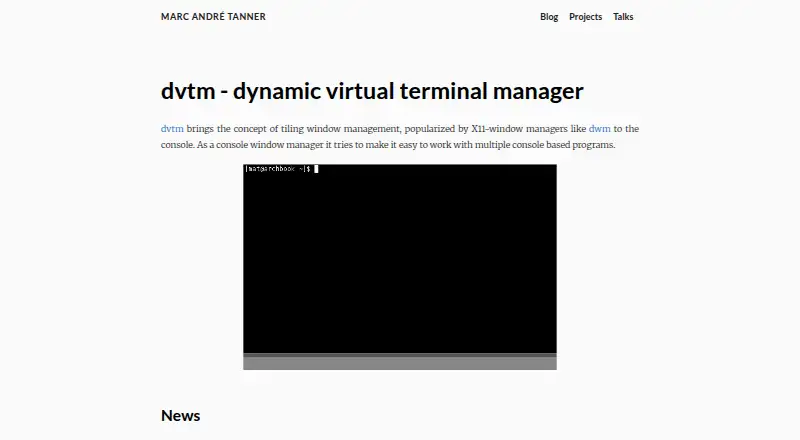
What dvtm is
dvtm is a free console window manager for people working with multiple console-based programs. It arranges windows in vertical stack, bottom stack, grid, or fullscreen layouts. Keyboard shortcuts let users create, close, minimize, restore, select, and switch between windows. Users can assign tags and change views to show windows with selected tags. Copy mode sends the scrollback buffer to an external editor and keeps that editor’s standard output for later pasting; the project names sandy and vis as examples of editors that can work as filters. dvtm can display status messages from a named pipe, and the project provides a script example. It does not include session management and recommends the separate abduco tool for detach and reattach support. Users can compile the source tarball with curses headers or install a distribution-provided binary package. Key bindings can be customized by creating config.h and recompiling. The project lists release 0.15 on 2016-01-09. dvtm uses the MIT/X11 license; its terminal emulation component uses the ISC license.
Who it suits
dvtm suits people who use multiple console-based programs and want to arrange them in a terminal. It is aimed at Linux and self-hosted console or terminal environments.
What it does well
- Includes vertical stack, bottom stack, grid, and fullscreen layouts.
- Keyboard shortcuts control window management.
- Tags let users filter which windows appear.
- Copy mode can pass scrollback to an external editor.
- Free under the MIT/X11 license.
What to know first
- Does not include session management.
- Custom key bindings require recompiling the source.
- The project lists version 0.15, released in 2016.
Verdict
dvtm provides terminal-based tiling, window shortcuts, tags, and copy mode at no cost. Users needing detach and reattach support must use the separate abduco tool.
Facts from dvtm's own pages
- Configuration
- Users customize key bindings by creating a config.h file and recompiling the source. · brain-dump.org, 9 Oct 2026
- Copy mode
- Copy mode sends the scrollback buffer to an external editor and keeps the editor's standard output for later pasting. · brain-dump.org, 9 Oct 2026
- Download
- The project offers a source tarball that users compile with curses headers, as well as distribution-provided binary packages. · brain-dump.org, 9 Oct 2026
- Editor integrations
- The project names sandy and vis as examples of editors that can work as filters for copy mode. · brain-dump.org, 9 Oct 2026
- Founded
- 2007 · brain-dump.org, 28 Sept 2026
- Installation
- Users can download the source tarball and compile it with curses headers, or install a distribution-provided binary package. · brain-dump.org, 9 Oct 2026
- Intended users
- The project describes dvtm as a console window manager for people working with multiple console based programs. · brain-dump.org, 9 Oct 2026
- Latest listed release
- The project page lists dvtm 0.15 as released on 2016-01-09. · brain-dump.org, 9 Oct 2026
- Layouts
- Its default layouts are vertical stack, bottom stack, grid, and fullscreen. · brain-dump.org, 9 Oct 2026
- License
- The project is released under the MIT/X11 license, and its terminal emulation component is under the ISC license. · brain-dump.org, 9 Oct 2026
- Purpose
- dvtm brings tiling window management to the console to help users work with multiple console based programs. · brain-dump.org, 9 Oct 2026
- Release status
- The project page lists dvtm 0.15 as released on 2016-01-09. · brain-dump.org, 9 Oct 2026
- Session management
- dvtm does not include session management and recommends the separate abduco tool for detach and reattach support. · brain-dump.org, 9 Oct 2026
- Status bar
- dvtm can read and display status messages from a named pipe, and the project provides a script that displays the current time. · brain-dump.org, 9 Oct 2026
- Status messages
- dvtm can display status messages from a named pipe, and the project provides a dvtm-status script example. · brain-dump.org, 9 Oct 2026
- Support
- The project directs comments, suggestions, bug reports, and patches to the suckless developer mailing list or the maintainer. · brain-dump.org, 9 Oct 2026
- Tags
- Users can assign tags to windows and switch views to show windows with selected tags. · brain-dump.org, 9 Oct 2026
- Warranty
- The MIT/X Consortium license provides the software as is and disclaims warranties and liability. · raw.githubusercontent.com, 9 Oct 2026
- Window controls
- Keyboard shortcuts create, close, minimize, restore, select, and switch between windows. · brain-dump.org, 9 Oct 2026
Where dvtm stands on Freedom251
- Terminal Multiplexers#11 of 29