Freedom251 › Additive Manufacturing Software
OctoPrint
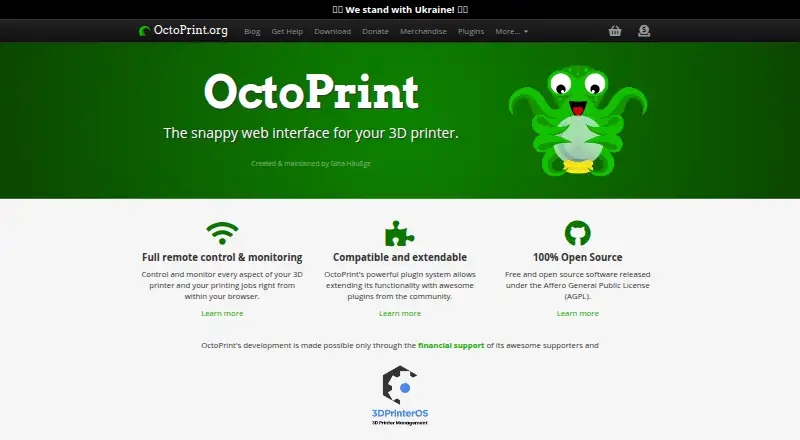
What OctoPrint is
OctoPrint is free, open-source software that provides a browser-based interface for controlling consumer 3D printers. Users can monitor print progress and temperatures, move the print head, and start, stop, or pause jobs. The interface can display an embedded webcam feed and a visualization of the G-code being printed. OctoPrint includes a plugin system, with its official plugin repository integrated for installation. Other listed features include timelapse recording, STL slicing, access controls, system commands, and event hooks. The site says it works out of the box with most consumer 3D printers. Hosting choices listed include Raspberry Pi, Android phone, Docker, Linux, Windows, and manual Mac installation. For OctoPi, the recommended hardware is Raspberry Pi 3B, 3B+, 4B, or Zero 2; other setups are not officially supported. Anonymous access is denied by default, and documentation advises using a VPN or additional protection for internet access. OctoPrint embeds a webcam feed but does not control it, so its access controls cannot restrict the webcam URL. It is free under the GNU Affero General Public License (AGPL).
Who it suits
OctoPrint suits people who want browser-based control and monitoring for a consumer 3D printer. It may also fit users who want to extend the interface through plugins and can follow the project's hardware and internet-access guidance.
What it does well
- Monitor print progress and temperatures in a browser.
- Start, stop, pause, or move the print head.
- Plugin repository is integrated for installation.
- Compatible out of the box with most consumer 3D printers.
What to know first
- Hardware outside OctoPi recommendations is not officially supported.
- Access controls cannot restrict the embedded webcam URL.
- Internet access needs a VPN or additional protection, per documentation.
Limits
OctoPrint is free, with no trial. For OctoPi, setups outside Raspberry Pi 3B, 3B+, 4B, or Zero 2 are not officially supported; access controls also cannot restrict the webcam URL.
Plans
| Plan | Billed and limits | Price |
|---|---|---|
| OctoPrint | Free and open-source software under the GNU Affero General Public License (AGPL) | Free |
As octoprint.org lists them, read 11 Oct 2026. The maker's own page has the final word.
Getting started
- Visit https://octoprint.org/ and choose a listed hosting route.
- Select Raspberry Pi, Android phone, Docker, Linux, Windows, or manual Mac installation.
- For OctoPi, use a recommended Raspberry Pi 3B, 3B+, 4B, or Zero 2.
- Open OctoPrint’s web interface to monitor or control a printer.
OctoPrint is a browser-based control interface for consumer 3D printers, best suited to owners prepared to host it themselves. It combines job controls, monitoring, and plugins in a free, open-source package, but secure setup matters—especially for webcam access.
Overview
OctoPrint puts core printer operations in a web interface: users can check progress and temperatures, move the print head, and start, pause, or stop a job. Most consumer 3D printers are compatible out of the box, so it can add a common control layer to existing hardware without a software charge.
This is a self-hosted tool, not a managed printing service. The download options include Raspberry Pi, Android phone, Docker, Linux, Windows, and manual Mac installation. That range offers flexibility, but users are responsible for choosing a host and getting it running. For OctoPi, the recommended Raspberry Pi models are 3B, 3B+, 4B, and Zero 2; setups outside that guidance are not officially supported.
Key features
- Printer control and monitoring: Progress and temperature checks, head movement, and job controls let users oversee a print and intervene from a browser. That is useful when the printer is not within reach, though it still depends on a working host and network connection.
- Webcam and G-code views: The interface can embed a camera feed and visualize the G-code being printed, giving operators two useful ways to follow a job. The webcam integration has a meaningful security boundary: OctoPrint does not control the camera, so its access controls cannot protect the webcam URL.
- Plugins and additional tools: An integrated official repository makes plugins installable from within OctoPrint. The feature set also includes timelapse recording, STL slicing, access controls, system commands, and event hooks, giving technically inclined users room to extend or automate their setup.
Pricing
OctoPrint costs nothing. The OctoPrint plan is free and open-source software under the GNU Affero General Public License (AGPL), with print monitoring included. There is no free trial because the software itself is free; the practical costs are the host and the time needed to set up and maintain it.
The creator says her full-time work on OctoPrint is crowd funded, with recurring and one-time contributions accepted. Official support is through the community forum and Discord; individual one-to-one help may be available through paid consulting.
Platforms
OctoPrint supports Android, API, Linux, macOS, self-hosted, web, and Windows. The download choices are more specific: Raspberry Pi, Android phone, Docker, Linux, Windows, and manual Mac installation. The recommended hardware guidance applies to OctoPi; other setups are not officially supported when they fall outside it.
Who it's for
OctoPrint fits makers and printer owners who want browser-based control and monitoring, value a plugin ecosystem, and are comfortable selecting and maintaining a host. Its compatibility with most consumer printers makes it a practical option for existing equipment. It is a weaker fit for people who want managed hosting or do not want to handle setup and security themselves.
Security-conscious users should keep the distinction between the interface and the camera in view. Anonymous users are denied access by default, and the documentation advises using a VPN or additional protection for internet access. Those controls do not restrict the webcam URL, so the camera needs separate protection.
Pros and cons
- Pro: Browser access combines print status, temperatures, movement, and job controls, making routine oversight possible from one interface.
- Pro: Broad out-of-the-box compatibility and several hosting routes give owners options for fitting OctoPrint to an existing setup.
- Pro: The integrated official plugin repository and additional tools make the software extensible beyond basic job control.
- Con: Users provide and maintain the host; OctoPi setups outside the recommended Raspberry Pi models lack official support.
- Con: Internet access calls for a VPN or other protection, and OctoPrint's access controls do not secure the webcam URL.
- Con: Official help centers on community channels, while one-to-one support may require paid consulting.
Alternatives
For a wider set of 3D printing software choices, browse 3D Printing Software.
- AstroPrint is worth considering if a freemium option fits better: its free Basic plan supports 2 printers, 1 user, and 1GB of file storage.
- Polar Cloud may suit users who prefer a defined cloud allowance: its free plan covers 1 printer, 5 print jobs per month, 7-day history, and 300 MB storage, with mesh files only and a 30 MB file limit.
- PrusaSlicer is a better match for someone seeking an open-source slicer rather than OctoPrint's browser-based printer control; it is based on the Slic3r project.
- Kiri:Moto offers free web app access without ads, making it an alternative for users focused on a free web app.
- SimplyPrint may fit users who want a cloud-oriented free tier, which covers up to 2 printers, 1 user, 1 location, 15 cloud slices per month, and 12 AI Failure Detection hours per month.
- UltiMaker Cura is a free, open-source desktop slicer for readers whose priority is slicing software.
- Bambu Studio is another free slicing option; it supports SD card printing without its optional networking plugin.
- CHITUBOX is an alternative to consider for a 3D printing slicer, with a free Basic plan.
Verdict
Choose OctoPrint if you want no-cost browser control and monitoring for a consumer printer and are willing to host and secure the setup yourself. Its strongest case is the combination of broad compatibility, useful controls, and an integrated plugin ecosystem. Look elsewhere if you need managed hosting, hands-off support, or webcam access controls that extend beyond OctoPrint itself.
Verdict
OctoPrint offers printer control, monitoring, and extensibility without a listed price. Before choosing a setup, note its hardware guidance and the separate exposure of the webcam URL.
Questions
How much does OctoPrint cost?
The OctoPrint plan is free. It is free and open-source software under the AGPL.
Is there a free plan or trial?
OctoPrint is free. There is no free trial.
Which platforms are supported?
Listed platforms are Android, API, Linux, macOS, self-hosted, web, and Windows. The download page lists Raspberry Pi, Android phone, Docker, Linux, Windows, and manual Mac installation routes.
Which printers work with OctoPrint?
The site says it is compatible out of the box with most consumer 3D printers.
Who makes OctoPrint?
The legal notice identifies Gina Häußge as responsible for the site’s content and gives an address in Hamburg, Germany.
How does OctoPrint handle remote access security?
Access control denies anonymous users by default. The documentation advises using a VPN or additional protection for internet access; OctoPrint’s access controls cannot restrict the webcam URL.
Facts from OctoPrint's own pages
- Additional features
- The site lists timelapse recording, STL slicing, built-in access controls, system commands, and event hooks among OctoPrint’s features. · octoprint.org, 11 Oct 2026
- Extensibility
- OctoPrint has a plugin system, and its official plugin repository is integrated into OctoPrint for plugin installation. · octoprint.org, 11 Oct 2026
- Founded
- 2012 · octoprint.org, 19 Oct 2026
- Funding
- The creator says her full-time work on OctoPrint is crowd funded, with recurring and one-time contributions accepted. · octoprint.org, 11 Oct 2026
- Hardware guidance
- For OctoPi, Raspberry Pi 3B, 3B+, 4B, or Zero 2 is recommended; setups outside the recommended hardware are not officially supported. · octoprint.org, 11 Oct 2026
- Hosting options
- The download page lists Raspberry Pi, Android phone, Docker, Linux, Windows, and manual Mac installation options. · octoprint.org, 11 Oct 2026
- Maker and location
- The legal notice identifies Gina Häußge as responsible for the site’s content and gives an address in Hamburg, Germany. · octoprint.org, 11 Oct 2026
- Printer compatibility
- The site says OctoPrint is compatible out of the box with most consumer 3D printers. · octoprint.org, 11 Oct 2026
- Printer control
- From a browser, users can monitor print progress and temperatures, move the print head, and start, stop, or pause a print job. · octoprint.org, 11 Oct 2026
- Purpose
- OctoPrint provides a web interface for controlling consumer 3D printers. · docs.octoprint.org, 11 Oct 2026
- Security
- OctoPrint’s access control denies access to anonymous users by default, and its documentation advises using a VPN or additional protection for internet access. · docs.octoprint.org, 11 Oct 2026
- Security reporting
- The security policy asks reporters to disclose vulnerabilities privately and allow at least 90 days for a fix before public disclosure. · octoprint.org, 11 Oct 2026
- Support
- The official support channels are the community forum and Discord; individual one-to-one support may be available through paid consulting. · octoprint.org, 11 Oct 2026
- Webcam access limit
- OctoPrint embeds the webcam feed but does not control it, so its access controls cannot restrict access to the webcam URL. · docs.octoprint.org, 11 Oct 2026
- Webcam and G-code
- The interface can embed a webcam feed and display a visualization of the G-code being printed. · octoprint.org, 11 Oct 2026
Where OctoPrint stands on Freedom251
- Additive Manufacturing Software#6 of 20
- 3D Printing Software#16 of 35