Freedom251 › Additive Manufacturing Software
Creality Print
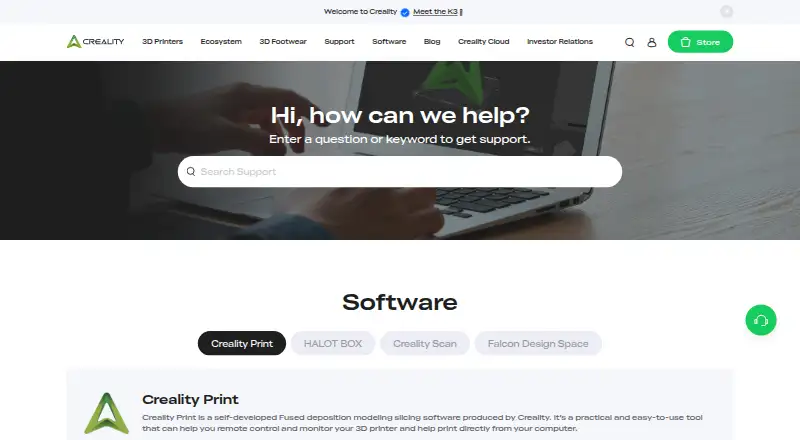
What Creality Print is
Creality Print is Creality’s free, open-source FDM slicing software for preparing prints and working with printers from a computer. It supports remote printer control and monitoring, as well as printing directly from the computer. Listed features include automatic calibration for all printers, Sandwich (inner-outer-inner) mode, polyholes conversion, Klipper support, and granular controls. For command-line use, it can slice jobs with the --slice action and options for output folders, settings, filament presets, and logs. Creality provides versions for Windows, Apple and Intel macOS, and Linux. The project uses the GNU Affero General Public License version 3. Its repository describes an optional Bambu networking plugin that adds functionality for BambuLab printer users and relies on non-free libraries. Ubuntu users may need to make the AppImage executable with chmod +x. Creality lists online support Monday through Friday, 7 AM–5 PM PT, and provides a ticket submission link. The download page lists version 7.3.0.6149, dated Sep 28, 2026.
Who it suits
Creality Print suits FDM printer users who want to prepare prints on Windows, macOS, or Linux, including users who need command-line slicing. Its listed options also include remote printer control and monitoring.
What it does well
- Free plan listed as free.
- Available for Windows, macOS, and Linux.
- Supports Klipper and granular controls.
- Can slice jobs from the command line.
- Licensed under GNU Affero General Public License version 3.
What to know first
- Optional Bambu plugin relies on non-free libraries.
- Ubuntu users may need to make the AppImage executable.
- Online support is listed Monday through Friday.
Plans
| Plan | Billed and limits | Price |
|---|---|---|
| Free | Creality Print slicer software | Free |
As creality.com lists them, read 3 Oct 2026. The maker's own page has the final word.
Getting started
- Visit https://www.creality.com/download.
- Choose the version for Windows, Apple or Intel macOS, or Linux.
- Install or run the downloaded software for your operating system.
- On Ubuntu, make the AppImage executable with chmod +x if needed.
- Use the --slice action and its options for command-line slicing, if desired.
Verdict
Creality Print offers slicing, printer monitoring, calibration, and command-line options across three operating systems at no listed cost. Linux users may need an extra AppImage permission step, and the optional Bambu plugin uses non-free libraries.
Questions
Is Creality Print free?
Yes. The slicer software is listed as free.
Which operating systems does Creality Print support?
Creality lists versions for Windows, Apple and Intel macOS, and Linux.
Is Creality Print open source?
Yes. The project describes it as an open-source FDM slicer licensed under GNU Affero General Public License version 3.
Does Creality Print support command-line slicing?
Yes. It can slice jobs with the --slice action and options for output folders, settings, filament presets, and logs.
Is there a BambuLab plugin?
The repository describes an optional Bambu networking plugin that provides extended functionality for BambuLab printer users. It is based on non-free libraries.
Who makes Creality Print?
Creality makes the software. The company describes itself as a consumer 3D printer manufacturer offering an ecosystem that includes slicing software and cloud platforms.
Facts from Creality Print's own pages
- Command line
- Creality Print can slice jobs from the command line using the --slice action and options for output folders, settings, filament presets, and logs. · github.com, 3 Oct 2026
- Founded
- 2014 · creality.com, 28 Sept 2026
- Headquarters
- Shenzhen, China · creality.com, 28 Sept 2026
- Latest download
- The download page lists version 7.3.0.6149 dated Sep 28, 2026. · creality.com, 3 Oct 2026
- License
- The project is licensed under GNU Affero General Public License version 3. · github.com, 3 Oct 2026
- Linux install note
- The repository’s Ubuntu instructions say users may need to make the AppImage executable with chmod +x. · github.com, 3 Oct 2026
- Maker
- Creality’s About page describes the company as a consumer 3D printer manufacturer offering an ecosystem that includes slicing software and cloud platforms. · creality.com, 3 Oct 2026
- Open source
- The Creality Print repository describes the software as an open-source slicer for FDM printers. · github.com, 3 Oct 2026
- Operating systems
- Creality’s download page lists Windows, Apple and Intel macOS, and Linux versions. · creality.com, 3 Oct 2026
- Optional plugin
- The repository says an optional Bambu networking plugin provides extended functionality for BambuLab printer users and is based on non-free libraries. · github.com, 3 Oct 2026
- Printer calibration
- The project lists automatic calibration for all printers as a main feature. · github.com, 3 Oct 2026
- Purpose
- Creality Print is Creality’s self-developed FDM slicing software for remote printer control and monitoring, and printing directly from a computer. · creality.com, 3 Oct 2026
- Slicing features
- Main features include Sandwich (inner-outer-inner) mode, polyholes conversion, Klipper support, and granular controls. · github.com, 3 Oct 2026
- Support
- Creality lists online support Monday through Friday, 7 AM–5 PM PT, and provides a ticket submission link. · creality.com, 3 Oct 2026
Where Creality Print stands on Freedom251
- Additive Manufacturing Software#5 of 20
- 3D Slicer Software#7 of 27