Freedom251 › Clipboard Managers
Octoclip
What Octoclip is
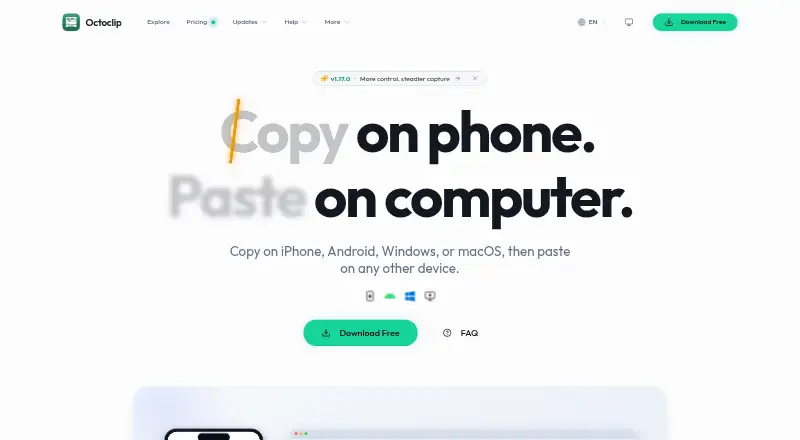
Octoclip is a clipboard workspace for copying on one device and pasting on another across iPhone, Android, Windows, and macOS. It automatically saves recent items in Clip History for search and reuse. Quick Input, shortcuts, aliases, pins, collections, and filters help retrieve saved clips. Nearby Sync moves clips directly between paired devices on the same local or Tailscale network. For devices on different networks, Cloud Sync uses WebDAV or S3 storage configured by the user. Clipboard content is primarily stored locally, and Octoclip says it does not use Octoclip-owned cloud storage to store or analyze that content. With a Cloud Sync master password, clips are encrypted on-device before upload, while sync index metadata remains unencrypted in storage. The free plan includes cross-device copy and paste, Nearby Sync, history search, Quick Input, and Cloud Sync experience. Standard costs $19.99, paid once for two licensed devices; Plus costs $39.99, paid once for up to five. Paid licenses include one year of updates, with unlocked features continuing to work afterward.
Who it suits
Octoclip suits people who move copied content among supported phones and computers and want searchable clip history. Its Cloud Sync setup is for users who can configure WebDAV or S3 storage themselves.
What it does well
- Works across Windows, macOS, iOS, and Android.
- Nearby Sync transfers clips on local or Tailscale networks.
- History includes search and reuse.
- Free plan includes cross-device copy and paste.
- Paid features remain unlocked after the update year.
What to know first
- Cloud Sync requires user-configured WebDAV or S3 storage.
- Sync index metadata is unencrypted in storage.
- No public plugin entry point or API currently.
- Paid licenses include updates for one year.
Limits
The free plan includes cross-device copy/paste, Nearby Sync, Clip History and quick search, Quick Input and alias preview, and the Cloud Sync experience. Standard licenses two devices; Plus covers up to five. Both paid licenses include one year of updates, after which unlocked features keep working permanently.
Plans
| Plan | Billed and limits | Price |
|---|---|---|
| Free | cross-device copy/paste · Nearby Sync · Clip History and quick search · Quick Input and alias preview · Cloud Sync experience | Free |
| Standard License | one-time · 2 licensed devices · all paid features · transfer activations · 1 year of updates | $19.99, paid once |
| Plus License | one-time · up to 5 licensed devices · all paid features · transfer activations · 1 year of updates | $39.99, paid once |
As octoclip.app lists them, read 1 Oct 2026. The maker's own page has the final word.
Getting started
- Visit https://octoclip.app/.
- Choose the installation for Windows, macOS, Android, or iOS/iPadOS.
- Install on the devices you want to use together.
- Use Nearby Sync with paired devices on the same local or Tailscale network.
- For devices on different networks, configure WebDAV or S3 for Cloud Sync.
- Choose the free plan, Standard License, or Plus License based on device count and features.
Octoclip is a universal clipboard workspace for people who move between phones and computers and need both searchable history and cross-device pasting. It is best for users comfortable choosing their own sync storage or keeping transfers on a local network. The one-time licenses are straightforward, but device allowances, update terms, and Cloud Sync’s metadata exposure should shape the decision.
Overview
Octoclip connects copying and pasting across iPhone, Android, Windows, and macOS. It automatically records recent copies in Clip History, so the product works as an ongoing archive as well as a transfer tool. Devices on the same local or Tailscale network can exchange clips directly through Nearby Sync. Devices on different networks use Cloud Sync with WebDAV or S3 storage that you configure yourself. That arrangement avoids an Octoclip-operated clipboard repository, but it puts storage setup and administration in your hands.
Key features
History and retrieval
Clip History and history search let you find and reuse earlier copies instead of repeating the original work. Quick Input, shortcuts, aliases, pins, collections, and filters provide several ways to organize recurring material. Snippets and rich-text support make the workspace more useful for formatted text and frequently reused passages. These tools favor people who repeatedly handle text across projects; they add less value if you only need a temporary, single-device clipboard.
Sync and privacy
Nearby Sync is the most direct path when paired devices share a local or Tailscale network, since clips move between those devices without requiring configured cloud storage. Cloud Sync extends the workflow across separate networks through your WebDAV or S3 account. Clipboard data is primarily kept locally, and Octoclip says it does not use its own cloud storage to store or analyze clipboard content. With a Cloud Sync master password, clip content is encrypted on the device before upload. The sync index metadata remains unencrypted in storage, so users with strict confidentiality requirements should account for that boundary rather than treating Cloud Sync as fully private.
Build differences and roadmap
The direct-download Android build includes SMS capture and screenshot OCR sources that the Google Play build does not. Choose the distribution channel according to whether those inputs matter to your workflow. Plugins and workflow automation are planned, but the current build has no public plugin entry point or API, limiting integration for automation-heavy users. Help is provided through the community forum or [email protected].
Pricing
| Plan | Price | What it includes |
|---|---|---|
| Free | free | Cross-device copy and paste, Nearby Sync, Clip History with quick search, Quick Input and alias preview, and the Cloud Sync experience |
| Standard License | $19.99, paid once | Two licensed devices, all paid features, activation transfers, and one year of updates |
| Plus License | $39.99, paid once | Up to five licensed devices, all paid features, activation transfers, and one year of updates |
The Free plan is a sensible way to cover a small cross-device setup and evaluate the workflow, though the paid feature set and device licensing make it less suitable for a larger collection. Standard fits one or two primary devices at a low one-time cost. Plus is the practical choice for households or users spanning several computers and mobile devices. Both paid licenses include updates for one year; unlocked features continue working permanently afterward, so the purchase is not a subscription, but ongoing updates beyond that period are not included. Purchasers can contact support within seven days for a full refund.
Platforms
Official requirements cover Windows 10 version 1803 or newer, macOS 10.15 or newer, Android 8 or newer, and iOS/iPadOS 15 or newer. The supported platform range suits mixed-device households and people switching between desktop and mobile systems. Android users should distinguish the direct-download build from the Google Play build because their available capture sources differ.
Who it's for
Choose Octoclip if you routinely transfer or reuse clips among a phone, tablet, and computer, want searchable history, and prefer either direct local-network syncing or storage under your control. It also suits buyers who prefer a one-time license and can live with a defined device count. Look elsewhere if you need a public automation API today, want cloud synchronization without configuring WebDAV or S3, or require all sync metadata to be encrypted.
Pros and cons
Pros
- Two sync routes: Nearby Sync handles local or Tailscale transfers, while WebDAV and S3 cover separate networks.
- Strong retrieval toolkit: Search, aliases, pins, collections, filters, snippets, and rich text support make recurring clips easier to reuse.
- Local-first design: Clipboard content is primarily local, with no Octoclip-owned storage used to store or analyze it.
- Permanent paid unlocks: One-time licenses keep unlocked features working after the included update year.
Cons
- Cloud metadata is unencrypted: A master password protects clip content before upload, not the sync index metadata.
- Device caps apply: Standard covers two licensed devices and Plus five.
- Android builds are not equivalent: SMS capture and screenshot OCR require the direct download rather than Google Play.
- No current plugin API: Planned automation does not help users who need integrations now.
Alternatives
Browse Clipboard Manager Software for a wider shortlist. Pick Pasteable instead if you want Android, iOS, Linux, macOS, web, and Windows coverage with a free tier that includes unlimited local history and 25 synced clips, plus a free trial. Choose Relic if open-source apps, sync server, encryption code, and self-host stack matter more than a free trial. ClipboardFusion is an option for users seeking a one-time Pro Standard lifetime license and broad desktop, mobile, web, and extension coverage. Clipman suits users wanting free, MIT-licensed software with an optional self-hosted server. Buddi is a free budgeting application rather than a direct clipboard substitute. CopyPaste offers free, open-source clipboard software for macOS and Windows without premium tiers. CopyQ is a free GPL-3.0 clipboard manager for Linux, macOS, and Windows. Flycut is a free macOS and iOS choice that retains the 40 most recent iOS clippings.
Verdict
Octoclip is a strong fit for cross-platform users who want searchable clipboard history, direct nearby transfers, and the option to use their own WebDAV or S3 storage. Its one-time pricing and permanent feature unlocks are compelling for small device sets. Look elsewhere if unencrypted sync metadata, manual cloud-storage setup, Android distribution differences, or the absence of a current plugin API conflicts with your requirements.
Verdict
Octoclip offers cross-device clipboard history with both nearby and user-configured cloud syncing. Check the encryption boundary and device limits when choosing between the free plan and one-time licenses.
Questions
Is Octoclip free?
Yes. The Free plan costs nothing and includes cross-device copy/paste, Nearby Sync, Clip History and quick search, Quick Input and alias preview, and the Cloud Sync experience.
What do the paid licenses cost?
Standard License costs $19.99, paid once and covers two licensed devices. Plus License costs $39.99, paid once and covers up to five licensed devices.
Which platforms does it support?
Octoclip supports Windows, macOS, iOS/iPadOS, and Android. Minimum requirements are Windows 10 (1803) or newer, macOS 10.15 or newer, Android 8 or newer, and iOS/iPadOS 15 or newer.
How does syncing work?
Nearby Sync transfers clips between paired devices on the same local or Tailscale network. Cloud Sync uses WebDAV or S3 storage configured by the user for devices on different networks.
How does Octoclip handle clipboard privacy?
Clipboard content is primarily stored locally, and Octoclip says it does not use Octoclip-owned cloud storage to store or analyze it. With a Cloud Sync master password, clip content is encrypted on-device before upload, but sync index metadata remains unencrypted in storage.
Can I get a refund or help?
Purchasers can contact support within 7 days for a full refund. Help is available through the community forum or by emailing [email protected].
Facts from Octoclip's own pages
- Android distribution limits
- The direct-download Android build includes SMS capture and screenshot OCR sources that are unavailable in the Google Play build. · docs.octoclip.app, 1 Oct 2026
- Clipboard history
- The app automatically saves recently copied content in Clip History for later search and reuse. · octoclip.app, 1 Oct 2026
- Cloud Sync
- Cloud Sync uses WebDAV or S3 storage configured by the user for devices on different networks. · octoclip.app, 1 Oct 2026
- Encryption boundary
- With a Cloud Sync master password, clip content is encrypted on-device before upload, while sync index metadata remains unencrypted in storage. · docs.octoclip.app, 1 Oct 2026
- Local-first privacy
- Clipboard content is primarily stored locally, and Octoclip says it does not use Octoclip-owned cloud storage to store or analyze clipboard content. · octoclip.app, 1 Oct 2026
- Nearby Sync
- Nearby Sync transfers clips directly between paired devices on the same local network or Tailscale network. · octoclip.app, 1 Oct 2026
- Paid license updates
- Paid licenses include one year of updates, while unlocked features continue working permanently after that period. · octoclip.app, 1 Oct 2026
- Plugins and API
- Plugins and workflow automation are planned, and the current build has no public plugin entry point or API. · docs.octoclip.app, 1 Oct 2026
- Quick reuse
- Quick Input, shortcuts, aliases, pins, collections, search, and filters help users retrieve and paste saved clips quickly. · octoclip.app, 1 Oct 2026
- Refund policy
- The pricing page says purchasers can contact support within 7 days for a full refund. · octoclip.app, 1 Oct 2026
- Support
- Users can get help through the community forum or by emailing [email protected]. · octoclip.app, 1 Oct 2026
- Supported systems
- Official installation requirements cover Windows 10 (1803) or newer, macOS 10.15 or newer, Android 8 or newer, and iOS/iPadOS 15 or newer. · docs.octoclip.app, 1 Oct 2026
- What it does
- Octoclip is a universal clipboard workspace that lets users copy on iPhone, Android, Windows, or macOS and paste on another device. · octoclip.app, 1 Oct 2026
Where Octoclip stands on Freedom251
- Clipboard Managers#5 of 40
- Clipboard Manager Software#7 of 39