Flycut
What Flycut is
Flycut is a free clipboard manager for macOS and iOS, described as being for developers and based on Jumpcut. On Mac, it keeps a history of copied items; Shift-Command-V opens that history by default so you can paste an earlier clipping. Preferences let you change the main hotkey and other settings. A bezel displays the history for keyboard navigation, and you can save items as favorites and switch between favorites and the main history. Tracking can be disabled or reenabled from the Flycut menu, including when copying sensitive information such as passwords. On iOS, Flycut checks for a new clipping when opened and retains the 40 most recent items. Swipe a web link in the history to open it without putting it on the clipboard; formatting is removed from clippings. The macOS version can sync with iOS via iCloud. The Mac version requires macOS 10.10 or later; iOS requires iOS 8.0 or later, and iPadOS 8.0 or later on iPad.
Who it suits
Flycut suits developers and others who want clipboard history on Mac or iOS. Its favorites and iCloud sync may be useful when managing clippings across those versions.
What it does well
- Free plan for macOS and iOS
- Mac history supports keyboard navigation
- Save and revisit favorite clippings on Mac
- iCloud sync between macOS and iOS
- iOS history opens links without copying them
What to know first
- iOS keeps only the 40 newest clippings
- iOS checks for new clippings when opened
- iOS strips formatting from clippings
Limits
On iOS, Flycut retains only the 40 most recent clippings. The app strips formatting from iOS clippings.
Plans
| Plan | Billed and limits | Price |
|---|---|---|
| Flycut | macOS and iOS apps; iOS retains the 40 most recent clippings | Free |
As github.com lists them, read 7 Oct 2026. The maker's own page has the final word.
Getting started
- Open the Flycut repository website.
- Choose the Mac App Store, DRM-free Mac, or iOS App Store download.
- Install the version for macOS or iOS.
- On Mac, use Shift-Command-V to open clipboard history by default.
- Change the main hotkey or other settings in preferences if needed.
Verdict
Flycut offers clipboard history and favorites on Mac, with a smaller, 40-item history on iOS. Its listed features include iCloud sync, and the apps are free.
Questions
Is Flycut free?
Yes. Flycut is free on macOS and iOS, with a listed price of $0.
Which platforms does Flycut support?
Flycut supports macOS and iOS. The Mac App Store listing requires macOS 10.10 or later; the iOS listing requires iOS 8.0 or later and iPadOS 8.0 or later on iPad.
Can Flycut sync between Mac and iOS?
Yes. The macOS version can sync with the iOS version through iCloud.
How much clipboard history does the iOS app keep?
It retains the 40 most recent clippings.
Is Flycut open source?
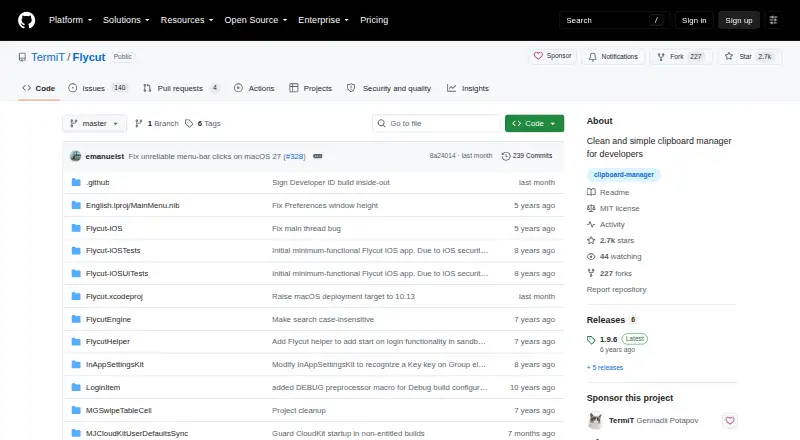
The repository identifies Flycut's license as MIT.
Where can I download Flycut?
The repository links to the Mac App Store, a DRM-free Mac download, and the iOS App Store.
Facts from Flycut's own pages
- Custom hotkey
- The main hotkey and other settings can be changed in preferences. · github.com, 7 Oct 2026
- Download
- The repository links to Mac App Store, DRM-free Mac, and iOS App Store downloads. · github.com, 7 Oct 2026
- Favorites
- Mac users can switch between the main clipboard history and a favorites store, and save items to favorites. · github.com, 7 Oct 2026
- Formatting
- The iOS app strips formatting from clippings so pasted text does not carry unwanted formatting. · github.com, 7 Oct 2026
- History navigation
- The Mac bezel displays clipboard history and supports navigating items with keyboard shortcuts. · github.com, 7 Oct 2026
- iOS capture
- On iOS, Flycut checks for a new clipping when opened and stores it in history. · github.com, 7 Oct 2026
- iOS compatibility
- The iOS App Store listing says Flycut requires iOS 8.0 or later and iPadOS 8.0 or later on iPad. · apps.apple.com, 7 Oct 2026
- iOS history limit
- The iOS app retains only the 40 most recent clippings. · github.com, 7 Oct 2026
- iOS links
- Users can swipe a web link in iOS clipping history to open it without placing it on the clipboard. · github.com, 7 Oct 2026
- License
- The repository identifies Flycut's license as MIT. · github.com, 7 Oct 2026
- Mac clipboard history
- On Mac, Flycut stores copied items in history and lets users paste a previous item with Shift-Command-V by default. · github.com, 7 Oct 2026
- Mac compatibility
- The Mac App Store listing says Flycut requires macOS 10.10 or later. · apps.apple.com, 7 Oct 2026
- Privacy disclosure
- The Mac App Store listing says the developer indicated that the app does not collect data; Apple says this developer-provided privacy information has not been verified by Apple. · apps.apple.com, 7 Oct 2026
- Purpose
- Flycut is a clipboard manager described as being for developers and based on Jumpcut. · github.com, 7 Oct 2026
- Sensitive information
- Mac users can disable or reenable clipboard tracking from the Flycut menu, including when copying sensitive information such as passwords. · github.com, 7 Oct 2026
- Sync
- The iOS App Store listing says the macOS version can sync with the iOS version via iCloud. · apps.apple.com, 7 Oct 2026
Where Flycut stands on Freedom251
- Menu Bar Apps#3 of 23
- Clipboard Managers#11 of 40
- Clipboard Manager Software#19 of 39