Freedom251 › Teacher Evaluation Software
Observation Copilot
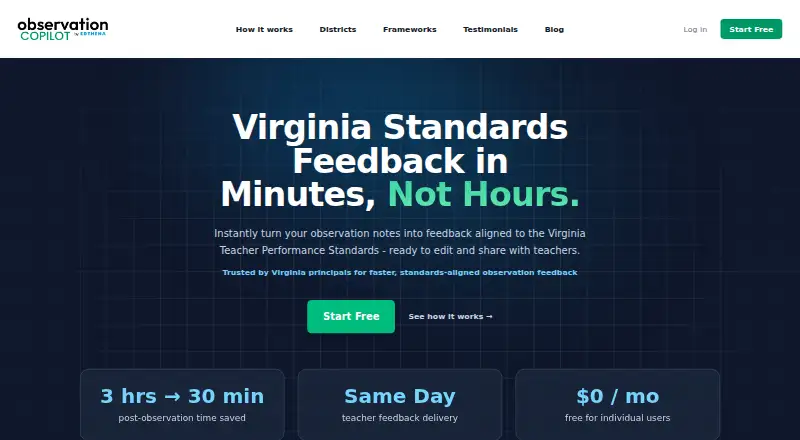
What Observation Copilot is
Observation Copilot is a web tool for turning classroom observation notes into structured feedback aligned with teaching rubrics. It serves principals and school leaders conducting short walkthroughs or full formal observations, which appear together in a dashboard. For each observation, it drafts feedback by rubric domain and suggests strengths, growth areas, and next steps for review, editing, and sharing. Supported frameworks include Danielson FFT, T-TESS, Marzano, and custom rubrics. Users can upload lesson audio for automatic transcription and attach lesson plans for comparison with observed instruction. Feedback tone and length can be adjusted, and users can upload a writing sample to guide the feedback voice.
The free Individuals plan costs nothing and includes unlimited teachers, formal observations, and walkthroughs, all state and district frameworks, the most sophisticated AI model, and email support. District plans add a dashboard with natural-language search, real-time initiative tracking, school-level views, and anonymized aggregated data. Dashboards automatically hide data sets with fewer than 10 observations. The district platform includes SSO integration, and the service requires no servers, installations, or complex integrations. Edthena says observation data is encrypted in transit and at rest, and that notes, transcripts, drafts, and teacher information are not used to train or fine-tune third-party AI models.
Who it suits
Observation Copilot suits principals and school leaders who need to turn walkthroughs or formal observations into rubric-aligned feedback. Districts can use its aggregated dashboards and school-level views to track initiatives across schools.
What it does well
- Free Individuals plan includes unlimited teachers and observations.
- Supports Danielson FFT, T-TESS, Marzano, and custom rubrics.
- Audio transcription and lesson-plan comparison support observation review.
- Feedback tone and length can be adjusted.
- District dashboards hide data sets with fewer than 10 observations.
What to know first
- District plan pricing is based on the number of buildings.
- District dashboards and dedicated support are part of district partnerships.
Plans
| Plan | Billed and limits | Price |
|---|---|---|
| Individuals | Unlimited teachers · Unlimited formal observations and walkthroughs · Most sophisticated AI model · All state and district frameworks · Email support | Free |
| Districts | Annual subscription; pricing based on number of buildings · Unlimited users · Unlimited formal observations and walkthroughs · District Insights Dashboard · Custom onboarding and dedicated support · 5 schools~$5K/year · 12 schools~$12K/year · 25 schools~$25K/year · More than 25 schools: custom quote | On request |
As observationcopilot.com lists them, read 7 Oct 2026. The maker's own page has the final word.
Getting started
- Open the Observation Copilot website.
- Use the free Individuals plan for web access.
- Enter classroom observation notes and select a supported framework.
- Upload lesson audio or attach a lesson plan when relevant.
- Review, edit, and share the generated feedback.
Observation Copilot turns classroom observation notes into rubric-aligned feedback drafts for principals and school leaders. It is strongest for individuals who want to handle walkthroughs and formal observations in one workspace without a software bill. Districts that need shared analytics, onboarding, or dedicated support will need a custom-priced partnership.
Overview
The core proposition is practical: organize notes into strengths, growth areas, and next steps under rubric domains, then review, edit, and share the draft. That keeps the final judgment with the school leader while reducing the work of structuring feedback. Walkthroughs and full observations sit in the same dashboard, making it a sensible fit for leaders who use both formats.
Framework coverage is broad, including Danielson FFT, T-TESS, Marzano, and custom rubrics. Users can tailor feedback tone and length or provide a writing sample to align drafts with their voice. Lesson audio transcription and lesson-plan attachments add useful context, though they do not remove the need for a leader to review the resulting feedback.
Key features
Feedback and evidence
Feedback is grouped by rubric domain and presented as a draft rather than a finished evaluation. That is a good fit for leaders who want help turning evidence into a clear structure while retaining editorial control. Audio transcription and attached lesson plans can connect observed instruction with what was planned, giving the feedback process more context.
District visibility and privacy
District plans add dashboards, natural-language search, real-time initiative tracking, school-level views, and anonymized aggregate data. The automatic rule hiding any dashboard data set with fewer than 10 observations is a meaningful privacy safeguard for smaller groups, though it also means those groups will not appear in district views.
The maker says the product is FERPA and COPPA compliant, encrypts observation data in transit and at rest, and does not use observation notes, transcripts, drafts, or teacher information to train or fine-tune third-party AI models. Users can delete observations, teacher records, or their account; the maker says deleted data is permanently removed from its systems.
Pricing
Individuals
The Individuals plan costs free and includes unlimited teachers, unlimited formal observations and walkthroughs, the most sophisticated AI model, all state and district frameworks, and email support. With no observation or teacher cap, it is an unusually capable starting point for an individual school leader or a small team that does not need district reporting.
Districts
Districts use an annual subscription with custom pricing based on building count. The plan includes unlimited users and observations, the District Insights Dashboard, custom onboarding, and dedicated support. Approximate examples are 5 schools at ~$5K/year, 12 schools at ~$12K/year, and 25 schools at ~$25K/year. The annual commitment and building-based price make this a district procurement decision rather than a casual upgrade; the value is the reporting and support added around the observation workflow.
Platforms
Observation Copilot runs on the web. The district platform includes single sign-on, and its FAQ says it requires no servers, installations, or complex integrations. Leaders seeking a mobile app should consider another option.
Who it's for
Choose the free Individuals plan if you are a principal, instructional leader, or school-based team working across common frameworks and want unlimited observations with editable AI drafts. District leaders should consider the partnership when they need cross-school views, initiative tracking, SSO, custom onboarding, or dedicated support. It is less suited to buyers who need a published district price or a mobile platform.
Pros and cons
- Pro: The free plan includes unlimited teachers, walkthroughs, and formal observations, so recurring use does not run into a published quota.
- Pro: Multiple established frameworks and custom rubrics support varied evaluation approaches.
- Pro: Audio transcription, lesson-plan attachments, and adjustable writing style give leaders several ways to add context to drafts.
- Pro: District analytics and a minimum-observation privacy threshold support system-level review while reducing exposure of very small groups.
- Con: District analytics, onboarding, and dedicated support require an annual, custom-priced plan.
- Con: The product is web-only, limiting its fit for leaders who need a dedicated mobile app.
Alternatives
Teacher Evaluation Software is the broader category guide for readers comparing evaluation tools. Consider Education Walkthrough if its free Basic plan’s limits of one school, five teachers, and 10 walkthroughs per month are enough and you want Android or iOS access. EduEval is another mobile option, with a free plan capped at one administrator, one staff member, and five observations per month.
Observation Partner may suit an individual looking for a personal observation workspace with evidence capture, drafts, export, and progress tracking on a free starter-credit allowance. Teach Primary is a free tool with a complementary resource toolkit. Zyqual may fit teachers seeking lesson observation forms alongside lesson planning and student IEP management.
eCOVE Observation Software is worth considering if you need a choice of Android, iOS, macOS, web, or Windows and are comfortable with an Advanced Edition priced at $99 a year per user/observer. Frontline Employee Evaluation Management and PowerSchool Behavior Support are alternatives for buyers prepared to request a demo for custom-priced software.
Verdict
Observation Copilot is an easy recommendation for school leaders who want rubric-aligned feedback drafts and room to revise them, especially when unlimited use at no monthly cost matters. Its strongest case is the combination of broad framework support, contextual evidence tools, and a free individual plan. Look elsewhere if mobile access is essential; districts should weigh the dashboard and support against an annual subscription priced by building count.
Verdict
Choose Observation Copilot if you want free, rubric-aligned feedback drafts for walkthroughs and formal observations. Districts seeking analytics, custom onboarding, or dedicated support should consider a district partnership, whose pricing depends on building count.
Questions
How much does Observation Copilot cost?
The Individuals plan costs nothing. District pricing is based on the number of buildings; listed examples are 5 schools for about $5K per year, 12 schools for about $12K per year, and 25 schools for about $25K per year.
Is there a free plan?
Yes. The free Individuals plan includes unlimited teachers, unlimited formal observations and walkthroughs, all state and district frameworks, the most sophisticated AI model, and email support.
Which platforms does it support?
Observation Copilot is available on the web.
Which observation frameworks can I use?
It supports Danielson FFT, T-TESS, Marzano, and custom rubrics.
Who makes Observation Copilot?
It is built by Edthena, founded in 2011 by former teacher Adam Geller.
Does it support SSO?
Yes. The district platform has SSO integration.
Facts from Observation Copilot's own pages
- AI data use
- The maker says observation notes, transcripts, feedback drafts, and teacher information are not used to train or fine-tune third-party AI models. · observationcopilot.com, 7 Oct 2026
- Audio and documents
- Users can upload lesson audio for automatic transcription and attach lesson plans so the AI can compare planned and observed instruction. · observationcopilot.com, 7 Oct 2026
- Data control
- Users can delete observations, teacher records, or their account, and the maker says deleted data is permanently removed from its systems. · observationcopilot.com, 7 Oct 2026
- District analytics
- District plans include dashboards, natural-language search, real-time initiative tracking, school-level views, and anonymized aggregated data. · observationcopilot.com, 7 Oct 2026
- District privacy threshold
- District dashboards automatically hide any data set with fewer than 10 observations to help prevent re-identification. · observationcopilot.com, 7 Oct 2026
- Feedback draft
- It organizes feedback by rubric domain and generates strengths, growth areas, and next steps for users to review, edit, and share. · observationcopilot.com, 7 Oct 2026
- Founded
- 2011 · observationcopilot.com, 28 Sept 2026
- Frameworks
- It supports major state and district frameworks, including Danielson FFT, T-TESS, Marzano, and custom rubrics. · observationcopilot.com, 7 Oct 2026
- Integrations and setup
- The district platform has SSO integration, and its FAQ says no servers, installations, or complex integrations are required. · observationcopilot.com, 7 Oct 2026
- Maker
- Observation Copilot is built by Edthena, founded in 2011 by former teacher Adam Geller. · observationcopilot.com, 7 Oct 2026
- Observation types
- It supports short walkthroughs and full formal observations, which can be viewed together in the same dashboard. · observationcopilot.com, 7 Oct 2026
- Personalization
- Users can adjust feedback tone and length or upload a writing sample to match their voice. · observationcopilot.com, 7 Oct 2026
- Purpose
- Observation Copilot turns classroom observation notes into structured, rubric-aligned teacher feedback for principals and school leaders. · observationcopilot.com, 7 Oct 2026
- Security and compliance
- The maker states that Observation Copilot is FERPA and COPPA compliant and encrypts observation data in transit and at rest. · observationcopilot.com, 7 Oct 2026
- Support
- The individual plan includes email support; district partnerships include dedicated support and custom onboarding. · observationcopilot.com, 7 Oct 2026
Where Observation Copilot stands on Freedom251
- Teacher Evaluation Software#5 of 27