Freedom251 › Hardware monitoring tools
NVTOP
What NVTOP is
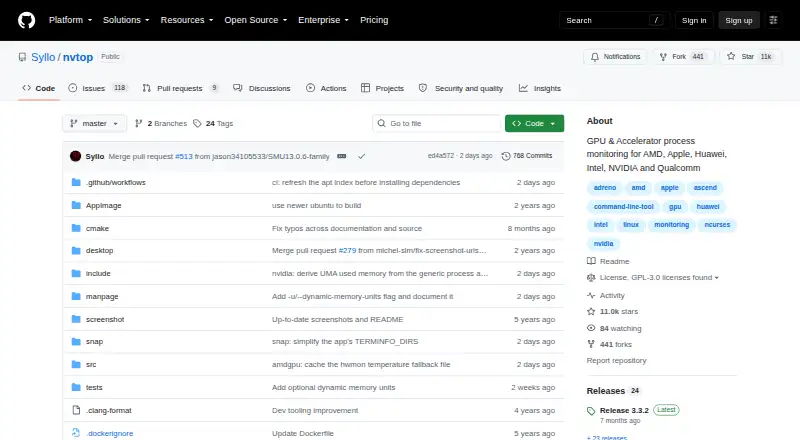
NVTOP is a free command-line task monitor for GPU and accelerator activity on supported systems. Its htop-like interface can display multiple devices, with configurable charts for GPU and memory utilization, temperature, power, clocks, and PCIe receive and transmit load. The project lists support for AMD, Apple, Huawei Ascend, Intel, NVIDIA, Qualcomm Adreno, Broadcom VideoCore, Rockchip, MetaX, Enflame, Tenstorrent, and Iluvatar CoreX devices. Linux is supported; Apple Metal support is initial, available only in builds for Apple systems, and subject to bugs and limitations. Some process reporting depends on kernel support, with README minimums of 5.14 for AMD fdinfo, 5.19 for Intel, and 6.0 for Adreno. Users can save interface preferences with F12. NVTOP includes command-line help and a manpage, and its latest release notes describe JSON snapshot output and looped snapshots. Installation options include Linux distribution packages, AppImage, Snap, Conda-forge, Docker, and source builds. It is licensed under GPLv3 or later.
Who it suits
NVTOP suits people who need to inspect GPU or accelerator activity on supported systems. Its command-line interface and hardware-dependent reporting make supported systems and drivers important considerations.
What it does well
- Charts show utilization, temperature, power, clocks, and PCIe load.
- Can display information about multiple devices.
- Offers several Linux installation routes.
- Users can save interface preferences for later runs.
What to know first
- Apple Metal support is initial and subject to limitations.
- Some process reporting depends on Linux kernel support.
- Remote monitoring is not supported.
- Custom sensors are not supported.
Limits
The free plan requires supported hardware, drivers, and libraries for some features. GPU process reporting has kernel requirements: Linux 5.14 or newer for AMD fdinfo, 5.19 or newer for Intel, and 6.0 or newer for Adreno.
Plans
| Plan | Billed and limits | Price |
|---|---|---|
| NVTOP | GPLv3 or later · GPU and accelerator monitoring · Requires supported hardware, drivers, and libraries for some features | Free |
As github.com lists them, read 5 Oct 2026. The maker's own page has the final word.
Getting started
- Choose an installation route documented by the project: a Linux distribution package, AppImage, Snap, Conda-forge, Docker, or a source build.
- Check that your hardware, drivers, and libraries support the features you need.
- Use NVTOP's command-line help or manpage to navigate its options.
- Save interface preferences with F12 for the next run.
Verdict
NVTOP provides a command-line view of GPU and accelerator activity across a broad listed set of vendors. Feature support varies by system, and some process reporting has stated kernel requirements.
Questions
How much does NVTOP cost?
NVTOP is free: free under the listed plan.
Which systems does it support?
NVTOP is available for Linux. Apple Metal support is initial and available only when building for Apple systems.
Which GPU vendors are supported?
The README lists AMD, Apple, Huawei Ascend, Intel, NVIDIA, Qualcomm Adreno, Broadcom VideoCore, Rockchip, MetaX, Enflame, Tenstorrent, and Iluvatar CoreX devices.
Is NVTOP open source?
Yes. It is licensed under GPLv3 or any later version.
What does NVTOP display?
Its configurable charts can show GPU and memory utilization, temperature, power, clocks, and PCIe receive and transmit load.
How can I install it?
The project documents Linux distribution packages, AppImage, Snap, Conda-forge, Docker, and source builds.
Facts from NVTOP's own pages
- Apple support
- Apple Metal support is described as initial, available only when building for Apple, and still subject to bugs and limitations. · github.com, 5 Oct 2026
- Audience
- The project describes NVTOP as a command-line monitor for people who need to inspect GPU or accelerator activity on supported systems. · github.com, 5 Oct 2026
- Custom sensor support
- No · github.com, 24 Sept 2026
- Free plan
- Yes · github.com, 24 Sept 2026
- Hardware requirements
- Some GPU process reporting depends on kernel support; the README specifies Linux kernel 5.14 or newer for AMD fdinfo process reporting, 5.19 or newer for Intel, and 6.0 or newer for Adreno. · github.com, 5 Oct 2026
- Installation
- The project documents installation through Linux distribution packages, AppImage, Snap, Conda-forge, Docker, and source builds. · github.com, 5 Oct 2026
- Integrations
- The NVIDIA backend uses NVML from the GPU driver and can optionally use NvAPI for additional clock-domain information. · github.com, 5 Oct 2026
- License
- NVTOP is licensed under GPLv3 or any later version. · github.com, 5 Oct 2026
- Metrics
- Its configurable charts can show GPU and memory utilization, temperature, power, clocks, and PCIe receive and transmit load. · github.com, 5 Oct 2026
- Output modes
- NVTOP includes a manpage and command-line help, and its latest release notes describe JSON snapshot output and looped snapshots. · github.com, 5 Oct 2026
- Preferences
- Users can save interface preferences with F12 and load them the next time they run NVTOP. · github.com, 5 Oct 2026
- Purpose
- NVTOP is a htop-like task monitor for GPUs and accelerators that can display information about multiple devices. · github.com, 5 Oct 2026
- Remote monitoring
- No · github.com, 24 Sept 2026
- Security
- GitHub reports that the repository has no SECURITY.md policy and no published security advisories. · github.com, 5 Oct 2026
- Support
- The project README provides troubleshooting guidance and directs users to its issue tracker for project questions. · github.com, 5 Oct 2026
- Supported platforms
- Linux; Apple systems (limited,build-specific support) · github.com, 24 Sept 2026
- Supported vendors
- The README lists support for AMD, Apple, Huawei Ascend, Intel, NVIDIA, Qualcomm Adreno, Broadcom VideoCore, Rockchip, MetaX, Enflame, Tenstorrent, and Iluvatar CoreX devices. · github.com, 5 Oct 2026
Where NVTOP stands on Freedom251
- Hardware monitoring tools#14 of 59
- Process Monitoring Software#16 of 26
- Hardware Monitoring Software#39 of 59