Freedom251 › Hardware Monitoring Software
gpuview
What gpuview is
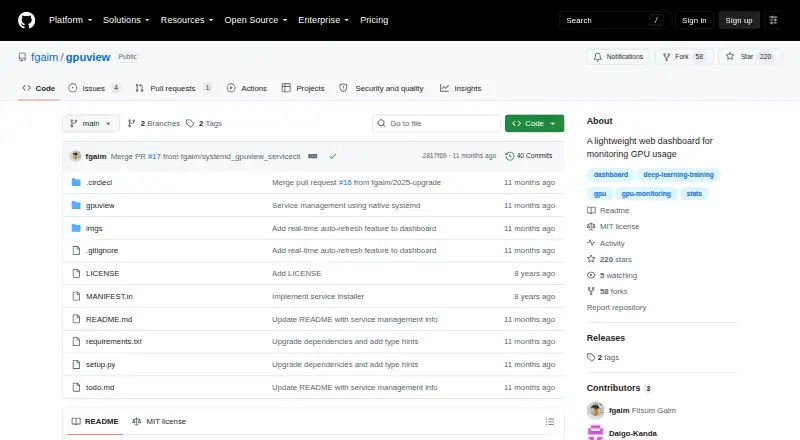
gpuview is a web dashboard for watching GPU health and usage across one or more servers. It displays temperature, memory, utilization, and users, and can combine statistics from multiple registered GPU hosts in a single dashboard. The view refreshes every three seconds, with interactive tooltips, temperature-based color coding, and pause and resume controls. gpuview also provides a REST API for statistics from the main host and aggregated statistics from registered hosts. It runs on top of gpustat, which it installs from PyPI, and requires Python 3.9 or higher. The dashboard listens by default on 0.0.0.0 at port 9988; command-line options let you configure the host and port. On Linux systems with systemd, it can run as a permanent background service, and installing that service requires sudo privileges. The project states that it has no user authentication and omits sensitive details such as usernames by default. The --safe-zone option enables reporting all details, including usernames; --exclude-self prevents other dashboards from receiving the current machine’s statistics. gpuview is free and MIT-licensed. Its README describes GPU monitoring for deep learning practitioners and notes that it can run on a non-GPU machine, such as a laptop, to monitor remote GPU servers.
Who it suits
gpuview suits deep learning practitioners who want a lightweight dashboard for GPU status across multiple servers. It can also suit someone using a non-GPU machine, such as a laptop, to monitor remote GPU hosts through a browser or REST API.
What it does well
- Combines statistics from multiple GPU servers in one dashboard.
- Refreshes every three seconds with pause and resume controls.
- Provides a REST API for host and aggregated statistics.
- Can run on a non-GPU machine to monitor remote GPU servers.
- Free and MIT-licensed.
What to know first
- The project has no user authentication.
- Installing it as a systemd service requires sudo privileges.
- Requires Python 3.9 or higher.
Limits
gpuview has no user authentication. By default, it omits sensitive details such as usernames; the --safe-zone option enables reporting all details, including usernames.
Plans
| Plan | Billed and limits | Price |
|---|---|---|
| gpuview | MIT-licensed software · Python 3.9 or higher | Free |
As github.com lists them, read 8 Oct 2026. The maker's own page has the final word.
Getting started
- Visit the gpuview GitHub project.
- Use a system with Python 3.9 or higher.
- Install gpuview, which installs gpustat from PyPI.
- Run the dashboard and configure its host or port with command-line options if needed.
- Register GPU hosts to aggregate their statistics.
- Optionally configure a systemd service on Linux; installation requires sudo privileges.
Verdict
Choose gpuview if you want a free dashboard and API for monitoring GPU statistics across registered hosts. Look elsewhere if your setup requires user authentication or cannot accommodate Python 3.9 or higher.
Questions
How much does gpuview cost?
gpuview is free. Its listed plan is free.
Which platforms does it support?
It supports Linux, a web browser, and a REST API.
Does gpuview offer a free trial?
No. It is free, and no free trial is offered.
Is gpuview open source?
Yes. It is licensed under the MIT License.
What does the dashboard monitor?
It displays GPU temperature, memory, utilization, and users, and can aggregate statistics from registered hosts.
Who maintains gpuview?
PyPI lists Fitsum Gaim as the package author and fgaim as its maintainer.
Facts from gpuview's own pages
- API
- The REST API provides endpoints for statistics from the main host and aggregated statistics from registered hosts. · github.com, 8 Oct 2026
- Free plan
- Yes · github.com, 24 Sept 2026
- Intended users
- The README describes GPU monitoring for deep learning practitioners and says gpuview can run on a non-GPU machine, such as a laptop, to monitor remote GPU servers. · github.com, 8 Oct 2026
- License
- gpuview is licensed under the MIT License. · github.com, 8 Oct 2026
- Linux service
- On Linux systems with systemd, gpuview can run as a permanent background service, and installing that service requires sudo privileges. · github.com, 8 Oct 2026
- Maintainer
- PyPI lists Fitsum Gaim as the package author and fgaim as its maintainer. · pypi.org, 8 Oct 2026
- Multi-host monitoring
- Multiple GPU servers can be registered to one dashboard, where their statistics are aggregated. · github.com, 8 Oct 2026
- Privacy control
- The --safe-zone option enables reporting all details, including usernames, and --exclude-self prevents other dashboards from receiving the current machine's statistics. · github.com, 8 Oct 2026
- Purpose
- gpuview is a lightweight web dashboard for monitoring GPU health and usage, including temperature, memory, utilization, and users. · github.com, 8 Oct 2026
- Refresh and controls
- The dashboard refreshes every 3 seconds and includes interactive tooltips, temperature-based color coding, and pause/resume controls. · github.com, 8 Oct 2026
- Remote monitoring
- Yes · github.com, 24 Sept 2026
- Requirements
- Python 3.9 or higher is required. · github.com, 8 Oct 2026
- Run mode
- The dashboard runs by default at 0.0.0.0 on port 9988, with host and port configurable through command-line options. · github.com, 8 Oct 2026
- Security
- The project states that it has no user authentication and omits sensitive details such as usernames by default. · github.com, 8 Oct 2026
- Supported platforms
- Linux; web browser; REST API · github.com, 24 Sept 2026
- Underlying tool
- gpuview runs on top of gpustat, which it installs from PyPI. · github.com, 8 Oct 2026
Where gpuview stands on Freedom251
- Hardware Monitoring Software#12 of 59
- Hardware monitoring tools#16 of 59