NINJA-IDE
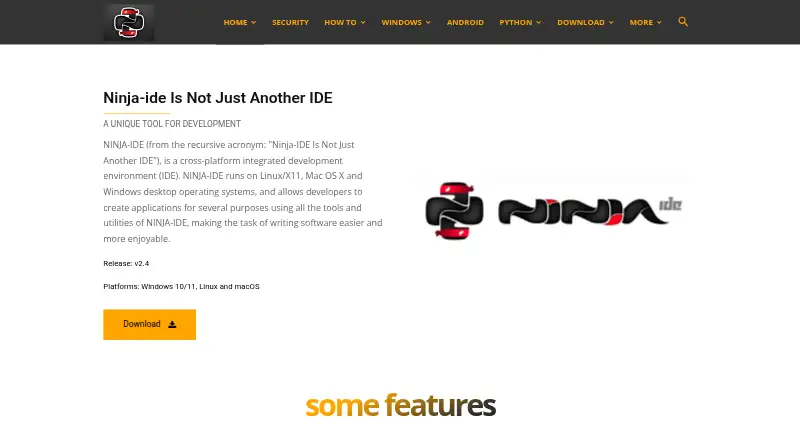
What NINJA-IDE is
NINJA-IDE is a free integrated development environment for creating applications, with tools for managing Python projects. Its editor offers syntax highlighting, code completion, and help with imports and navigation. A locator provides access to project files, functions, and classes, and documents can flag static and PEP 8 errors. Users can manage files within the IDE, run a Python project or open file with one click, and render HTML files in the application. Plugins can extend the editor and integrate additional functionality. The download page lists version 2.4 installers for Windows 10/11 and Linux distributions. Its macOS entry says the application is unavailable there and offers source code only. Listed requirements are Python 2.7 and PyQt 4.7 or later. The project describes the software as GPLv3+ and lists a mailing list and GitHub issues for questions and bug reports. The website says it is no longer run by the official authors.
Who it suits
NINJA-IDE may suit Python developers who want project management, code navigation, and basic run and preview tools in a free IDE. Windows and Linux installers are listed; macOS users are offered source code rather than an available app download.
What it does well
- Editor provides syntax highlighting and code completion.
- Locator jumps to files, functions, and classes.
- Highlights static and PEP 8 errors.
- Can run Python files and render HTML internally.
- Project is described as GPLv3+ software.
What to know first
- The macOS app is listed as unavailable.
- Listed requirements include Python 2.7 and PyQt 4.7 or later.
- Website says it is no longer run by official authors.
Plans
| Plan | Billed and limits | Price |
|---|---|---|
| NINJA-IDE | GPLv3+ · Python IDE · Windows and Linux installers listed; macOS download unavailable | Free |
As ninja-ide.org lists them, read 4 Oct 2026. The maker's own page has the final word.
Getting started
- Open https://ninja-ide.org/ and go to the download page
- Choose the v2.4 installer listed for Windows 10/11 or a Linux distribution
- Meet the listed requirements of Python 2.7 and PyQt 4.7 or later
- For macOS, use the offered source code; the download page says the app is unavailable there
- Alternatively, clone and run the source code using the project's instructions
NINJA-IDE is a Python-focused integrated development environment with project management, code assistance and an extensible editor. It suits developers who want those tools in a free desktop IDE, especially on Windows or Linux. Its Python workflow is a clear draw, but macOS users face a less direct installation route.
Overview
NINJA-IDE brings editing, project file management, code navigation and running Python work into one application. Its combination of import and navigation assistance, static-error highlighting and PEP 8 checks can help keep routine development tasks close at hand. The scope is Python-centered, so it is a better fit for Python projects than for readers seeking a general-purpose development environment.
Key features
- Editor and navigation: Syntax highlighting, code completion and assistance with imports and navigation support everyday editing. A code locator jumps to project files, functions and classes, which is useful when moving around larger codebases.
- Checks: The IDE highlights static errors and PEP 8 errors in documents. That gives Python developers feedback in the editor, though these checks are not a substitute for a broader testing process.
- Project workflow: Project management and file operations take place inside the IDE. Users can run a Python project or individual file with one click, and render HTML files within the application.
- Extensibility: Plugins can extend the editor and integrate functionality into the IDE, making it adaptable for users whose needs go beyond its built-in tools.
- Development tools: NINJA-IDE includes advanced code intelligence and an integrated profiler, adding assistance and performance analysis to its Python workflow.
Pricing
NINJA-IDE has one free plan: NINJA-IDE — free. It is GPLv3+ software, with no paid tier or trial to weigh against it. That makes it a straightforward option for developers who want a no-cost Python IDE; the trade-off is that the product's fit depends on its platform support and Python-oriented feature set.
Platforms
NINJA-IDE supports Windows, macOS and Linux in principle, but the installation picture differs by system. The download page offers v2.4 installers for Windows 10/11 and Linux distributions. For macOS, it offers source code rather than an available app download, so users on that platform should expect a less convenient setup. The download page names Python 2.7 and PyQt 4.7 or later as requirements.
The project repository provides instructions for cloning and running the GPLv3+ source code. The project lists a mailing list and GitHub issues for questions and bug reports. Its website says it is no longer run by the official authors and directs project-related donations to the official GitHub page.
Who it's for
NINJA-IDE is best suited to Python developers who value project-level file management, in-editor checks, code navigation and one-click execution without paying for an IDE. Windows and Linux users have a direct installer option. macOS developers may prefer another IDE if installing from source is a barrier, while those seeking a broader or differently specialized development workflow should compare other Python tools.
Pros and cons
- Pro: The free GPLv3+ plan combines project management, code assistance, static and PEP 8 checks, and an integrated profiler without a paid upgrade.
- Pro: The code locator and one-click run commands keep navigation and basic execution within the same Python-focused environment.
- Con: macOS users get source code rather than an app installer, making setup less direct than on Windows or Linux.
- Con: Python 2.7 and PyQt 4.7 or later are named requirements, so users should check that these suit their intended setup.
- Con: The website is no longer run by the official authors, a consideration for readers weighing project stewardship.
Alternatives
Browse more Python IDEs if you want a wider comparison. Anvil is worth considering for a cloud-hosted, multi-platform approach: its free plan includes unlimited apps, cloud hosting, library installation, one developer and 50,000 Data Table rows. Choose Eric if you want another free IDE for Windows, macOS or Linux; its plan has no stated price or usage limits.
Spyder is a free, open-source scientific Python IDE for Windows, macOS, Linux and the web, making it the more directly positioned choice for scientific work. TigerJython is a free option maintained by a community focused on computer science education and Python. Positron is another free desktop choice for Windows, macOS and Linux.
PyCharm offers a free plan with one month of Pro included, while its Pro plan costs $200 a year per user; consider it if you want to compare a free starting point with a paid tier. Pyzo is a free, open-source computing environment for Windows, macOS and Linux. Spyder is also free and open source, with no paid version, and supports desktop platforms plus the web.
Verdict
Choose NINJA-IDE if you want a free, Python-centered desktop IDE with project tools, code intelligence, in-editor checks and an integrated profiler, particularly on Windows or Linux. Its strongest reason to choose it is the breadth of Python workflow features at no cost. Look elsewhere if you need a straightforward macOS installer or prefer an IDE oriented to a different kind of work.
Verdict
NINJA-IDE offers Python project tools and extensible editing at no cost. Its listed installers cover Windows and Linux, while macOS availability is limited to source code.
Questions
How much does NINJA-IDE cost?
The listed NINJA-IDE plan is free. The pricing model is free.
Is there a free trial?
No. The facts list no free trial; NINJA-IDE has a free plan.
Which platforms have installers?
The download page lists v2.4 installers for Windows 10/11 and Linux distributions. Its macOS entry says the app is unavailable there and offers source code only.
Is NINJA-IDE open source?
The project describes it as GPLv3+ software and provides instructions for cloning and running the source code.
What requirements are listed?
The download page lists Python 2.7 and PyQt 4.7 or later.
Who runs the project, and where can users ask for help?
The website says it is no longer run by the official authors. The project lists a mailing list and GitHub issues for questions and bug reports.
Facts from NINJA-IDE's own pages
- Code editor
- The editor provides syntax highlighting, code completion, and code assistance for imports and navigation. · ninja-ide.org, 4 Oct 2026
- Code locator
- The code locator provides quick access to project files, functions, and classes. · ninja-ide.org, 4 Oct 2026
- Downloads
- The download page lists v2.4 installers for Windows 10/11 and Linux distributions, while its macOS entry says the app is unavailable there and offers source code only. · ninja-ide.org, 4 Oct 2026
- Extensibility
- Plugins can extend the editor and integrate functionality into the IDE. · ninja-ide.org, 4 Oct 2026
- Maker status
- The website says it is no longer run by the official authors and directs project-related donations to the official GitHub page. · ninja-ide.org, 4 Oct 2026
- Product
- NINJA-IDE is a cross-platform integrated development environment for creating applications. · ninja-ide.org, 4 Oct 2026
- Project management
- The IDE manages Python projects and lets users perform file management tasks within the IDE. · ninja-ide.org, 4 Oct 2026
- Requirements
- The download page lists Python 2.7 and PyQt 4.7 or later as requirements. · ninja-ide.org, 4 Oct 2026
- Run and preview
- Users can run a Python project or open file with one click and render an HTML file inside the IDE. · ninja-ide.org, 4 Oct 2026
- Source code and license
- The project repository describes NINJA-IDE as GPLv3+ software and provides instructions for cloning and running it. · github.com, 4 Oct 2026
- Static checks
- The IDE highlights static errors and PEP 8 errors in documents. · ninja-ide.org, 4 Oct 2026
- Support
- The project lists a mailing list and GitHub issues for questions and bug reports. · github.com, 4 Oct 2026
Where NINJA-IDE stands on Freedom251
- Python IDEs#4 of 26