Freedom251 › Network Discovery Software
NetworkTonic
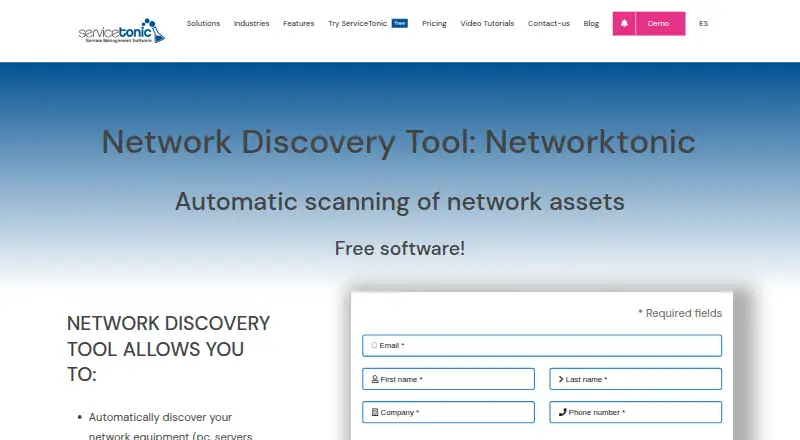
What NetworkTonic is
NetworkTonic scans network equipment, builds an asset inventory and shows devices and their relationships on an interactive map. It discovers computers, printers, routers, switches and other network equipment, and inventories hardware and software on Windows, Linux and Mac computers. The discovered inventory synchronizes with the ServiceTonic CMDB. Discovery is agentless, so asset details are accessible without installing extra programs on client machines. Multiple scan servers can support distributed environments, independent networks and networks split into segments. Monitoring uses CPU, RAM, disk, ping, service and active web sensors; configured criteria can generate alert tickets automatically. The tool is integrated into ServiceTonic Help Desk software and connected to its CMDB. A free plan is listed as free, with no other usage limits stated. The pricing page asks customers to request a quote and choose cloud or on-premise ServiceTonic, but does not list a NetworkTonic price.
Who it suits
It suits teams that need to discover and inventory network assets across enterprise or segmented environments, especially those using the ServiceTonic CMDB.
What it does well
- Agentless discovery avoids client-side program installation.
- Maps discovered devices and their relationships.
- Synchronizes discovered assets with the ServiceTonic CMDB.
- Supports distributed scans and multiple network segments.
- Free plan listed as free.
What to know first
- No NetworkTonic price is listed.
- The product is described as integrated into ServiceTonic Help Desk software.
Plans
| Plan | Billed and limits | Price |
|---|---|---|
| NetworkTonic | Free software; no other usage limits stated | Free |
As servicetonic.com lists them, read 5 Oct 2026. The maker's own page has the final word.
Getting started
- Visit the ServiceTonic NetworkTonic product page.
- Choose a Linux, macOS, or Windows environment.
- Use agentless discovery to scan network equipment and computers.
- Configure scheduled discovery and monitoring sensors as needed.
- For cloud or on-premise ServiceTonic pricing, request a quote.
NetworkTonic is an agentless network discovery and monitoring tool from ServiceTonic S.L. It suits organizations that need an enterprise-wide inventory, topology view, and ServiceTonic CMDB connection, especially existing Help Desk customers. The strongest reason to choose it is the path from discovery to alert tickets; the main reason to look elsewhere is its dependence on the ServiceTonic ecosystem and quote-based purchasing.
Overview
NetworkTonic scans computers, printers, routers, switches, and other network equipment, then presents device details and relationships on an interactive map. It inventories hardware and software on Windows, Linux, and Mac computers, giving teams a current view of what is connected and what each asset contains.
The product is positioned as an integrated discovery component of ServiceTonic Help Desk, tied directly to its CMDB. That makes it a practical choice for teams already standardizing service management on ServiceTonic. Buyers seeking an independent tool with its own clearly separated service-management stack may find the positioning less suitable.
Key features
Discovery and topology
Agentless discovery lets administrators inspect discovered asset information without installing extra software on client machines. Scheduled discovery supports ongoing inventory maintenance rather than a one-time audit. Interactive topology mapping adds relationship context to the inventory, helping teams understand how devices connect instead of relying on isolated records.
Distributed coverage
Multiple scan servers are designed for distributed environments, including independent networks and networks divided into several segments. That enterprise network scope is valuable where one scanner cannot conveniently reach every location or segment. It also introduces an operational architecture that smaller, single-network teams may not need.
CMDB and monitoring
Discovered inventory synchronizes automatically with the ServiceTonic CMDB, reducing duplicate entry for organizations using that platform. Monitoring sensors cover CPU, RAM, disk, ping, services, and active web checks. When criteria are met, NetworkTonic can create alert tickets automatically, linking infrastructure conditions to help-desk response. This is a more actionable workflow than inventory alone, but its full benefit depends on adopting ServiceTonic’s CMDB and ticketing environment.
ServiceTonic says its cloud infrastructure runs in ISO 27001-certified Azure and Hetzner data centers, with historical availability above 99.95%. For cloud service data, it describes TLS 1.3 in transit, AES-256 or stronger encryption at rest, and annual independent penetration tests. Its team also assists with implementation and continuous improvement.
Pricing
The NetworkTonic plan is free at free. No other usage limits are stated for that plan, so it can be a low-friction way to evaluate discovery, inventory, mapping, and monitoring before committing to a broader deployment.
The pricing page asks customers to request a quote and choose cloud or on-premise ServiceTonic; NetworkTonic has custom pricing there rather than a published product price. That approach fits organizations expecting implementation guidance or a tailored ServiceTonic rollout, but it makes direct budget comparison difficult. There are no published seat caps, scan quotas, trial duration, or renewal terms to weigh.
Platforms
NetworkTonic supports Linux, macOS, and Windows. Its agentless method means those platform options apply to the environments being discovered without requiring client-side agents.
Who it's for
Choose NetworkTonic if you manage an enterprise network spanning multiple segments, need scheduled discovery, and already use or plan to use ServiceTonic Help Desk and CMDB. It is particularly well matched to teams that want hardware and software inventory tied to topology and automated incident tickets.
It is a weaker fit for a small network that only needs occasional scans, or for buyers who require a standalone product with transparent paid tiers and published capacity limits.
Pros and cons
- Pro: Agentless discovery avoids installing software on client machines.
- Pro: Hardware and software inventory covers Windows, Linux, and Mac computers alongside network equipment.
- Pro: Interactive topology, scheduled scans, and multiple scan servers address segmented and distributed networks.
- Pro: Automatic CMDB synchronization and alert-ticket generation connect monitoring to service operations.
- Con: The product is closely tied to ServiceTonic Help Desk and CMDB, limiting its appeal as a standalone deployment.
- Con: Paid pricing requires a quote, so procurement cannot compare a published NetworkTonic rate or stated capacity tiers.
Alternatives
For a broad directory of comparable tools, see Network Discovery Software.
- Fing Security is a freemium option with Android, iOS, desktop, API, web, and self-hosted coverage; its free plan allows up to three scans per day and includes speed tests and network reporting.
- Lansweeper suits teams wanting a 14-day full trial that continues free for up to 100 assets, with unlimited user seats.
- LOGINventory offers a forever-free tier for up to 20 devices at no cost.
- ManageEngine OpUtils has a free tier covering one Class C subnet and one switch with basic IP and network scanning.
- OCS Inventory is an open-source, community-developed inventory project.
- runZero provides a free Community Edition for 100 assets, one organization, 10 recurring tasks, and 30 days of data retention.
- Vistumbler is free and open-source software for Android and Windows.
- Netdisco is free, open-source, and self-hosted, with web and API access.
Verdict
NetworkTonic is a strong choice for ServiceTonic customers that need agentless, scheduled discovery across enterprise networks and want inventory, topology, monitoring, and ticket creation connected in one workflow. Its free plan removes an initial cost barrier, while the main trade-off is ecosystem dependence and custom paid pricing. Look elsewhere if you need a standalone discovery product or a fully published commercial price structure.
Verdict
NetworkTonic combines discovery, inventory, topology mapping and monitoring, with synchronization to ServiceTonic’s CMDB. Its free plan has no other usage limits stated, while the pricing page provides no NetworkTonic price.
Questions
Is NetworkTonic free?
Yes. Its free plan is listed as free.
Which platforms does NetworkTonic support?
The listed platforms are Linux, macOS, and Windows.
Does it require client software installation?
Discovery is agentless, and users can access discovered asset details without installing additional programs on client machines.
What does NetworkTonic monitor?
It uses CPU, RAM, disk, ping, service, and active web sensors. It can automatically generate alert tickets when configured criteria are met.
How is NetworkTonic related to ServiceTonic?
ServiceTonic describes it as a discovery tool integrated into its Help Desk software and connected to its CMDB.
How do customers get cloud or on-premise pricing?
ServiceTonic's pricing page asks customers to request a quote and choose between cloud and on-premise ServiceTonic.
Facts from NetworkTonic's own pages
- Client installation
- The product page says users can access discovered asset details without installing additional programs on client machines. · servicetonic.com, 5 Oct 2026
- CMDB integration
- NetworkTonic automatically synchronizes its discovered inventory with the ServiceTonic CMDB. · servicetonic.com, 5 Oct 2026
- Discovery
- It discovers computers, printers, and network equipment, including routers and switches. · servicetonic.com, 5 Oct 2026
- Distributed scans
- The product sheet describes multiple scan servers for distributed environments and scanning independent networks or networks with multiple segments. · servicetonic.com, 5 Oct 2026
- Headquarters
- Barcelona, Spain · servicetonic.com, 28 Sept 2026
- Inventory
- The product sheet says it inventories Windows, Linux, and Mac computers, including hardware and software. · servicetonic.com, 5 Oct 2026
- Maker
- The legal notice identifies the maker as ServiceTonic S.L. and gives its registered address as Aragón 383 6º, 08013 Barcelona, Spain. · servicetonic.com, 5 Oct 2026
- Monitoring
- Monitoring uses CPU, RAM, Disk, Ping, Service, and Active Web sensors and can automatically generate alert tickets when criteria are met. · servicetonic.com, 5 Oct 2026
- Pricing
- The pricing page asks customers to request a quote and choose between cloud and on-premise ServiceTonic; it lists no NetworkTonic price. · servicetonic.com, 5 Oct 2026
- Product relationship
- The maker describes NetworkTonic as an integrated discovery tool built into its Help Desk software and connected to its CMDB. · servicetonic.com, 5 Oct 2026
- Purpose
- NetworkTonic scans network equipment, creates an inventory, and displays device details and relationships on an interactive map. · servicetonic.com, 5 Oct 2026
- Security
- ServiceTonic says its cloud infrastructure is hosted in ISO 27001 certified Azure and Hetzner data centers and reports historical availability greater than 99.95%. · servicetonic.com, 5 Oct 2026
- Security controls
- For its cloud service, ServiceTonic says it encrypts traffic with TLS 1.3, encrypts stored user data with AES-256 or better, and conducts annual independent penetration tests. · servicetonic.com, 5 Oct 2026
- Support
- The asset inventory page says ServiceTonic's team assists with implementation and continuous improvement. · servicetonic.com, 5 Oct 2026
- Use case
- ServiceTonic presents NetworkTonic as a way to maintain an up-to-date software and hardware inventory of network assets and help prevent incidents. · servicetonic.com, 5 Oct 2026
Where NetworkTonic stands on Freedom251
- Network Discovery Software#11 of 35